You've missed out the ~ at the beginning of the path -- that may just be a Forum typo, but make sure you are looking in your account's Library folder and not the root-level one (which won't have a Dock folder unless, perhaps, you're forcing templates on new local accounts).
It was a copy / paste typo. I did check both locations just in case. No Sock folder at all. Sigh.
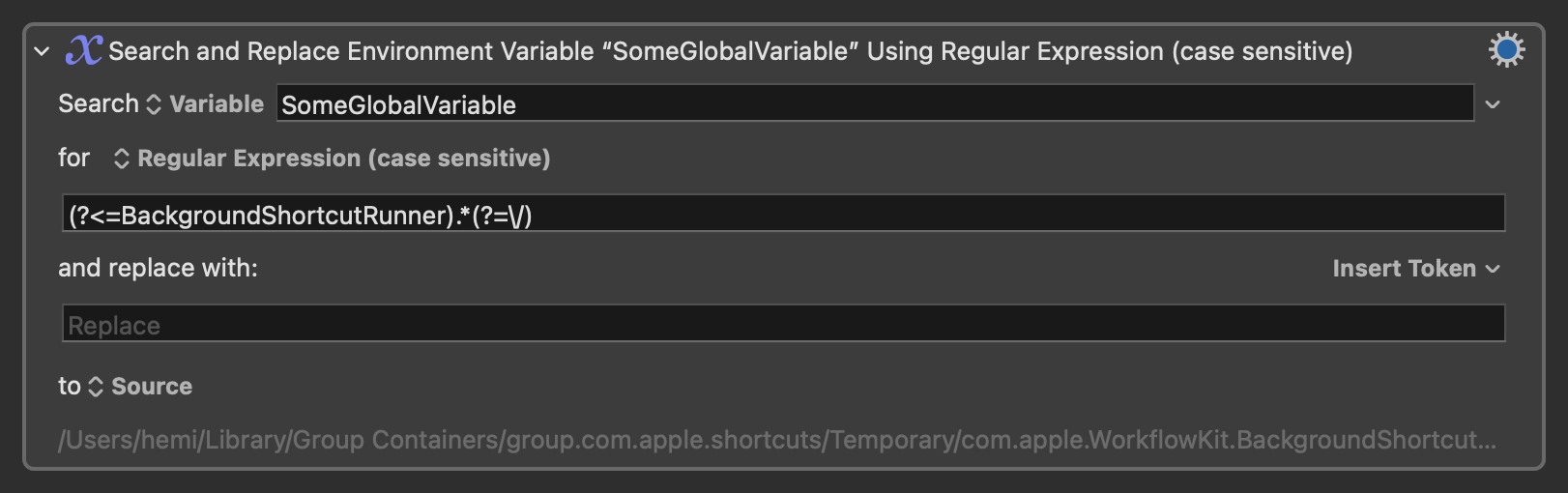
This happened to me the first time I ran it. The reason turned out to be that the path pased from the Shortcut and stored in the KM variable didn't exist. I went to the next directory up and found what I thought was the image there, but that turned out to be the original image before any formatting. I tested with that image using regex to edit the path, and that worked just fine. But I also observed that the paths from the Shortcut existed those times, so I disabled the regex action. All my subsequent tests of the Shortcut then worked exactly as expected. I figured the failure on the first run must've been an anomaly.
I have no explanation why this happened, but those are the steps I took to troubleshoot that somehow fixed the issue. You'll want to look at the path in your variable to check that the regex doesn't need to be tweaked before running it if you want to replicate my troubleshooting steps.
Thanks, I’ll revisit this as soon as I can. The issue with wallpaper pictures being set (now 60+ seconds) is still there after the Tahoe in place reinstall. Other applications are lagging too (Hazel).
So I’m reluctantly going to bite the bullet and do a wipe and fresh install of the OS.
I will be back LOL.
You might want to check out my similar efforts. I wrote this and use it every day.
I also use a simple set of Macros (not nearly as full-featured as ikenassi’s).
All it is is:
- a macro to update the list of files (I run it at startup). It’s just “Execute Shell Script” and saving the results to a variable “desktopPicsFolderList”.
The script isfind (path to folder with images) -type f -print - a macro that runs every 15 mins that just uses the “Set Desktop Image of Main Screen to” and the string to use is
%Variable%desktopPicsFolderList[RAND(1,LINES(%Variable%desktopPicsFolderList%))]\n%
That string just chooses a random file from the list of files.
Thanks guys I’ll look at both when I get to start / finish rebuilding the Mac!
I had some more time to look at this. Again on the first run, it failed and set the default wallpaper. It might've happened a second time, too, but it worked more times than not. Observations from further testing revealed that the image at the path defined in the variable vanishes after the shortcut completes. If the path in the set desktop wallpaper action is broken, this would explain why the default wallpaper is being set instead.
However, during more testing, I found that the shortcut only advances to the next action once the current action is completed, including KM's macro. Meaning the shortcut cannot run to completion until after the macro is done. Paradoxes put me ill at ease. I don't know how the path in the variable breaks, though I'm confident that's what's happening. Also, I found the shortcut has 100% consistent success when it was forced to wait for me to close the window from the Quick Look action I added for another purpose.
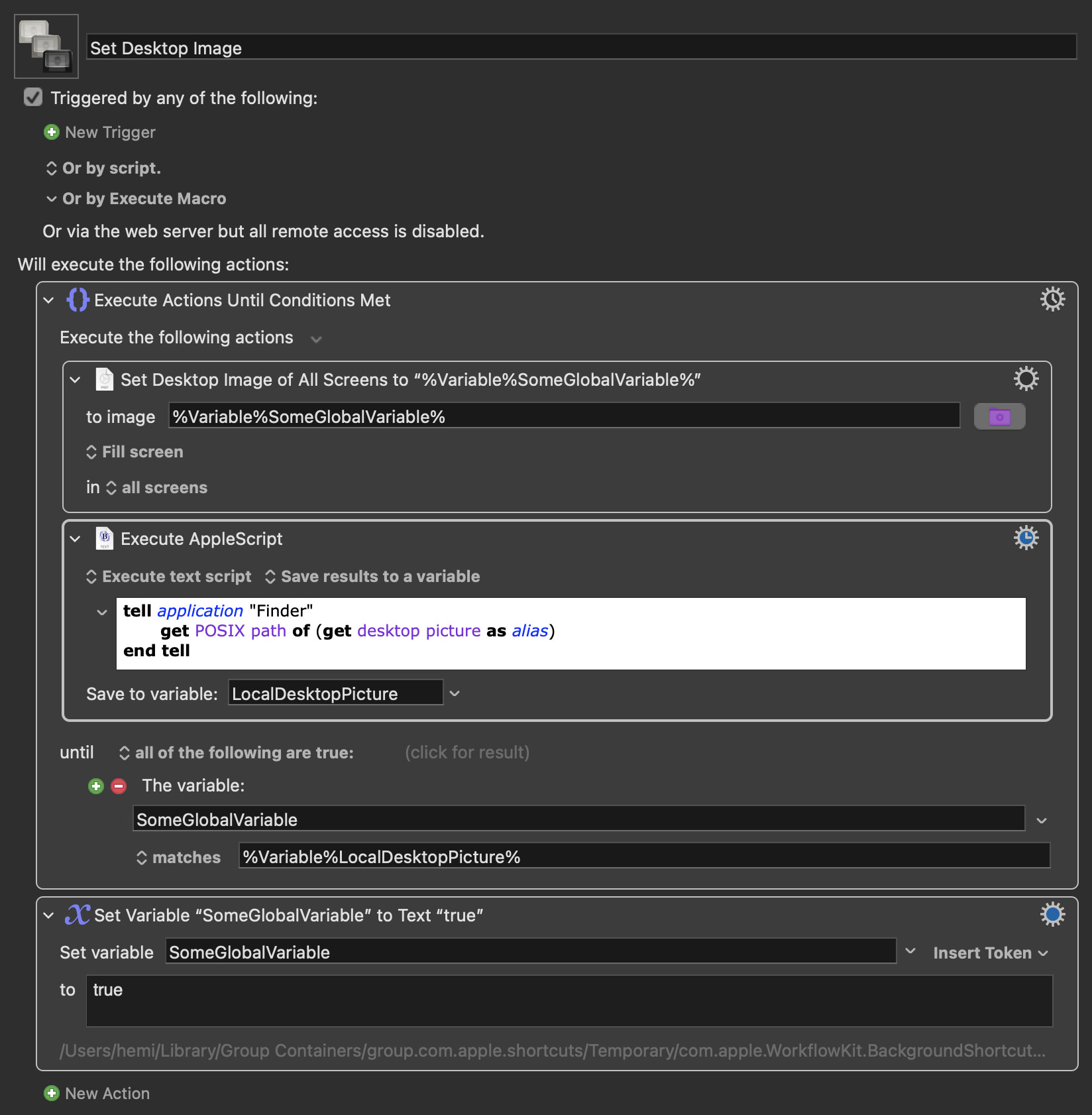
So, it seems the thing to do is slow the shortcut down a beat or two to allow KM to access the image before it disappears. I'm not deeply familiar with Shortcuts, so there could well be better solutions, but were I to solve this for myself, I might do something like this:
- Edit the macro, adding the
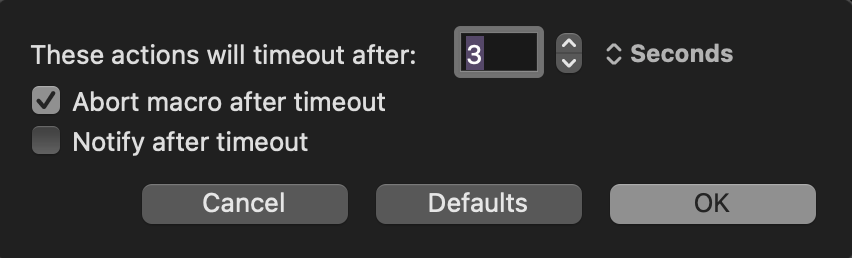
Until,Execute Applescript, andSet Variable to Textactions accordingly. Important note: Remember to set the action timeout for theUntilaction to only a few seconds (possibly you'd need to adjust based on your system's speed) and make certain the action will abort the macro on timeout.
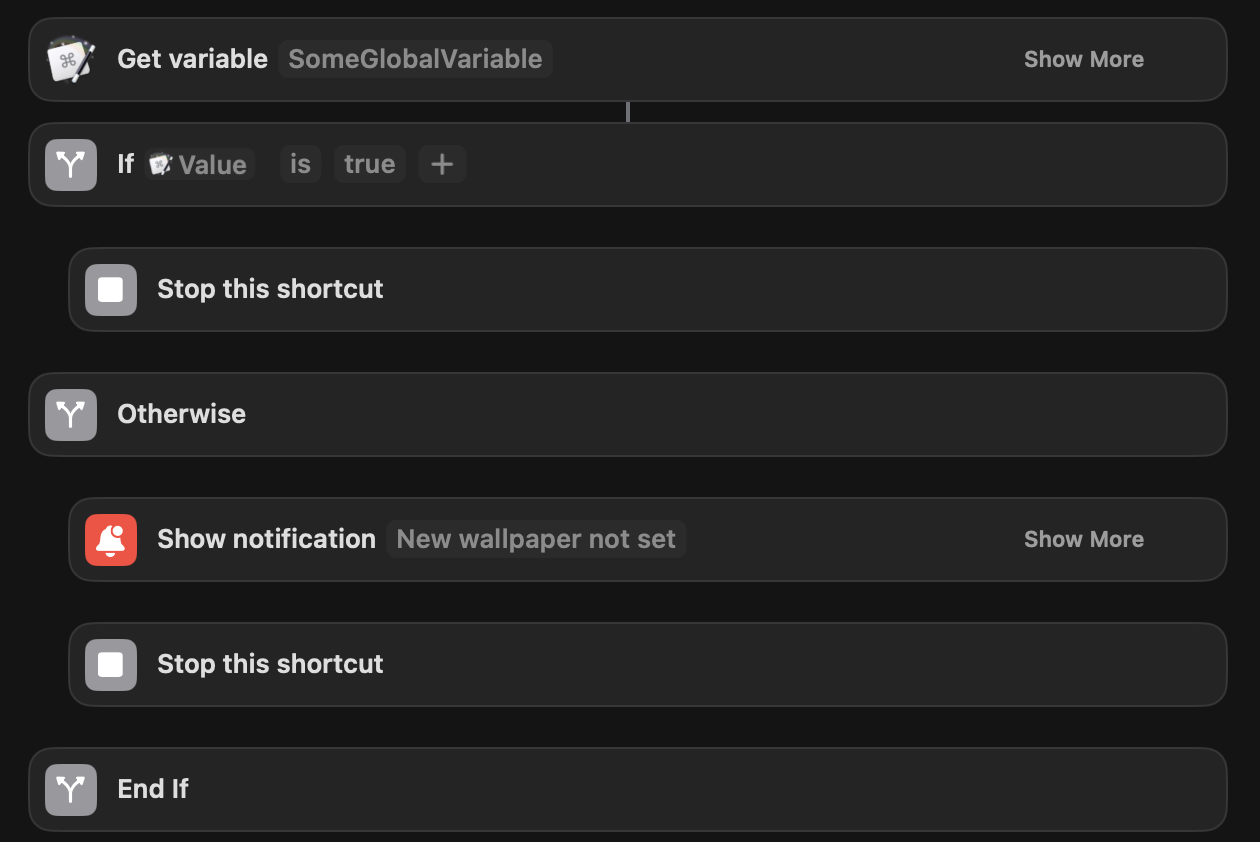
- Edit the end of the shortcut directly after the
Execute Macroaction to get the global variable value back from KM to check for a failure. N.b. This step might actually be wholly unnecessary, but I'm paranoid and redundancy helps me cope.
Are you writing out a file in your Shortcut?
There was mention in a recent Accidental Tech Podcast of a long-standing bug where Shortcuts "Convert Image" action (I think) would write out a file that appeared in Finder, then vanished as soon as the Shortcut completed. They got round it by doing the conversion with a "Run Shell Script" action that called the sips utility instead.
It isn't my shortcut, but maybe? At least, there is a <!DOCTYPE html>.txt file that appears briefly before also disappearing upon completion. But this is deep in a temp directory, so it didn't seem that unusual to me, and this file disappearing isn't causing any issues that I've seen. Is the bug that the file disappears, or that it even appears in the first place?
Very often there is another whole copy of the final image as well, but in a different temp subdirectory than the one assigned to the variable in the shortcut. And everything in the temp directory is wiped as soon as the shortcut next runs. The shortcut hasn't failed once in testing since these most recent changes. The crucial part, I think, is probably the until loop with a 3ish-second timeout set. I haven't read the entire shortcut, though, so couldn't say whether or not the shell script would be advantageous.
I’ve made some progress with my shortcut and ended up saving the file out (to a custom directory) (with a 1 second delay) and putting the wallpaper in place via Apple Script. That means it’s all in one system.
Learning a lot about KBM though 