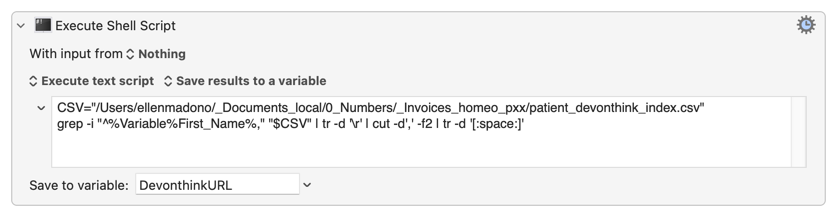
I am using the work of @JimmyHartington in Pulling in Variables from a .CSV File to Use in Mail Merges to design this macro. It still does not work, but I think I am close. I could not use a csv file because my Mac automatically turned it into a numbers file. So I used to text file. Here is an example of the text file: Bappa,x-devonthink-item://8AE4860A-8D6B-4F01-9362-716283374302,Bappa
I want to file an invoice in DEVONthink. Here is the macro that doesn't work.
2aa patient invoice.kmmacros (3.9 KB)
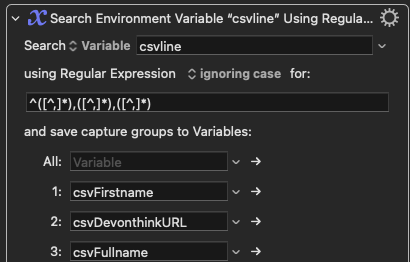
In the example, I'm giving you Bappa is the first name that I'm using. This action identifies how I get that first name.
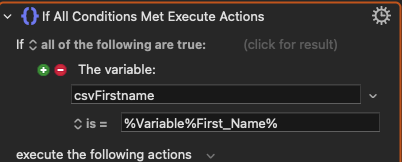
Honestly, I don't understand how this works completely. I'm guessing that the action below doesn't correspond well enough because it's really not a series. AI says case does not matter.