
PURPOSE
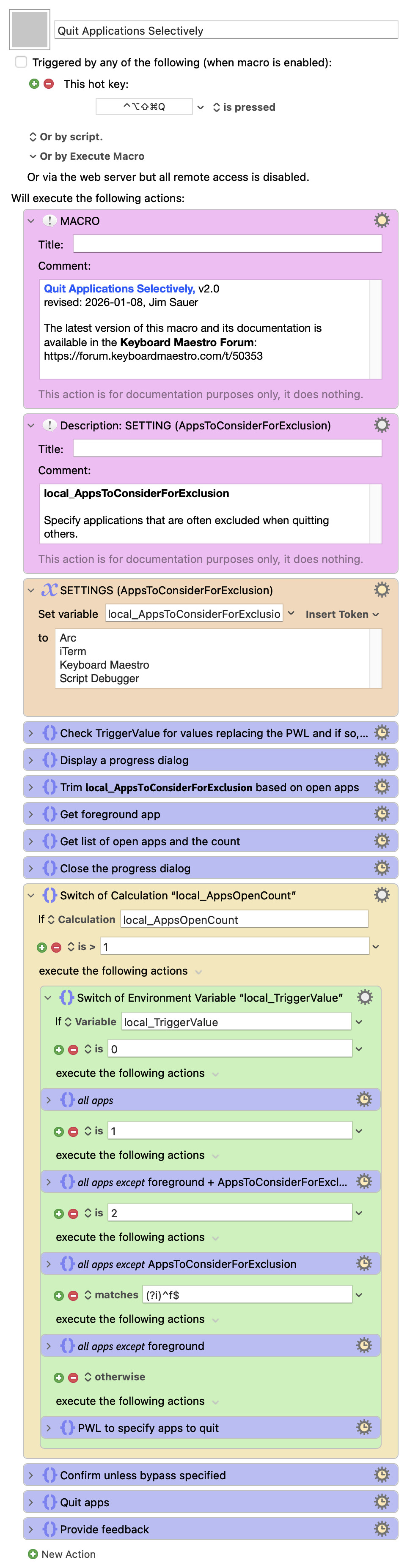
This macro, Quit Applications Selectively, can be used to quickly close all, or a subset of all, open macOS applications.
Note that this macro only quits applications that are visible when using ⌘+Tab.
If one or more of the open applications have unsaved changes, the typical warning dialog(s) will appear, thus this method is as safe as interactively quitting an application.
Macro Setting
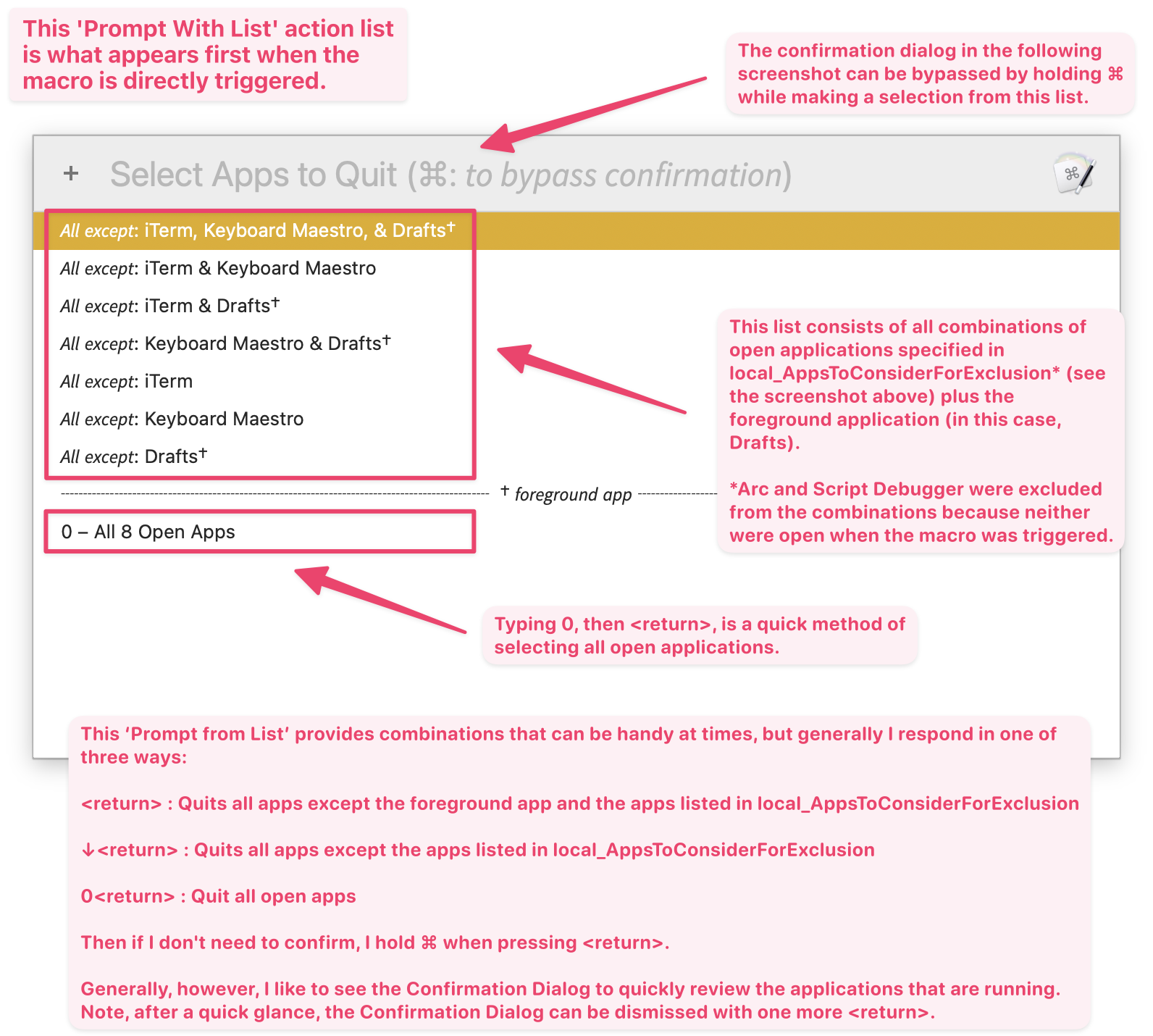
Initial Prompt With List
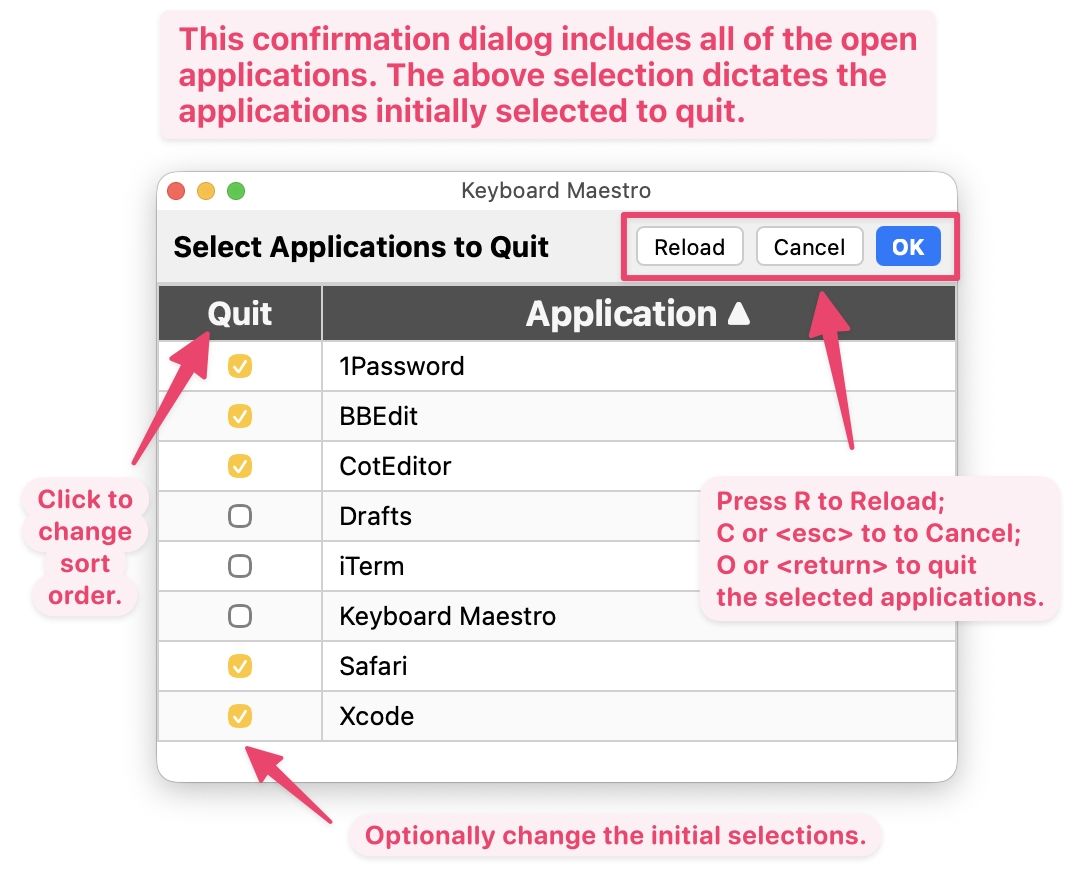
Confirmation Dialog
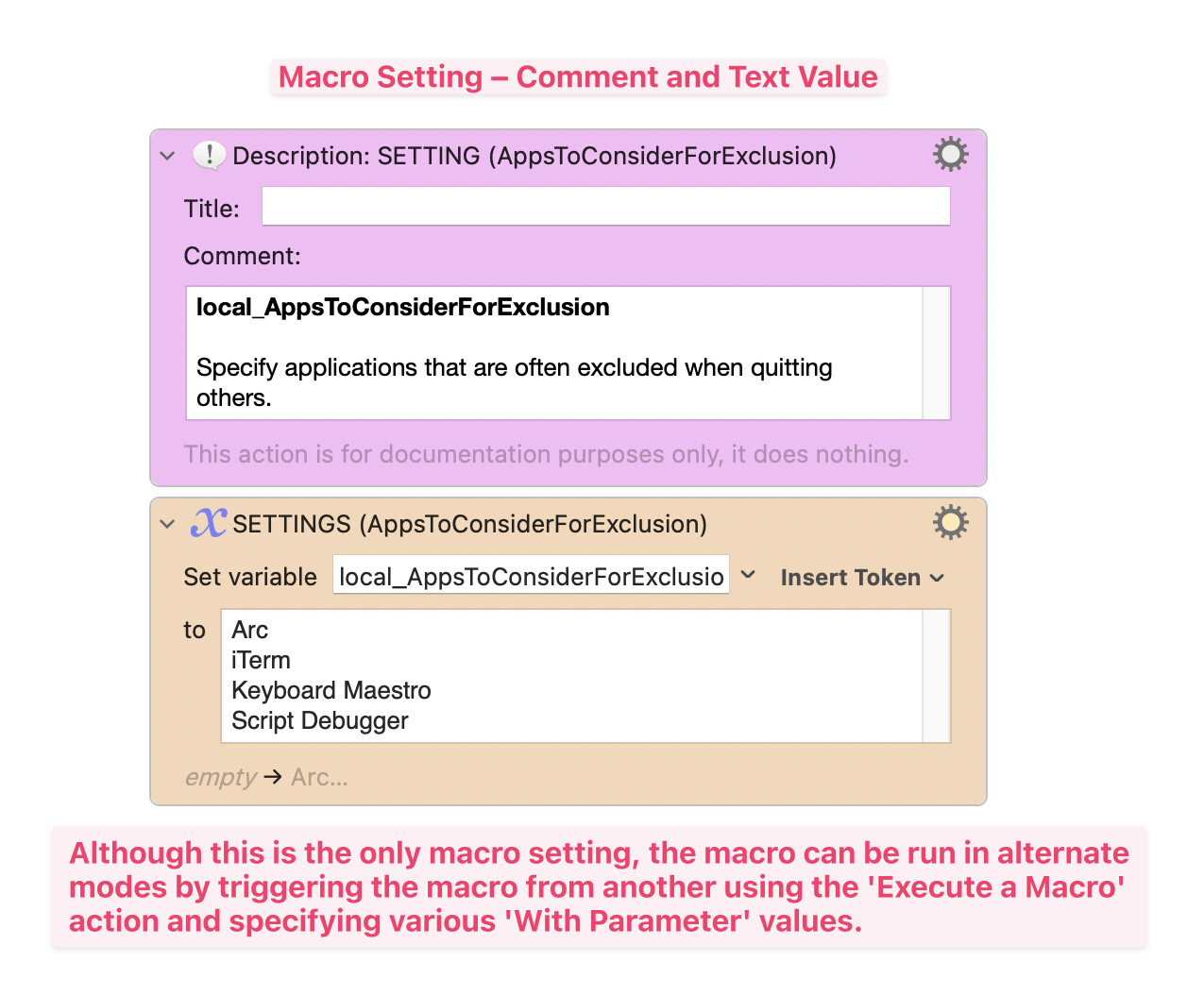
MACRO SETTING
local_AppsToConsiderForExclusion : Used to specify applications that are often excluded when quitting others.
The foreground application and this setting, combined with the list of open applications, determines the applications that appear in the initial Prompt With List.
By default, the value of this setting is:
Arc
iTerm
Keyboard Maestro
Script Debugger
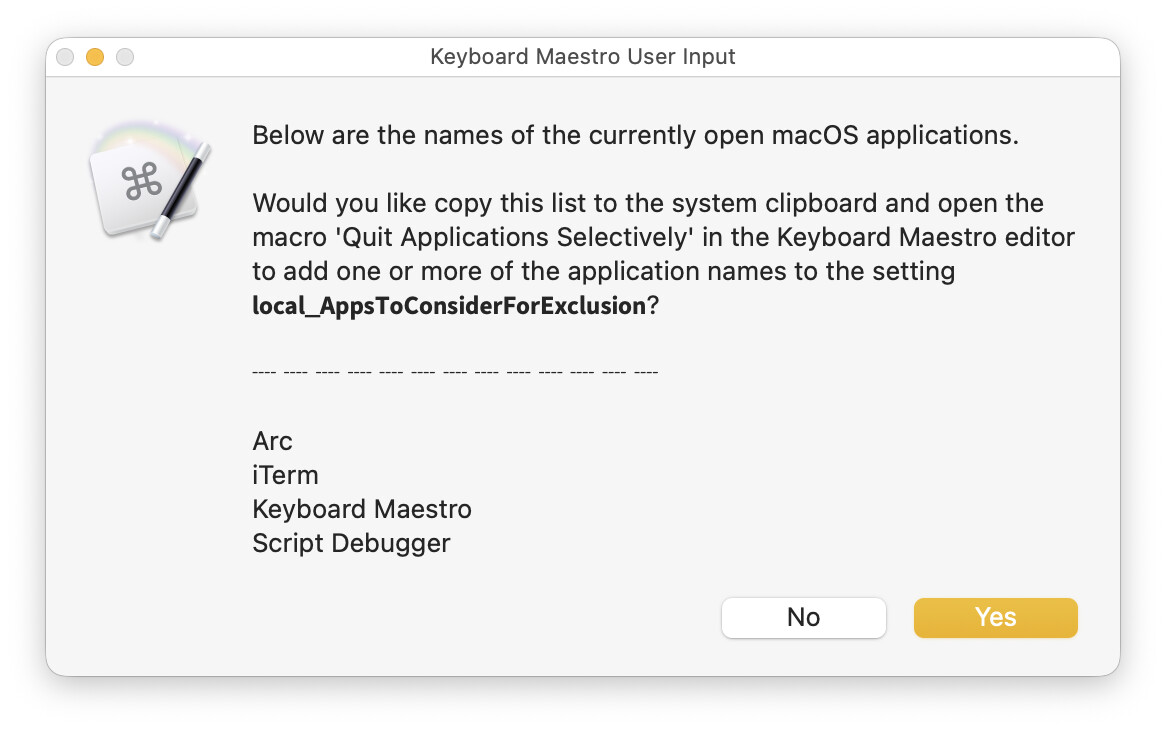
The macro includes a feature that makes it easy to populate this setting:
- Open the applications that you want to include in local_AppsToConsiderForExclusion.
- With the command key (⌘) held down, trigger this macro from the Keyboard Maestro editor.
- A dialog similar to the following will appear.
ALTERNATE MACRO BEHAVIOR
You can start Quit Applications Selectively and bypass the initial Prompt With List by calling it from another macro that includes an Execute a Macro with one of the following With Parameter values.
With Parameter |
Macro Function |
|---|---|
0 |
all apps |
-0 |
all apps‡ |
1 |
all except foreground + AppsToConsiderForExclusion |
-1 |
all except foreground + AppsToConsiderForExclusion‡ |
2 |
all except AppsToConsiderForExclusion |
-2 |
all except AppsToConsiderForExclusion‡ |
F |
all except foreground |
-F |
all except foreground‡ |
>%local_Whitelist% |
all except whitelist |
->%local_Whitelist% |
all except whitelist‡ |
‡Run without displaying the confirmation dialog (see above). For example, -0 will quit all applications with no required user interaction (unless one of the apps has unsaved changes).
In addition, you can start Quit Applications Selectively, but exclude the foreground application from the initial Prompt With List.
With Parameter |
Macro Function |
|---|---|
!F |
exclude foreground from selection list |
Finally, when configuring the variable in Quit Applications Selectively, you can use:
With Parameter |
Macro Function |
|---|---|
? |
list open apps is a dialog |
This dialog can also be displayed by triggering Quit Applications Selectively from the Keyboard Maestro editor with the command key (⌘) held down.
TESTED WITH
• Keyboard Maestro 11.0.4
• Tahoe 26.1 (25B78)/MacBookPro18,2
VERSION HISTORY
( expand / collapse )
1.0 - initial version
2.0
a) The macro now uses app bundle IDs and process names. Thus edge cases like iTerm (which use custom display names) and Setapp-distributed apps (which use modified bundle identifiers) are easier to detect and quit. The result: the local_AppsToConsiderForExclusion allows and dialogs display the familiar names seen in Cmd-Tab for both standard and non-standard apps.
b) Added a Display Progress while the app list is generated.
c) Changed macro icons.
MACRO DOWNLOAD
Quit Applications Selectively v2.0.kmmacros (104.2 KB)
Macro-Notes
- Macros are always disabled when imported into the Keyboard Maestro Editor.
- The user must ensure the macro is enabled.
- The user must also ensure the macro's parent macro-group is enabled.
System Information
- macOS 26.1 (25B78)
- Keyboard Maestro v11.0.4