I have a long list of “cases” in this switch/case action, is there an easy way to rearrange the order of these “cases“ (so I can group similar stuff together and easier to review)?

2 Likes
I don't think so, but that would be pretty risky because the order of the tests are not commutative. In other words, the order matters. In fact, there's a bug in your third block because the third block of code will never get executed, because if your variable contains the string "Click image" it will match many the second condition and will never reach the third condition.
Okok
For this particular macro, I think the order doesn’t really matter here.
Thank you for catching the bug. Changed the condition of the string “Click” to “is”, which fixes it.

Another way to fix it would have been to change the order of conditions 2 and 3. Order matters in this particular macro. Until you fixed it.
1 Like
Select the Switch/Case action group and trigger this:

16 Likes
Absolutely Mindblowing! 
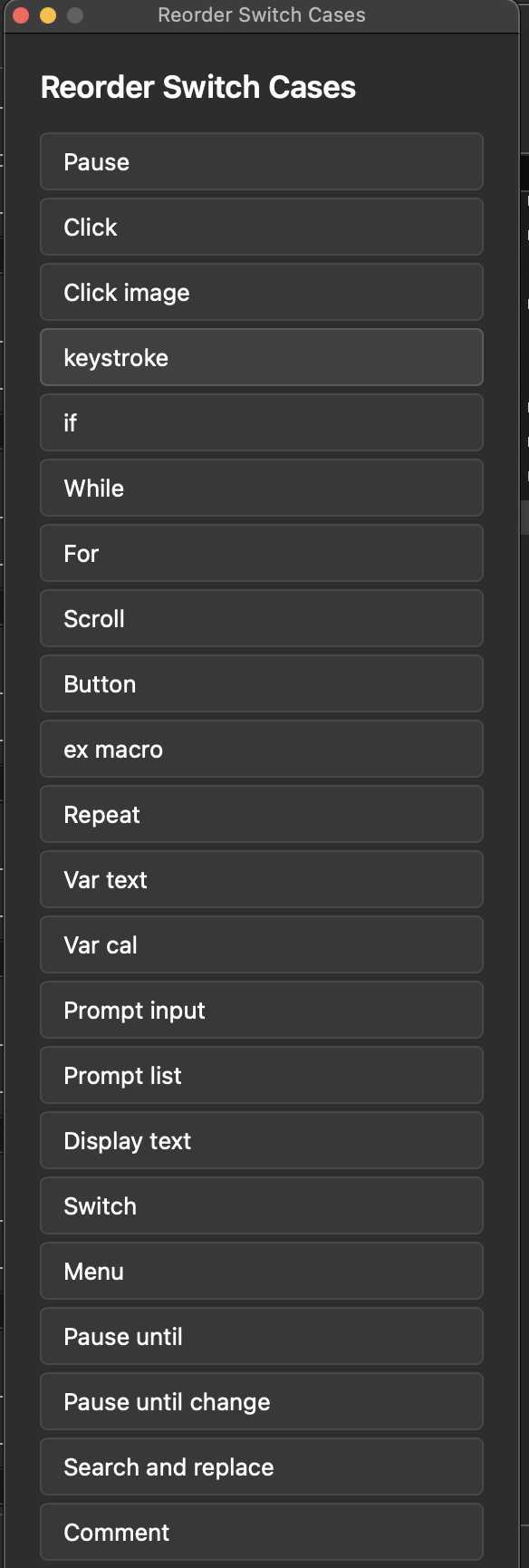
However, my list went beyond the boundary of that Custom Floating HTML Prompt, and there’s no option to scroll down. So I had to cut down the list for the testing.
If you are willing, could you add a scrolling option to it please??
4 Likes
would you mind sharing your switch case group? I don’t have any that long and it takes ages to set them up. LOL.
Never mind... didn't take that long. I've edited the macro posted above and it will now scroll when the list exceeds 600px height.
6 Likes
Thank you so much! This is so good! Another reason I gotta learn JS!

2 Likes
Bravo! That’s excellent.
I have added just one important action to my copy of the macro. 

Credit where credit is due!
6 Likes
@noisneil, This is so good!
Any chance this approach could work to reorder the Variables and Buttons in a User Prompt? At the moment the only way is using cut/paste/add/delete to copy and move each one up and down...

3 Likes
Great idea! I've updated the macro above.
5 Likes
Outstandingly terrific! That is going to be such a time saver!
One of the problems with moving the buttons manually is remembering to also change the "Cancel Macro" checkbox to match the Cancel Button. With your Macro that happens automatically. So good. Thanks @noisneil
2 Likes
I've updated again so that it replaces the old action. We have undo, after all.
Do you know of a way to ensure that the Switch/Case action group itself is selected, rather than an action within it?
2 Likes
If the Switch Case itself is selected this Menu Item "Parent Action" is greyed out:

If an Action within it is selected the same menu is enabled:

I think that should be enough of a check.
This won't work if the Switch Case itself is within a Group... so, there might be a more robust way...
1 Like
I guess you're copying the Action's XML, then manipulating it later?
If so, when the "Switch/Case" Action itself is selected then the XML will contain a section that's exactly
		<key>MacroActionType</key>
		<string>Switch</string>
...where there are two Tabs at the beginning of each line.
So you could do "If the text contains:" with
%LineFeed%%Tab%%Tab%<key>MacroActionType</key>%LineFeed%%Tab%%Tab%<string>Switch</string>
...or "If the text matches:" with the regex
(?m)^\t\t<key>MacroActionType<.+\n\t\t<string>Switch<
2 Likes
Brilliant, thanks! I've updated again.
I don't know if this is the most efficient logic, but it seems to work.
5 Likes
thanks this looks like it will be terrific… but… I have a switch/case list, one of whose actions includes a prompt for user input… the reordering macro only finds the prompt action… is there a way to have it ignore the actions within the switch / case ?
2 Likes
Good catch! I think I've solved it. Try downloading the macro again.
5 Likes
Brilliant! I tested it on the overall switch, a prompt within and also moving the case that contains a prompt… all work great. Thanks very much.
Dave
2 Likes
The most amazing part of this is that I saw your post just hours before I really had a need for the thing. Spooky!
Thanks very much, it’s great.
3 Likes