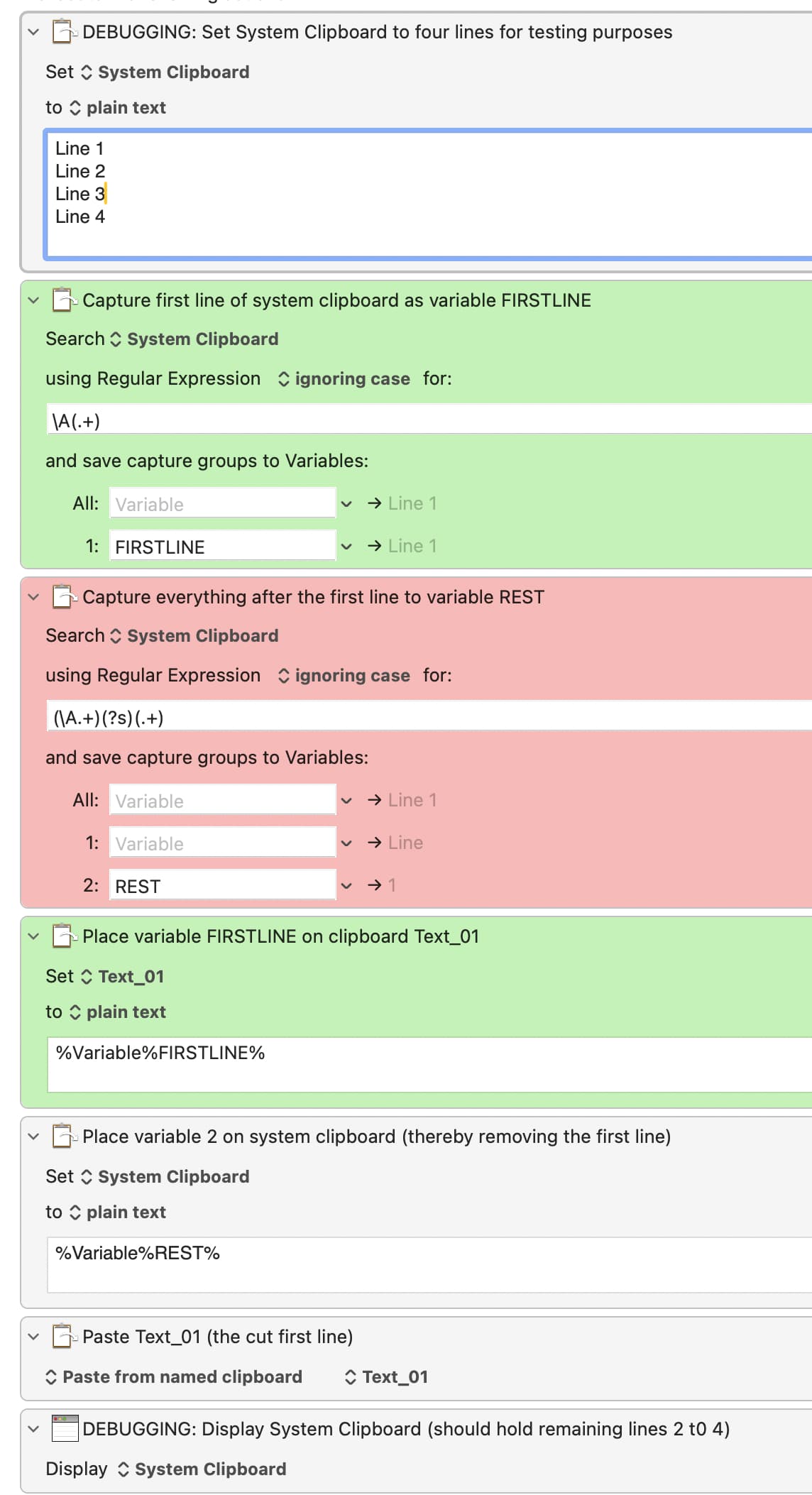
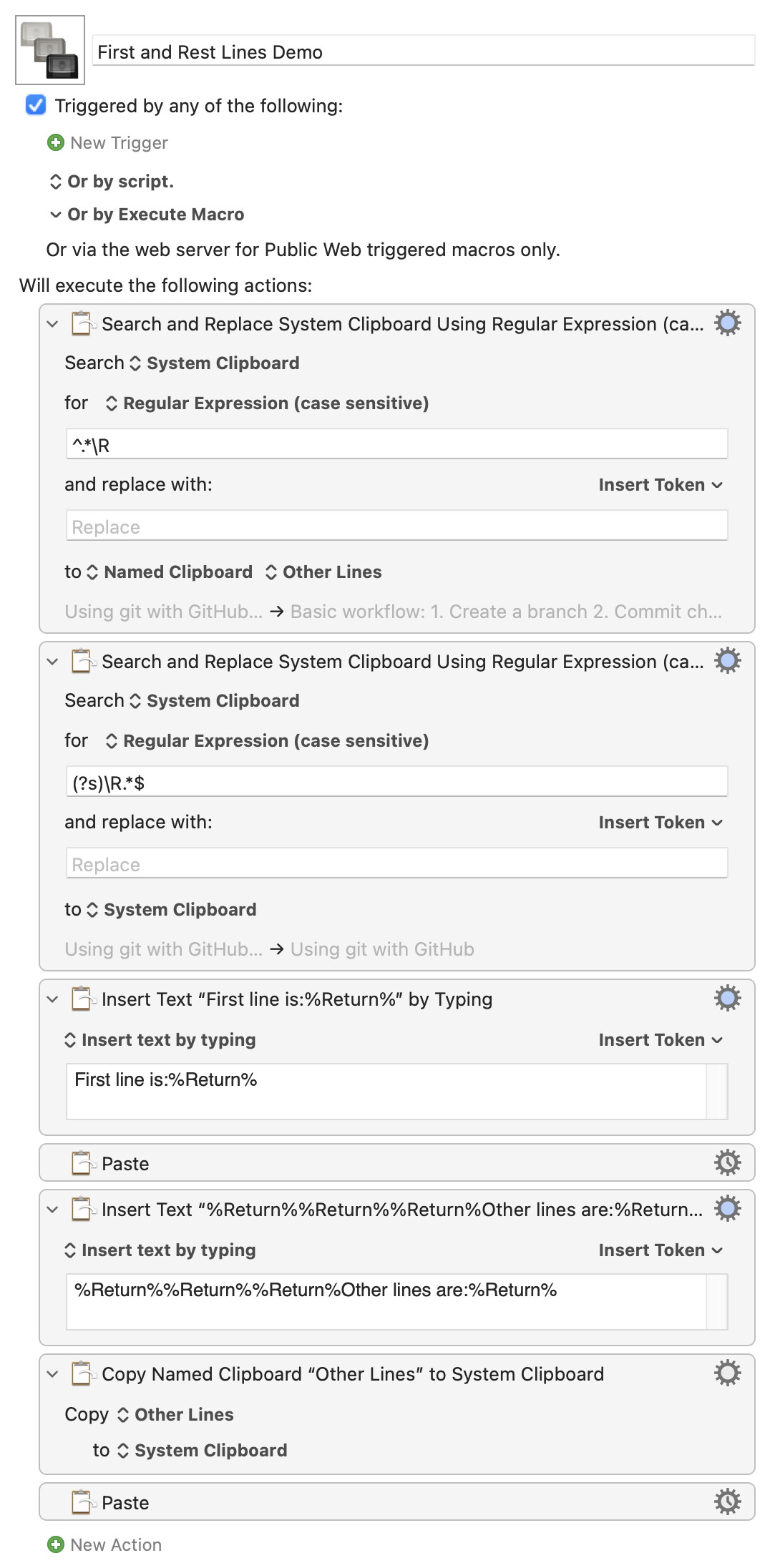
I am trying to create a really simple “cut and paste first line from system clipboard” macro, like this:
Capture the first line of the system clipboard to one variable and the rest to another.
Paste “FIRST” variable from named clipboard Text_01.
Overwrite system clipboard with “REST” variable.
So this should paste line 1 and leave lines 2-4 on the system clipboard. But I can’t seem to get that “REST” capture group right. I end up with “Line 1” on the system clipboard.
I don't know enough about regex to know exactly where you're going wrong; however, I do know enough to make it work. I think maybe Keyboard Maestro can't use \A, but I'm not sure. And probably trying to use two regex actions is causing a problem.
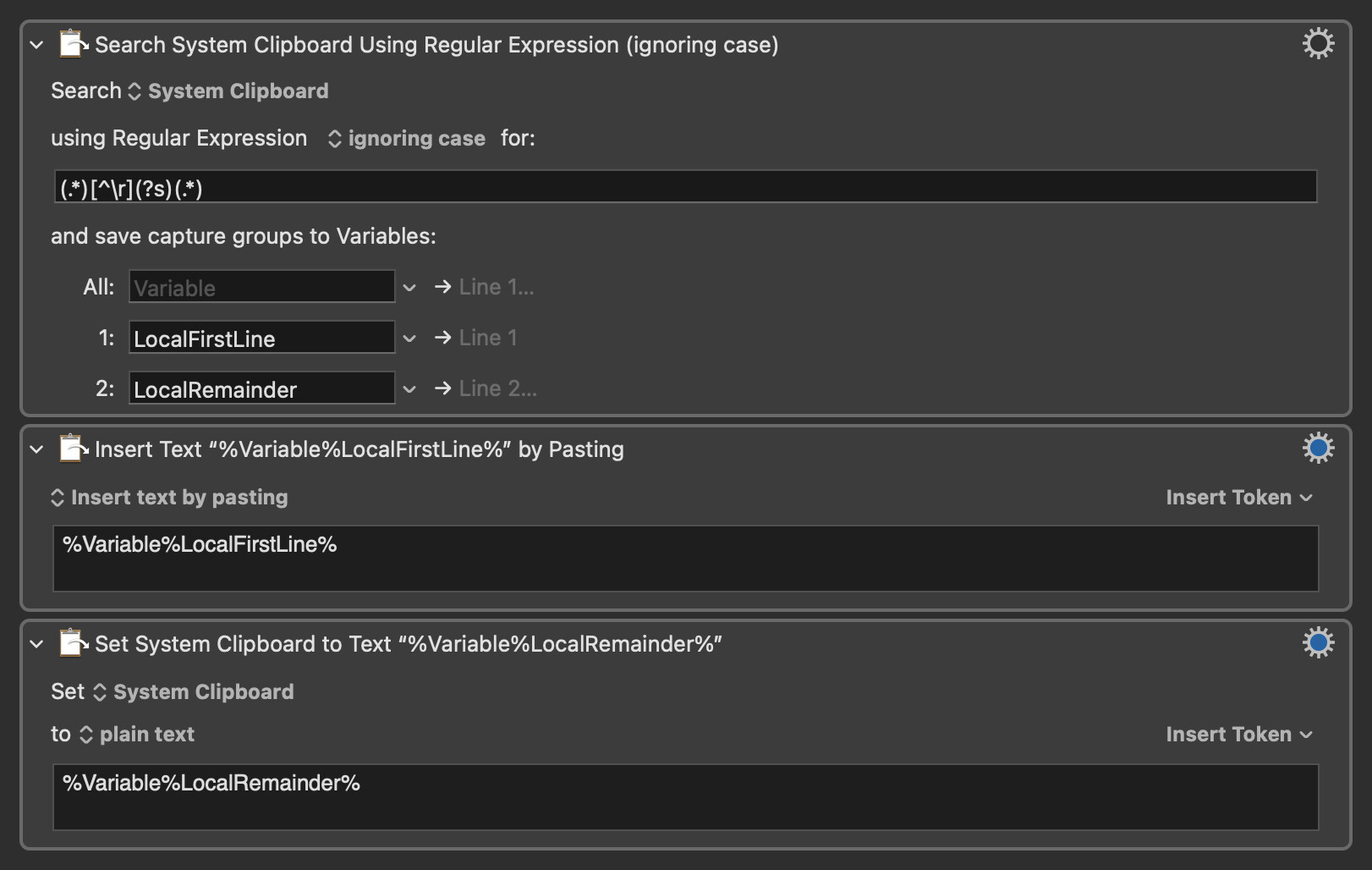
I think using one single expression with two capture groups (.*)[^\r](?s)(.*) is going to be easier (and tidier). Then you can simply insert text by pasting the FirstLine variable and set the system clipboard to the Remainder variable. You could still set your named clipboard to the first line if you want/need to, but it shouldn't be necessary (unless you're doing something else with it of course).
I'd use the Search and Replace action for this, avoiding KM variables and so on to keep it compatible with styled text. You can save messing with Clipboard History too much by using a Named Clipboard to store "the rest of the text" first:
This appears to work fine for me with the regex you specify.
It looks to me like the System Clipboard is currently set to just "Line 1", and therefore then (\A.*)(?s)(.+) regex, because the last part is .+ (one or more characters), it requires the 1 to match, and the earlier part of the regex then matches Line(space).
Note that the text Keyboard Maestro displays in the action is based on the current value of the clipboard and variables, not the value they would take if the macro was simulated (which would be impossible to simulate without actually running the macro which would obviously be undesirable).