Regex to match Menu item

Trying to create a macro that toggles Enable and Disable action(s) using Regex:

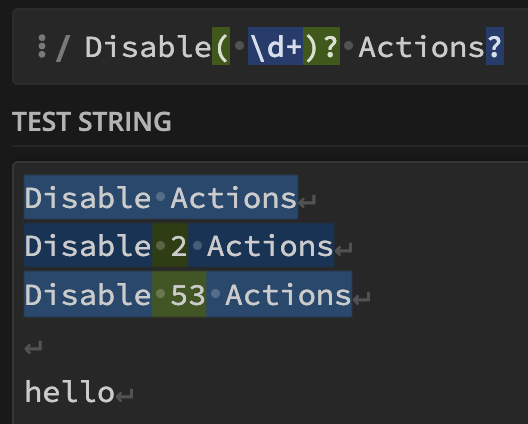
It would appear the expression Disable( \d+)? Actions? can detect all the possible names for the menu item “Disable Actions” (when selecting 1 or more actions) in KM:

From https://regex101.com/

So why didn’t this work? Is it a problem with the macro itself?

Also, why don’t ^Enable and ^Disable match text like “Enable 3 Actions“ or “Disable 3 Actions“? Don’t ^ mean it will match any text that starts with “Enable“ or “Disable“ ?

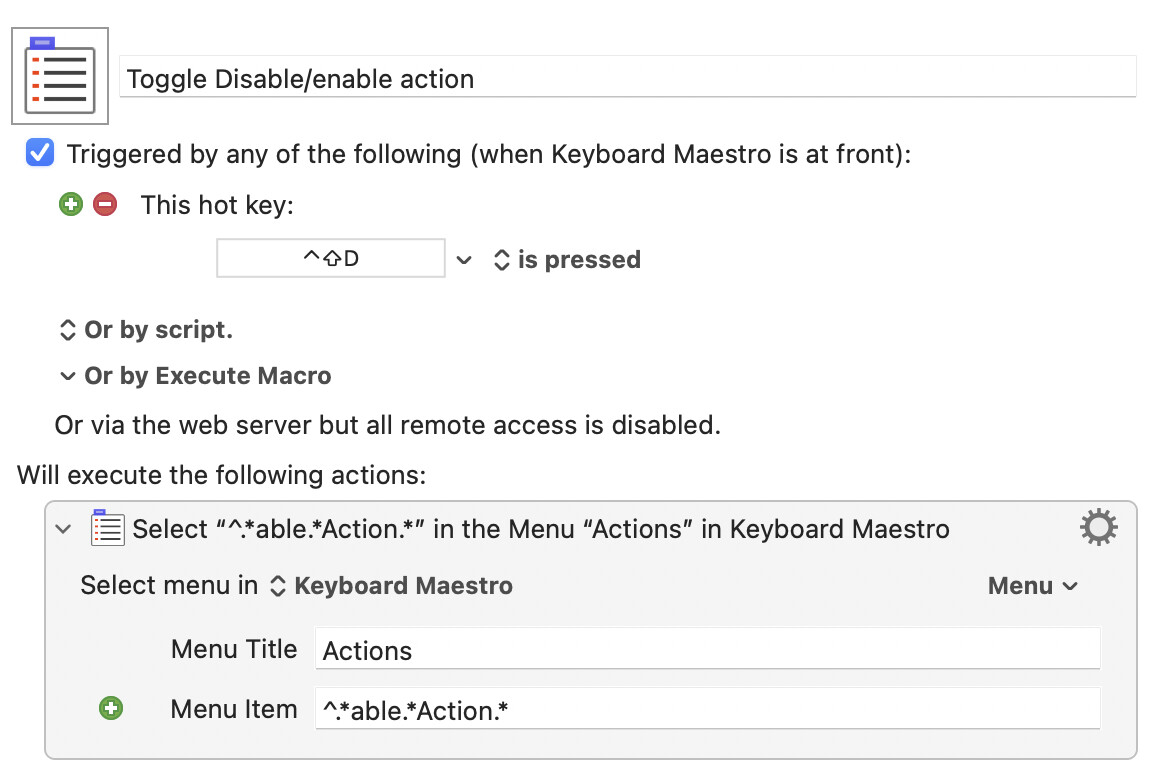
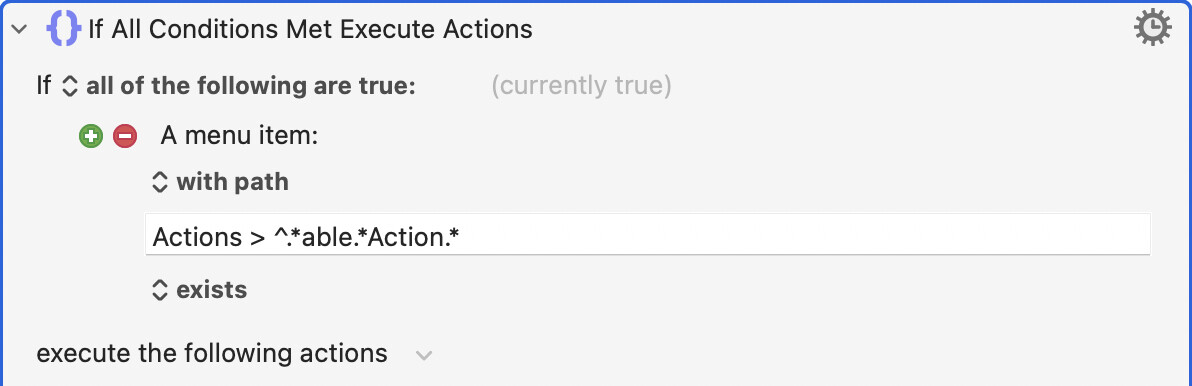
I too have a macro for that purpose. It uses the following regex:

^.*able.*Action.*

Note how, since the regex matches both “enable” and “disable” and that only one of those words will be in the menu at any given time, there is no need to test the menu contents when using this method.

2 Likes

I notice that your regex does not begin with ^. This is needed when matching against menu items.

Thank you this works and is simpler.

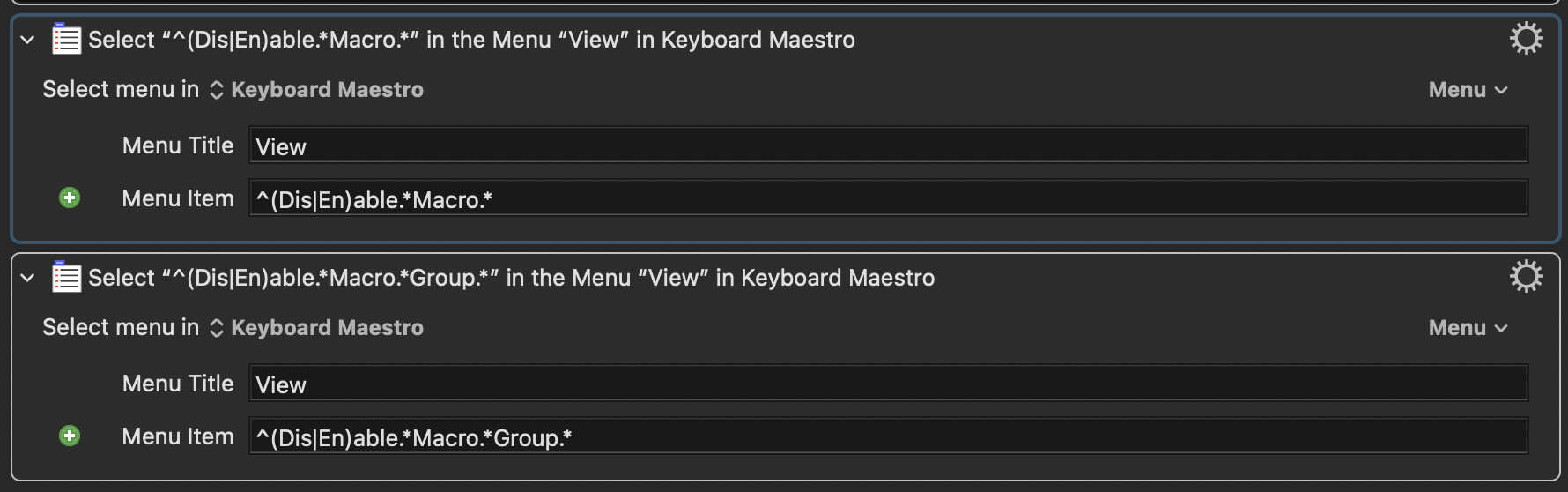
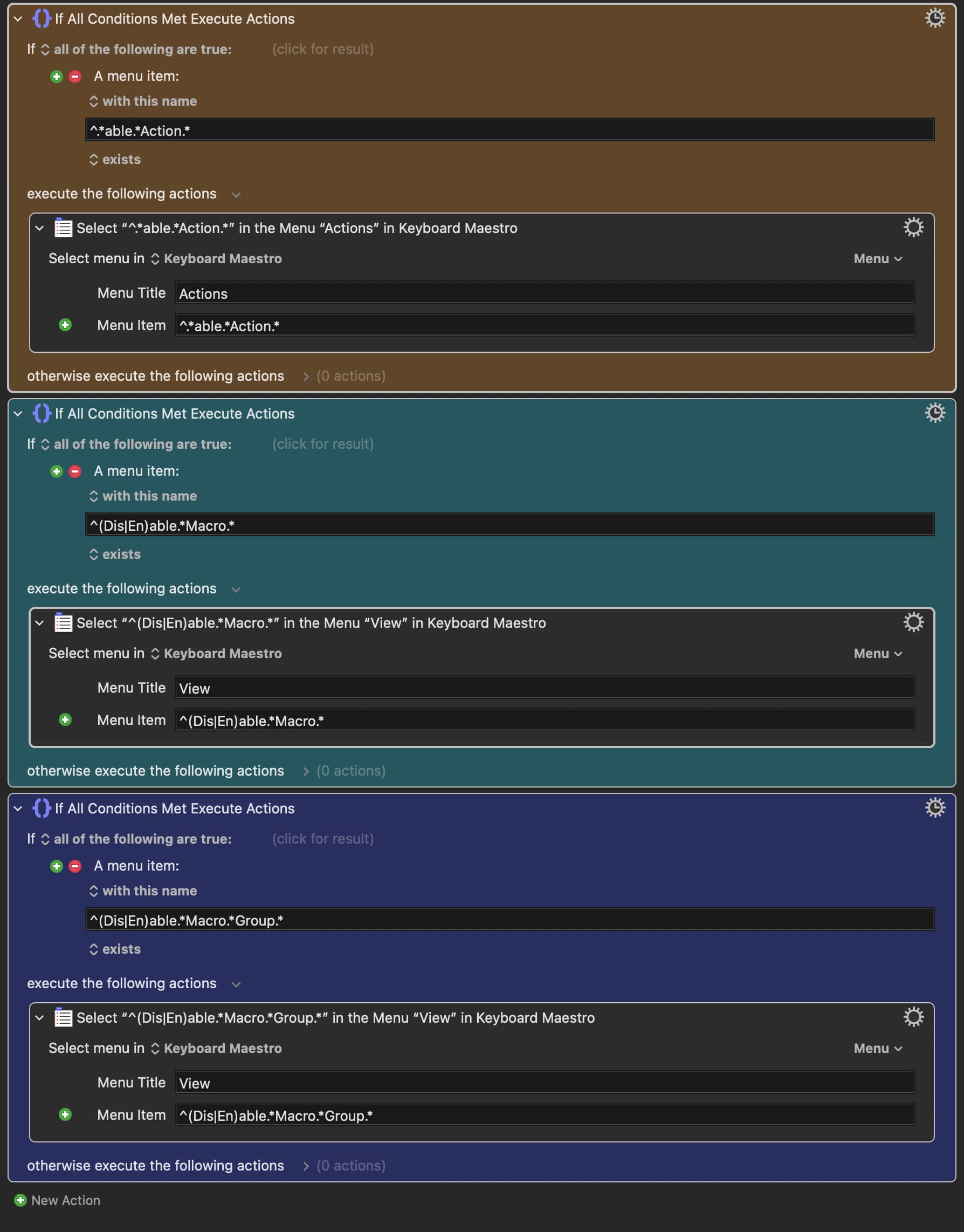
I also want two similar macros that toggle between “Enable / Disable Macros" as well as “Enable / Disable Macro Group“, so I used the same syntax:

Enable / Disable Macro

Enable / Disable Macro Group

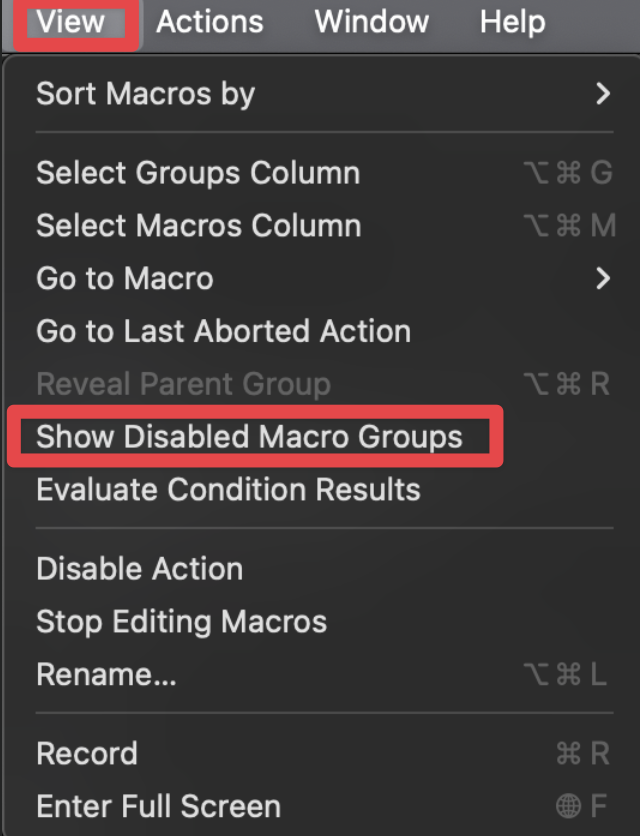
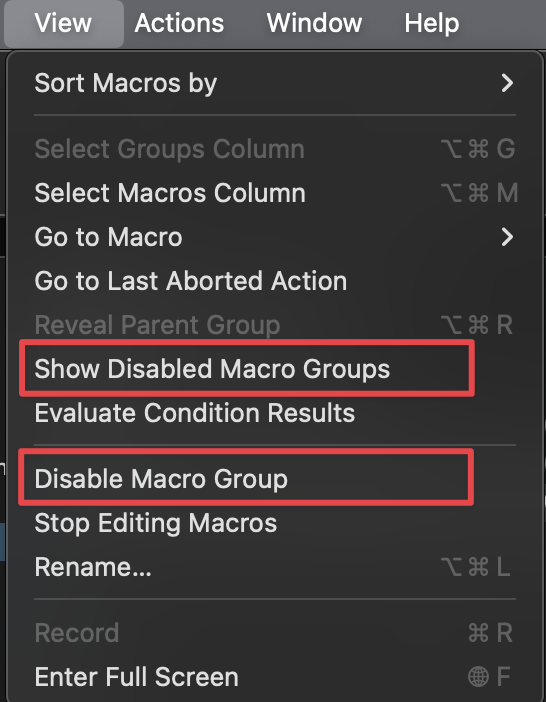
However, in both cases, it actually selected “Show / Hide Disabled Macro Groups“ in “View“

I thought that the ^ was supposed to make sure the string starts with whatever follows it? (in this case Enable / Disable)


Edit:

Sorry I just realized my mistake after I posted this!

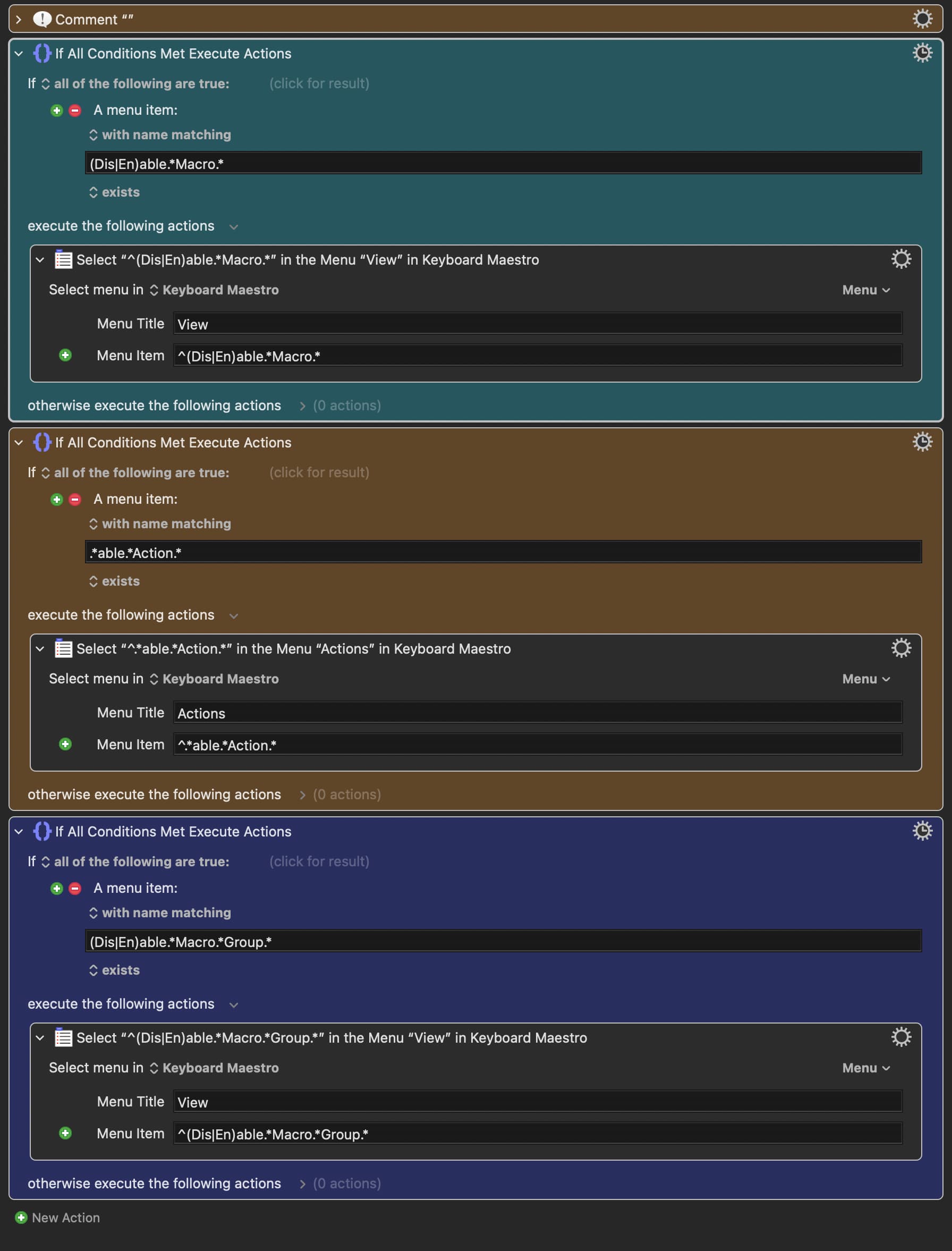
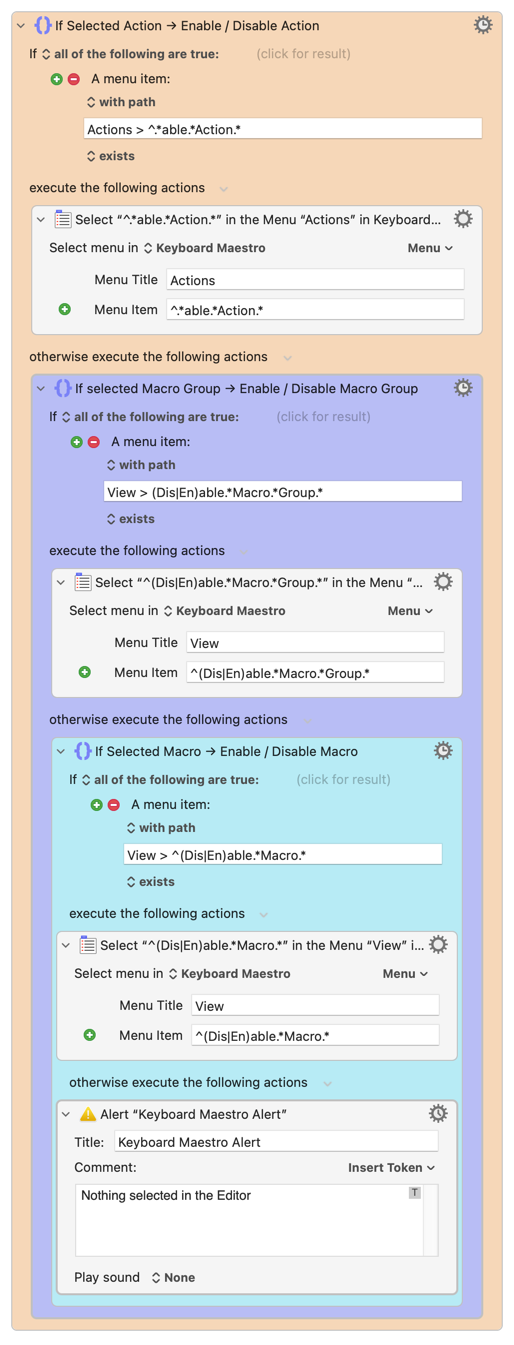
It should be like this instead:

Since .* matches zero or more of any character, it matches with the Hide or Show that appears before the Enable or DIsable Macro.

To put it all together, I want to enable or disable actions/macros /macro groups depending on what I have selected

e.g. If I select actions → enable or disable actions

e.g. If I select macros → enable or disable macros

This did not work. Why is that?

:ok_hand: :ok_hand: :ok_hand:

It is, once you are in a regex pattern. So you'd be right if the field had the "matching in" option.

But the text fields in the "Select or Show a Menu Item" action are looking for an exact (and case-sensitive) full-string match. To put it into "regex mode" you need to start with the ^, which also acts as a "start of string" anchor.

OKOK!

I have another issue here:

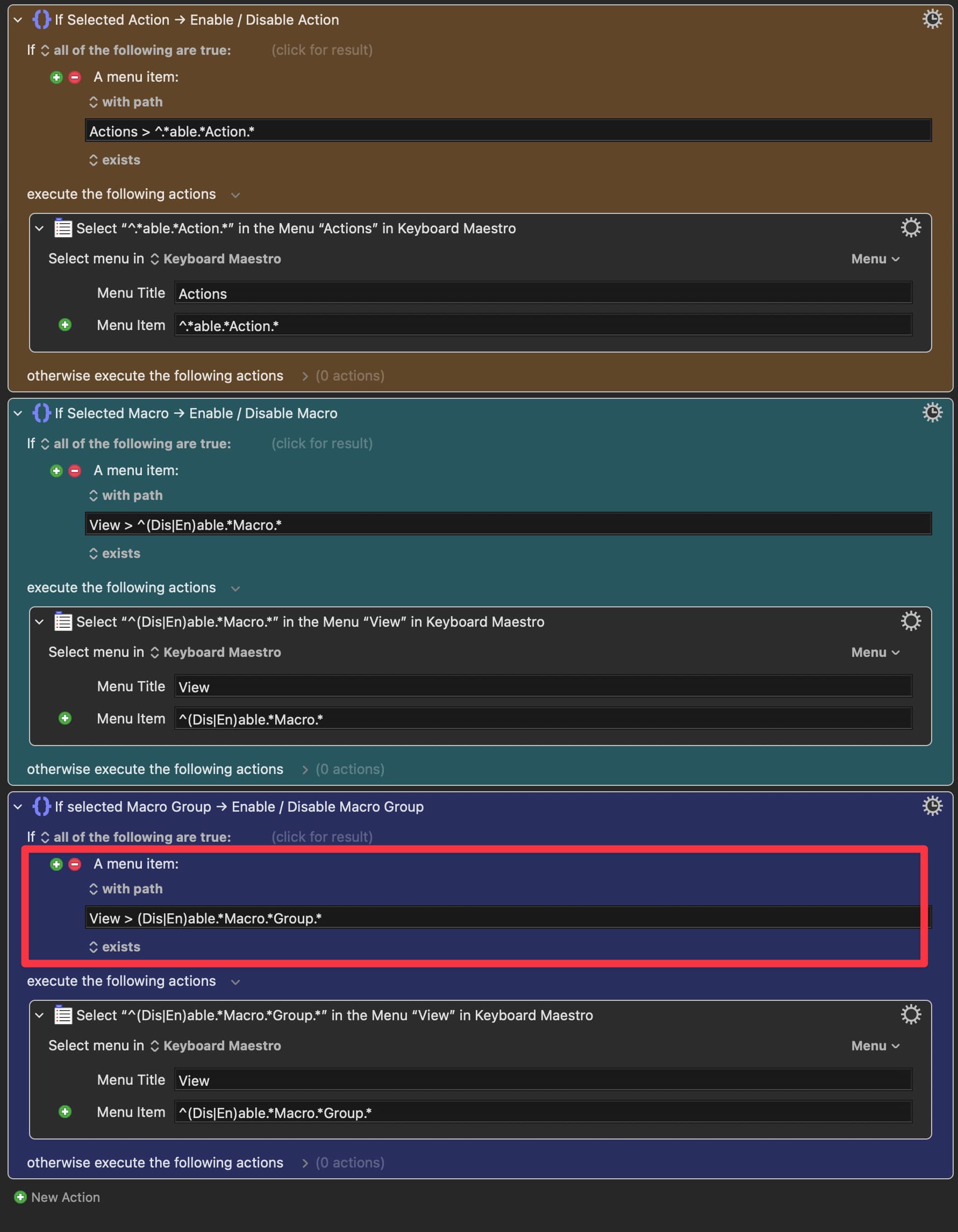
This macro only works if the 3 if statements are in this particular order. If I switch them around, they stop working (won’t enable/disable macro or macro groups).

Macro

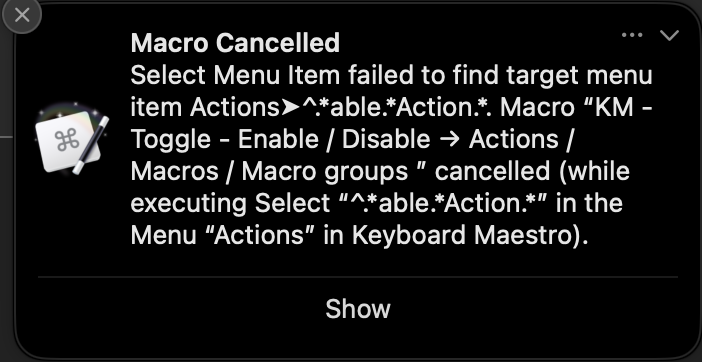
Also, although this macro works (only when the actions are in this particular order), it is giving me this error message when I enable / disable macros or macro groups:

Why is that? And how to fix the issue?

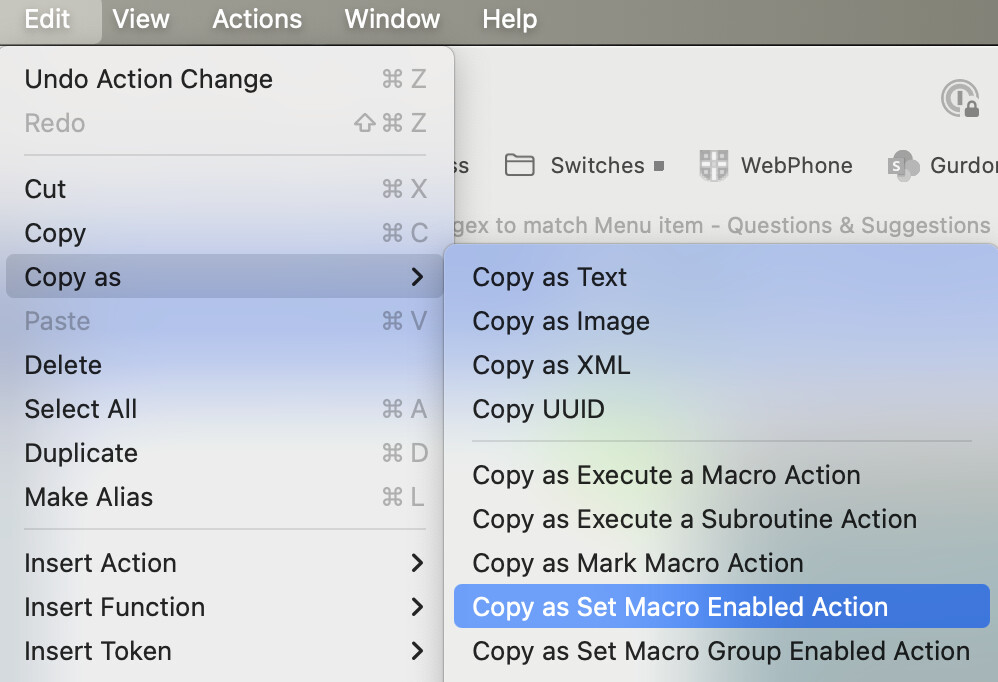
It's difficult to be sure when you don't upload the actual macro, but your menu condition will true even when an action isn't selected, because:

(And the item below the highlighted one matches too.)

So you need to be more precise, referencing the menu as well as the item:

Or use a different test -- the "Try" (and variants) "Action" menu item is only available when action(s) are selected, for example. But that could confuse -- the menu path condition is a) more obvious, and b) self-documenting.

Sorry, I will make sure to upload macros that are more complicated in the future.

Yes this works! The macro can now enable and disable either actions or macros or macro groups

Macro

KM - Toggle - Enable : Disable → Actions -Macros - Macro groups.kmmacros (7.2 KB)

I have a question tho. I thought you said that I have to use ^ at the beginning of the string to put it into "regex mode” (since I’m not using the "matching in” option here). But if you look at the last action of my macro (highlighted in red rectangle), it only works (can enable/disable macro groups) when I don’t use the ^ at the beginning of (Dis|En)able.*Macro.*Group.* (i.e. View > (Dis|En)able.*Macro.*Group.*).

Also, I thought that View > (Dis|En)able.*Macro.*Group.* will match with Disable Macro Group as well as Show Disabled Macro Groups in the View menu because it doesn’t have the ^ at the beginning?

Wrong way round.

You didn't upload any macro -- you posted a screenshot. That limits how people can help since they can't see any options you may have set in actions, can't see what may have happened before the bit you screenshot, and so on.

And the easier you make it for people to help the more help you'll get -- why is someone going to spend 5 minutes recreating your screenshotted macro in KM so they can test when the next thread has a macro they can download and run?

So, ideally, you'd upload a minimum viable demo that illustrates the issue.

How do you know?

I'm not saying you're wrong, but I see the opposite. It may be because we have different setups, it may be because we are testing differently.

If you are testing by running the complete macro with different things selected, look closely at that second "If" action's condition -- the .* at the end means it will not match only "Macro" but also "Macro Group"... I'm betting that's why you think you're non-regex version of the third "If" is working, even though it isn't.

In a further twist -- this macro is really unreliable for me, often requiring me to actually open the Editor's "View" menu to get the correct results after changing selection between Action, Macro, and Group. That may be my clunky old hardware, or something you may not see in "real world" use, so YMMV.

Assuming this -- enabling and enabling KM items by keystroke -- is something you actually want to do rather than a fun exercise in menu testing and manipulation, you'll find AppleScript or JXA to be a much more reliable method (for which you can thank @peternlewis for including a brilliant AppleScript dictionary).

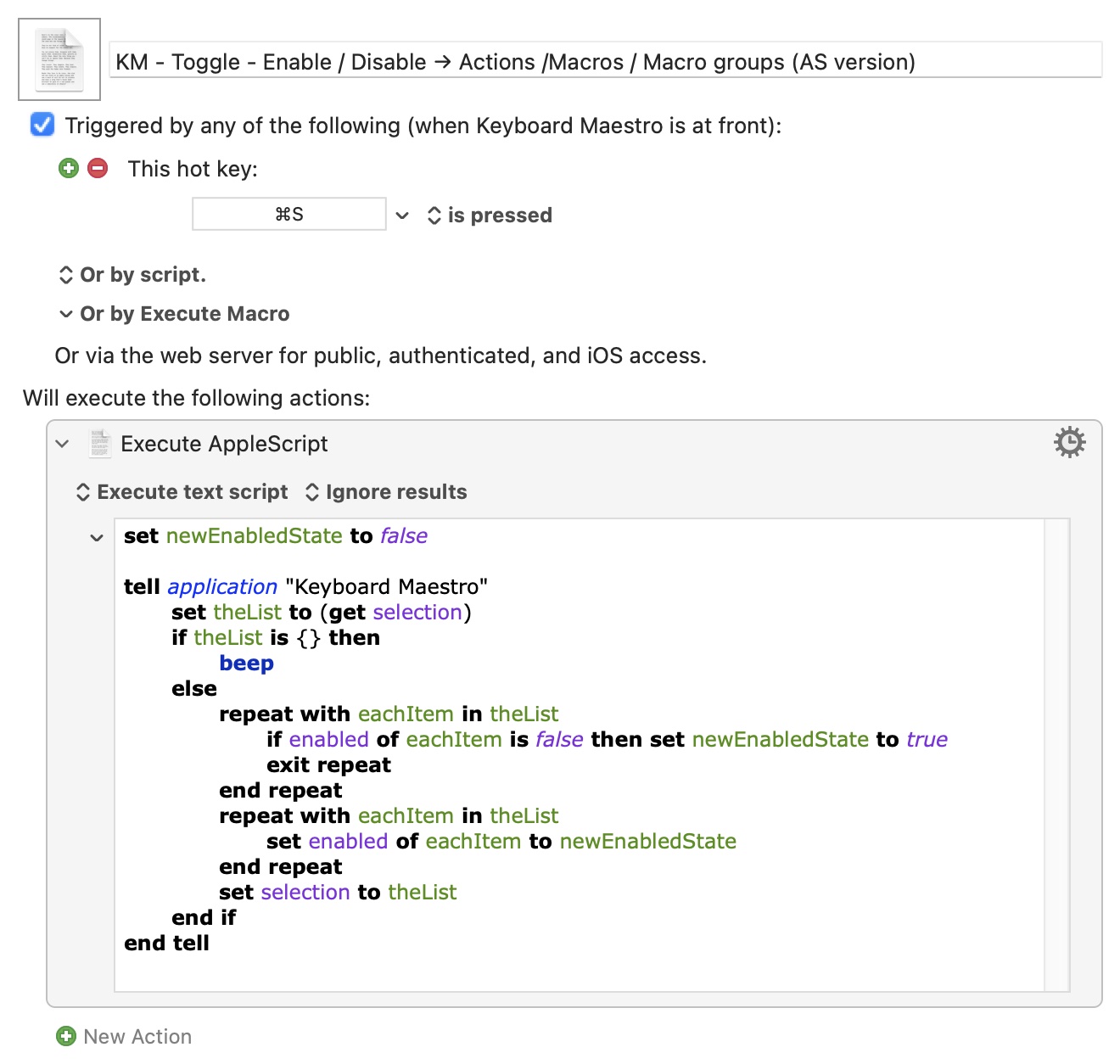
Here's the script which follows what I think is the Editor's rule of "if any item is disabled then enable them all, if all items are enabled then disable them":

set newEnabledState to false

tell application "Keyboard Maestro"
	set theList to (get selection)
	if theList is {} then
		beep
	else
		repeat with eachItem in theList
			if enabled of eachItem is false then set newEnabledState to true
			exit repeat
		end repeat
		repeat with eachItem in theList
			set enabled of eachItem to newEnabledState
		end repeat
		set selection to theList
	end if
end tell

If nothing is selected you'll get a "beep". Otherwise each item in the selection is tested -- as soon as one is found to be disabled we flip newEnabledState from false to true and exit the loop. We then loop through the selection again, this time setting each item's enabled to newEnabledState. The final set selection is there because, for me anyway, running this with Actions selected clears the selection and I want them to remain selected.

And as a macro:

KM - Toggle - Enable - Disable → Actions -Macros - Macro groups (AS version).kmmacros (2.8 KB)
1 Like

I am not sure if you saw, but I uploaded the macro after you said I hadn’t uploaded a macro. It’s tucked inside the folded list, so I probably should have put it somewhere more visible haha. In any case, you are right! should have uploaded it in the first place.

Yes, that was it. When I disabled that third “If“ (which supposedly should enable/disable macro groups), it could still enable or disable macros and macro groups, proving your point. The .* in the second ‘If” allows enabling/disabling both macros and macro groups. I see that now.

Interesting. It seems to work reasonably well for me so far. Haven’t failed to enable/disable anything just yet.

Yeah it’s something that I would use often. Thanks for the script! I will use that instead!

And Thx for the explanation of the script! That was pretty helpful!

And you could fix that by replacing that final .* with eg [^G]*$ -- "zero, one, or more characters that aren't a 'G', up to the end of the string".

You need that anchor there to stop it matching the substring within the "...Group..." menu items.

There's still a small problem with efficiency. As written you're running each "If..." action, regardless of previous results, so you're testing for macro and Group selection even when an action is selected.

Since these selections are mutually exclusive you can save some CPU cycles by using the "otherwise" section, nesting further "If"s. And, with a change of order, use your original regexes (follow the logic to see why):

1 Like

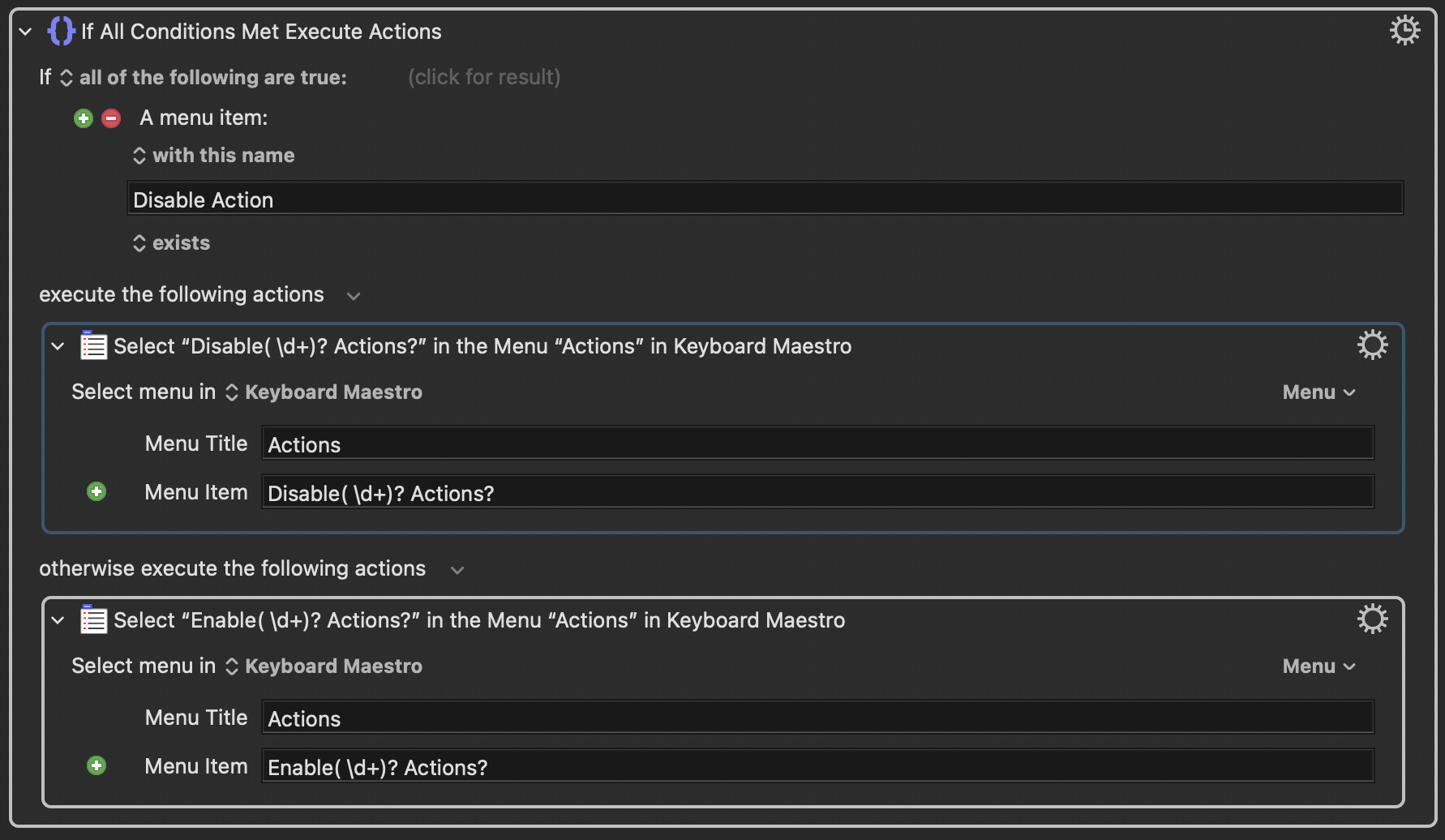
For years I've been using @gglick's one-action macro for enabling macro groups, macros, and macro actions.

2 Likes

I see I see! Good Regex lessons you are giving me!

:ok_hand:

:clap: Such a simple and elegant solution! This one takes the cake! Actually faster than the script (which is ever so slightly delayed after pressing the hotkey). Thank you for bringing this macro to my attention!

1 Like

Is that last match needed -- or even tested? Anything that matched by Macro Groups? is also going to be matched by Macros?, since there's no $ to anchor to the end of the string.

2 Likes

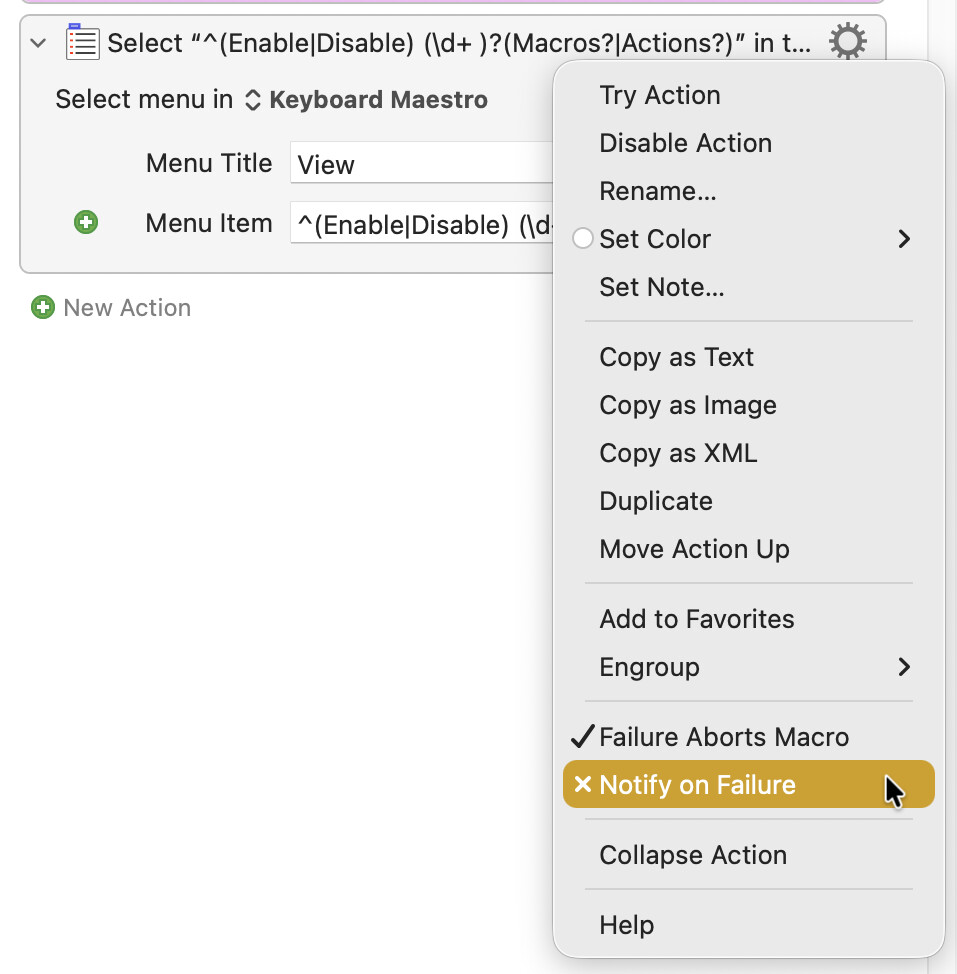
Good point, @Nige_S. It's been years since I started using the macro so I'm not sure if I ever really analyzed it. But now that you raised that point, looks like it can actually be simplified to:

^(Enable|Disable) (\d+ )?(Macros?|Actions?)

Also, in this context, no need to include the non-capturing group modifiers (?:), right?

BTW, to avoid nuisance messages, I've disabled Notify on Failure.

1 Like