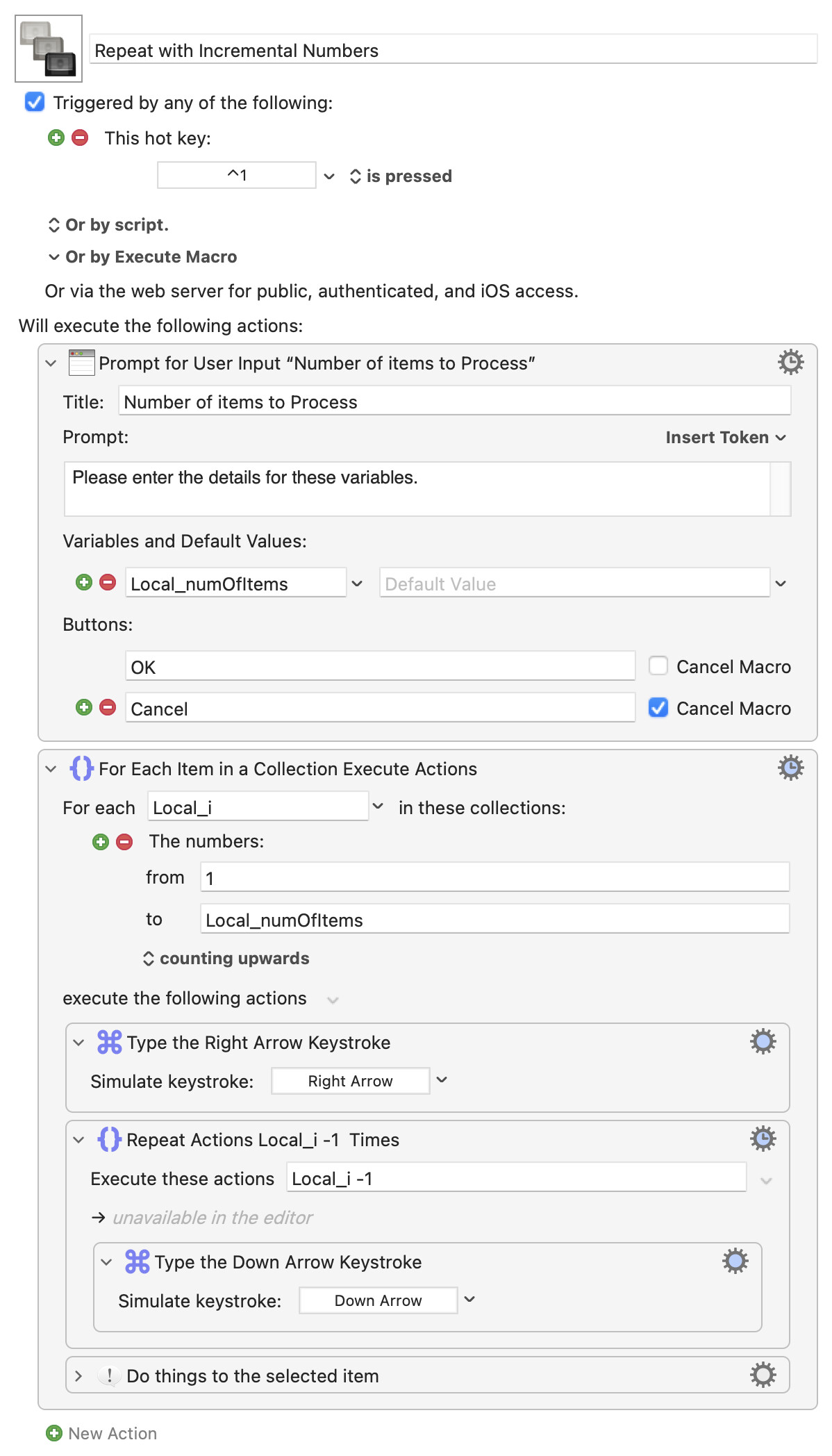
Unless this is a made up example there's almost certainly a better way to do what you want -- for example, get a list of the "things" then target each thing in turn. How you do that will depend on the "things" and what you want to do to them.
But, as asked...
There is no "previously selected folder" (although I guess you could save the name and, next loop, check the selected item's name on each arrow-down, doing one more after a match is found). But you can "do one more arrow-down than last time".
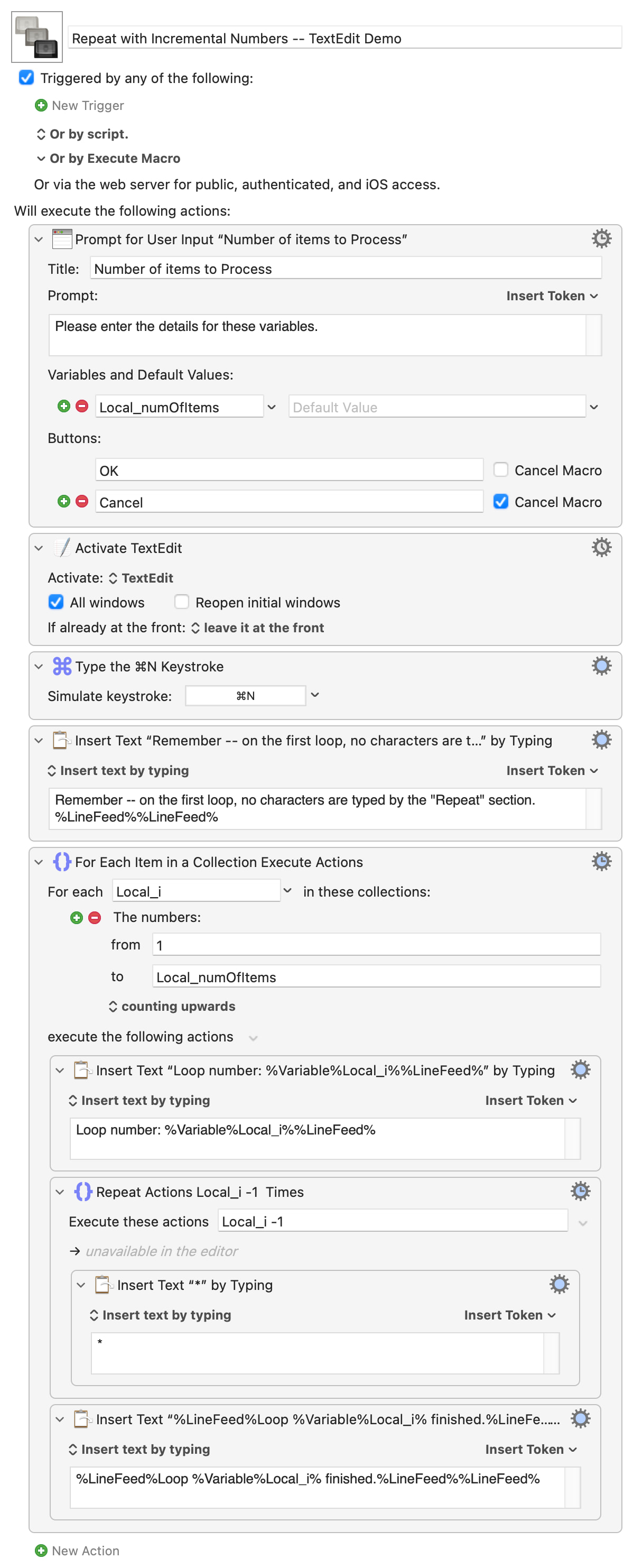
Remember that your first iteration will have no arrow-downs, so the first repeat will be 0 times -- to generalise, your down-arrow repeat will be loop_number - 1 times.
And we're lazy so let's make KM do the work instead of incrementing variables ourselves.
Working through a range of numbers is just one of the many uses of the "For Each" Action, so:

 so let's make KM do the work instead of incrementing variables ourselves.