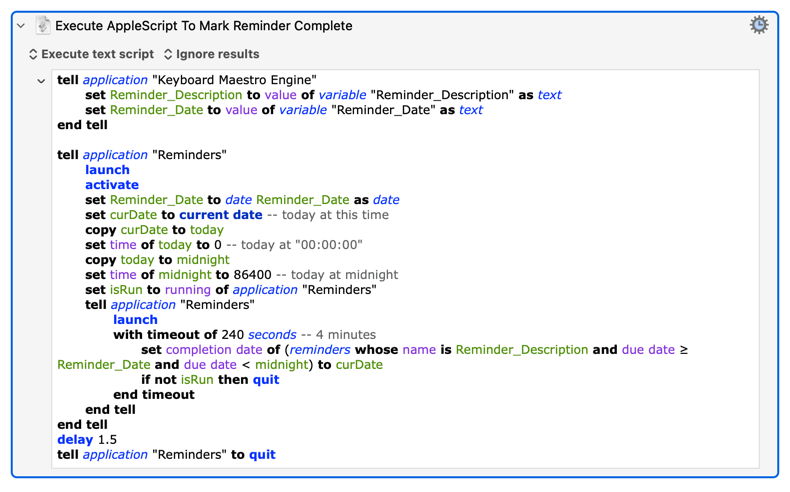
Possibly my personal paranoia kicking in, but I think you should remove the Remote Trigger UUID from your opening post's log message.
...is a bit... odd.
You launch Reminders and tell it to do some stuff. Then you ask if Reminders is running -- except it must be because you launched it. But you try to launch it again anyway.
If isRun is always true then not isRun is always false -- so that if... then quit will never do anything.
Even with all that, and the nested tells, the final quit should still work.
That doesn't look like an AppleScript Action error anyway. Look below that -- my bet is you've also got a
...executing after you've already Quit Reminders. That's the Action that's throwing the error.
If that's not the case then upload a copy of your macro. But remove the Remote Trigger before you upload it!
Again, if you upload the macro (duplicate it in the Editor, remove the Remote Trigger from the duplicate, export the duplicate, drag the exported kmmacros file into the Forum's Edit box) we'll be able to help more.
My guess for the AppleScript is that the isRun check is so that if Reminders was open before you run the script it is left open afterwards, and if Reminders wasn't already open it is Quit when the script is done. So the test should be before the first tell application "Reminders" line.
Indeed, none of the commands between the first and second tell application "Reminders" actually need Reminders. So my best guess for your AppleScript -- given that you haven't uploaded it so I had to OCR your image -- is:
tell application "Keyboard Maestro Engine"
	set Reminder_Description to value of variable "Reminder_Description" as text
	set Reminder_Date to value of variable "Reminder_Date" as text
end tell

set Reminder_Date to date Reminder_Date as date
set curDate to current date -- today at this time
copy curDate to today
set time of today to 0 -- today at "00:00:00"
copy today to midnight
set time of midnight to 86400 -- today at midnight
set isRun to running of application "Reminders"

tell application "Reminders"
	with timeout of 240 seconds -- 4 minutes
		set completion date of (reminders whose name is Reminder_Description and due date ≥ Reminder_Date and due date < midnight) to curDate
		if not isRun then quit
	end timeout
end tell
(I don't see the need for the pattern "get the current date, copy and set the time to zero, then copy that and set the time to midnight" -- but I've seen the same elsewhere and it doesn't hurt here, so I've left it in the script.)
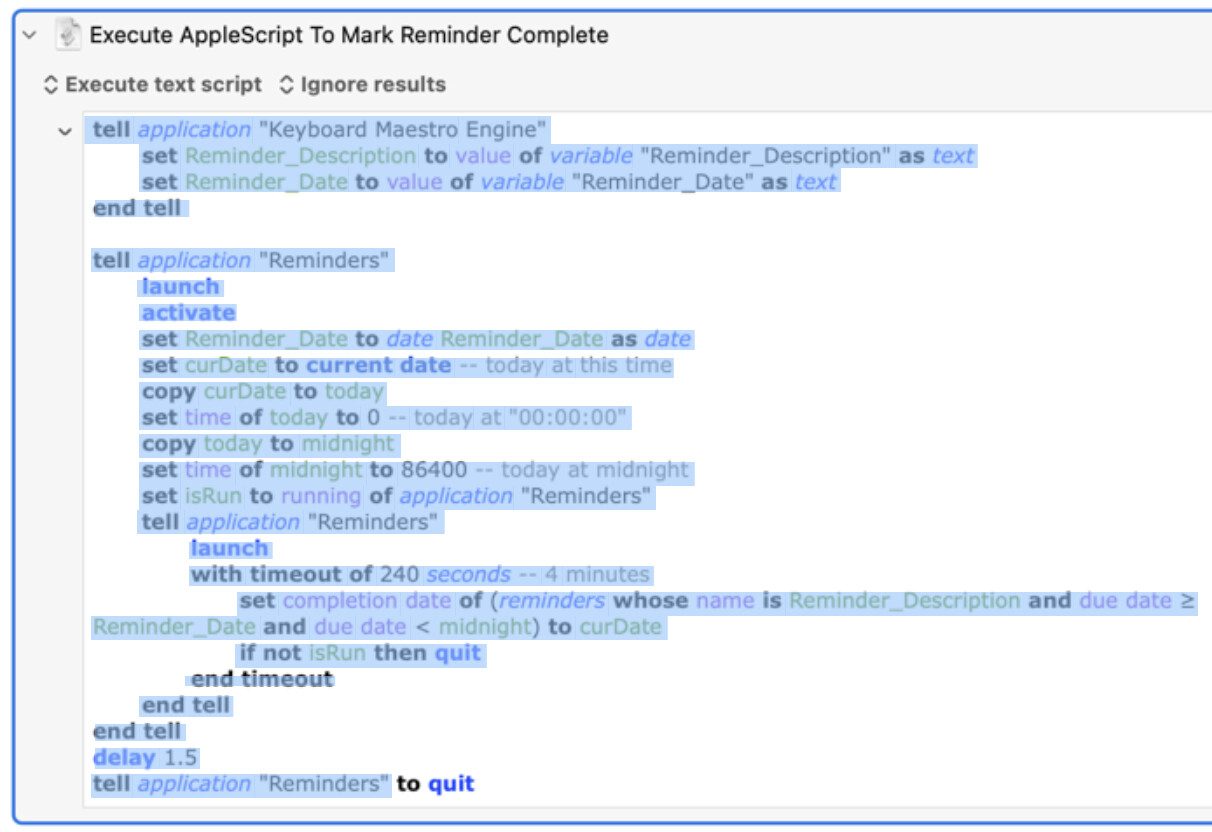
I'm not sure which version of macOS you need for this, but for a couple of years I haven't needed to OCR images, because I can just use the mouse to select text in any image. For example, this is what it looks like when I use my mouse to select text inside his image:
That's still OCR, just being done in the background. What it isn't is the certainly, definitely, exact script OP is using, which it would be if the macro had been uploaded. For example, select the text in the image, copy, paste into Script Editor -- and it won't compile until I faff around fixing line breaks and similar.
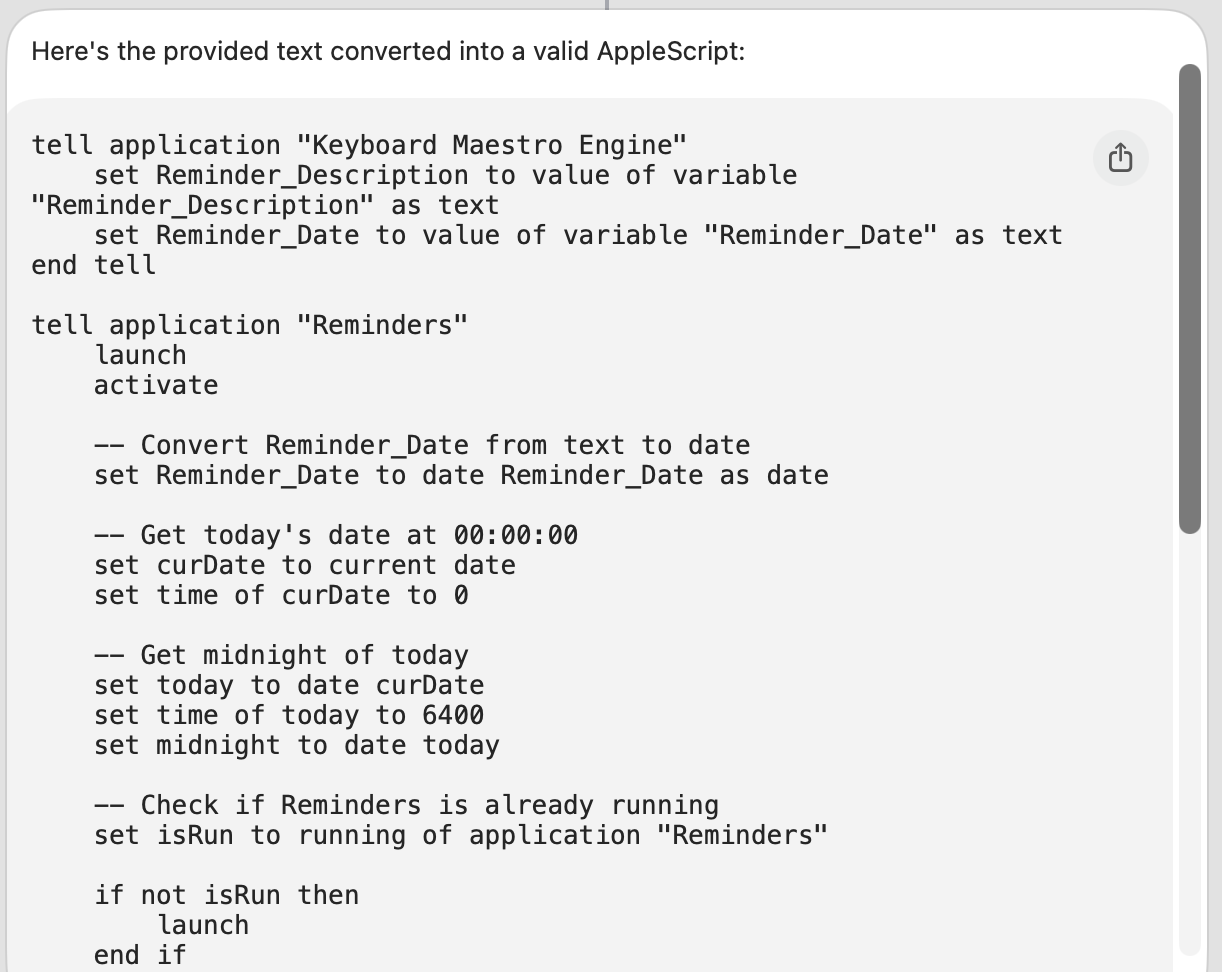
Yes, but here's another trick I use to fix up faulty AppleScript code... I just plop the messy code into a macOS Shortcuts Private Cloud Compute action and get the "fixed" (well-written) code...
There was only one small mistake in the version that came out - the word "seconds" was missing, and when I manually added that in, the script seemed to work, or at least compile correctly.
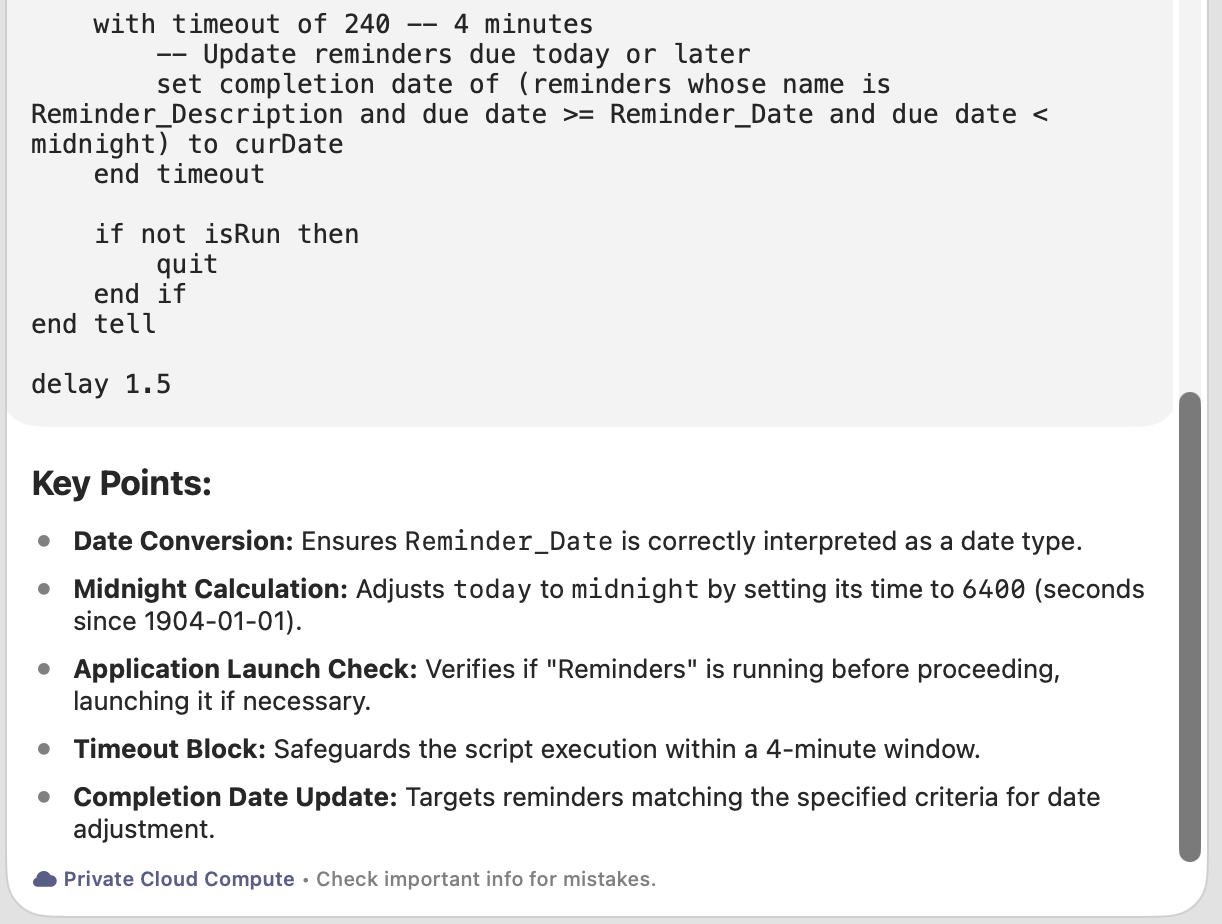
Notice that the PCC result actually generates five "Key Points" to consider before running this script.
Look at that result! It actually fixed at least THREE serious errors in the original OCR'd text while "formatting" the result into something more user-friendly.
So you're solving a different problem. What you are not doing is getting OP's original code with the least amount of work from you.
...which not everyone has access to.
There are no "serious errors" in OPs original script. Apple's background OCR introduced more "serious errors" than I got from screenshotting the relevant area and OCRing the clipboard in KM (and selecting a screen area was a lot easier than selecting the "live text" -- your attempt wasn't complete either).
The application launch check is pretty pointless -- the script launches and activates Reminders, spends a millisecond doing something else, then checks to see if Reminders is still open -- and is a misinterpretation of the original script's attempt to leave Reminders open if it was open before the script started and quit it otherwise.
The "Midnight Calculation" explanation should be obvious b*ll*cks to anyone reading it... And the number is wrong, missing the leading 8, in both the OCR and the PCC interpretation.
The end result is better written, functionally similar, code to OP's -- which really, really, doesn't help us to see if OP's original code worked...
Are we arguing? I don't want to argue with my hero. In this thread I was showing two techniques (OCR and PCC) which can sometimes be helpful when solving problems. That's all I'm saying. I won't defend the idea that they helped solve this particular problem, only that these are new techniques that will be useful to use for many future problems.
Yes, I seem to recall that your Mac is over 5 years old, and is Intel-based, so you probably don't have access to Apple Intelligence. I stand corrected. Other than that, PCC is a free service to anyone who has Apple Intelligence. Right?
The execution of that macro is two minutes before the error.
The error is indicating an attempt to quit or reopen an application by sending an application a quit or reopen AppleEvent (I can't tell which because the line number 447 does not match the source file - what version of Keyboard Maestro are you using? I'm pretty sure it will be sending a quit AppleEvent, either to the editor, or to some other application (maybe via the Application Switcher).
The error simply means that while it could create the event and target the process, the send failed to return a result.
Nah -- we're refining our positions through robust discussion
Maybe one day. But, in the here-and-now:
KM's OCR action is as easy to use and, in all my tests, considerably more accurate than the OS's Live Text. Considering the audience, recommending Live Text would seem to be a step backwards.
Obvious caveat -- it may, for some reason, be more accurate on Apple Silicon than on Intel (or KM's OCR action may be worse on M-series than i-series chips).
For the PCC-prettified code -- yes, it was re-written in a better way and got most of it right. I'd hope so -- if Apple can't produce valid AppleScript via LLM, what's the point? But even then there was a compilation-breaking mistake. More serious, in my eyes, is the "Midnight Calculation" bit. The explanation is plain wrong, and it never caught that there are quite a few more than 6400 seconds since 1904-01-01.
So we have code that will execute, but only sets the completion on reminders whose due date was on or after Reminder_Date and before 01:46:40 today. If the explanation had read
Midnight Calculation: Adjusts today to midnight by setting its time to 6400 (seconds since 12:00:00 AM)
...then, even with the 8 still missing, the user would have a lot more chance of working out how to fix the problem.
The "set time to 0 then add 86400", and the alternative "add 1 day then set time to 0"
set midnight to ((current date) + 1 * days)
set time of midnight to 0
...are frequently mentioned on the interwebz and I would have hoped the LLM -- which has inferred what is being attempted -- could correct the OCR mistake.