If you're a user of our window layout app Moom, one thing it can't do is hide apps that don't have windows in a saved layout when you restore that saved layout—so if you want to focus on just the apps in the saved layout, you have to hide the non-participating apps yourself. This feature may eventually appear in Moom, but until it does, this macro does the same job.
If you run it as is, it will pull a list of all your saved layouts, and let you pick one from the list:
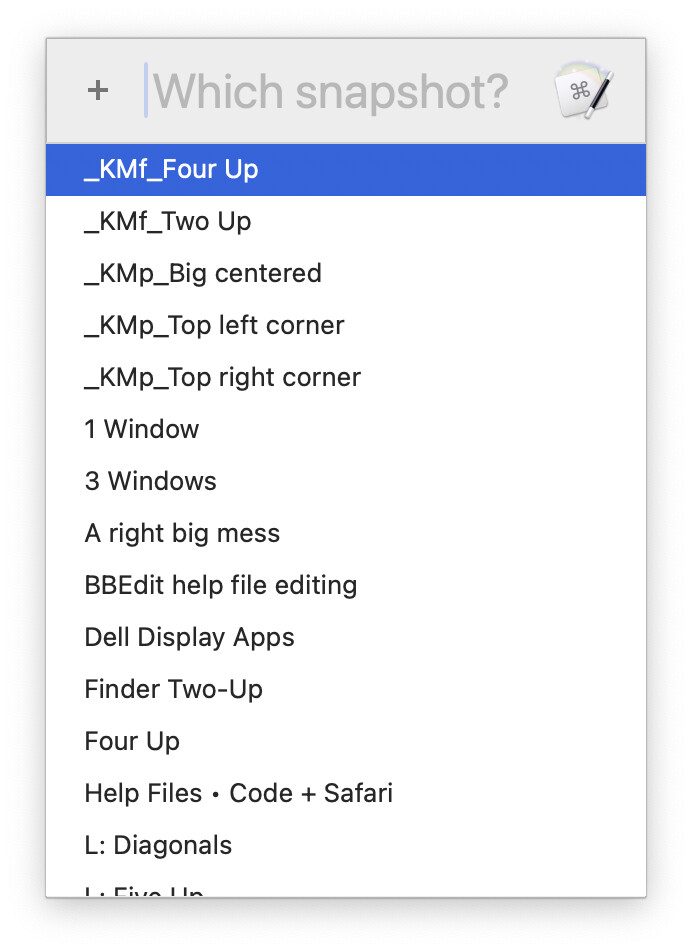
Select a saved layout, and the macro will activate one of the apps in that saved layout, then hide all other open apps. It will then restore the chosen layout, which will bring back any currently-hidden apps with windows in the saved layout; the other apps will remain hidden.
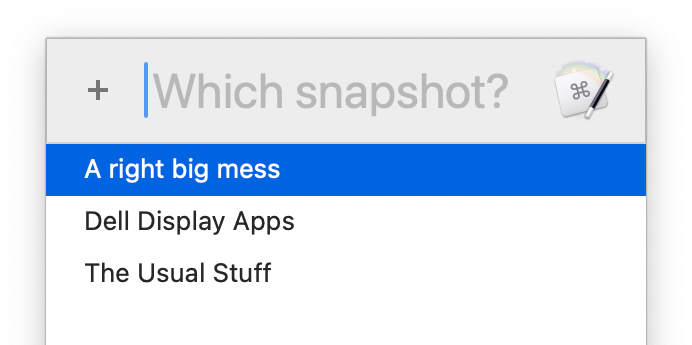
Or if you fill in more than one saved layout name in the variable, the macro will run just for those saved layouts:
Finally, if you fill in the name of just one saved layout, then the macro will run for just that saved layout without any prompting—sort of a "turbo express mode" for a defined layout.
Download Macro(s): Hide Others and Restore Moom Layout.kmmacros (15 KB)
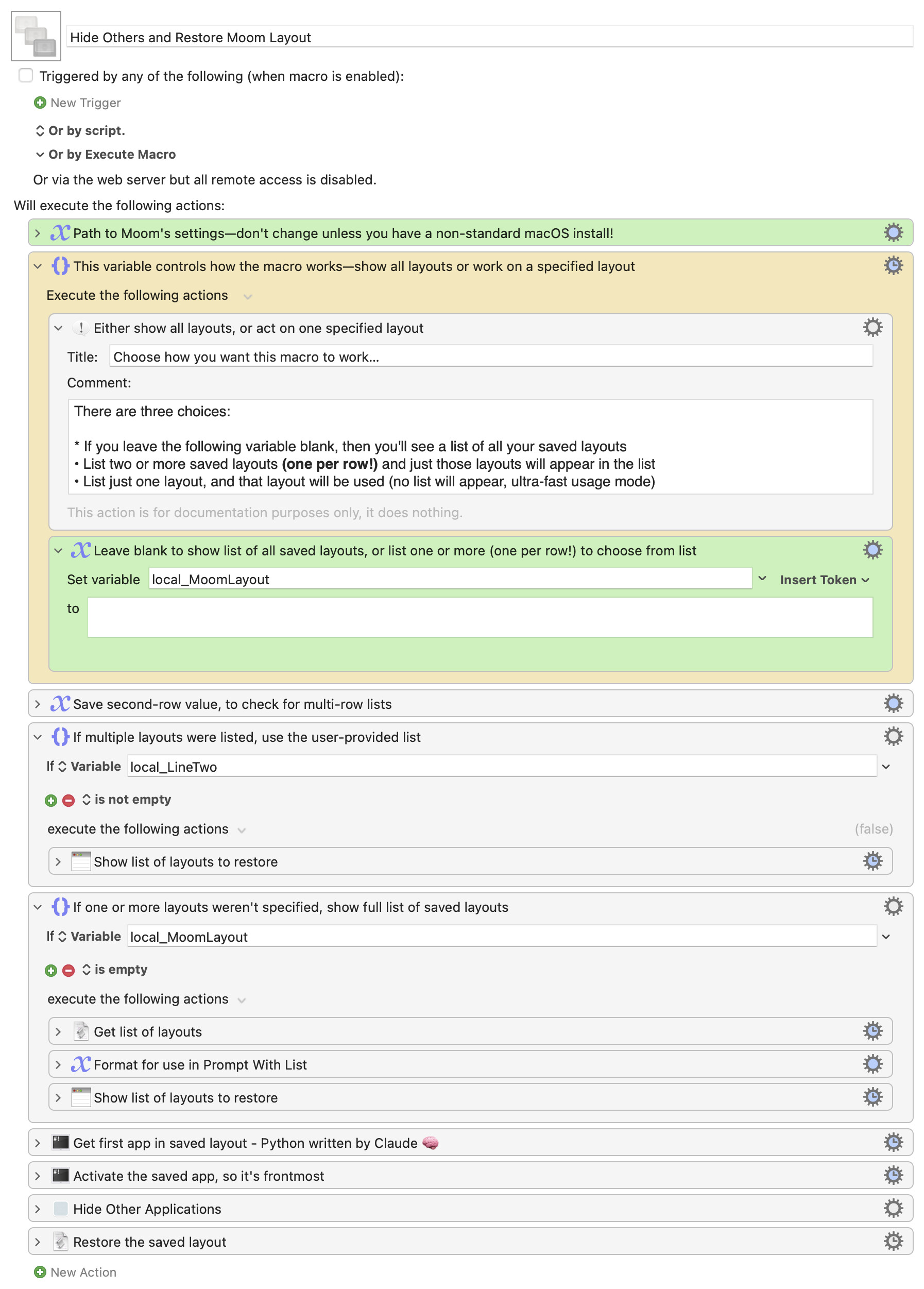
Macro notes
- Macros are always disabled when imported into the Keyboard Maestro Editor.
- The user must ensure the macro is enabled.
- The user must also ensure the macro's parent macro-group is enabled.
System information
- macOS 15.7.1
- Keyboard Maestro v11.0.4
This macro isn't perfect—it could do more to remember which apps were active, it could check if the first app in a saved layout is active, etc. But as is, it works quite well, and makes it pretty easy to get into a "focus mode" when you restore a given Moom layout.
Edit: Forgot to add that this wouldn't have been possible (for me) without some AI assistance: Claude wrote a Python script that parses Moom's settings file to find the apps in each saved layout. It's amazingly fast and made the rest of the macro relatively trivial.
-rob.