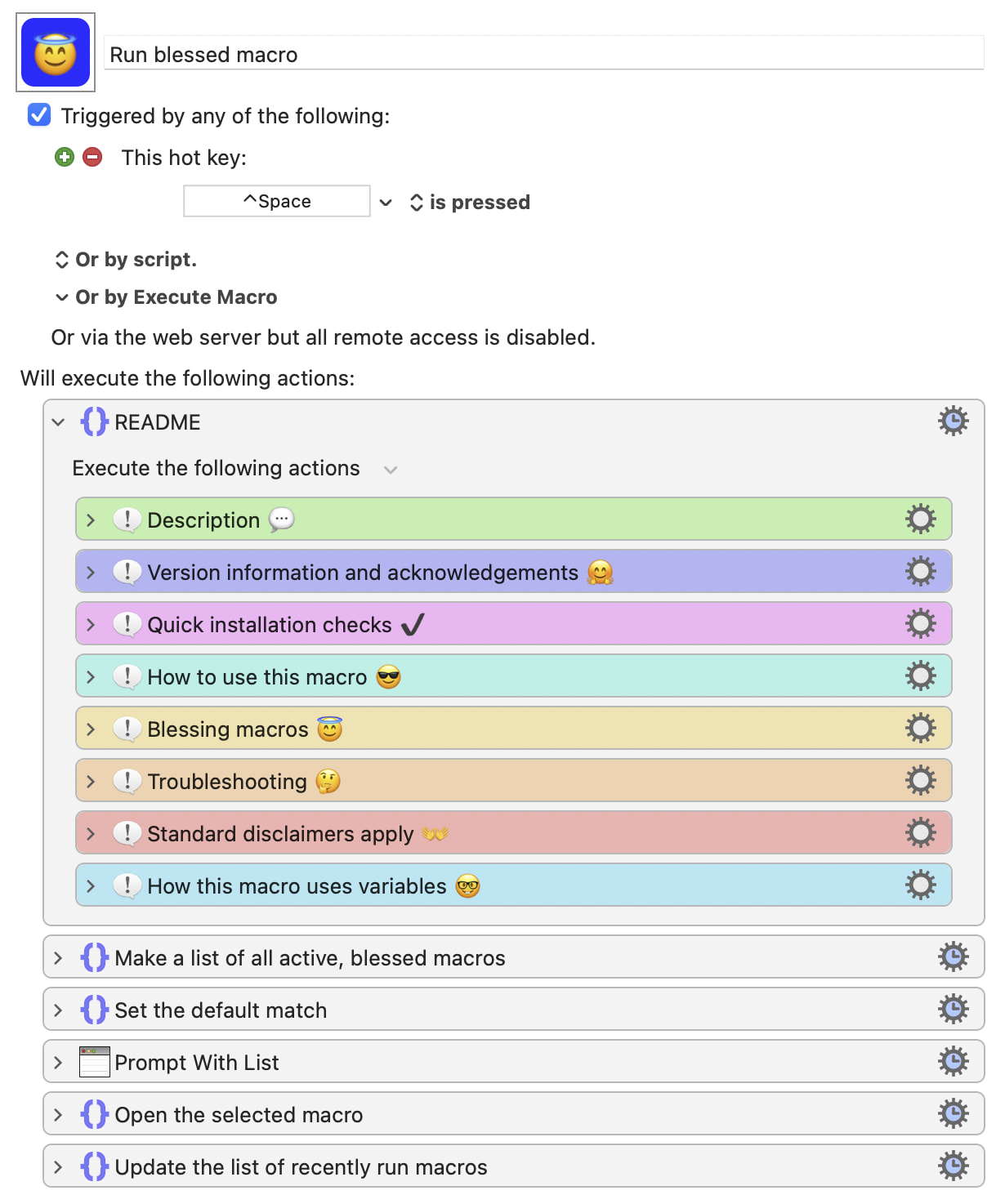
Description
“Run blessed macro” is like using Trigger macro by name (wrapped in a macro), but it is only for the chosen ones—those macros that you want to trigger in this way.
When you trigger “Run blessed macro”, a prompt appears. Start typing the name of a macro that you want to run, and matches will be offered as you type. Matches will be derived only from the names of macros which are currently active and which have been “blessed”.
To bless a macro is simply to mark it as one that is eligible to appear as a match. A companion macro is provided so that you can conveniently bless macros—or, if they are already blessed, remove the blessing.
Advantages
Here are the advantages of using this macro over the standard Execute macro by name action for the impromptu running of macros. The summary is: “less clutter”!
 Suggested matches are only for macros that you have previously blessed and which are currently active.
Other than any default match (which is based on previous usage), no matches are suggested in the dropdown menu until you start typing (or hit ⎋ or ⌫).
There is no useless sidebar, so the prompt is free of visual clutter and it appears properly centred on the screen.
There are no false positives. Unlike the so-called “macro by name” action, a macro will match only against the name of a macro and not its contents.
Potential disadvantage:
 The prompt is not ready for typing quite as quickly as when one uses the simple
Trigger macro by name method. I do not find this to be a significant issue.
Background and Credits
This macro supersedes my previous method of running macros from a set but it is built upon the same basic idea. The new implementation does not use the Trigger macro by name action and it thus avoids the false positives (matches on content) that use of that action generates. Although I did come up with a simple workaround that was adequate for my needs, this new method is easier for the user and it offers a few other benefits too.
This new approach was made possible by finally noticing an Applescript script that had been posted to the KM Forum by @CRLF. It was just what was needed! That script does all the heavy lifting, by providing a list of macros that are active (in this altered version, it also checks whether macro names bear the mark of having been blessed).
The Applescript in the companion macro “Bless selected macros” is a customisation of a macro that was posted to the Keyboard Maestro Forum by @skillet.
Installation
Put the following macro in a macro group that is enabled and available to all applications.
Run blessed macro.kmmacros (50.2 KB)
Put the following helper macro in a macro group that is enabled and available to “Keyboard Maestro” (i.e. the KM Editor).
Bless selected macros.kmmacros (21.0 KB)