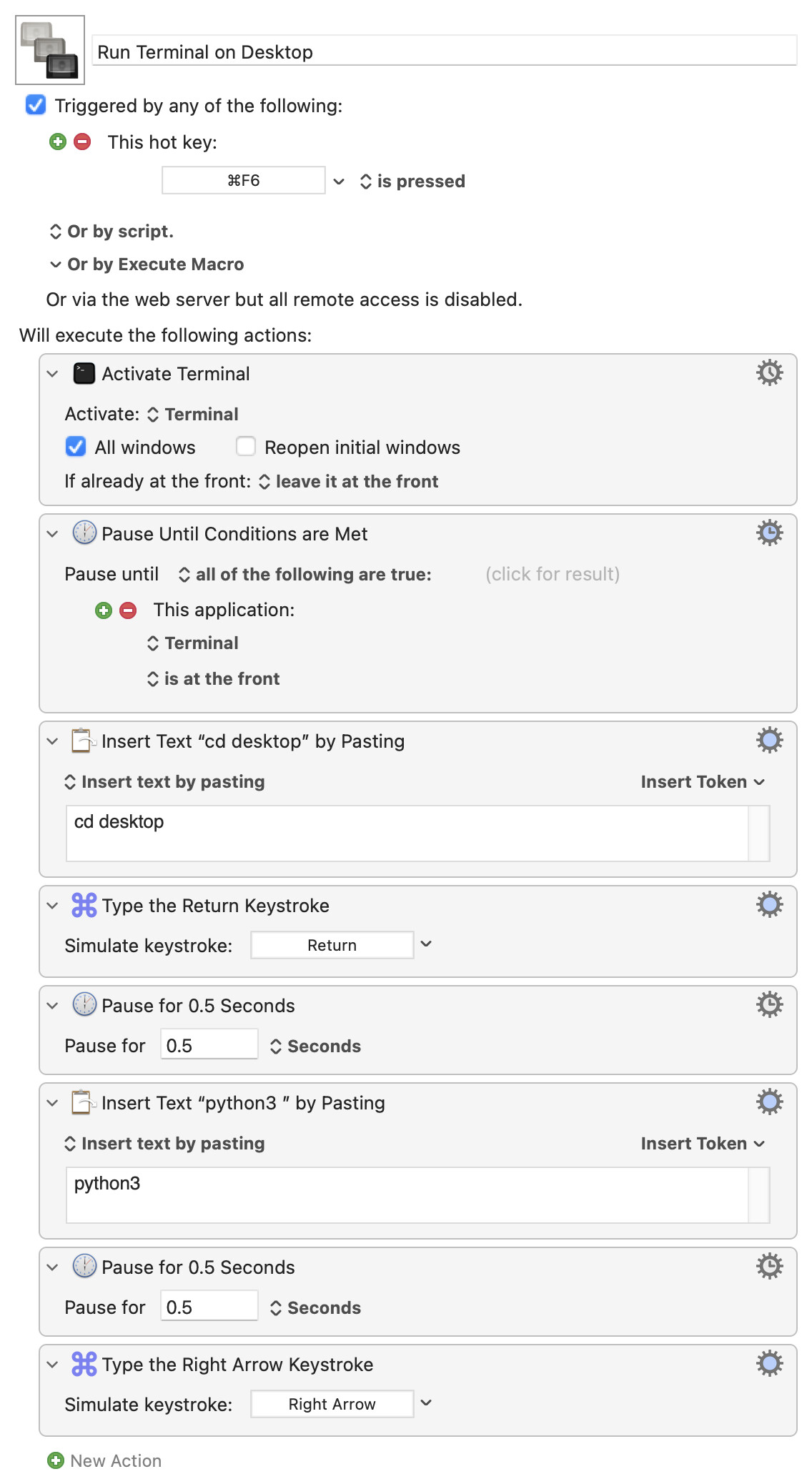
I have tested some apps to open the Terminal in a selected or active Finder folder, but none of them were convincing. So I created a macro to open the Terminal at the Desktop. Then I thought: since I mostly use the Terminal to run a Python script, why not type the command “python3” too?
On a side note: I’m a big fan of the Norton Commander clone CRAX Commander (what’s in a name…). It offers a command (that can be assigned to a keyboard shortcut) to open the terminal in a selected folder.
I think this one probably serves a particular purpose for your needs. I don’t see how it is of general use but I may have missed the point so could you please make it explicit?
I guess that it’s just one illustration of how to stack some commands together, to start using python right away. Nothing big, just nice. Perhaps some other user gets inspiration from it.