Hello all - I’m on MacOS 26.3 (ugh) and use Keyboard Maestro 11.0.4
I’ve found and read 2 topics here from 2022 about how Apple broke access to the Share menu but hope things have changed.
I’m trying to use a Keyboard Maestro macro to pick a specific item from the Safari File→Share… menu when it comes up. I want “Paprika Recipe Manager”
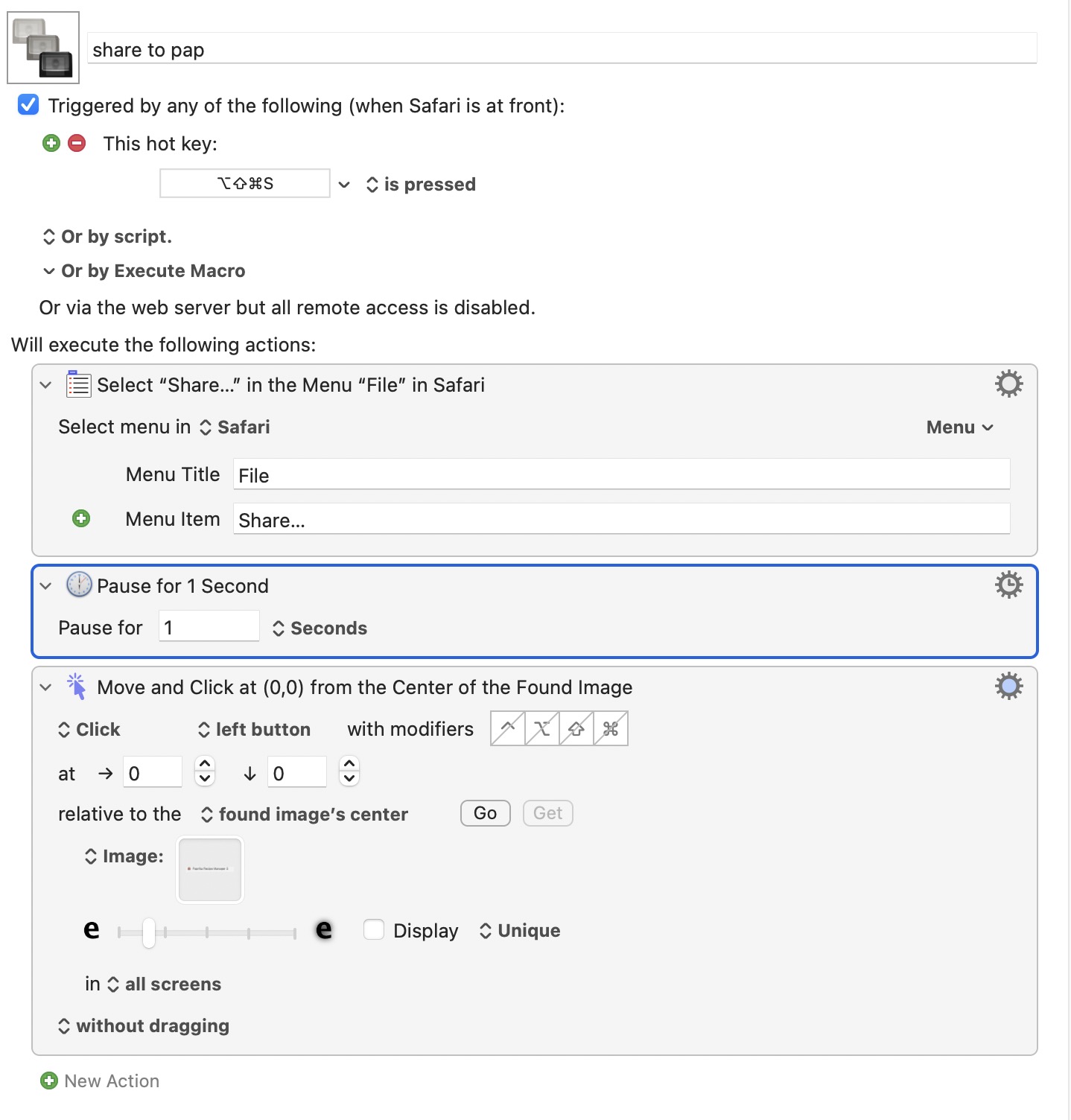
I’ve made a non-elegant work around by having the Share menu appear, waiting briefly and then Click on Found Image. The image is a screen capture of “Paprika Recipe Manager” from the Share menu.
Is there a cleaner / simpler method to select something in the Share Menu?
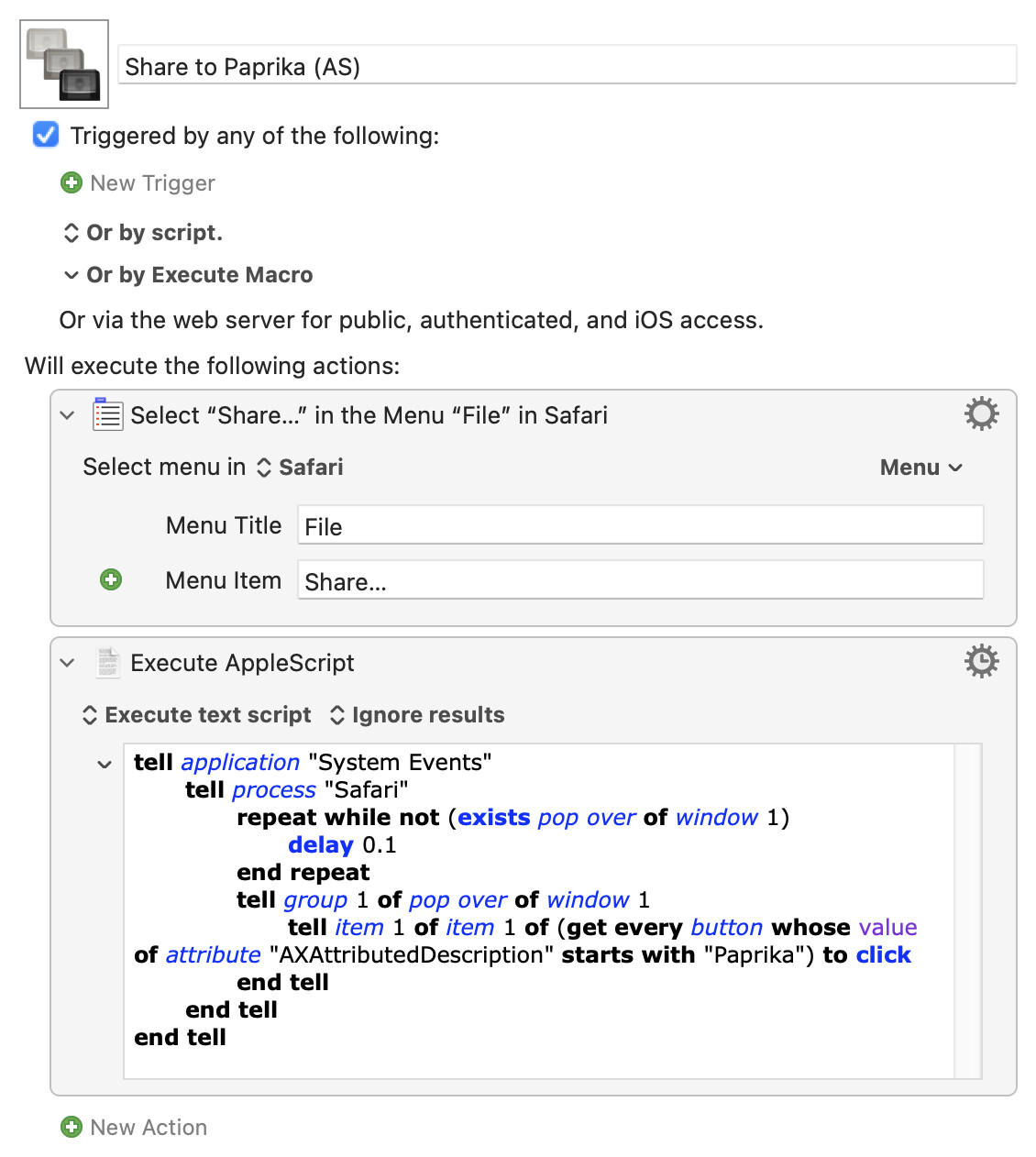
I'm taking a punt that the Paprika share sheet item's description does actually start with "Paprika", but this works for Notes so we should be able to work out what to use.
Whether this is cleaner or simpler than image detection is another matter!
In short, you can create an alias that gets used as a PDF Service. That means the alias would appear in the PDF menu shown in a Print dialog. And that means a keyboard shortcut could be assigned (using Settings > Keyboard), even Command-P such that Command-P activates the Print dialog and then another use of Command-P sends the file/web page to Paprika.
Hello NaOH - I could be incorrectly assuming this would be used to send a PDF to the Paprika Recipe Manager. Using the Safari File→Share…→Paprika Recipe Manager plugin (extension?) scrapes the recipe web page.
It imports into PRM with Ingredients in their section, Steps, image, cooking time, prep time, etc. All into their own fields in PRM.
Am I incorrect in reading your suggestions a way to send a PDF to PRM?
I have only read about Paprika, and I'd forgotten its capabilities, like how it imports information into various fields within it. But, yes, what I described above should send a PDF to Paprika.
I'd say give this method a test, skipping the addition of adding a keyboard shortcut until you know the approach works well enough with Paprika. If it works well, add the keyboard shortcut. If it doesn't work well with Paprika, then deleting the alias to Paprika in ~/Library/PDF Services is all it takes to undo the test.
Thank you Nige_S - I was able to get this to work right off. Had to approve MacOS doing something then the 2nd execution worked just fine. I would never have been able to create the AppleScript - beyond my pay grade. Purrrrrfect!
Why not use the Paprika bookmarklet? Paprika Bookmarklet
I’ve been using it for years with no issues.
Unless I’m not understanding the goal here; I’m assuming it’s to add an online recipe to PRM.
Paprika Bookmarklet has issues these days. For me it fails to import a photo instead I get only a grey thumbnail. Plus I then would need to edit the recipe to add categories and paste in the Description which both the bookmarklet and the Share to PRM miss. Thank you for the thought.