Scanner Timing Problem

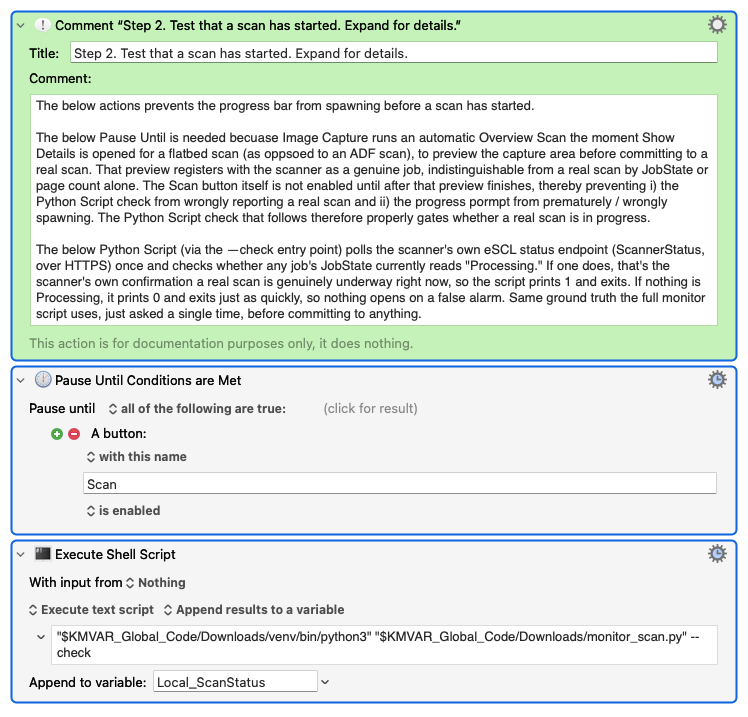
Setup: Keyboard Maestro macro drives Apple's Image Capture app, gating on Keyboard Maestro's native Button condition (Pause Until Conditions Are Met β†’ "A button named 'Scan' is enabled"), and a companion script polls the scanner's own eSCL/AirScan status endpoint directly to track real progress. This is an attempt to replace an old native Display Progress loop that polled file size, which couldn't reliably tell a between-page pause apart from the scan actually finishing.

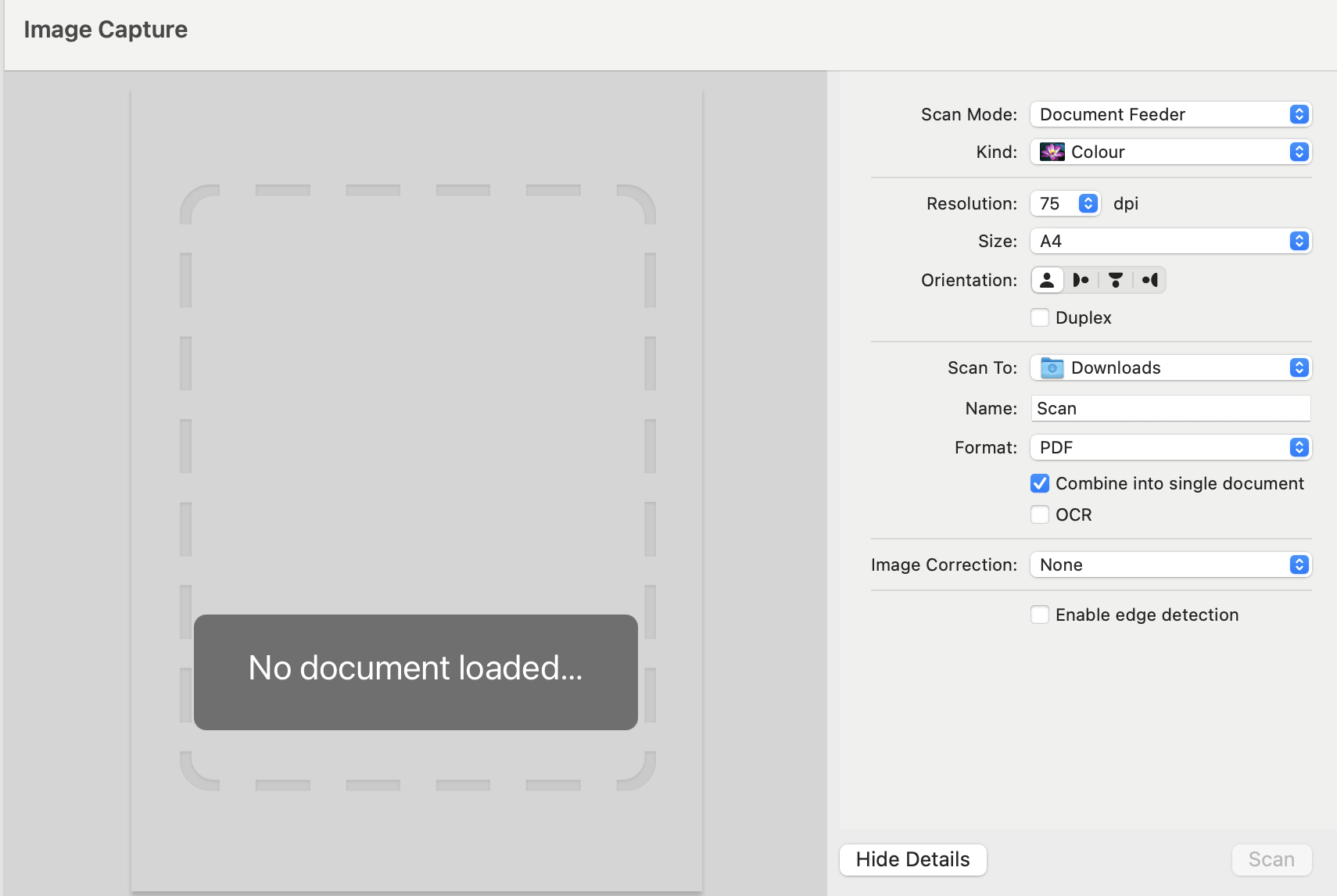
The problem: When Image Capture opens with with the source set to flatbed (as opposed to ADF), it automatically runs an "Overview Scan" β€” a preview scan β€” before the Scan button becomes usable. Critically, this preview registers as a completely genuine scan job on the scanner's own status endpoint, structurally identical to a real scan (same job state transitions, same page-count field) β€” there is no field anywhere that distinguishes preview from real. So we can't tell them apart from the scan data itself.

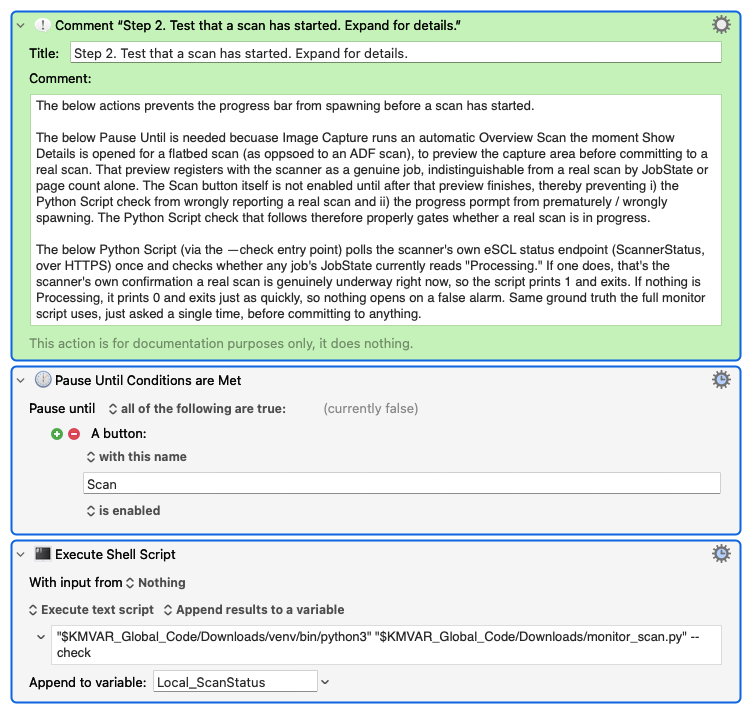
What we've solved: Image Capture's Scan button is disabled until the Overview Scan preview finishes, then becomes enabled. So gating on "Scan button becomes enabled" (Keyboard Maestro's native Button condition, via Pause Until Conditions Are Met) correctly skips past the preview in the normal case β€” the button transitions disabled β†’ enabled, and only then do we start trusting the scan-status endpoint.
What's still broken: If the source is set to AD on opening Image Capture β€” where the Scan button is enabled immediately, even with the feeder empty, since ADF has no preview step β€” and the user then switches the source to Flatbed, the Scan button is already enabled from the ADF selection. Our Pause Until gate passes instantly, and we walk straight into the Flatbed Overview Scan preview that's now running, misreading it as a real scan.

We've already ruled out a couple of routes: Keyboard Maestro's Button condition can only read current state (exists/enabled/disabled), not a press event, confirmed on the wiki; and there's no accessibility notification for a stateless push button being pressed either (checked Apple's own AXNotificationConstants.h β€” nothing analogous to kAXValueChangedNotification exists for a plain push button, only for controls with a persistent value).

Best idea so far, not fully tested, wanted to check here first: if the ADF/Flatbed source selector itself is a UI element with a queryable value, gate on that being stable/unchanged for some N seconds before trusting the Scan-button-enabled check at all β€” i.e., wait out any mode-switching before we start watching the button. Feels like (because it is) a timing-based band-aid rather than a real fix, and we haven't confirmed the selector is even inspectable yet.

Question Is there a more deterministic way to catch this specific transition β€” something structural rather than a settle timer? Appreciate any ideas.

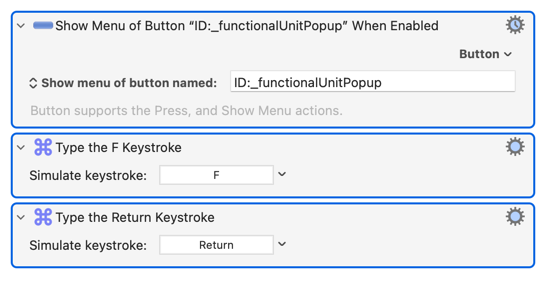
Here is the entire macro:
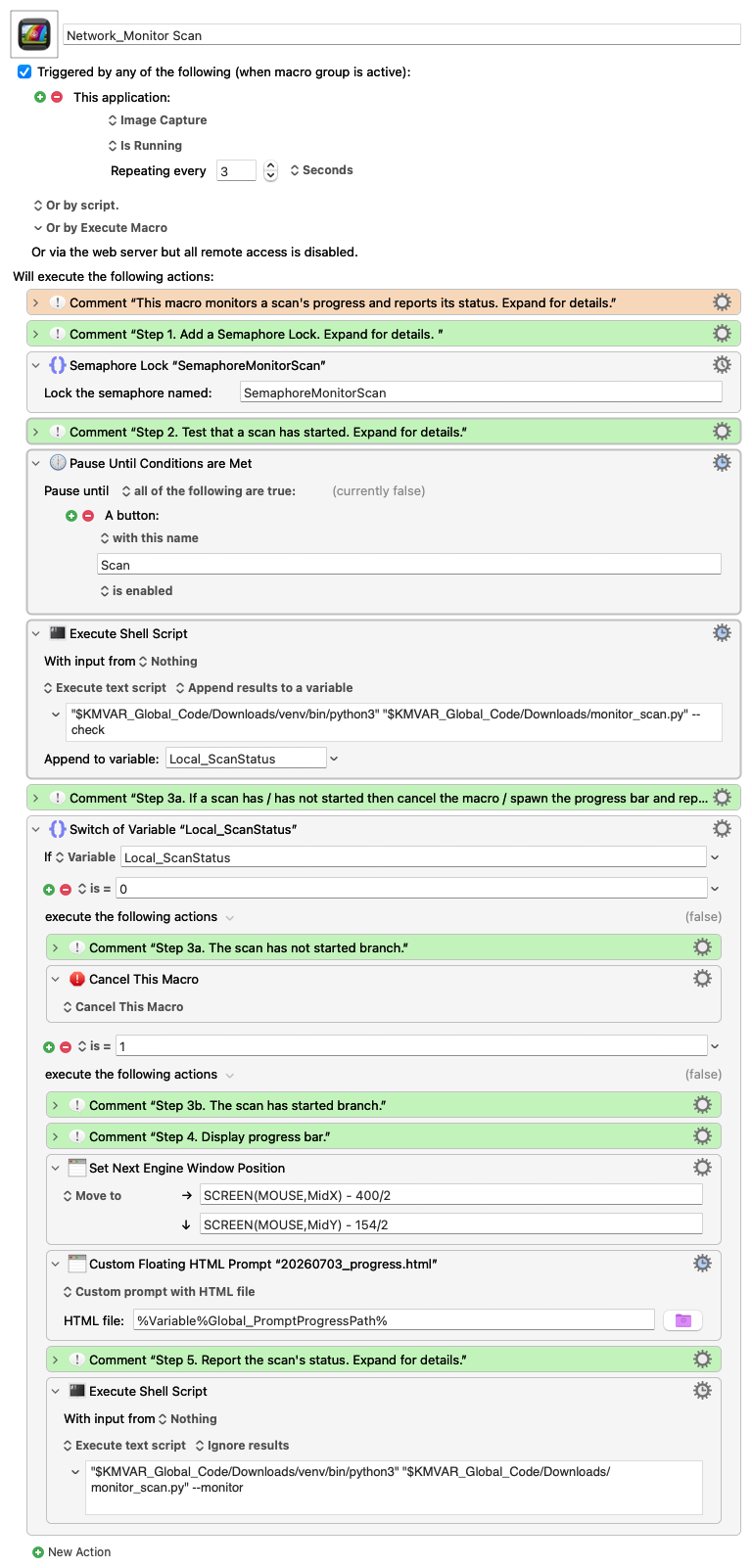
Then it sounds like your scanner is the problem -- I'd expect:

Can you not solve the problem on Image Capture launch (or Quit) by forcing Scan Mode to "Flatbed"?

Or for fun option -- set up Image Capture the way you want, then lock the prefs file (com.apple.Image_Capture.plist). Then if they leave it set to ADF when they Quit, Image Capture will still launch with Flatbed selected :wink:

Curious, what should the scanner be doing that it is not, what should it be doing?

Brilliant, that should work though I would need to switch from flatbed to ADF more often than not (i.e. I would guess 60% of my scans are ADF).

I wonder whether there is a way to not force flatbed on startup, capture the change post startup and then place the pause until? What about:

  • If flatbed β†’ Pause Until Scan enabled β†’ good to go because either pressing Scan or switching to AFD and then pressing scan works

  • If ADP β†’ loop that cycles very fast for 5 minutes β†’ if press scan then break. The problem, there no way to detect when scan is pressed

And of course, we have not handled the "double switch" but I don't think that happens.

Once again, thank you!

Exactly what the picture shows -- if the feeder is empty, scan shouldn't be enabled. How can you scan nothing?

That will, of course, depend on your scanner so check the documentation.

Hmm... If only you could write a macro for that...

Sorry, but I really can't work out from your wall-of-text what the actual problem is here. Including what I remember from before:

  1. You need to poll the scanner to find out when a job has finished -- you can't rely on lack of file system changes because of a) pauses during page combination, and b) an unwillingness to set a long enough wait to allow for those pauses
  2. You need a way to delay the polling until any preview scan has finished
  3. You get a preview in flatbed mode but not when using the document feeder
  4. On app launch, if in flatbed mode the "Scan" button is only enabled after the preview is done, but it's enabled from the get-go in document feeder mode (regardless of whether or not there's anything in the feeder)
  5. The "Scan" button remains enabled if you switch from feeder to flatbed mode

So the simple fix is to always launch the app into flatbed mode.

Or, and if I've got the logic right, you might be able to use a loop retry. Something like

set Local_flag to 1
while Local_flag
   if scanMode = flatbed
      pause until scan button enabled
      if scanMode = flatbed
         set Local_flag to 0
      else
         retry this loop -- back to start of the 'while'
      end if
   else
      pause until scan button is disabled
      if scanMode = adf
         set Local_flag to 0
      else
         retry this loop -- back to start of the 'while'
      end if
   end if
end while

...so your macro only continues if the scan button's state changes appropriate to the mode and the mode remains the same across the state change.

Appreciated noting I will take a look at this tomorrow as I am still at the office and have a commitment this evening.

I will for sure check the comment about the [(ADF + No Paper) β†’ No Scan Button] because that is critical, it would completely solve my problem. If this in fact the case then the current structure -- again as posted below -- works perfectly.

Stay tuned and as always , much thanks.

Hi @Nige_S β€” following up on where we landed.

You were right that the ADF's Scan button being enabled with an empty feeder was worth checking. It turns out that specific behavior varies with whether paper is actually loaded (enabled when there's paper, disabled when there isn't), which narrows the exposure considerably: real risk only exists when ADF is selected with paper loaded, then the user switches to Flatbed before pressing Scan. Genuine ADF use, and ADF opened empty and switched away, both turn out to be safe with the above / existing two-gate approach.

I also worked through your mode-consistency idea in more depth (confirmed the ADF/Flatbed selector is a real, System-Events-readable element, so it's technically buildable), but decided against building it. The core problem: a stability-wait approach can't distinguish "the mode just changed a moment before I started watching" from "the mode's been settled for a while" β€” those look identical to a script that only just started observing. So it has to wait out its full stability window on every single run, not just the ones that actually flip-flop, which taxes every ordinary scan to guard against a genuinely rare case. It also has to run before any progress window opens, so there's no feedback to the user during that wait β€” it would just look like nothing's happening.

Given how narrow the real exposure turned out to be, I am accepting it as a known limitation rather than building the extra mechanism. Appreciate you thinking it through with me either way β€” the empty-ADF question was the thing that actually narrowed this down.

Much thanks!

It's unfortunate that you can't query the scanner to see if it is preview scanning, the same as you can for actual scanning. That might be worth a look -- preview scans are generally faster/lower resolution, so if you can get the settings for the operation in progress...

Great idea, I will check!

I checked directly against captured data, not the eSCL spec in the manual. Every real ScannerStatus response pulled this session, across idle/processing/ADF/Flatbed/preview/real, has exactly five fields per job: JobUuid , JobUri , Age , ImagesCompleted , JobState . Nothing about resolution, DPI, color mode, or any setting for the in-progress job appears anywhere in any capture we have. That's consistent with (not contradicted by) the earlier finding that the JobUri detail endpoint returned nothing β€” the scanner exposes job state , not job settings , on every path we've actually queried. So no, not possible with what's real here β€” it's not a theoretical dismissal, it's what the actual data has shown every time I looked.