I have a macro that uses OCR Screen (Apple Text Recognition) on an area. It has always worked well. Recently though it works for a while, then starts failing every time with this error below. I should note that I did get a new Mac, but I don't recall this happening when I first moved to it (it's been a month now).
OCR Image failed with error TextRecognition.CRImageReaderError.e5rtError("e5rt_execution_stream_operation_create_precompiled_compute_operation_with_options call failed", 13). Macro "OCR Screen" cancelled (while executing OCR Area (Result.x,Result.y,Result.width,Result.height)).
Once it starts failing it doesn't recover on its own as far as I can tell. Quitting both the Engine and the editor, then relaunching, fixes it until the next time. One time, using Restart Engine alone didn't fix it, which is surprising..
What I've checked:
aned (the Neural Engine daemon) has been running since boot and never restarted, so the system side looks healthy
No crash reports for aned or Keyboard Maestro
The screen capture itself seems fine. The failure is when Vision loads its model.
My guess is the Engine's Vision/Core ML session gets into a bad state and stays that way for the life of the process. Would it be possible to recreate the text recognition request when this error comes back, or retry once with a fresh one? IDK.
macOS: Golden Gate 27.0.1
Keyboard Maestro: Version 11.1.1
@Nige_S Thanks. Memory was good going into this. I didn't check the exact value, but I know how my system feels when memory pressure is getting high, and it's been smooth sailing all day.
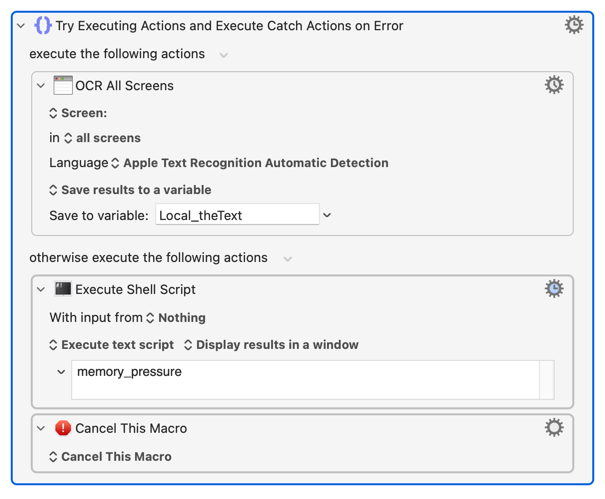
Quick update: it started failing again. memory pressure: System-wide memory free percentage: 49%.
I restarted KM, and it started working again. On the first try it took a while before it worked, like 15-20 seconds. Now it's fast again.
Ah, but if this escalates it'll be one of the first questions asked -- so good to have the numbers ready.
Is it always the same-ish size area you're OCRing? If so it'd be worth keeping a count of successes before there's a fail, to see if there's any consistency there.
Are you running multiple OCRs in quick succession? Pop in some pauses (or work slower!) to see if that helps.
If it this behaviour is recent, what's changed? Installing GG, getting the Siri AI beta, something else?
Are you using automatic language detection or is it hard-set?
Edit to add:
There doesn't seem to be a general problem with OCR. My M1 MacBook Air with 16GB of Unified Memory, macOS 27.0.1, KM v11.1.1, has just managed a loop of 500 OCR Actions, paging down through a Preview PDF. Granted, it wasn't a difficult recognition given it was clear black text on a white background, but it was >100,000 words and I ran it three times in less than 10 minutes, without an Engine restart.
Hmm. I wonder what could be going on then. I've used this for years without issue, but it is a new computer and it's on 27.0.1, I had been on 15 before this (never moved to 26).
I tried it just now about 5 times real quick (and a few times this morning), all failed.
Right after those 5 tests, I quit KM engine and editor, then reopened the editor (which starts the engine of course). Tried it again and it worked on the first try. Like before, it did take a few seconds on the first one (5-10 seconds before it was processed), but now it's fast again.