Search For Action Bar

Apologies should this has been asked before.

If I press "CRTL+CMD+A" when building a macro the "Search For An Action Bar" appears. Is there an action for this as I would like to clear the search bar (i.e., remove the previous search) noting I looked but could not find such an action.

Just press the delete key after the dialog pops up. That will clear the search field.

Or, even quicker, just start typing a new search. The previous item will change to the new search as you type.

Appreciated and understood.

I woful juts like t have it come up "blank / clear " form the get go and thought this could be automated.

Well, yes, you can automate if you want by making a Macro that is only active in Keyboard Maestro. By giving it the original hotkey it will override the default behaviour.
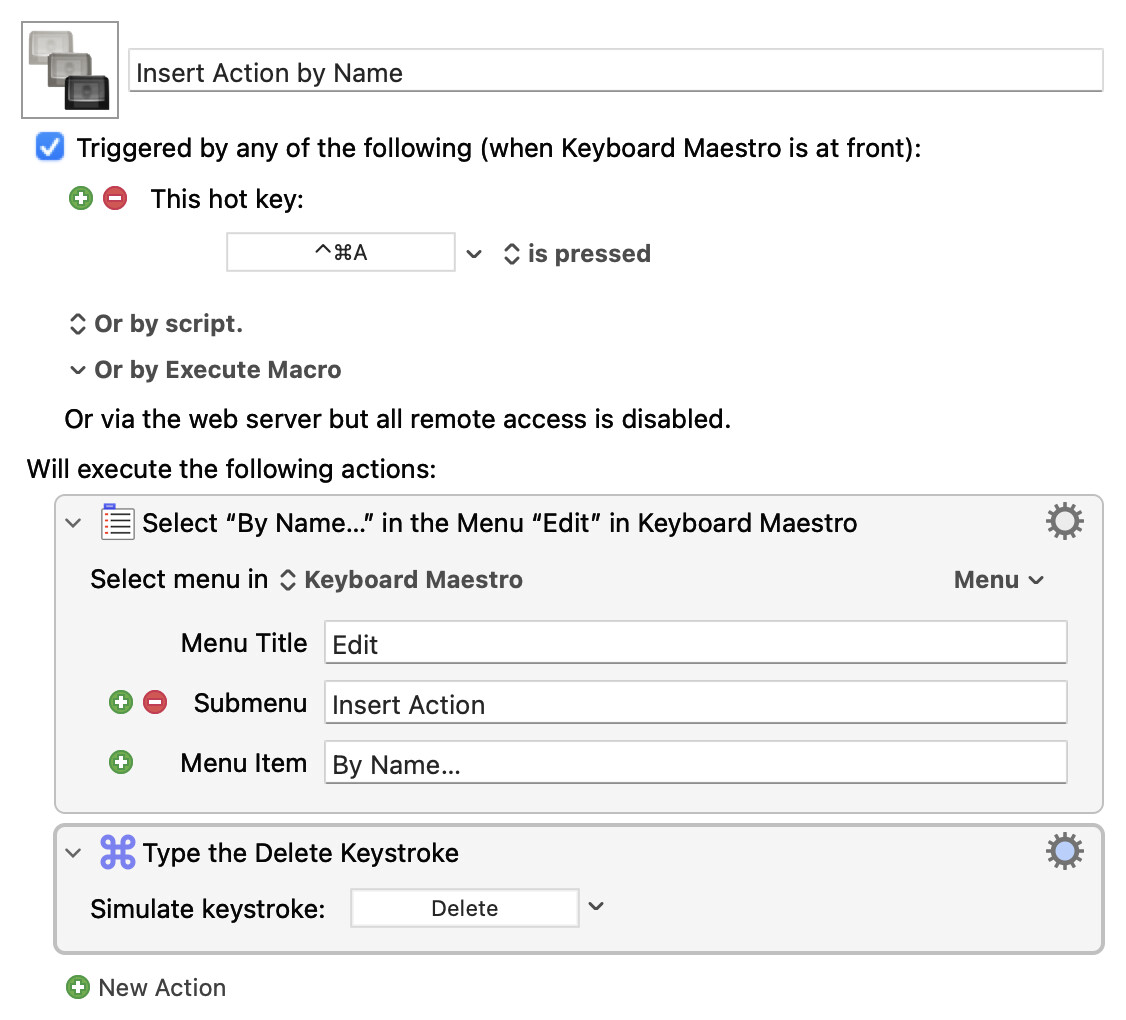
Insert Action by Name.kmmacros (3.2 KB)

But the only difference is visual, as typing a new search will clear the field anyway.

1 Like

Thank you!