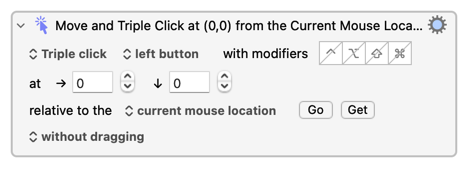
It can be difficult to reliably send simulated modifier keys to a VM, for one. You'll even have trouble sending uppercase letters via an "Insert text by typing" Action.
There may be an argument for seeing the native VBA approach as the ideal (reliable, performant), and GUI scripting over a Virtual Machine interface as a fall-back (tricky, slow).
If you want a version which toggles highlighting of the sentence, you could use something like this:
Sub ToggleHighlightCurrentSentence()

    With Selection.Range
        .Expand Unit:=wdSentence

        If .HighlightColorIndex = wdYellow Then
            .HighlightColorIndex = wdNoHighlight
        Else
            .HighlightColorIndex = wdYellow
        End If
    End With

End Sub
I like the idea of consolidating everything in one place (i.e., Keyboard Maestro) as it simplifies keep tracking of automations, moving to different / new computers, etc. but I do understand i) constant and reliable is critical ii) native solutions are preferred over VM GUI solutions and iii) something is better than nothing.
One follow up: I understand that I should add the VBA code to the normal.dot template (and other templates that I use) so that it is available in all new documents but will it be picked up by existing documents that use that template?
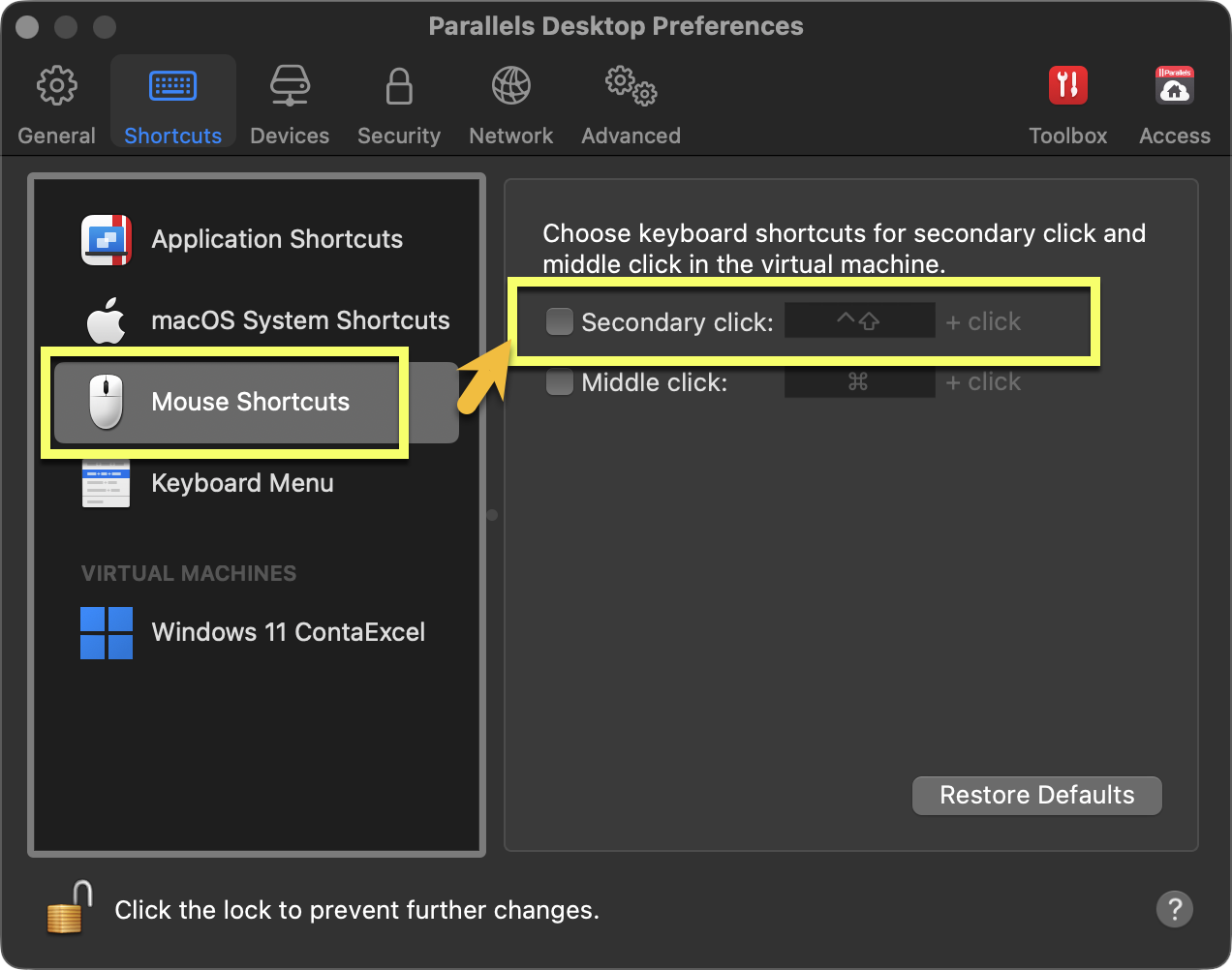
Make sure that Parallels custom shortcuts are not interfering. IIRC, there are some customizable settings that change CTRL ←→ CMD and also make CTRL + LEFT-Click = RIGHT-Click. It is particularly frustrating in Office, so I also disabled every Parallel shortcut and implemented my own "fixes" in KM.
I wish it were that but it isn't because the CTR:L + LEFT CLICK works as it should (i.e., selecting the entire sentence) other than when trying to get keyboard Maestro to do so. It is very annoying!!
PS if you prefer expressions, where possible, to statements,
then you can also write it like this:
Sub ToggleHighlightCurrentSentence()
    With Selection.Range
        .Expand Unit:=wdSentence

        .HighlightColorIndex = _
            IIf(.HighlightColorIndex = wdYellow, wdNoHighlight, wdYellow)
    End With
End Sub
I made some changes so that i) it uses whatever highlight colour is selected and ii) the cursor move to the next line.
Sub ToggleHighlightAndMoveDownFixed()
    With Selection
        ' 1. Expand to the current sentence
        .Expand Unit:=wdSentence

        ' 2. Toggle the highlight
        If .Range.HighlightColorIndex <> wdNoHighlight Then
            .Range.HighlightColorIndex = wdNoHighlight
        Else
            .Range.HighlightColorIndex = Options.DefaultHighlightColorIndex
        End If

        ' 3. Move cursor to the very BEGINNING of the sentence we just highlighted
        .Collapse Direction:=wdCollapseStart

        ' 4. Now move down exactly 1 line from that starting point
        .MoveDown Unit:=wdLine, Count:=1

        ' 5. Ensure we are at the start of that new line
        .HomeKey Unit:=wdLine
    End With
End Sub
Agreed but the solution you describe above is triggering a Word macro from Keyboard Maestro which is different that having Keyboard Maestro perform / simulate the Word keystrokes.
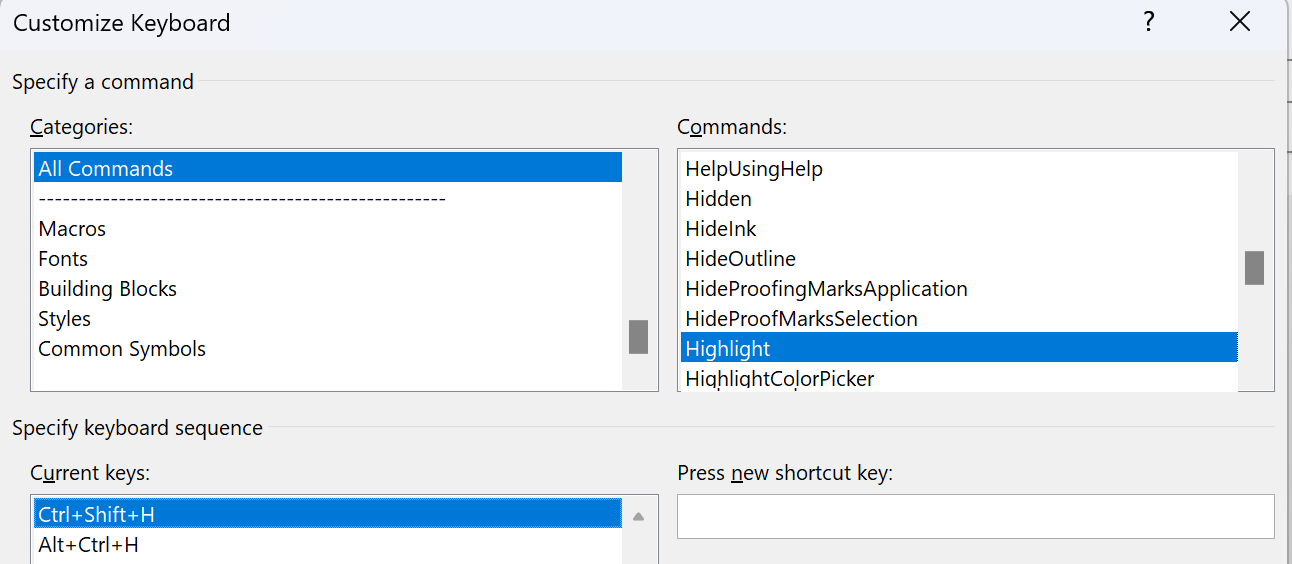
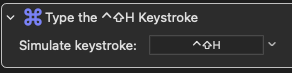
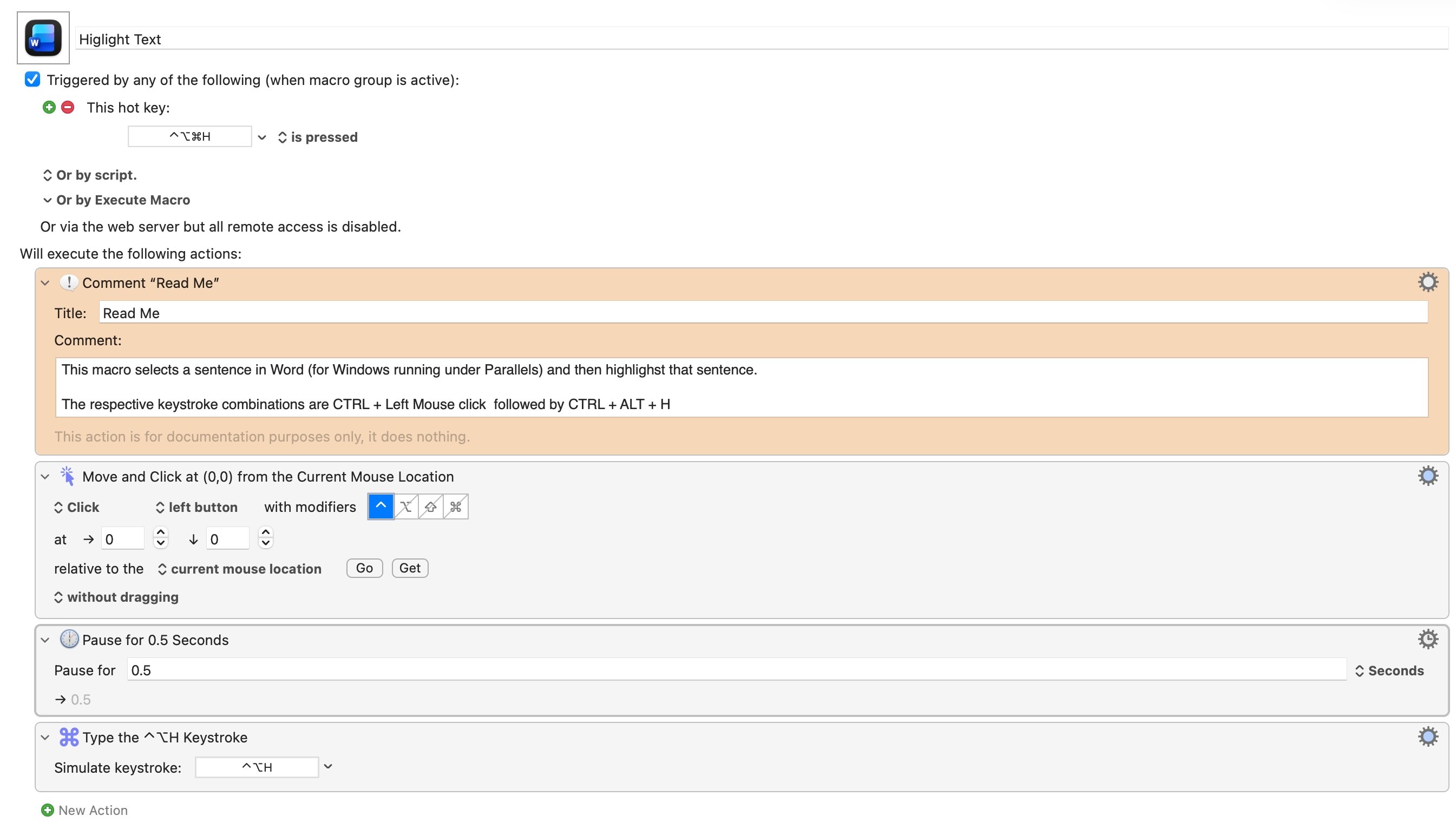
I don't have any Word macro. My solution simulate the sentence selection and triggers the modified shortcut for the built-in Highlight (no VBA required).
One follow up, how did you get the CNTRL + CLICK which selects the sentence work as that is the first step in the chain (i.e., highlight follows that noting I was always able to get teh highlighting to work, it was the sentence selection which I could not get to work)?
KM sends events through macOS public APIs. Proper macOS apps receive, and act on, those events.
Word for Windows doesn't give a flying fig about macOS events...
You're actually sending them to Parallels, with added indirection because you're using Coherence mode, and hoping that Parallels accurately translates them for Windows actions. But some of the tricks Parallels uses appear to be applied at an earlier level in the macOS event hierarchy -- KM's simulated meta keys seem to be later in the hierarchy than Parallels looks for them, so are often missed.
Frankly, it's a miracle it works at all -- and what works for @JuanWayri may not work for you.
 macros in normal.dot are globally available.