I'm using the key command "cmd + /" to dis-/enable macros, actions, comment out code sections and much more.
The slash "/" is meant to be the one on the numeric keypad of the Logitech extended keyboard.
While the keyboard is connected via Bluetooth to an iMac I operate a Macbook via screensharing.
Now every individually sent keystroke of the keypad is send to and recognized by the Macbook correctly – except when combined with the Command key.
Of course the key combinations work when the keyboard is connected directly to the Macbook.
Does anyone kindly have a solution to this problem?
Sending keystrokes through any remote desktop system does not generally work, for reasons I don't know, and as it is a black box system with no ability to debug, reasons I doubt I will ever know.
Keyboard Maestro simulates the events, but for whatever reason the remote desktop systems rarely properly handle the modifiers in such events.
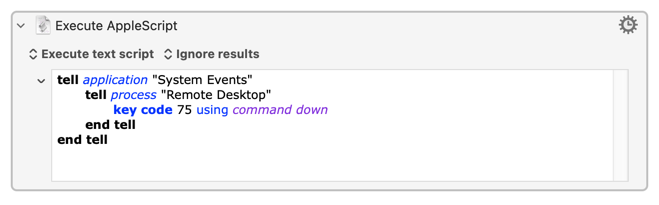
I'm not entirely clear what you are trying to do -- are you trying to send a hot key trigger to the remote machine, send the ⌘Keypad / to the frontmost app on the remote machine, or something else? -- but you might round the problem using System Events:
Script:
tell application "System Events"
	tell process "Remote Desktop"
		key code 75 using command down
	end tell
end tell
75 is the key code for the keypad / on an Apple extended keyboard, I'm hoping it'll be the same for the Logitech!
Screen sharing will need to be the frontmost app at the time the script is run...
It still isn't clear -- but it sounds like you are trying to use the hardware keypress ⌘Keypad / to trigger a macro on the remote machine, rather than using KM to send a simulated⌘Keypad / to the remote machine. There's a big difference between the two.
Is this macro to run on the local or the remote machine? If it is on both machines and to run on the remote, is it in a Group that is not available on the local machine when Screen Sharing is the frontmost app?
KM runs on both machines and macros are synced => everything is fine
The macro "MyMacro" uses trigger: cmd + / (keypad slash)
The macro "MyMacro" is activated on both machines
The macro group containing "MyMacro" is activated and available in all applications on both machines
Pressing cmd + / (keypad slash) on the iMac (in all applications except screen sharing) => the macro "MyMacro" runs fine
Pressing cmd + / (keypad slash) on the iMac while screen sharing is frontmost and controlling the Macbook => the macro "MyMacro" is not fired on the Macbook
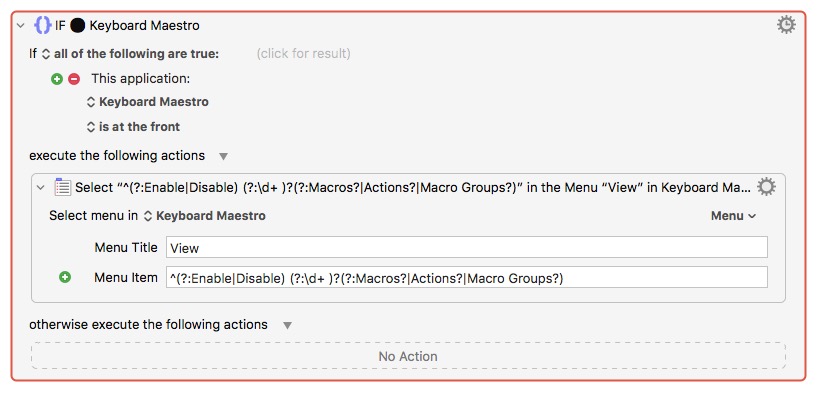
Remember that when a hot key triggered macro is enabled/available/active in the current context it swallows the hot key. The macro will be triggered but, depending on the actions, may not do anything -- you've at least one "If application is frontmost..." action, and if none of those "If"s nor their "otherwise"s include when Screen Sharing is frontmost the macro will trigger, nothing will evaluate to true, nothing will happen.
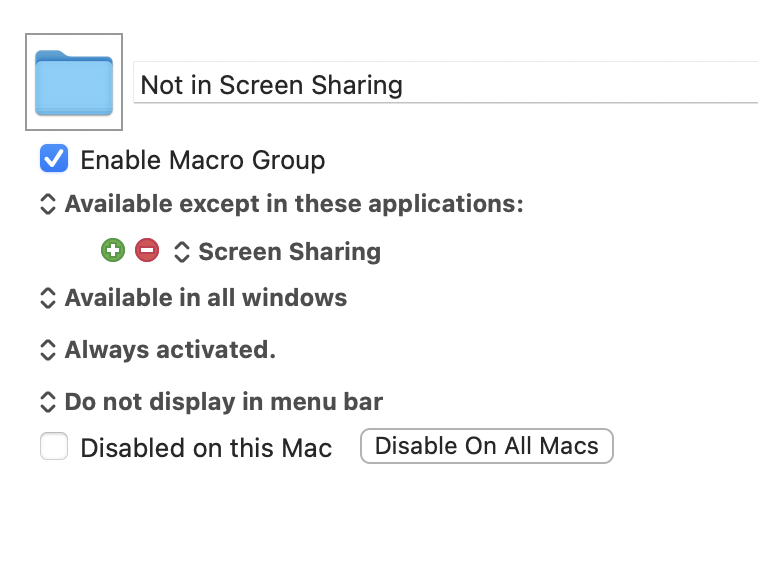
If you want a physical keypress on the local machine to trigger a macro on the remote then the easiest way is to make sure the macro isn't triggered on the local machine -- put it in a Group that excludes Screen Sharing:
The local Mac's KM Engine won't grab the keypresses, they'll go directly to the Screen Sharing app, and that has a much better chance of properly passing the modifier key over so that the remote Mac's KM Engine sees (and swallows) the trigger.
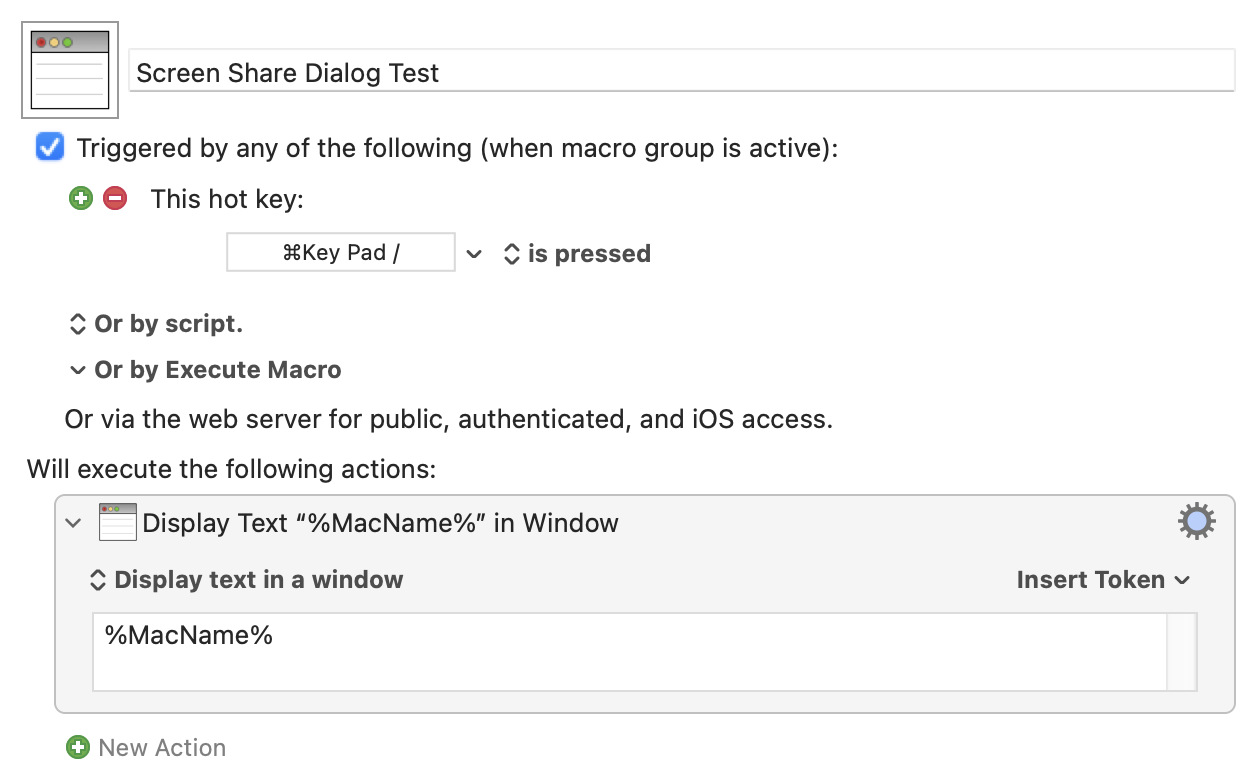
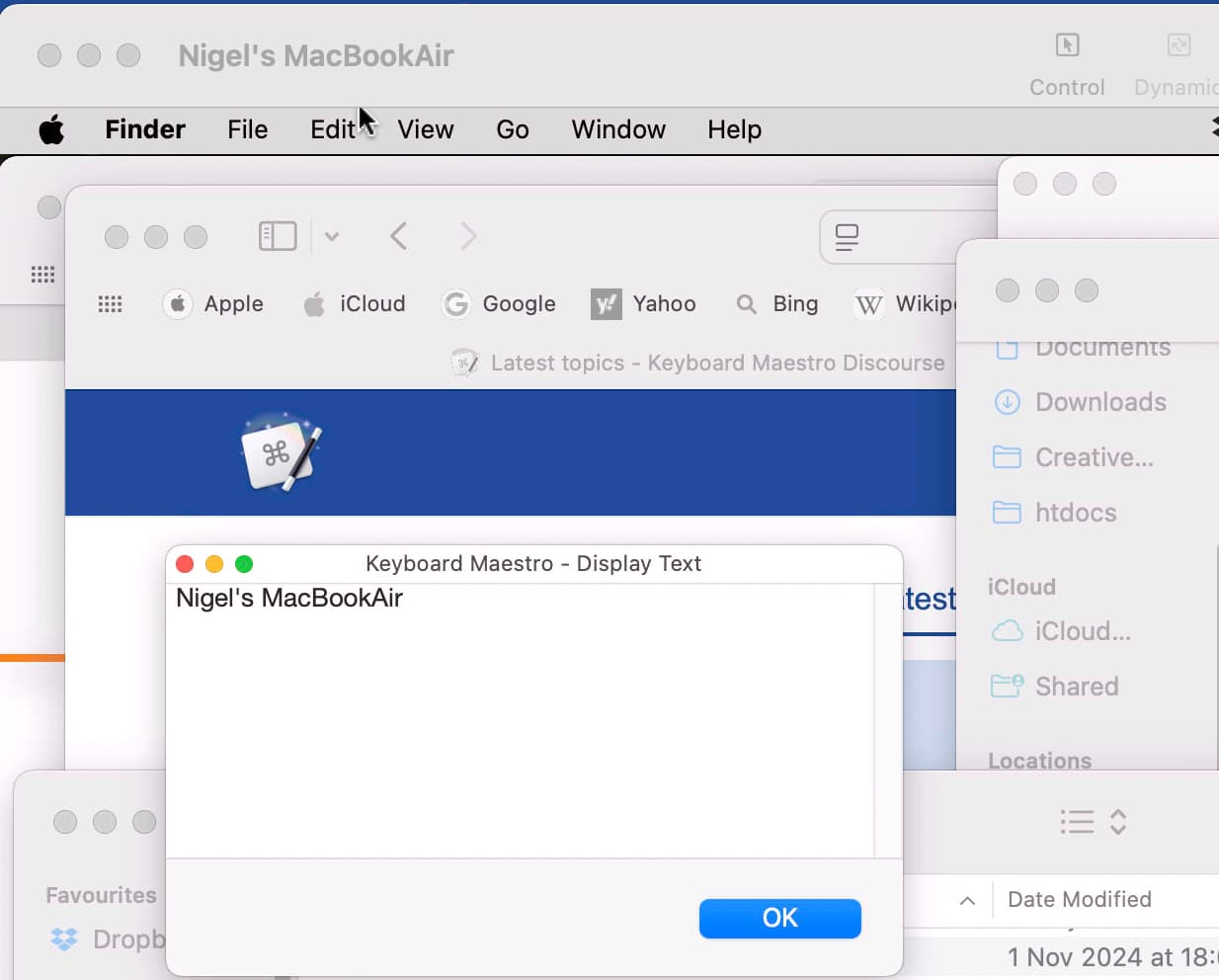
Try it yourself with a simple "Display Text" macro, synced on both machines. With Screen Sharing frontmost and the macro in the Global group the dialog should appear on the local machine -- put it in a Group that excludes Screen Sharing (and wait for that to sync) and the dialog should appear on the remote Mac.
To make things even clearer, this macro will display the name of the Mac it is run on:
...and I've even used the same ⌘Keypad / hot key as you (so remember to either change it or disable your other macros with that hot key set) to show that a numberpad-less Air can be triggered from an iMac with an extended keyboard: