Yes, it does—I just wanted to make sure you'd never have "Data[tab]more data[tab]etc". So for one column, this should work:
Download Macro(s): Add tabs in clipboard.kmmacros (3.7 KB)
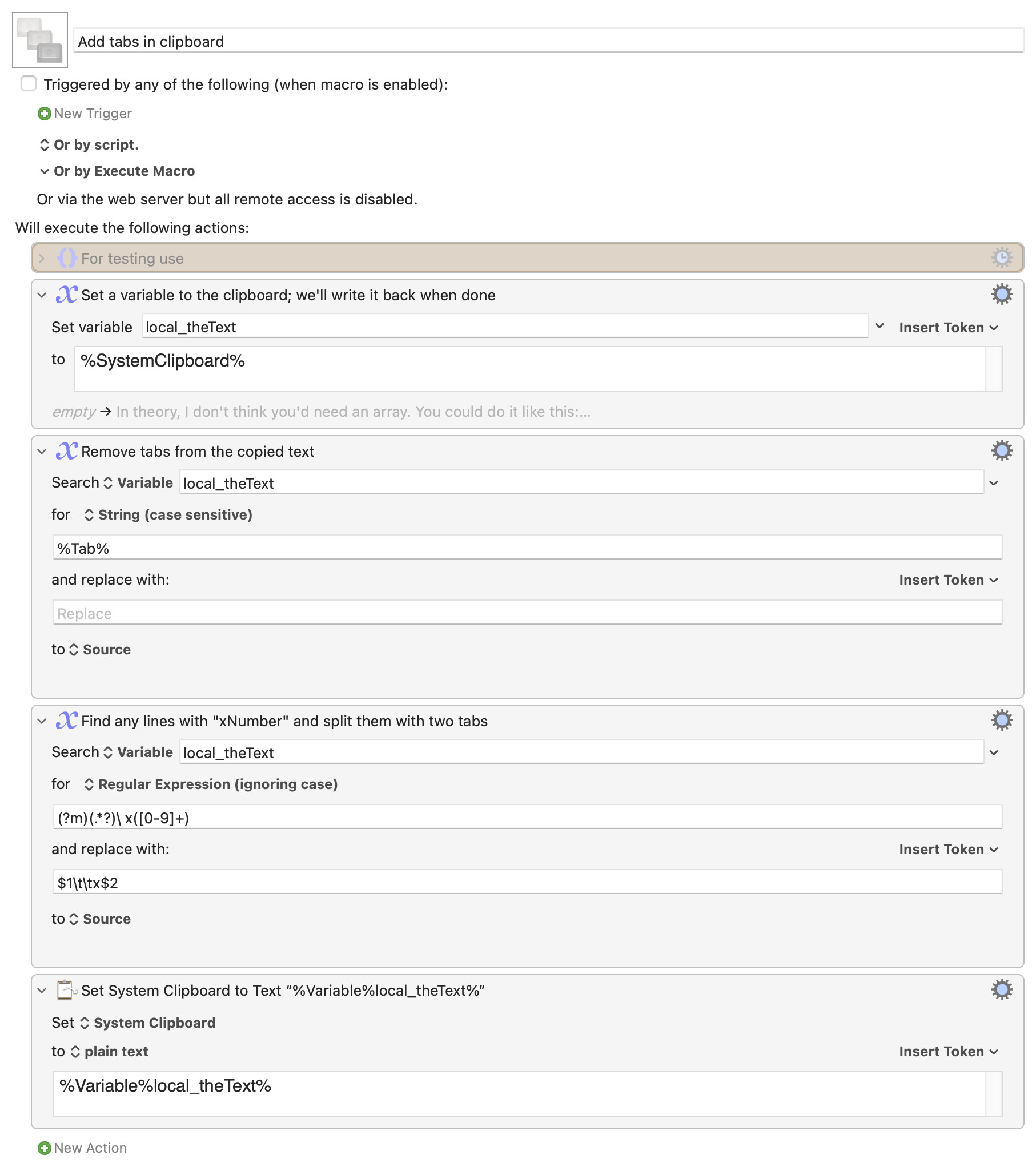
Macro notes
- Macros are always disabled when imported into the Keyboard Maestro Editor.
- The user must ensure the macro is enabled.
- The user must also ensure the macro's parent macro-group is enabled.
System information
- macOS 14.4.1
- Keyboard Maestro v11.0.2
I copied your data above, and added a couple "non x" rows for testing:
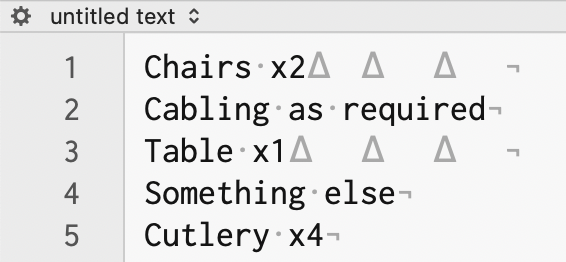
The triangles are tabs, so you can see there were some in the copied text. The macro first removes those, then uses a regular expression to find and add tabs before any rows with "x and numbers" in it. Here's how the data looks after the run:
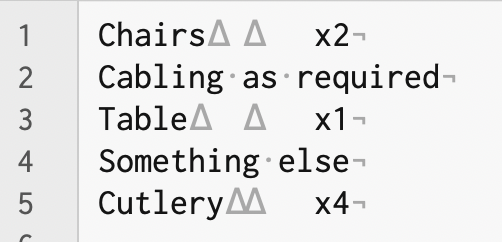
Two tabs before any "x" numbers, and the non-x rows were left alone. In theory, this should then paste right into NeoOffice.
-rob.