Similar to items in the finder. Unless I'm missing something (very possible) there's only sort by name and shortcut. Would be very handy to also sort by date (to weed out older unused macros for example).
What do you think?
Thanks!
Similar to items in the finder. Unless I'm missing something (very possible) there's only sort by name and shortcut. Would be very handy to also sort by date (to weed out older unused macros for example).
What do you think?
Thanks!
Hey Julian,
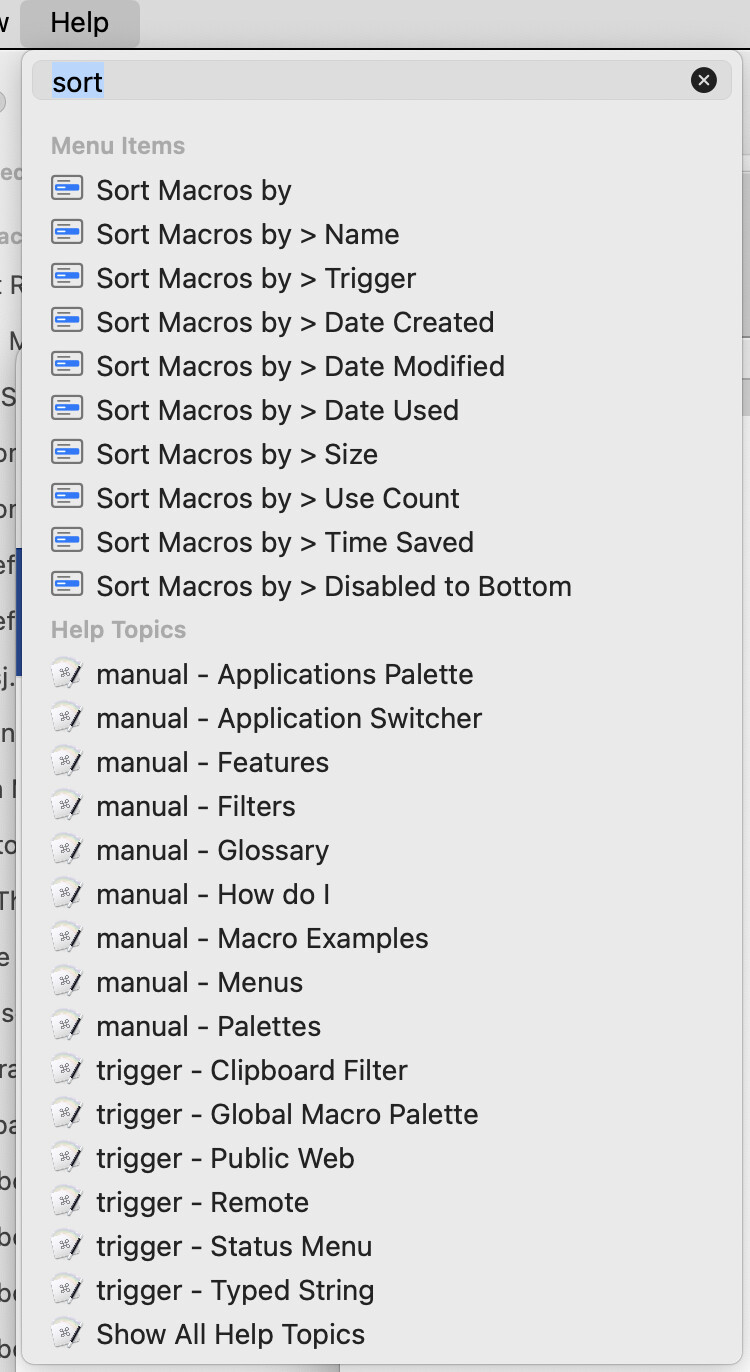
Click in the Keyboard Maestro Editor's Help menu.
Type “sort” in the search field and see what you get.
-Chris
All I get is a list of Mac Help topics, starting with "Sort and arrange items in the Finder on Mac", nothing KBM related at all.
I'm here in this old thread because I'm repeatedly seeing macros in a group sorted by "something" other than Name or Shortcut/Trigger and this thread is the closest match to previous discussion of the topic. Maybe what I'm seeing is by date, maybe it's not, I'm not sure (yet).
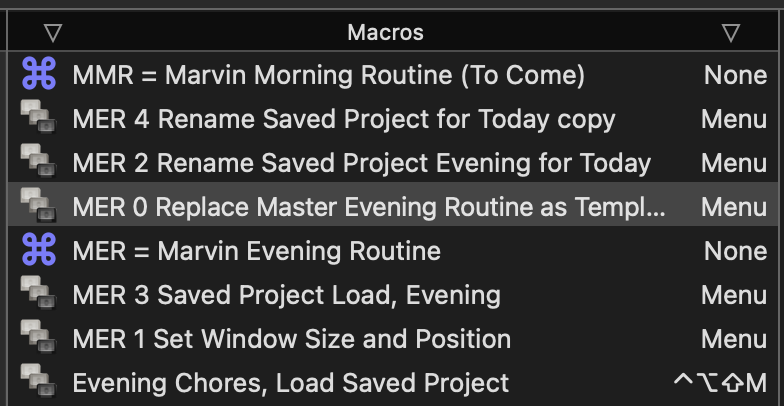
At first I thought this was simply Sort by Trigger, but when I do that, the two None entries sort together. I don't know what this sort order is. I frequently see it when I return to the KBM Editor after checking the results of recent changes by running one of these macros from the menu in another Desktop.
Obviously there is a workaround, I just click the Sort arrow to put it back right.
But WHAT IS this order, and WHY does it happen?
Should I start a new thread and flag it as a BUG?
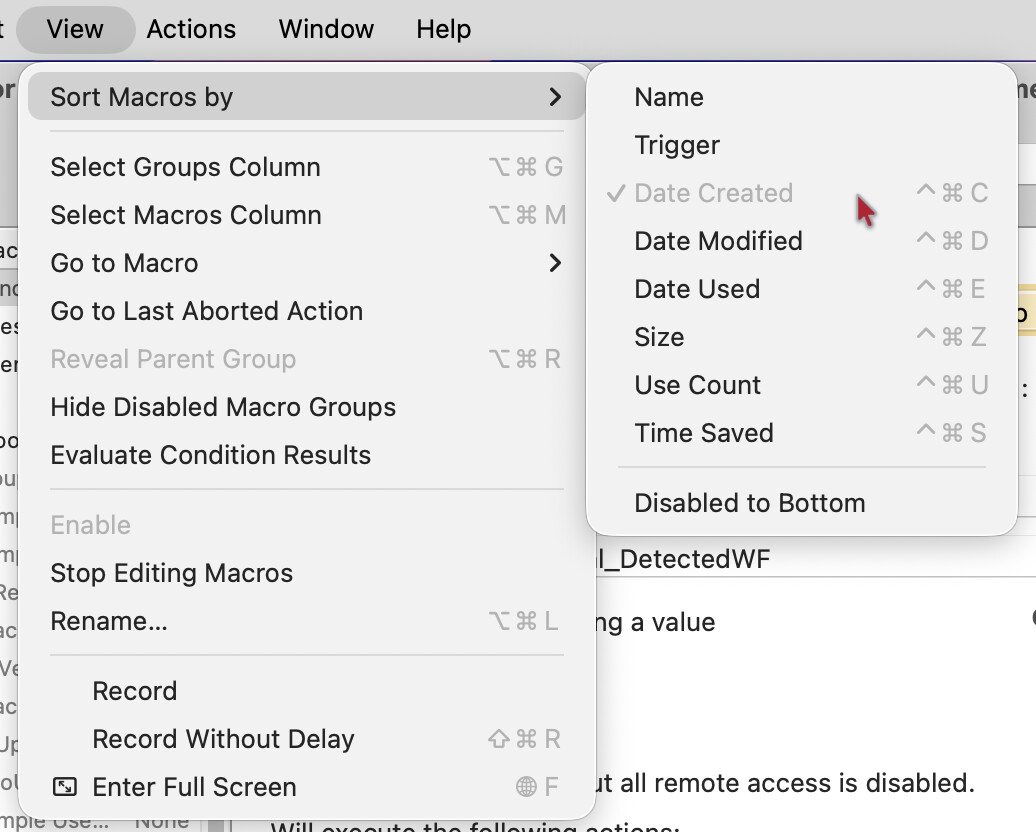
Hi, @August. Are you aware of this Keyboard Maestro editor menu?
Thanks @_jims, Thanks @peternlewis
No, I was not familiar with that "View > Sort Macros by" menu, although I probably have seen it at one time or another. Thanks for pointing that out.
It was a foolish User Error that kept me from seeing the proper "Help > Search: sort" results, so foolish that I don't even want to explain it, except to say that it was in the wee hours of the morning and even though I posted this OP the next day, I didn't actually test it again when I had my wits about me.
Thanks for your help and patience, I have it sorted out now.