a redeeming quality about iOS shortcuts: when they fail, you can often tap to open that shortcut and edit it.
This does the same.
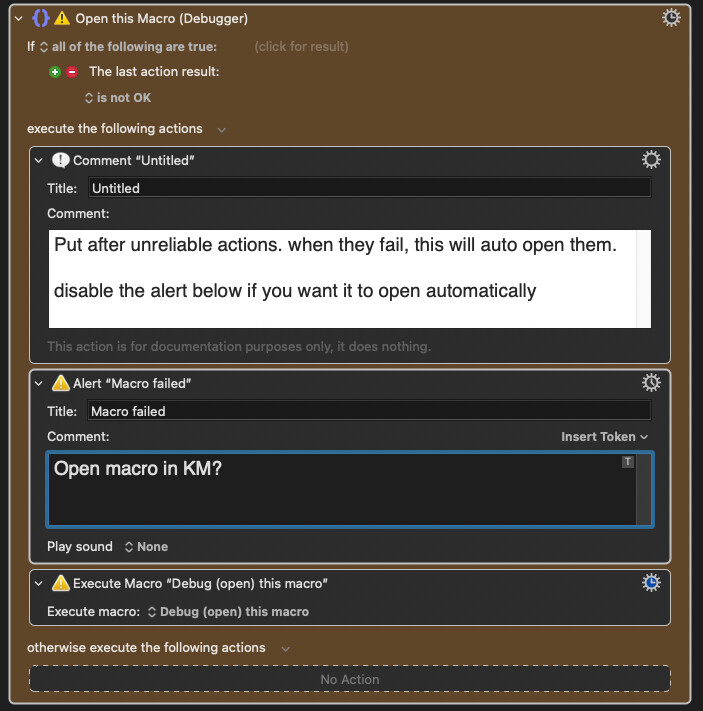
Use case: you have a macro that runs on a certain website, but every few months, that website changes and breaks your macro. I'm using it after several "click found image" actions.
Put the group pictured after those "likely to break" actions:
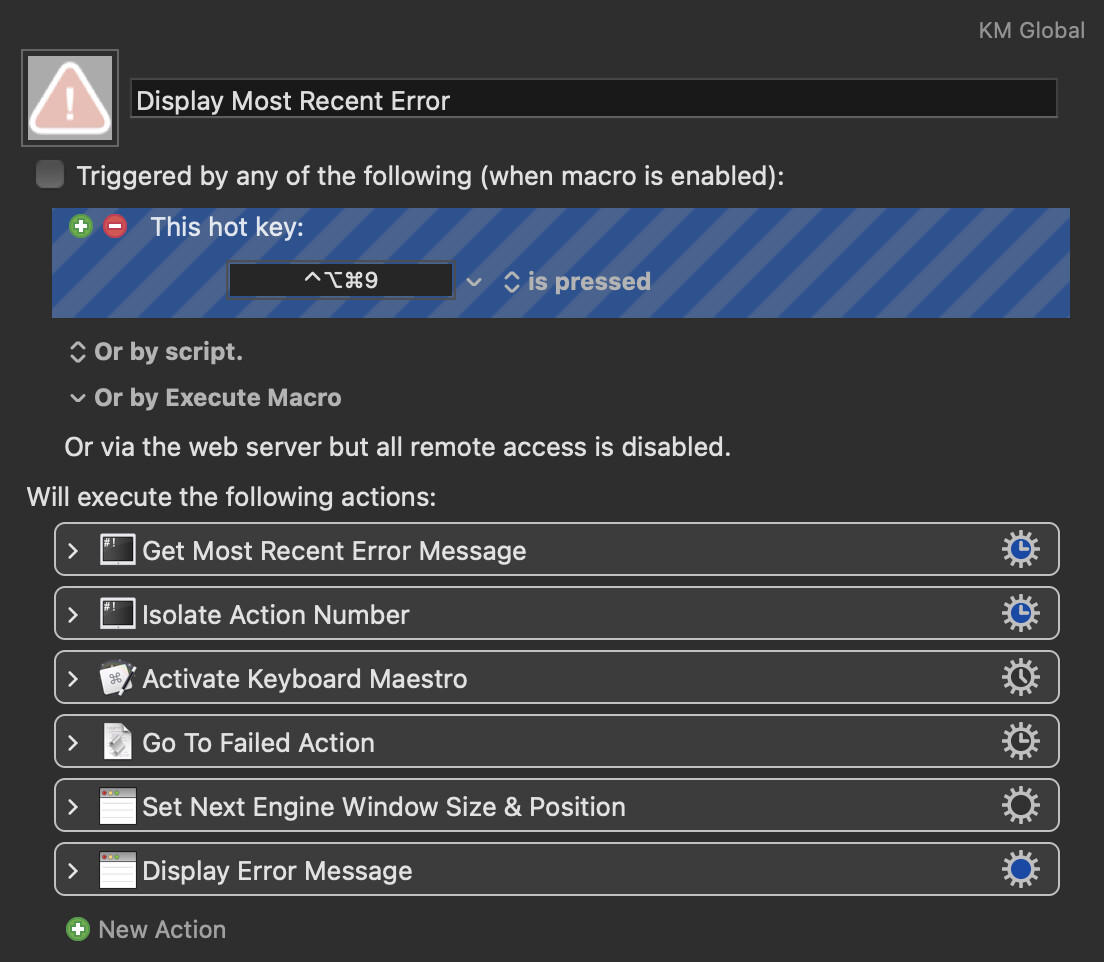
I used to have a habit of offloading scripts as files in an attempt to reduce KM's library size. Since getting a new mac, I haven't needed to, so I forgot to switch that one back. Sorry about that.
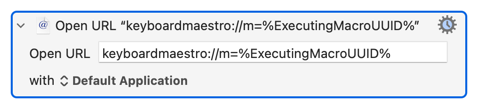
You don't need to set a variable, you can do it all in the "Open URL" field:
Similarly, it's a tad more efficient if you put that action into your Favourited Group rather than calling it in a sub-macro.
There are, of course, reasons why you might want to save the macro UUID to a persistent Global variable. And you may want to have the sub-macro for organisational reasons, or perhaps you plan to have more than just the "Open URL" action in it. So my way isn't "right" -- as so often in KM there's more than one way to do something and the "right" way is the one that works best for you!