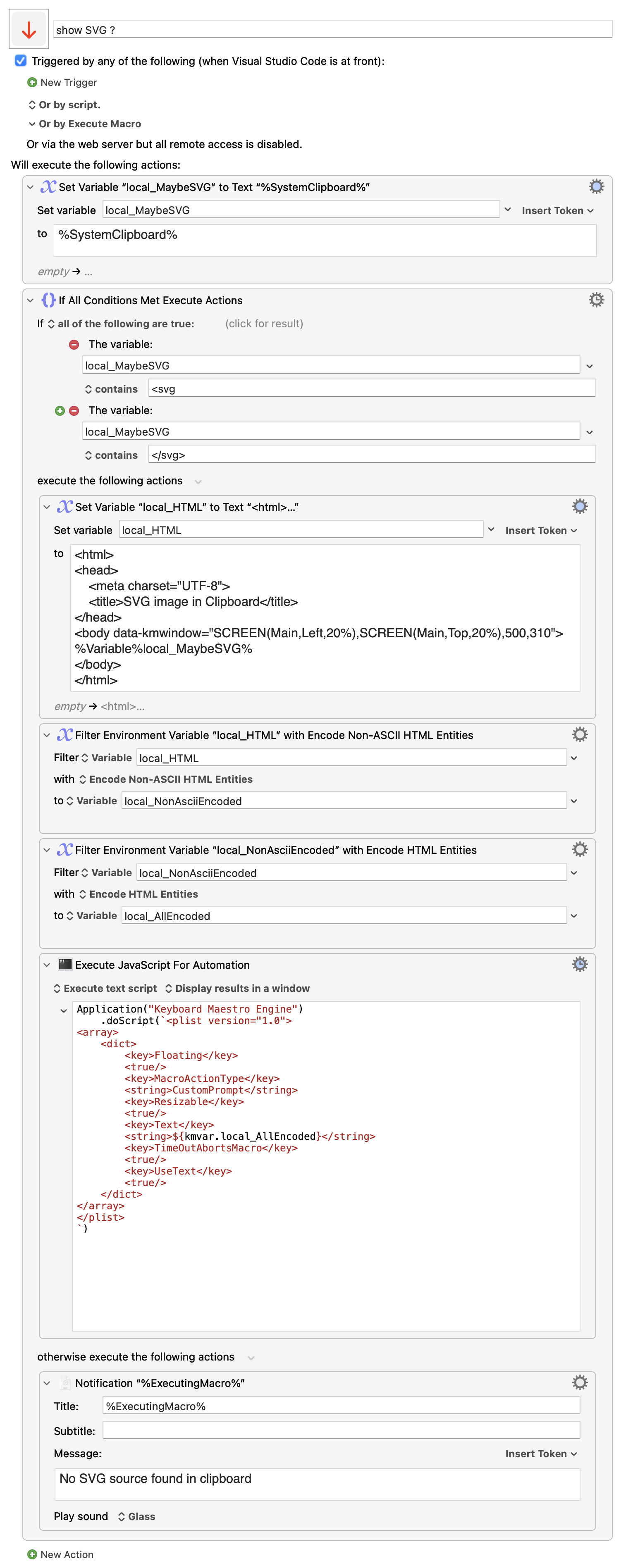
In the last few days I have often wanted to view, as a vector graphic, an SVG snippet that I've copied to clipboard.
What seems to be the simplest or most efficient approach to doing this in Keyboard Maestro ?
( I may well have missed something more direct )
( In the meanwhile, I'm constructing, from XML, a customised HTML prompt, as below )
show SVG ?.kmmacros (6.1 KB)
1 Like
Nige_S
2
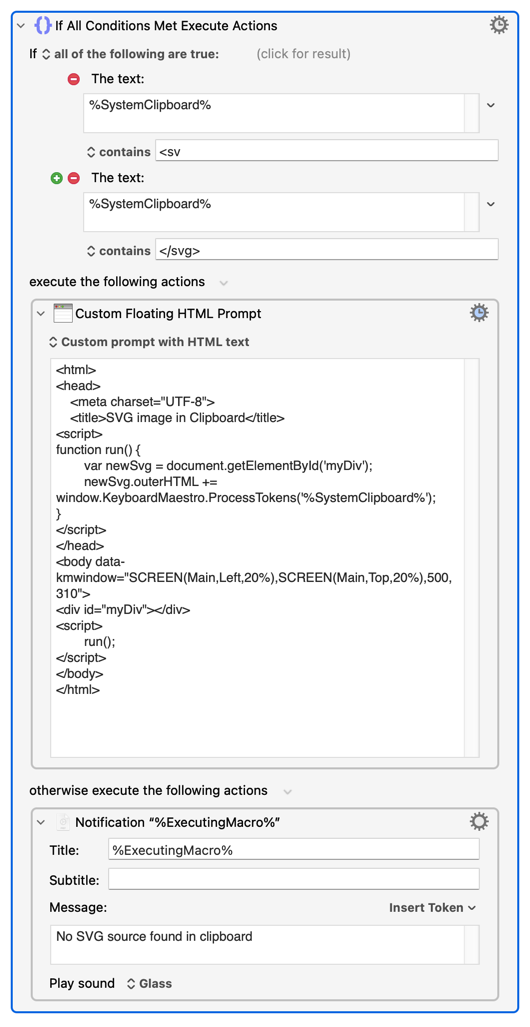
Perhaps straight to the Custom Prompt, pulling in the variable with JS? You could even skip the variable and work directly with the System Clipboard:
HTML
<html>
<head>
    <meta charset="UTF-8">
    <title>SVG image in Clipboard</title>
<script>
function run() {
	var newSvg = document.getElementById('myDiv');
	newSvg.outerHTML += window.KeyboardMaestro.ProcessTokens('%SystemClipboard%');
}
</script>
</head>
<body data-kmwindow="SCREEN(Main,Left,20%),SCREEN(Main,Top,20%),500,310">
<div id="myDiv"></div>
<script>
	run();
</script>
</body>
</html>
JS was shamelessly stolen from this StackOverflow thread and, being 10 years old, should probably be updated for modern syntax!
1 Like
Very good.
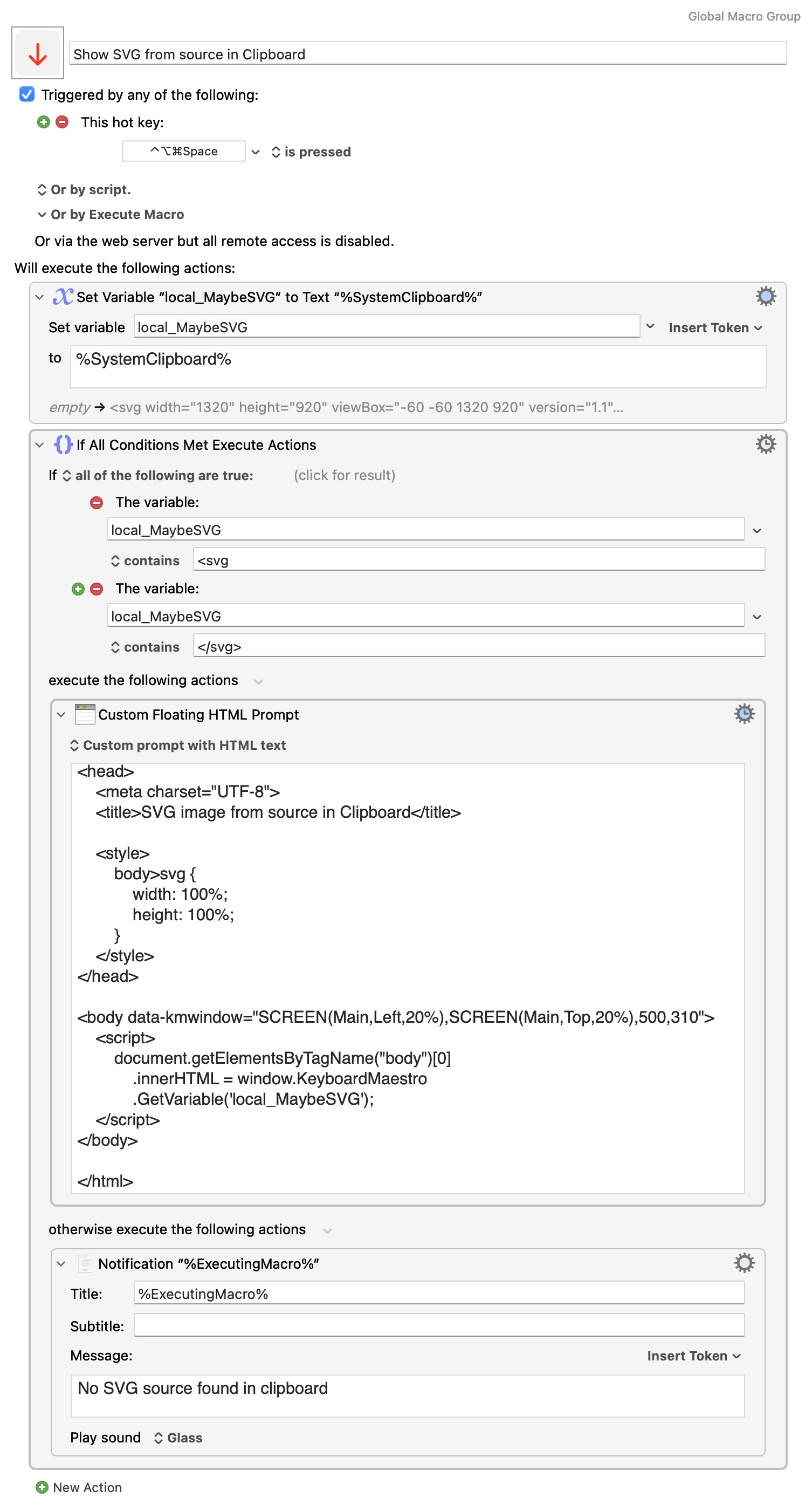
FWIW the variant I'm using is:
<html>

<head>
    <meta charset="UTF-8">
    <title>SVG image from source in Clipboard</title>
</head>

<body data-kmwindow="SCREEN(Main,Left,20%),SCREEN(Main,Top,20%),500,310">
    <script>
        document.getElementsByTagName("body")[0]
        .innerHTML = window.KeyboardMaestro.GetVariable('local_MaybeSVG')
    </script>
</body>

</html>
1 Like
and by adding a style
body>svg {
    width: 100%;
    height: 100%;
}
We can make the SVG diagram fit the Keyboard Maestro custom prompt window,
and resize with it.
Show SVG from source in Clipboard.kmmacros (4.1 KB)
1 Like