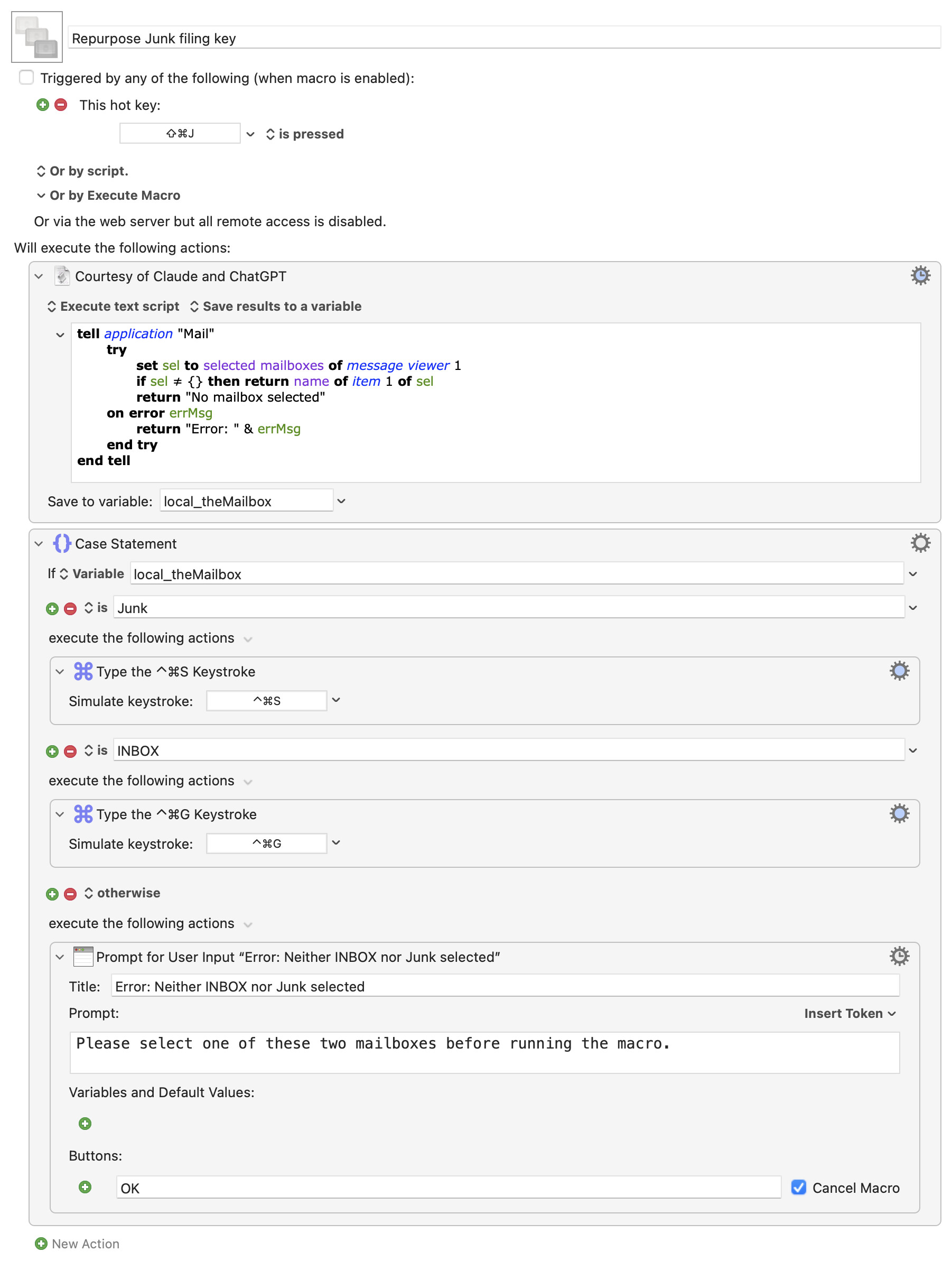
In Apple Mail, Cmd-Shift-J toggles in Apple Mail for mark as SPAM or mark as good. SpamSieve uses Cmd-Control-S and Cmd-Control-G, respectively. Can a KM script be written to use Cmd-Shift-J to Type the keystroke Cmd-Control-S if in the Junk mailbox and Cmd-Control-G if in InBox respectively?
I’ve just resubscribed to SpamSieve after more than a year of not using it because Apple’s filtering doesn’t work well.
I'll be honest, as I don't use Spam Sieve ... I don't know what you're wanting to do. Can you describe it in any additional detail? What do you mean by "Can KM use Cmd-Shift-J depending on etc..."?
Macros are always disabled when imported into the Keyboard Maestro Editor.
The user must ensure the macro is enabled.
The user must also ensure the macro's parent macro-group is enabled.
System information
macOS 15.7.1
Keyboard Maestro v11.0.4
The AppleScript grabs the name of the selected mailbox, then sends the proper keyboard shortcut based on the selection. It also ends with an alert if the selected mailbox isn't INBOX or Junk.
There's no error catching in here at all, so proceed with caution. Also please note that I used AI tools to make my incredibly poor (and not working) AppleScript much better—they replaced 95% of what I had written :). Depending on your views on AI, you may not want to use this macro.
Thank you and your assistants. Works like a charm and is super fast. Not going to test but seems faster than native Cmd-Shift-J. And faster than Spam Sieve commands which doesn’t make sense since you’re using those commands. Anyway it works and is quick.