Status Menu icon disappeared from menu bar after dragging
KM version: Version 11.0.4
macOS version: 15.6.1
I used to have a nice dropdown menu at the top of my screen that allowed me to select and run which ever macro I wanted from my Work Macros Group. I don’t know what that was officially called. Then over the course of building some serious workflow macros with the help of Claude, the dropdown disapeared and I can’t get it back.
while trying to fix the issue, I accidentally dragged the Keyboard Maestro status menu icon (no longer containing my important work macros) off the menu bar. It has not come back despite the following attempts:
- Confirmed "Display Status Menu" is set to Alphabetically in Preferences → General
- Status Menu Icon is set to ⌘ Command
- Quit and relaunched the KM Engine multiple times
- Full restart of the Mac
The icon is simply gone. It does not appear anywhere in the menu bar and is not crowded out by other icons. All macros are intact. This is purely the menu bar icon.
What's the correct way to restore it? and what is the dropdown thing called? a Palette or Status Menu? I mostly run KM with help from Claude. TIA.
I don’t know why or how, but now it is back up!! It was gone all day today. Can someone tell me the name of the thing? It’s a folder I named “work macros” and when I click on it, it has a dropdown of all my macros. Thank you.
Items on the right hand side of the menu bar are generally called Status Menu Items, or sometimes Menu Extras.
What you are describing is a Group Status Menu - the Macro Groups is configured to show in the status menu.
The system allows you to drag status menus around, and sometimes remembers where you put them, as well as to drag items out of the menu bar and then it sometimes remembers to hide them.
I'm not sure how you are supposed to get them back after hiding them, but likely if the macro group is disabled and reenabled, or the engine is quit and relaunched, or you restart, something like that would likely restore them.
1 Like
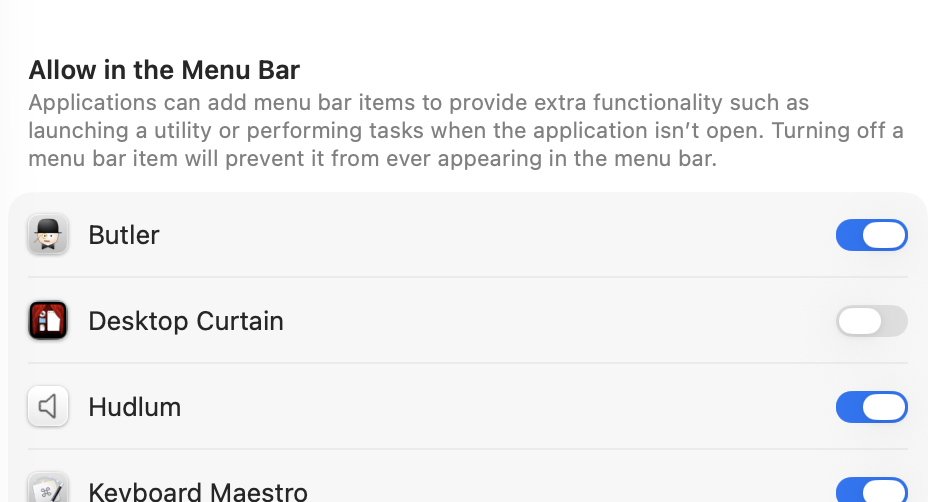
If you're on Tahoe, Apple made one very stupid, in my opinion, change: When you drag something off the menu bar, the OS marks it as a thing that can never be on the menu bar. This is controlled in System Settings > Menu Bar > Allow in the Menu Bar.
Here's how it looks after I dragged our Desktop Curtain app's icon out of the menu bar:
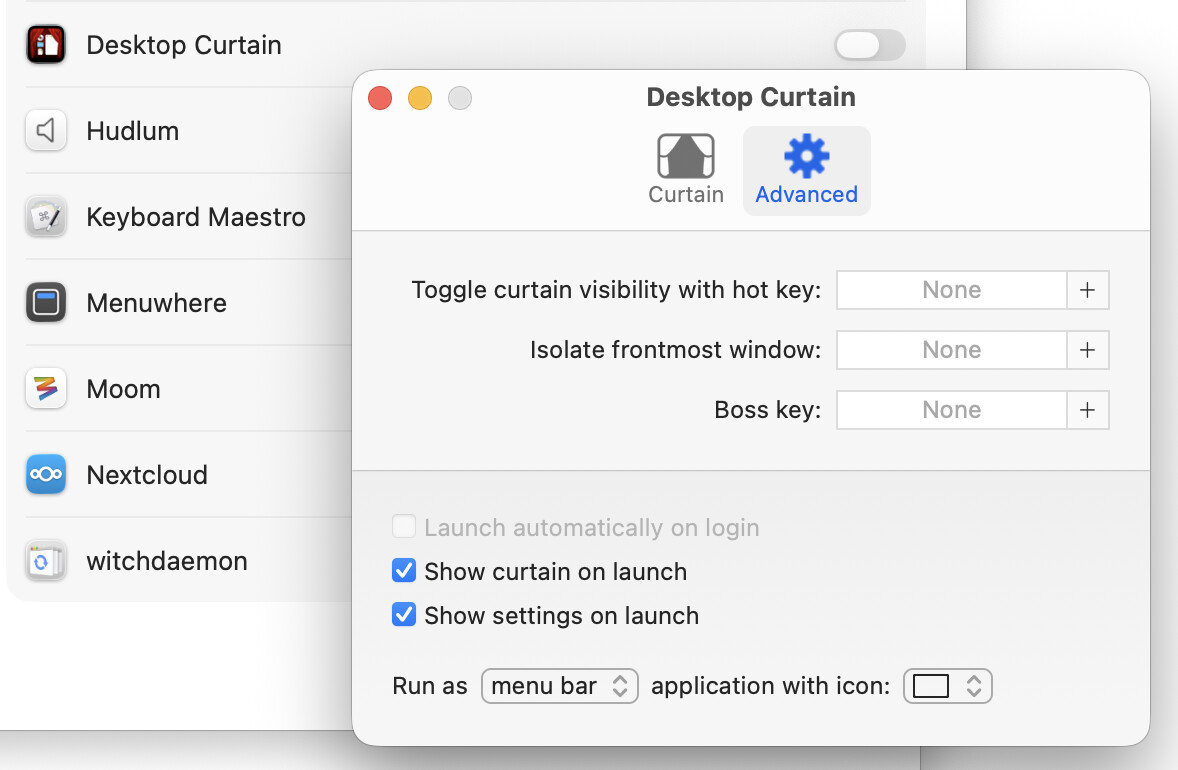
What's highly annoying about this is that once this is set to disabled, changing the setting in the app to show its icon in the menu bar has zero effect; here I've set Desktop Curtain to run in menu bar mode (after toggling it through its other states):
Notice that the OS is still set to not allow Desktop Curtain in the menu bar. So the only fix is to manually enable it again System Settings; once you do, your missing icon returns.
Absolutely horrible terrible stupid decision on Apple's part that has generated so many support emails that I've lost track.
-rob.
1 Like
Yep, I think that may also be true en Sequoia, though I'm not game to actually try it.
And similarly, the number of Keyboard Maestro users who never get reports about failing actions because the system has oh so helpfully disabled notifications must be quite staggering.
The Menu Bar thing is new in Tahoe; there's no Menu Bar System Settings panel in Sequoia. (Nor is that functionality hiding anywhere else that I've ever encountered.)
We also only started getting "bug reports" on this after Tahoe came out.
-rob.
1 Like