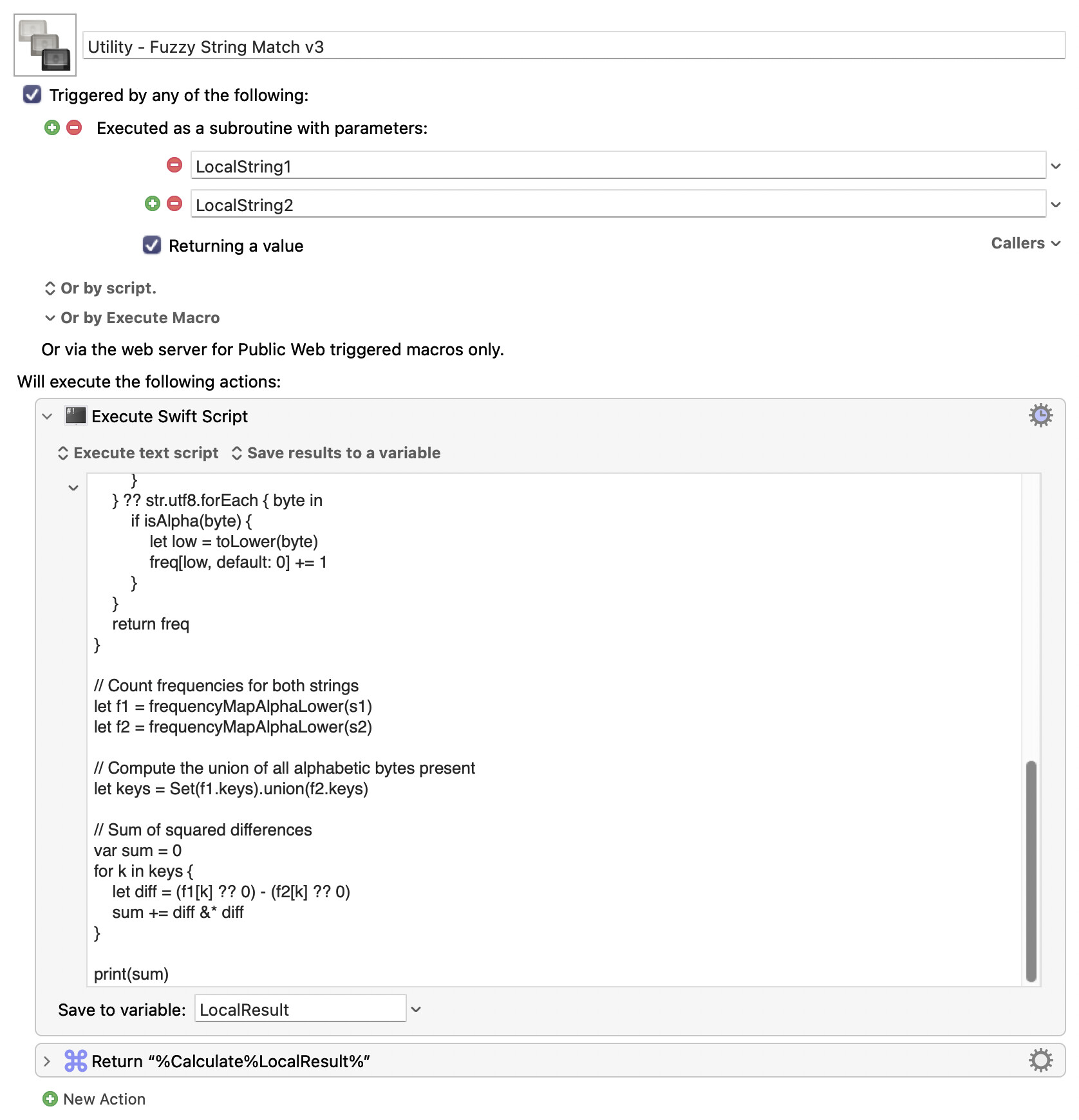
I was needing a macro that returned a "percent similar" value when comparing two strings. This macro achieves that goal.
The reason I needed it was that I have created a "Flash Cards" macro that shows the user images and asks the user to state what the image contains. I wanted the user to be able to be "slightly wrong" and still be judged as being correct. For example, if the user spoke the words "Bahamas" but the correct answer was "The Bahamas", (a more correct name for it) this function would still return a value of 85%, and I could use that information to judge that the user actually gave the correct answer.
There might be ways to trim down this macro a little bit. But it works.
I'm planning to upload my Flash Cards macro, but I'm still adding features.
and without needing to install an appropriate version of a Python interpreter, you could also obtain a Levenshtein distance value for two given strings from a Keyboard Maestro subroutine, defined in terms of an Execute JavaScript for Automation action.
My original version was inefficient. Here's a new version that is very efficient.
Yes, I did use AI to write most of the code in this macro , but only after writing by myself a fully functional macro in native Keyboard Maestro actions. I always write my own solutions whenever possible, rather than downloading or using AI to generate solutions for me, because I enjoy writing my own solutions. But in this case my solution wasn't fast enough, so I generated this code instead. Perhaps I should also point out that I had forgotten about this thread when I wrote my latest string comparison macro this week. But that's okay because I enjoy rewriting my macros.
P.S. The result that comes back from this macro is a measure of how similar the strings are. If the result is zero, they are probably the same strings (although false positives are possible) and if the result is a small number (perhaps ~10?) then they are probably very similar. But if the result is a larger number (perhaps >=50?) then they are probably different strings. The calling program would need to decide how to act based on the returned value. For short strings, it's best to use a small fuzz factor (perhaps 5.) For long strings, it may be more appropriate to use a large fuzz factor (perhaps 100.)

 .
 , but only after writing by myself a fully functional macro in native Keyboard Maestro actions. I always write my own solutions whenever possible, rather than downloading or using AI to generate solutions for me, because I enjoy writing my own solutions. But in this case my solution wasn't fast enough, so I generated this code instead. Perhaps I should also point out that I had forgotten about this thread when I wrote my latest string comparison macro this week. But that's okay because I enjoy rewriting my macros.