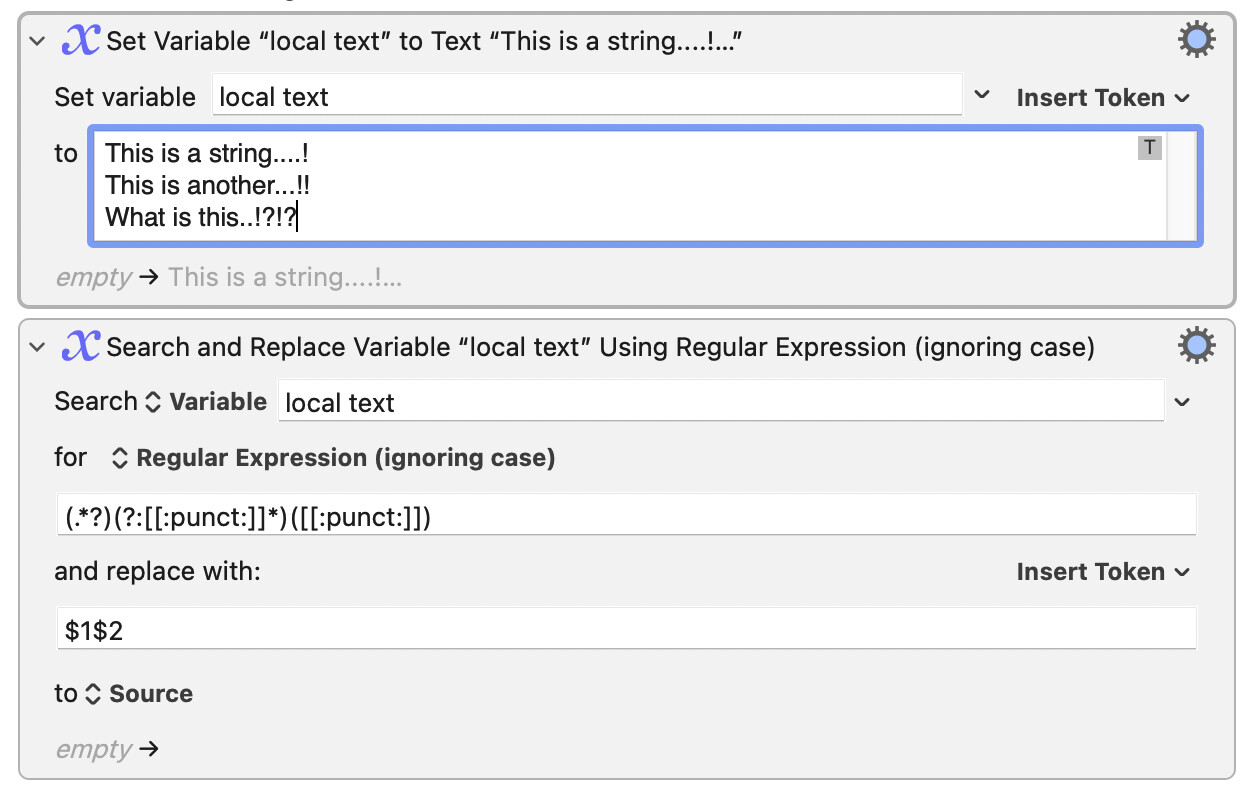
I’m trying to create a macro which will rename files as they populate a given folder by removing any repeating punctuation. I just can’t wrap my brain around using Regex…
Here are a few examples:
Before:
This is a string....!
This is another...!!
What is this..!?!?
After:
This is a string!
This is another!
What is this?
This is probably easy to do, but what do you want the macro to do if there is already a file in use with the same name? Anyone who writes a solution will want to know what you want it to do in this case.
By the way, punctuation marks like the ones you use are a bad idea in a UNIX operating system. It can be very hard for command line commands to specify those files.
I take it that you want to remove all punctuation marks other than the final one. If that is the case, I offer this solution:
(.*?)(?:[[:punct:]]*)([[:punct:]])
I have assumed that punctuation marks will only occur at the end of the name.
The final capturing group there matches the final punctuation mark. Before it is a non-capturing group that matches any preceding punctuation marks. The first capturing group matches anything up to that point.