The challenge with this seemingly-simple suggestion is that window ordering across apps isn't easily available in Keyboard Maestro (as far as I know) or AppleScript. Keyboard Maestro can get an ordered list of windows in the current app, but not an ordered list across all apps.
After working with Claude, you can get the data from Swift, so a fancy solution is possible, and I may post that later. But lacking the window ordering level, here's a "brute force" switcher that uses Command-Tab to flip between the two most-recently-used apps.
Download Macro(s): Swap two windows - brute force.kmmacros (12 KB)
Macro notes
- Macros are always disabled when imported into the Keyboard Maestro Editor.
- The user must ensure the macro is enabled.
- The user must also ensure the macro's parent macro-group is enabled.
System information
- macOS 15.7.5
- Keyboard Maestro v11.0.4
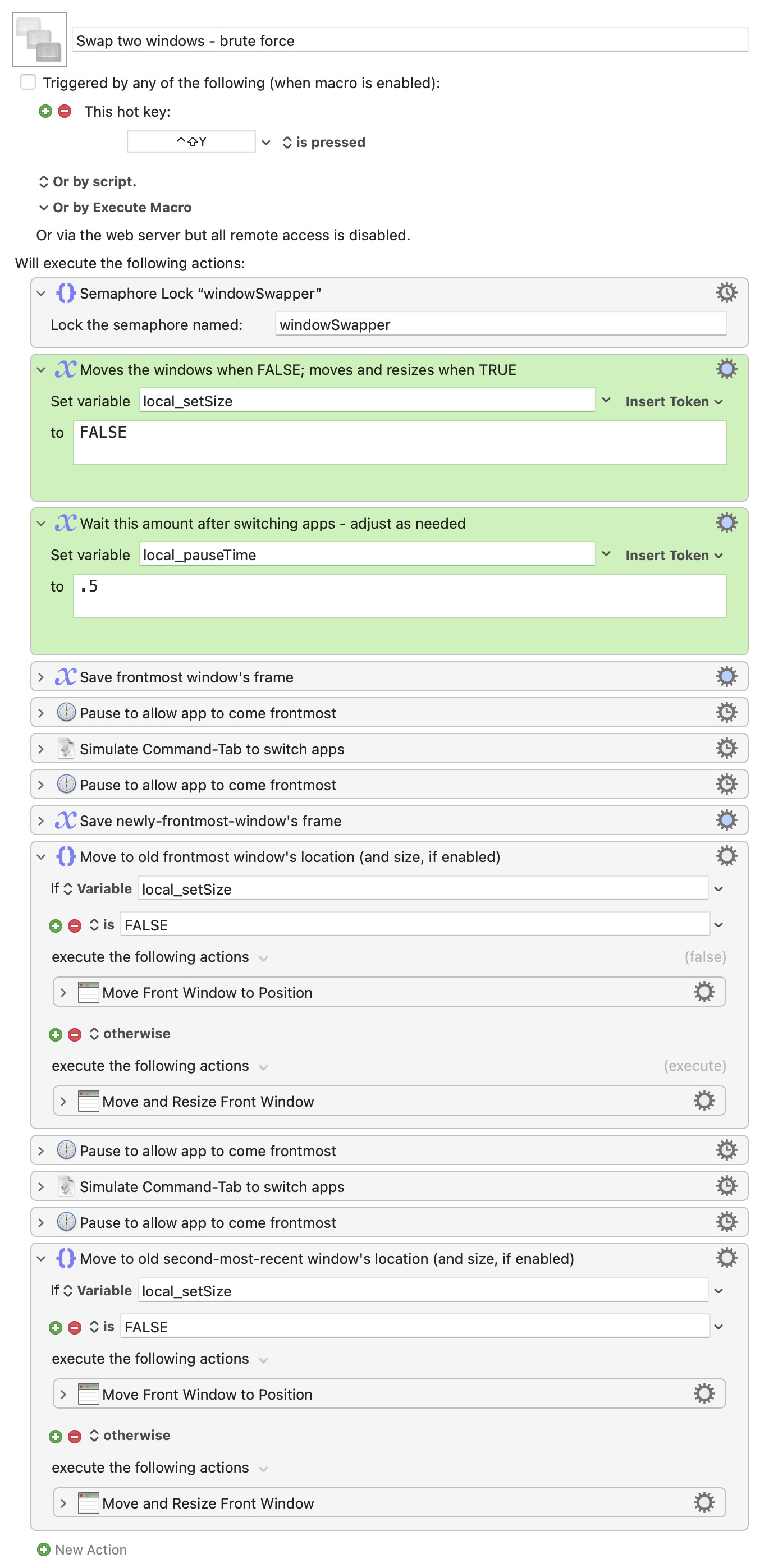
It first saves the current window's frame information, then switches to the last-used app. It saves that window's frame info, then applies the previously-saved frame info to the window. Another Command-Tab is sent, and then the once-again first app's window is set to the second window's frame info.
There are two variables in the macro. The first, local_setSize, tells the macro whether to simply swap the windows' locations (the default), or two also swap their sizes (set to TRUE).
The second, local_pauseTime, is a delay you may need to modify—the delay is to give the system enough time to switch apps, and for Keyboard Maestro to have updated its window information tokens before storing the values. If you find that windows aren't swapping as expected, try increasing the delay.
(Oddly, I found I had to surround the Command-Tab keystroke simulation with pauses, otherwise it was pretty flakey.)
This is not an elegant solution, but it does seem to work in my testing.
-rob.