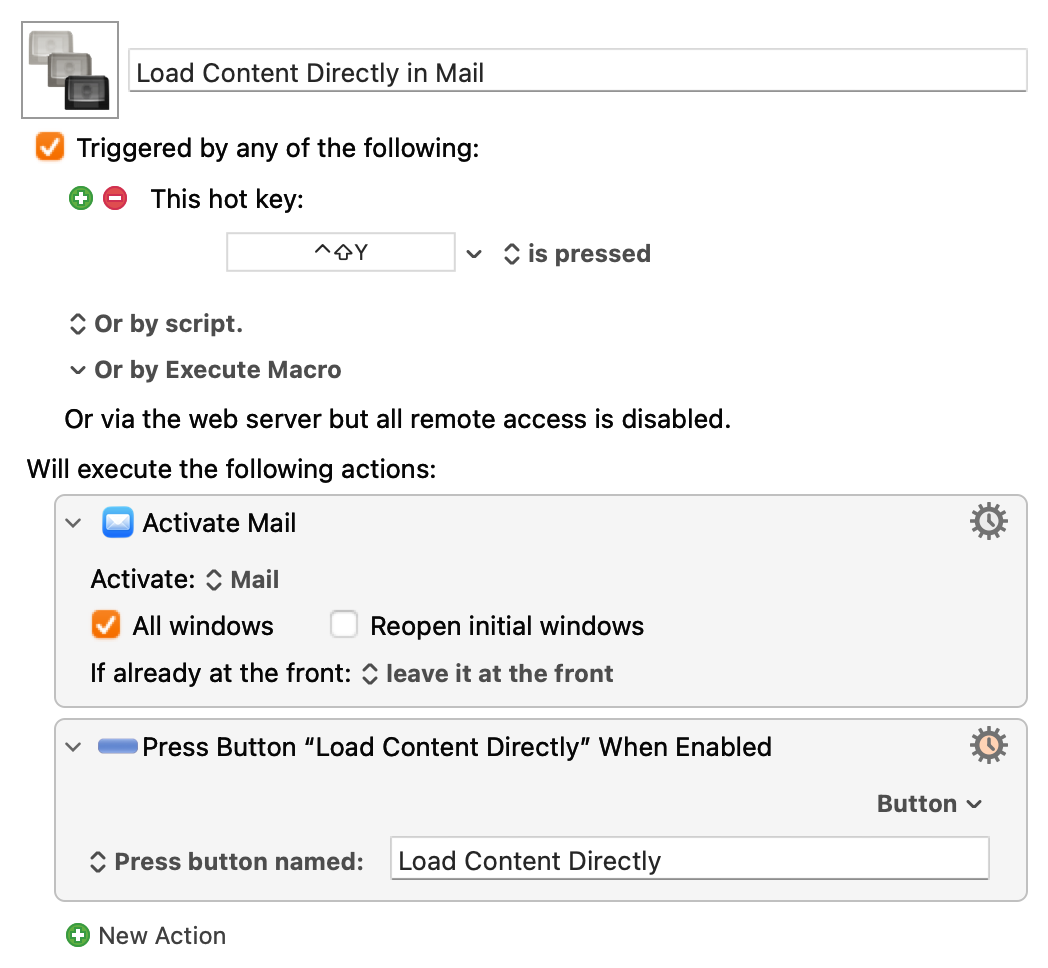
Beginning user here. I have a very simple macro triggered by a hot key that presses the “Load Content Directly” button in Mail. Here are the actions:
Activate Mail
Press Button “Load Content Directly” When Enabled
That’s it, but every time I use it, the system alert is triggered.
Now, in the process of trying to figure this out, I disabled KM to see if my hot key (ctrl-shift-Y) was supposed to do something else in the OS. I was surprised to find that hitting random command key combinations triggers the system alert sound. I’ve been using Macs since they were introduced and never noticed this.
I’m not sure if this is a system issue or something else. I noticed several system alert threads in the forum, but couldn’t find an exact match for my situation.
When I run into this frustrating situation, I kill Keyboard Maestro, bettertouchtool, Alfred, Karabiner (anything you have installed that includes the capability of grabbing keystrokes.)
Probably reboot next.
After that, the if it's still happening, the wild goose chase begins.
I used to use Shortcut Detective, but that crashes immediately now. Karabiner-EventViewer might give a clue.
Sorry, I think I mentioned in another post that the issue is the keystroke, not the macro.
My assumption was that I could use pretty much any modifier key combination to trigger a KM macro, as long as it didn’t clash with an existing one.
That was wrong. It’s hard to get information on this, especially with all the AI-generated pages out there now. I did find that, evidently, with OS 15, Apple disallowed system-wide shortcuts that used just shift and option as modifier keys, but that doesn’t help my case.
Then I tried opening Word and assigning Shift+Ctrl+Y to any item. Couldn’t do it. Wouldn’t even show the combination when I typed it. I tried a few other Shift-Ctrl options, and Shift-Ctrl-E worked.
So I went back to KM and set Shift-Ctrl-E as the shortcut key. It worked. My conclusion is that certain modifier combinations are prohibited by the system, particularly Shift-Ctrl.
Thanks for your help and thanks to everyone else as well.
I have to disagree—there is nothing in macOS Tahoe that prevents use of Shift-Control modifiers. I assigned Shift-Control-Y just fine in both Word and Keyboard Maestro in Tahoe.
My conclusion is that something else on your Mac is causing interference with your shortcut keys. What that might be is very hard to say, but I'd start by quitting all menu bar apps, any third-party System Settings panels, and any non-Apple login items not covered in the first two. Reboot, then test Keyboard Maestro. If it works, start adding things back until it breaks.
Alternatively, create a new user account and login to the new user account. Test your Shift-Control-Y shortcut, and assuming it works, start adding the same items that are always running in your main account until it breaks.
Something, somewhere, is grabbing keystrokes on your main account.