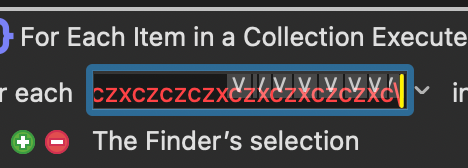
Does anyone get this error and have a solution? It’s there with all my Execute AppleScript actions.
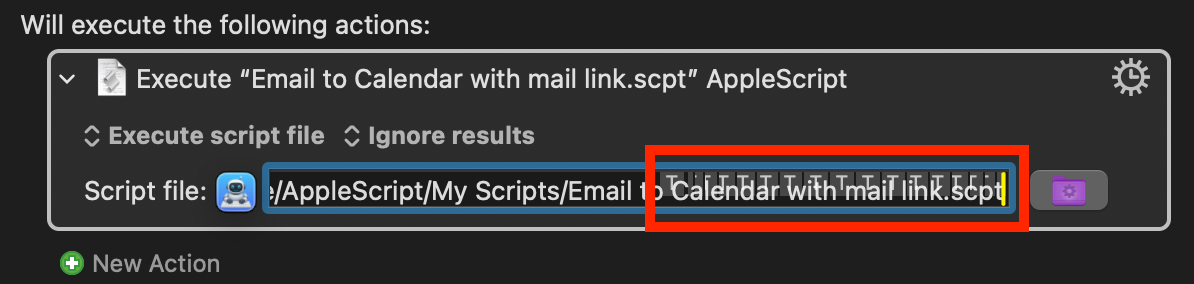
Thanks.
Does anyone get this error and have a solution? It’s there with all my Execute AppleScript actions.
Thanks.
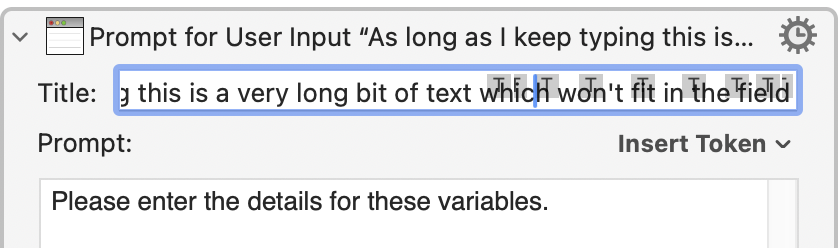
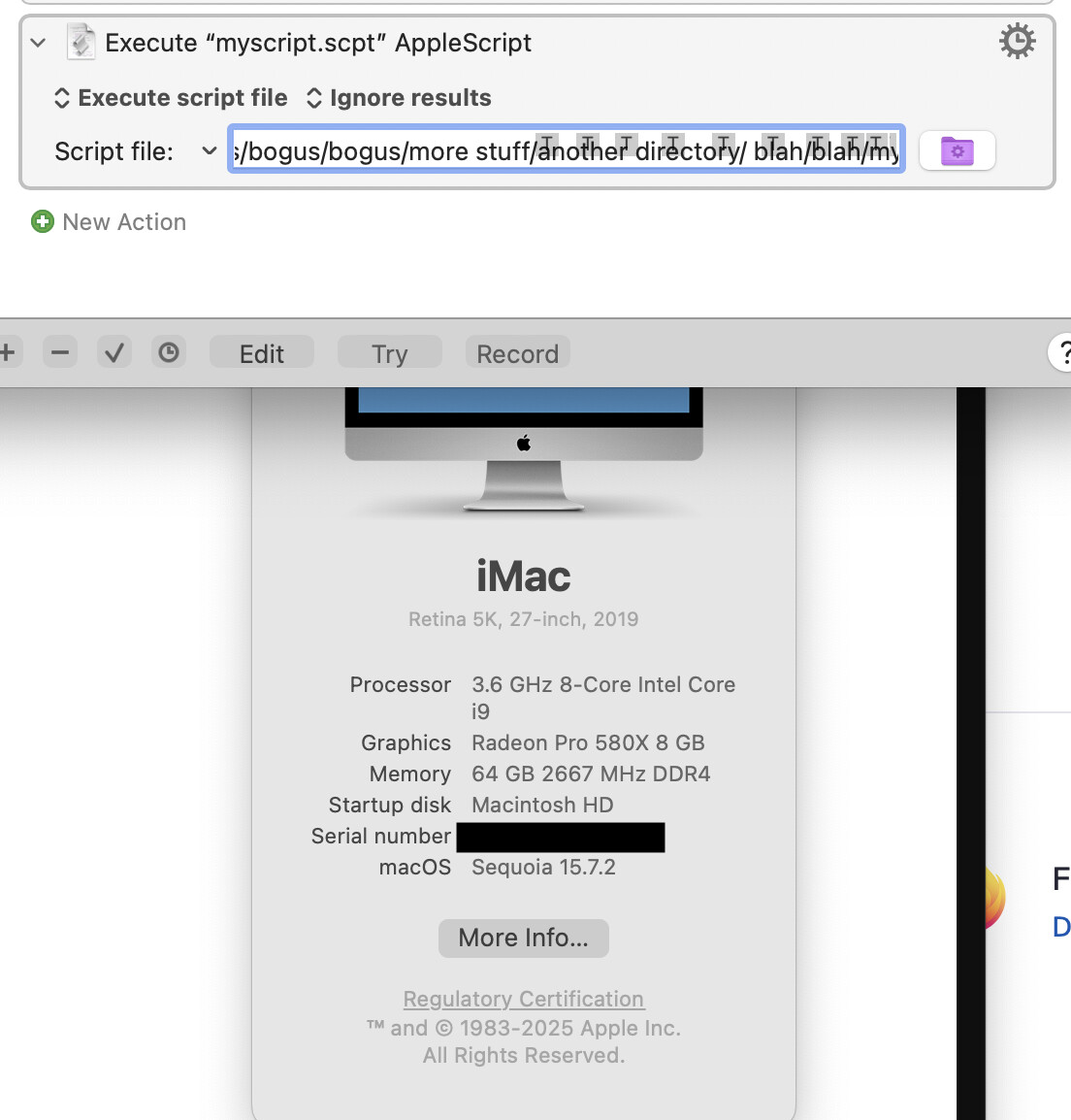
Yep -- seeing it on macOS 26.1/KM 11.0.4, also in other contexts where the path:
...or other text:
...overflows a single-line text field. Making the Editor's "Edit" pane wider makes it less of a problem.
Thanks @Nige_S. I’m on macOS 26.2/KM 11.0.4
Everything's fine in Sequoia-land...
...which makes me suspect it's a macOS Tahoe text rendering bug, of which there are many (we've seen similar glitches in our apps, and we can't fix them). But only @peternlewis could say for certain.
-rob.
Thanks, Rob.
What are you doing that causes this behaviour? I've tried to duplicate it on my Tahoe test Mac and can't get it to duplicate it like that.
I can occasionally get it to be out of place (on Tahoe or before) but any change I do resets it to the right place so I never see multiple copies of the T marker.
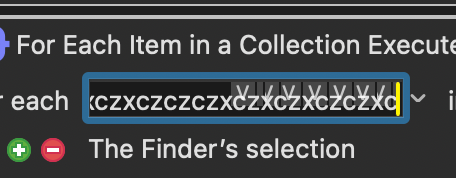
Testing it out, I found that any field with a T or V marker, if filled with text beyond the visible area, and then if I select another macro and switch back to this one, will, when scrolled to the end, have T or V markers in the visible area, which then remain there.
Testing, I found a couple of other things.
Placing the cursor at the end of the text field and deleting one character will cause all the extra T markers to disappear while the cursor remains in the text field. Again, switching between macros will cause the T markers to reappear.
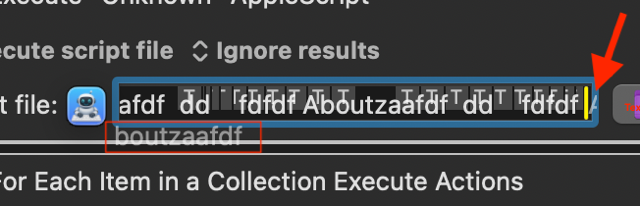
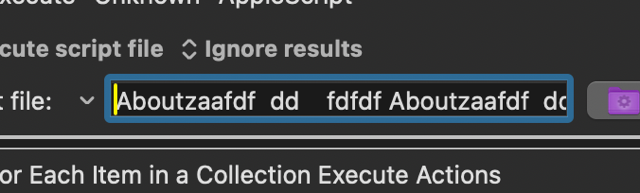
One other thing (which is complex to write out) is that if, using the arrow keys to scroll to the end of the text field, when I reach the end, light grey letters appear at the left side of the text field and slightly below the area of the text and below the blue outline of the text field with the top of the light grey letters just touching the top of the bottom edge of the blue outline. See screenshots
What appears as these light grey letters changes depending on how I scroll to the end of the text field. If scrolled to by holding the right arrow key down, the light grey are the first set of characters at the beginning of the text field but missing the very first letter. Scrolling left and then right again may cause the first letter to partially appear at the extreme rght of the text field. Scrolling left and then right again may cause the first letter to be added to the group of light grey letters on the left side of the text field.
Here’s some screenshots:
End of line:
Beginning of line:
Lastly,
If I delete the very last character in the text field, all the T markers disappear, even after scrolling to the beginning and then to the end of the text field. Then switching away from and back to the macro causes the T markers to reappear.
V markers are similar, with some differences in the initial red coloring (if the variable is invalid), coming and going, and changing the color of the extra V marker in ways I haven’t figured out to duplicate.
No, it isn't:
But, just as with Tahoe, it's only a cosmetic issue and (for me, anyway) is fixed by anything that forces a redraw -- ⌘⇥ing to another app and back put things back to normal, even while the text field remains active.
OK, after much experimentation, I can see it—briefly—in Sequoia if I enter a very long path, then click-and-drag within that path forwards and backwards. Then I will wind up with maybe to or three Ts, but nothing like the screenshots here. And as soon as I unselect, they all vanish.
Weird.
-rob.
I'm moving the insertion point with the right-arrow key, more "steps" through the characters = more "T"s, I reckon.
I'll add it to the list of things to look at.
My development Mac is not on Tahoe (not sure if it ever will be), so it may be challenging to resolve.