Hello, everyone. Hope you’re having a great holiday season.
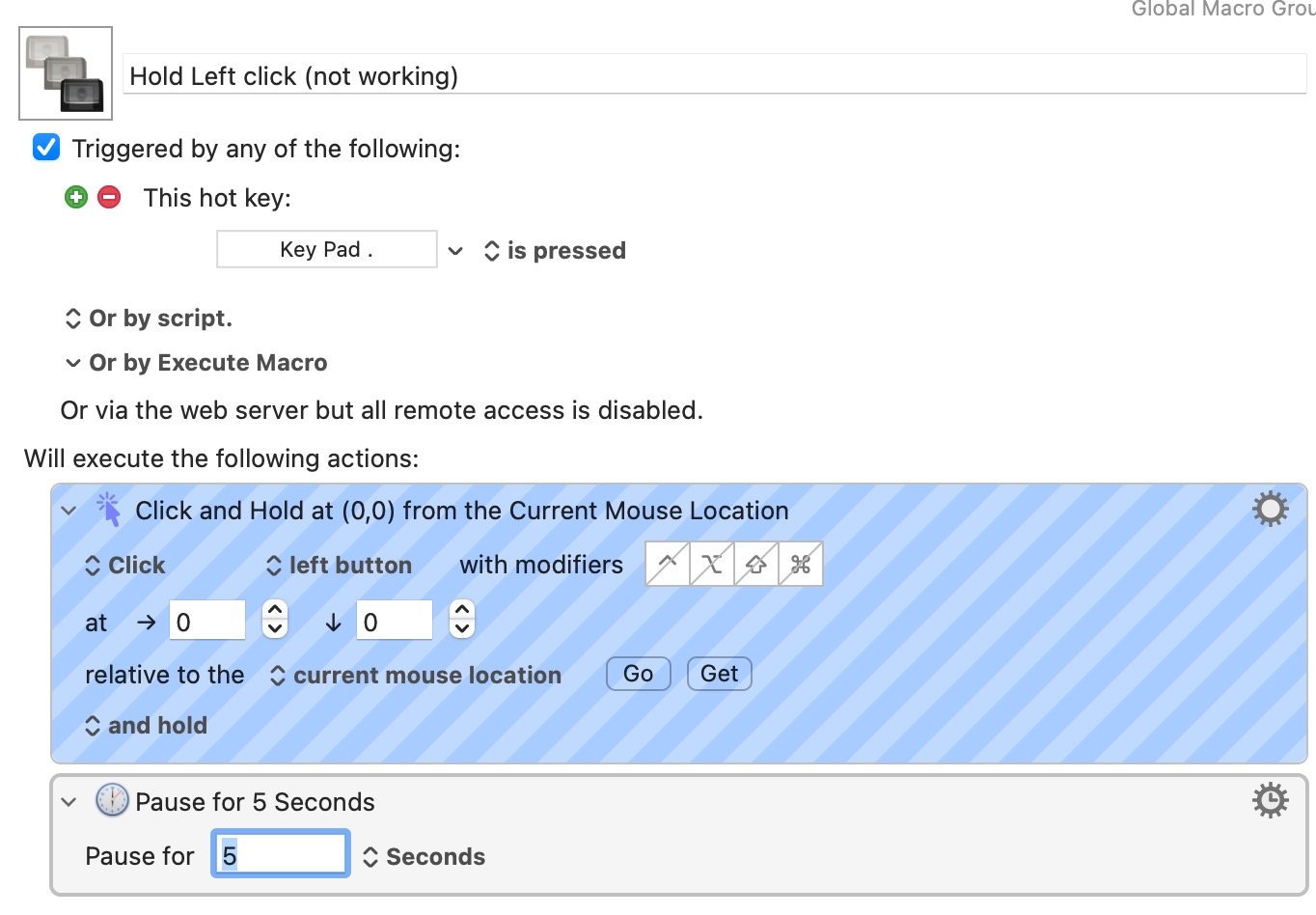
So I am trying to make a macro that will click the left mouse and hold it down so I can manually do something with the held mouse button (move a stick ticker to another place in TradingView). I read this discussion but couldn’t get anything working.
The goal is to get a macro that will click the left mouse button and hold it down so I can do a bunch of stuff using the mouse, then (I guess) click the button again and relese the file I’m dragging. I tried making a Left Click and Hold macros. I saw the note to add a Pause or Pause Until so I added a 5 second delay, but it’s not working well. I did also try the built-in Accessibility option but it allows me to set a switch or trigger for a left/right click, not click-and-hold that I can see.
Can anyone offer some advice? Eventually I’d set one of the buttons on my mouse to be a “hold left click until I’m done” functionality, if I can get it working.
You'll have problems combining virtual events (the KM "Click" action) with actual (moving the mouse by hand) -- for me, at least, the click-and-hold works until I move the mouse, at which point the selected item is dropped and the pointer moves.
You can test for yourself by adding a KM "Move Mouse" action before the "Pause" -- just make it 20px right and down, you should see e.g. the icon-view Finder item get clicked and dragged a little, then dropped as soon as you manually interfere.
Since this likely isn't an Apple mouse, does the driver software offer the option to configure the button for this? Or you could try mapping that button to "Drag and Drop" in "Alternative pointer actions" ( System Settings... -> Accessibility -> Pointer Control)
Hi, I’m the guy who started the discussion you linked.
I ended up Using the accessibility feature “alternative pointer actions” that MacOS introduced with MacOS Catalina as suggested in the previous reply, and now if I press F2 this equals to keeping the mouse button pressed and it will remain pressed until I press again the F2 key on my keyboard.
If instead of a keyboard key you intend to press a mouse button to do this I don’t know if this can be done with Keyboard Maestro but you can do it with Better Touch Tool