There are now four English options for OCR text - which one is best?

The latest update to KM has four selections for English OCR detection… (among many other language choices.)

I wasn’t sure if these four options could return different quality results, so I tested it. Perhaps 25 tests on different images for each of the four options. (I actually created a macro to help me do the tests.)

I found that generally speaking, all four returned excellent results. However I did notice that the first choice had significantly higher errors when reading the dash character. Could it be coincidental? Possibly. But for now I will use one of the other three choices for my OCR. I will probably choose “Automatic Detection.” But if someone can argue the case for a different choice, please do so.
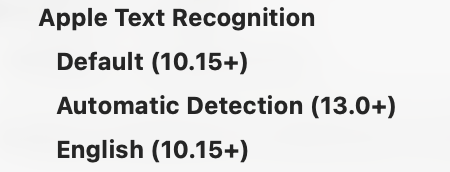
Of those three, the options are:

  • Default - don't specify anything to Apple’s OCR system and let it do whatever it wants.
  • Automatic - in MacOS 13+, enable the Apple’s OCR automatic language detection.
  • English - specify English explicitly.

What it does in Default mode, I am not really sure.

I believe in Automatic mode it can detect multiple different languages in different sections of the text.

I would generally use Automatic unless you find some reason not to.

As for which is better, that will vary depending on the source image, but I would expect for english text all three would give very similar results.

That's version 11.1 for anyone reading at some future date.