With the following AppleScript (thank you @ALYB ), I can trigger ms word for mac macros with KM. My problem now is that I can’t find reputable libraries or repositories of ms word for mac VBA macros.
That does sound like a fairly classic XY problem pattern.
If you are hitting specific problems in your use of MS Word, then there may be solutions which use Keyboard Maestro (with no need to invoke VBA), and this is the right forum.
If you are simply interested in experimenting with VBA,
(exploring solutions in search of problems)
then other forums may be a better match.
1 Like
I am definitely not interested in VBA. I am only looking for ready to use macros.
OK, for example transpose rows and columns in a table.
thank you for your reply.
( I’ve updated the title of your thread )
In Keyboard Maestro terms, you could certainly use an osascript action (Execute AppleScript or Execute JavaScript for Automation) to create a transposed duplicate table,
but if you have MS Office, you could also:
- Copy your Table in MS Word
- Paste and recopy in Excel
- Paste Special Transposed to Excel
- Copy paste back into Word
2 Likes
that’s what I have been doing manually. Did not think it was doable in KM, but I will try. Thank you
Ok, just found a transpose button in Excel, so that solves it. thanks very much
1 Like
FWIW you might also be able to use some variant of this kind of thing:
(Copying to clipboard in transposed form, for pasting and formatting somewhere else)
Copy selected MS Word table with rows ⇄ cols transposed (unformatted).kmmacros (6.2 KB)
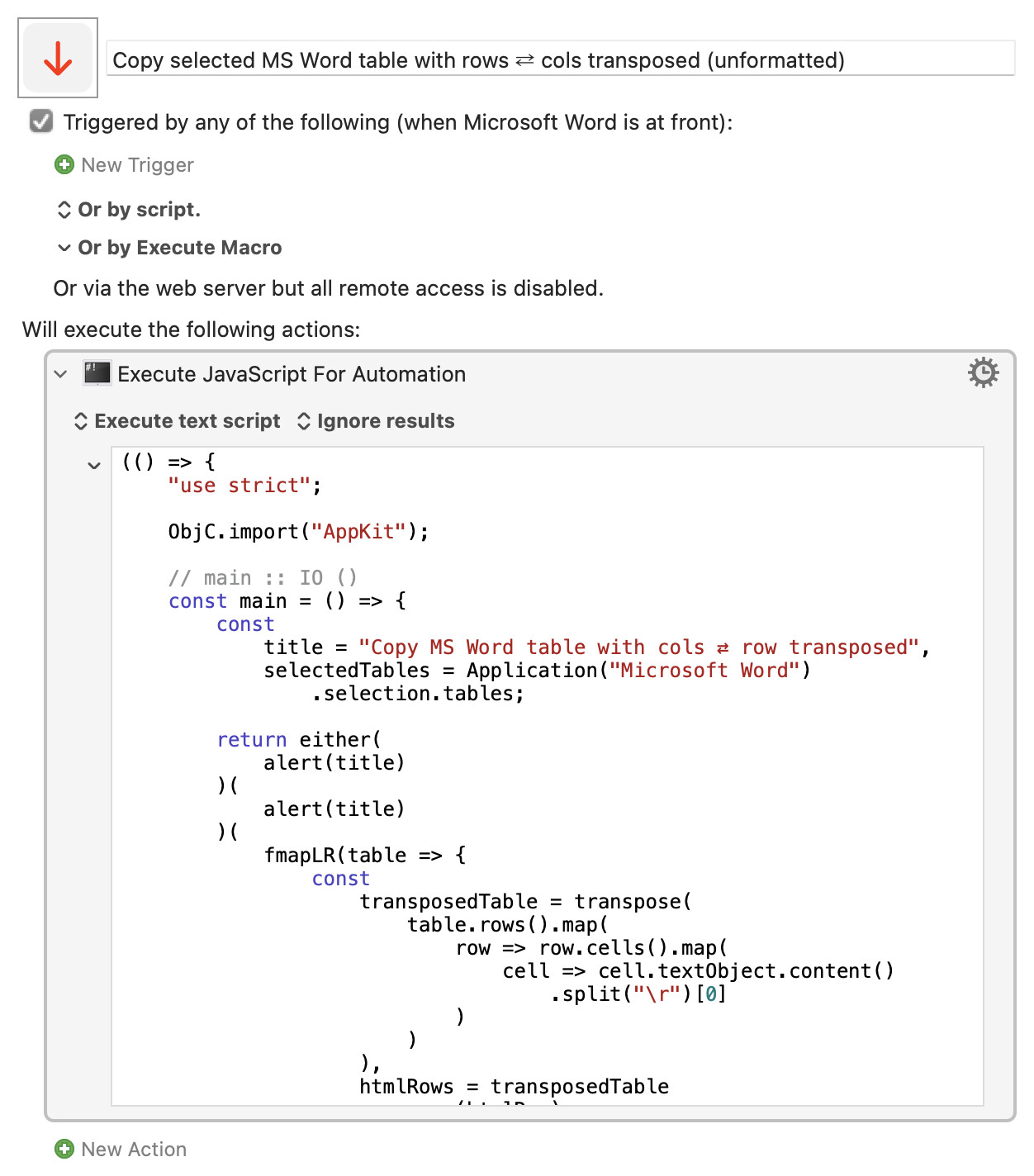
Expand disclosure triangle to view JS source
(() => {
    "use strict";

    ObjC.import("AppKit");

    // main :: IO ()
    const main = () => {
        const
            title = "Copy MS Word table with cols ⇄ row transposed",
            selectedTables = Application("Microsoft Word")
                .selection.tables;

        return either(
            alert(title)
        )(
            alert(title)
        )(
            fmapLR(table => {
                const
                    transposedTable = transpose(
                        table.rows().map(
                            row => row.cells().map(
                                cell => cell.textObject.content()
                                    .split("\r")[0]
                            )
                        )
                    ),
                    htmlRows = transposedTable
                        .map(htmlRow)
                        .join("\n");

                return (
                    copyTypedString(true)("public.html")(
                        `<table>${htmlRows}</table>`
                    ),
                    "May now be pasted into MS Word"
                );
            })(
                0 < selectedTables.length
                    ? Right(selectedTables.at(0))
                    : Left("No table selected in MS Word")
            )
        );
    };


    // ---------------------- HTML -----------------------

    const htmlCell = cell => `<td>${cell}</td>`;

    const htmlRow = row => `<tr>${row.map(htmlCell).join("")}</tr>`;


    // ----------------------- JXA -----------------------

    // alert :: String => String -> IO String
    const alert = title =>
        s => {
            const sa = Object.assign(
                Application("System Events"), {
                includeStandardAdditions: true
            });

            return (
                sa.activate(),
                sa.displayDialog(s, {
                    withTitle: title,
                    buttons: ["OK"],
                    defaultButton: "OK"
                }),
                s
            );
        };


    // copyTypedString :: Bool -> String -> String -> IO ()
    const copyTypedString = blnClear =>
        // public.html, public.rtf, public.utf8-plain-text
        // Assumes: ObjC.import("AppKit");
        pbType => s => {
            const pb = $.NSPasteboard.generalPasteboard;

            return (
                blnClear && pb.clearContents,
                pb.setStringForType(
                    $(s), $(pbType)
                )
            );
        };


    // --------------------- GENERIC ---------------------

    // Left :: a -> Either a b
    const Left = x => ({
        type: "Either",
        Left: x
    });


    // Right :: b -> Either a b
    const Right = x => ({
        type: "Either",
        Right: x
    });


    // either :: (a -> c) -> (b -> c) -> Either a b -> c
    const either = fl =>
        // Application of the function fl to the
        // contents of any Left value in e, or
        // the application of fr to its Right value.
        fr => e => "Left" in e
            ? fl(e.Left)
            : fr(e.Right);


    // fmapLR (<$>) :: (b -> c) -> Either a b -> Either a c
    const fmapLR = f =>
        // Either f mapped into the contents of any Right
        // value in e, or e unchanged if is a Left value.
        e => "Left" in e
            ? e
            : Right(f(e.Right));


    // transpose :: [[a]] -> [[a]]
    const transpose = rows =>
        // Minimal transpose – the shortest row
        // limits the number of ouput columns.
        // transpose_([[10, 11], [30, 31, 32]])
        //     == [[10, 30], [11, 31]]
        rows.reduce(
            (cols, row) => cols.map(
                (col, i) => col.concat(row[i])
            ),
            Array.from({
                length: 0 < rows.length
                    ? Math.min(...rows.map(x => x.length))
                    : 0
            }, () => [])
        );

    // MAIN ---
    return main();
})();
3 Likes
It works, but only for unformatted tables which is an exception in my case (as you mention in the description), so I will stick to the excel method. thanks very much !
2 Likes
You can, of course, select a formatted table generate a tranposed version in unformatted form.
( Transposed formatting is probably a little under-defined. The number of rows and the number of columns in a given table are likely to differ, and you would need some arbitrary rules to decide what to do with any special formatting in any particular rows or columns. )
1 Like