The text filtering in "Trigger Macro By Name" seems to be traditional case-insensitive substring. Any chance we could upgrade this to "fuzzy" style a la the fzf command line utility? This would allow match by pneumonic, for example to find "Display As Text" I could type "dat".
was just about to post and saw this, would also love this 
anyone managed to get close or have a “hack” for this 
Z
"Trigger Macro by Name" searches macro contents as well as names (unless you use the n: qualifier), so a short synonym can throw up a lot of false positives -- every macro with the word "date" somewhere in it for OP's example.
But you can make use of that by putting a "Comment" Action in your macro containing a hash-tagged synonym:
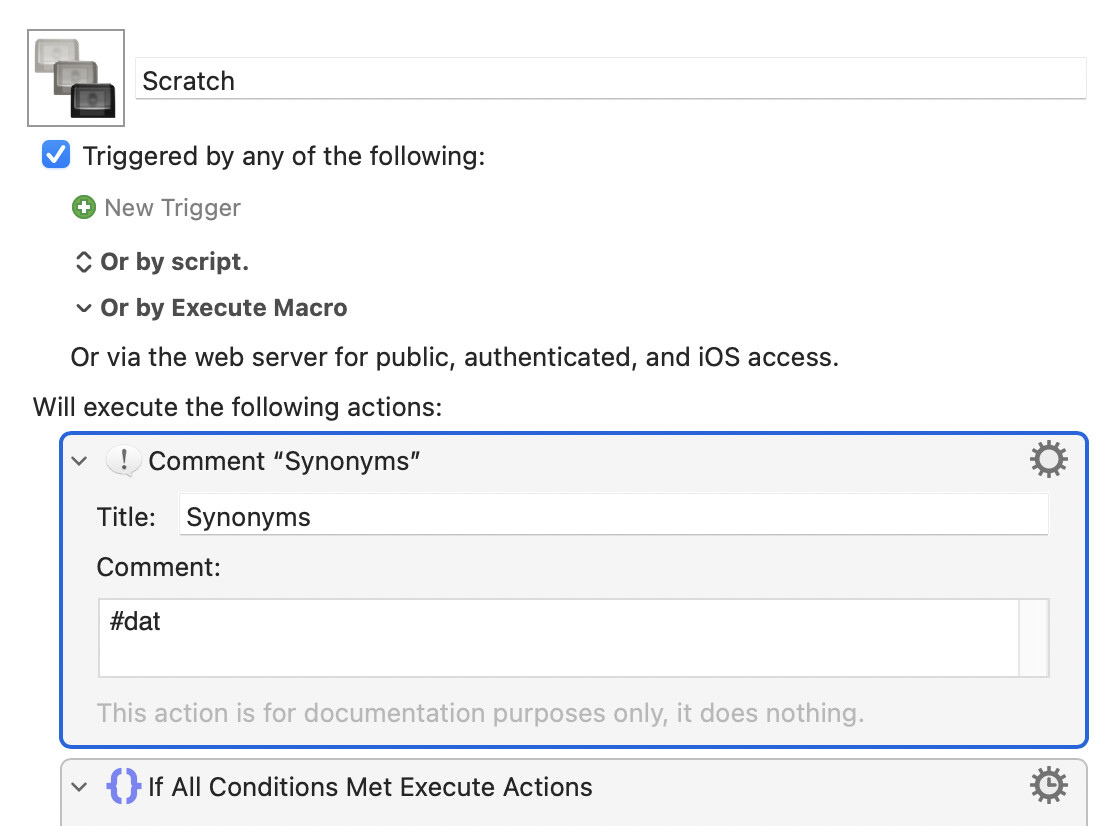
...that the search can find:
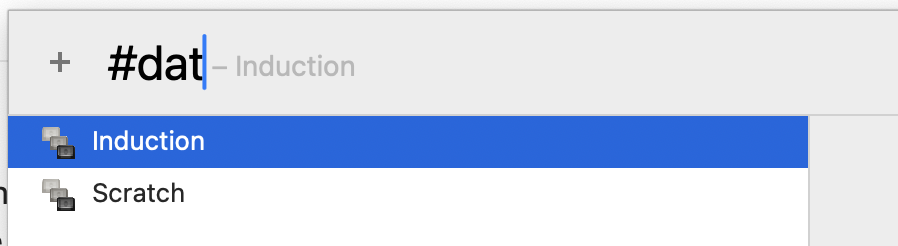
(The other matching macro is there because it has an URL in it: ...SitePages/IT.aspx#data-storage.)
If you use # a lot in your macros, try another symbol or an emoji.
thx @Nige_S !