Objective: create a macro to change label printers
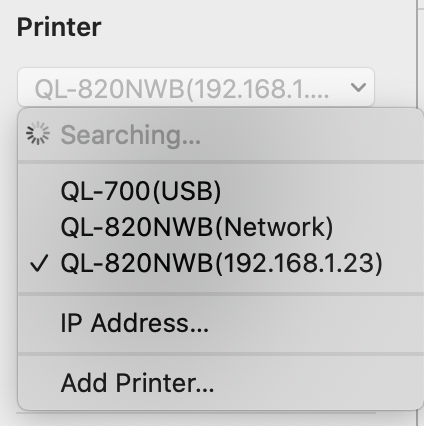
Because brother label printer configuration is terrible/horrible , each time I change label printers, I must click on the scrollable list of printers → IP Address… → Enter IP address → Connect ( not by selecting a printer from the list).
I use keyboard maestro and can confirm that the later part after clicking on IP Address… in the menu below → Enter IP address → Connect works fine.
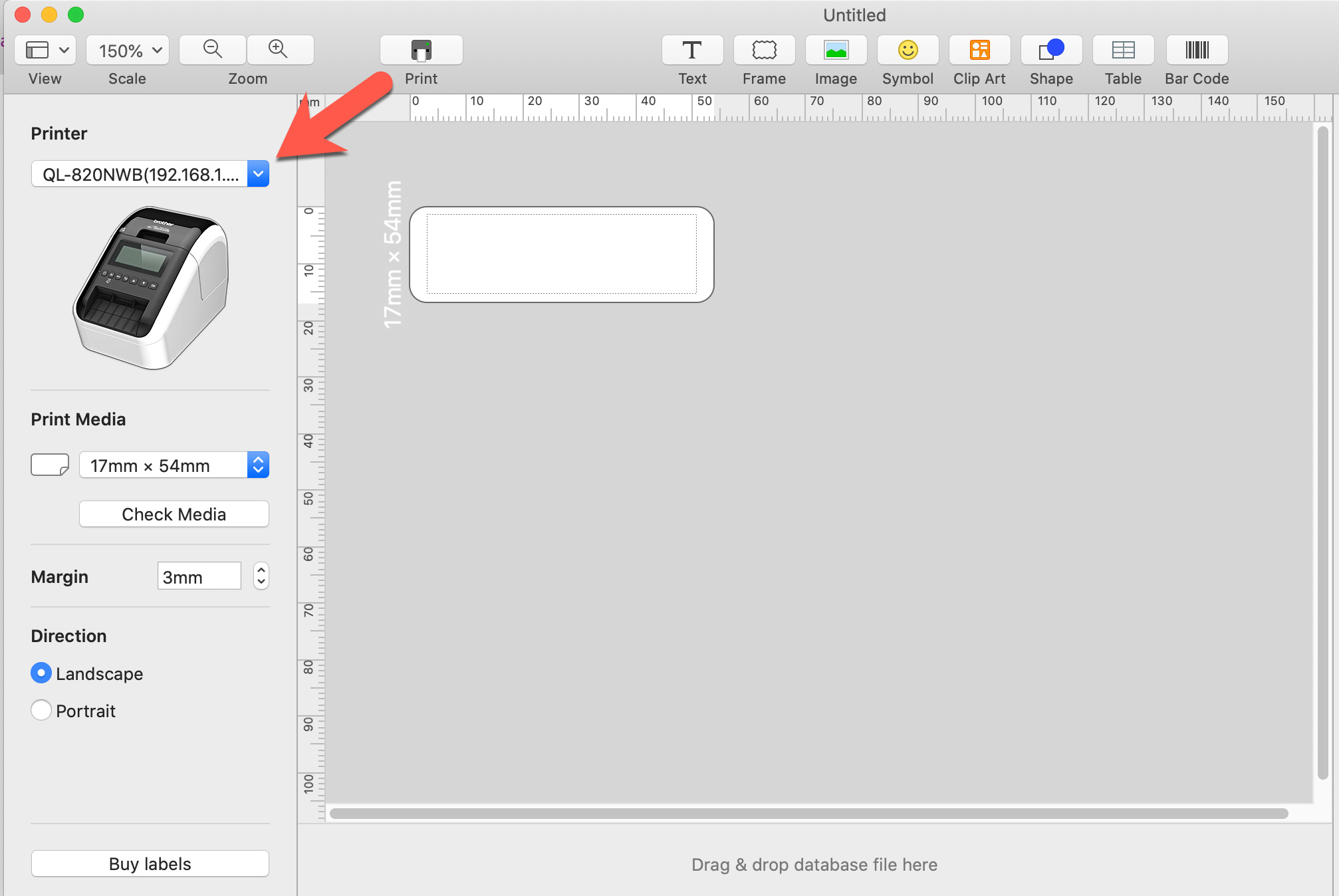
I am pulling my hair out trying to figure out how to click on the drop down list as per annotated image below
I cannot find any keyboard shortcuts (like multiple tabs) to navigate to the dropdown list, and no way to click on it using keyboard maestro. I even tried searching for the large printer image and clicking 80 pixels above. It works … 50% of the time even if I move the slider to fuzzier image and change from unique to best.
Restrictions: I want whatever method to work in all windows, so no specific window name should be mentioned in the macro/script.
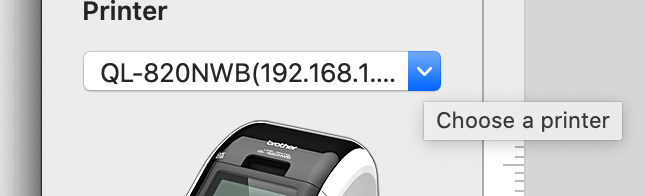
Note: the flyover says Choose a printer, but that is not a button recognized by KBM
The script below, which I tried to create with UI Browser does not work.
thanks for your help and patience !
activate application "P-touch Editor"
tell application "System Events"
tell process "Brother P-touch Editor"
-- insert GUI Scripting statements here:
click menu button 1 of scroll area 1 of application process "Brother P-touch Editor"
end tell
end tell
Let's start with the simple version: printing on the printer connected with a USB cable. As a second step I can try to solve the IP Address selection issue.
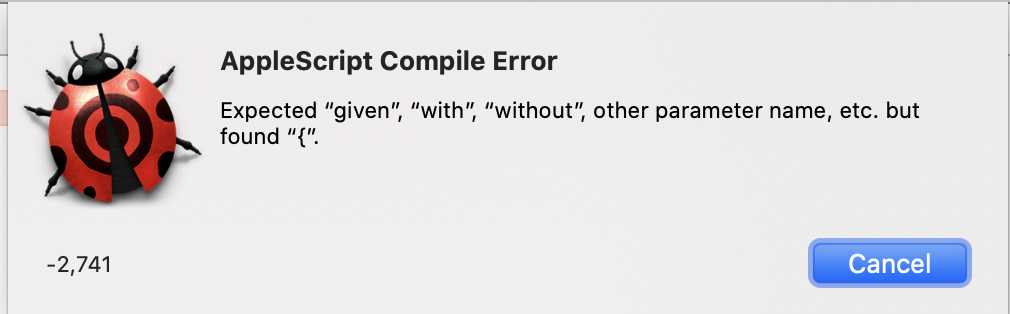
Here is the script + script debugger error message (KBM error message is the same)
thanks again very much
tell application "P-touch Editor"`
   print document 1 with properties {target printer:"QL-700(USB)"}
end tell
Delete the last character (`) on the first line of your script.
To get the actual name of your printers, open Terminal and run this:
lpstat -p -d
If that doesn't fly, try this (which I've tested her successfully). It presents a pick list of available printers from which you can set a new default:
-- store default printer
set defaultPrinter to last word of (do shell script "lpstat -d")
-- prompt for printer from available options
set printer_list to {}
set availablePrinters to paragraphs of (do shell script "lpstat -a")
repeat with printer in availablePrinters
	set end of printer_list to word 1 of printer
end repeat
set selectedPrinter to choose from list printer_list with prompt "select printer" default items {defaultPrinter}
if selectedPrinter is false then return
-- set default printer
do shell script "lpoptions -d" & selectedPrinter
display dialog "Original Default: " & defaultPrinter & "\nSelected: " & selectedPrinter
I think that there is a misunderstanding.
P-touch label printer configuration is horrible.
Each time I want to print, I must click on the dropdown list (which I am unable to do and why I wrote), choose IP Address... → enter IP Address → connect → the printer appears in the list
The printer does not 'exist' before that
thank you