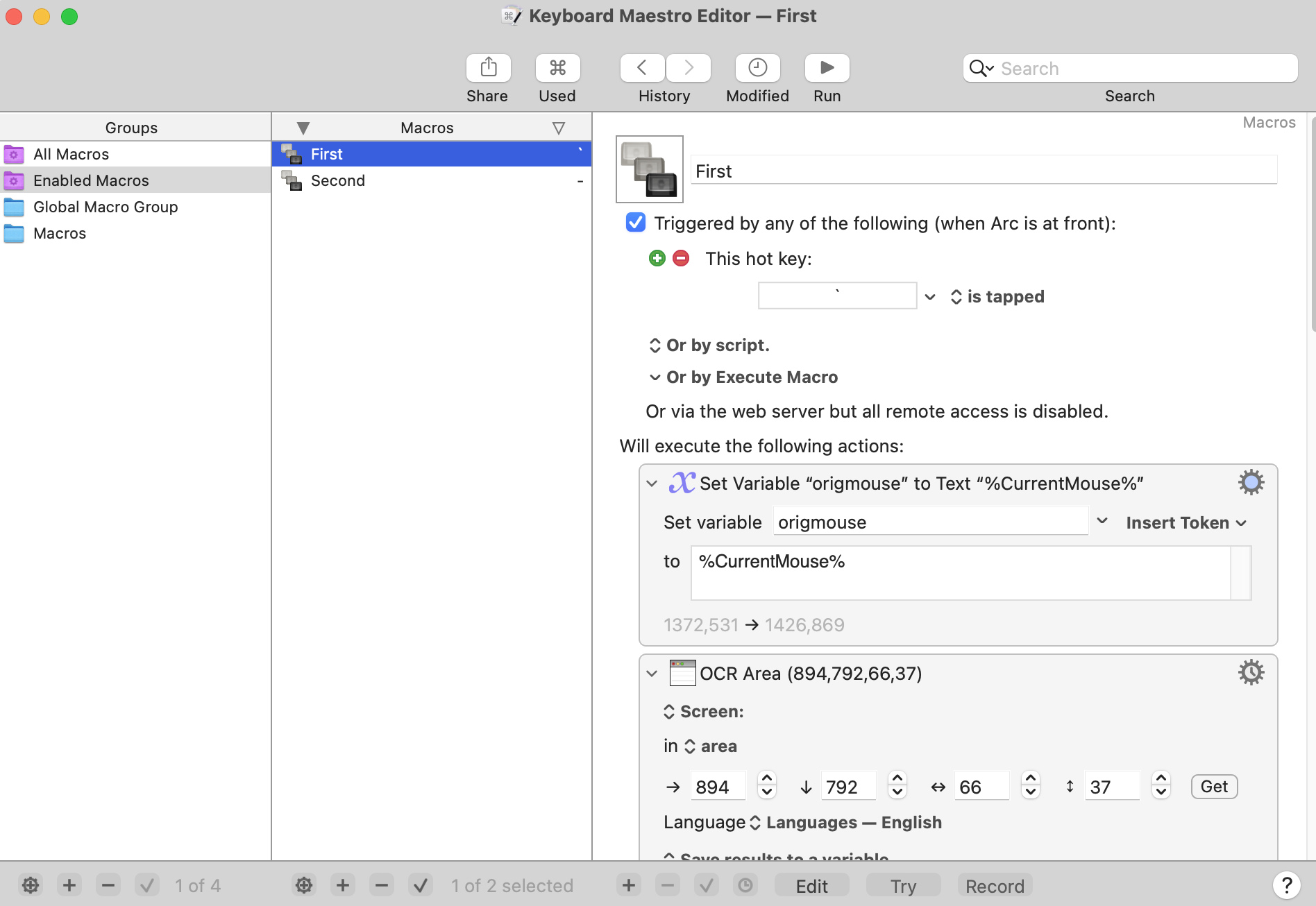
I have two macros that are almost identical. Both do OCR on a small region, run a calculation, then paste the result into different text boxes on my screen (left vs right side).
Macro A is bound to the tilde (~) key.
Macro B is bound to the minus (-) key.
Both use absolute mouse clicks to focus the target field, then paste.
Problem:
If I run Macro A, the first time it pastes into the wrong box (the one Macro B targets).
If I run it a second time, it works fine.
If I then trigger Macro B, the same thing happens in reverse (first time pastes into A’s field, second time correct).
Things I’ve tried:
Converted all variables to local (Local__).
Added “Pause Until Clipboard Changes.”
Both macros have different click coordinates.
It looks like the mouse double-click is not reliably focusing the field before Paste runs, so the paste goes into the previously active field instead. But adding short pauses hasn’t solved it.
May I please have some help with this? I would really, really appreciate anything anyone can tell me about this. I've attached my original macros below.
Hey! I really appreciate your response!
I tried adding a pause after the double-click, but the problem actually isn’t a timing thing with the paste. The mouse itself goes to the wrong location on the first run. So instead of pasting into the right field too early, the macro is literally clicking in the wrong place the first time through. On the second run, it goes to the correct coordinates and works.
Also, it is really strange. I was pressing Cmd+C to copy something in a different window and some sort of Macro was being executed, looked like the same one. I am not sure why that is, as I made sure to delete all other macros. I also tried re-installing Keyboard Maestro.
At the bottom of this reply I may have spotted the problem, but I'm not going to remove my other comments because some of them are also valid observations.
It's difficult for us to test your macros without knowing the exact website/browser and/or app that you are using (and maybe also version of macOS/KM.) Results could differ with a different setting.
However I see a couple of things that I'm concerned about in your macros.
You are using the wrong type of OCR. You should switch to "Apple Text Recognition" which is faster and more accurate. However you may have to validate that it doesn't insert a different number of Carriage Returns, as that may mean you will have to modify your regex's.
You aren't using semaphores. You should lock each macro with a "Semaphore Lock" at the top of either macro using the same lock name. Otherwise triggering one macro while the other is running could result in serious errors, similar to the error you are talking about. This is doubly important because you are using the same global variables in both macros.
This sort of problem may depend upon the apps that you use and the specific websites. Since you haven't provided that information, it is impossible to replicate the problem, but that doesn't necessarily mean we can't spot the problem.
It might also help if you show a short video clip of the issue. Obviously this puts extra work on you, but since we can't replicate your problem, the extra work is probably going to be needed.
Upon reflection, I may see the cause of your problem. You have the action "Pause until system clipboard changes" in each macro. This action forces each macro to pause until the clipboard changes. Unfortunately, you may think it's going to detect the change in the previous action. I tested that, and it's not true. What will happen is that each macro will refuse to finish until the other macro changes the clipboard! Surely this can't be what you want. For reasons that I gave above, you need each macro to finish before you run the other macro, and that's not what's happening in my tests. Do you know how to turn on the KM debugger? The KM debugger can show you if both macros are running at the same time.
Thank you so much for this!! Removing the "Pause until system clipboard changes" in both macros fixed it! That also explains the macro running whenever I copy something in another window.
My intention with the "pause" action was just to ensure that the clipboard was changed before pasting the result so an old value isn't accidentally pasted. After testing just now, I can see that this is unnecessary.
Thank you so much, again! I hope you have a great rest of your day.