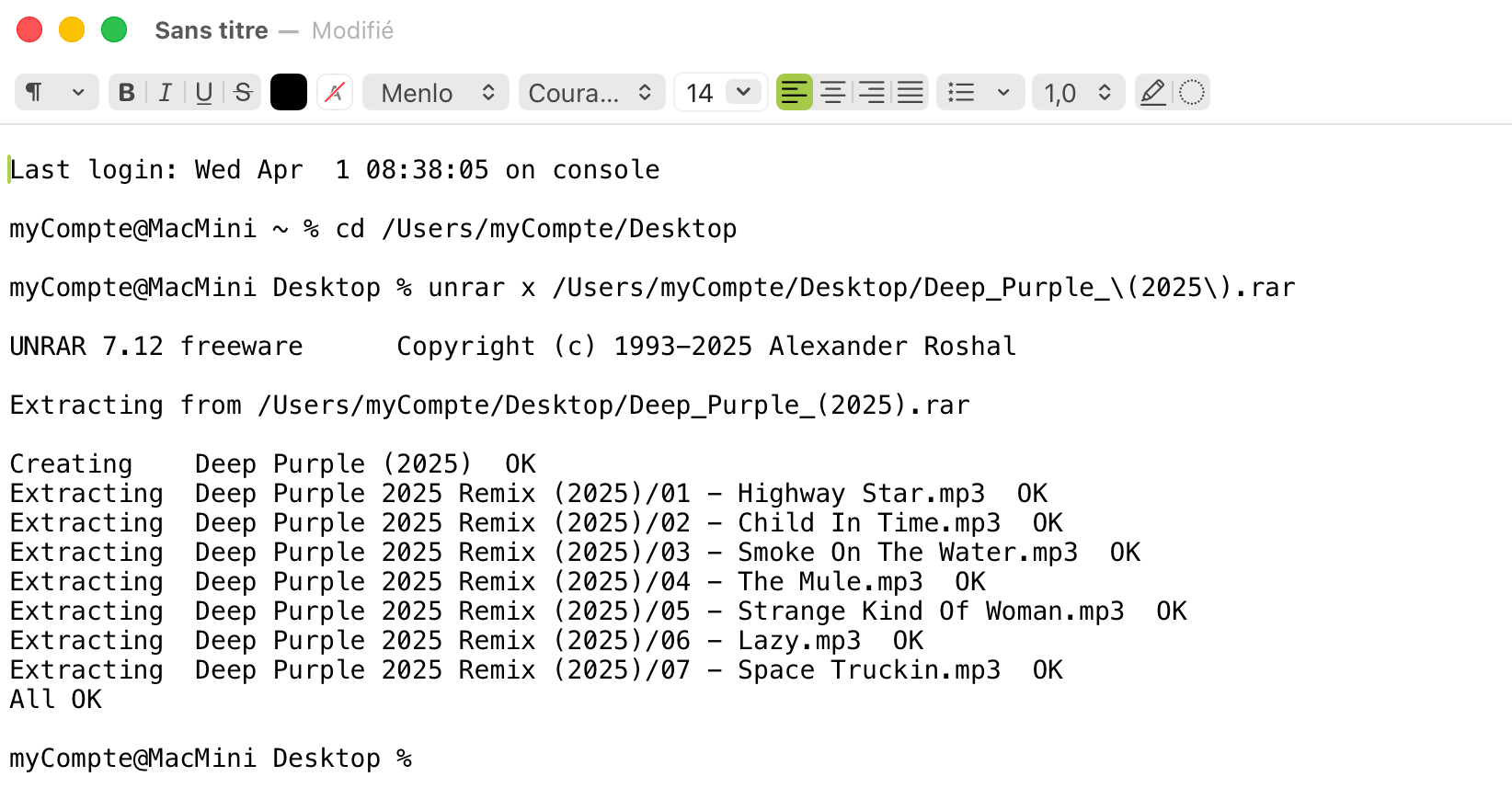
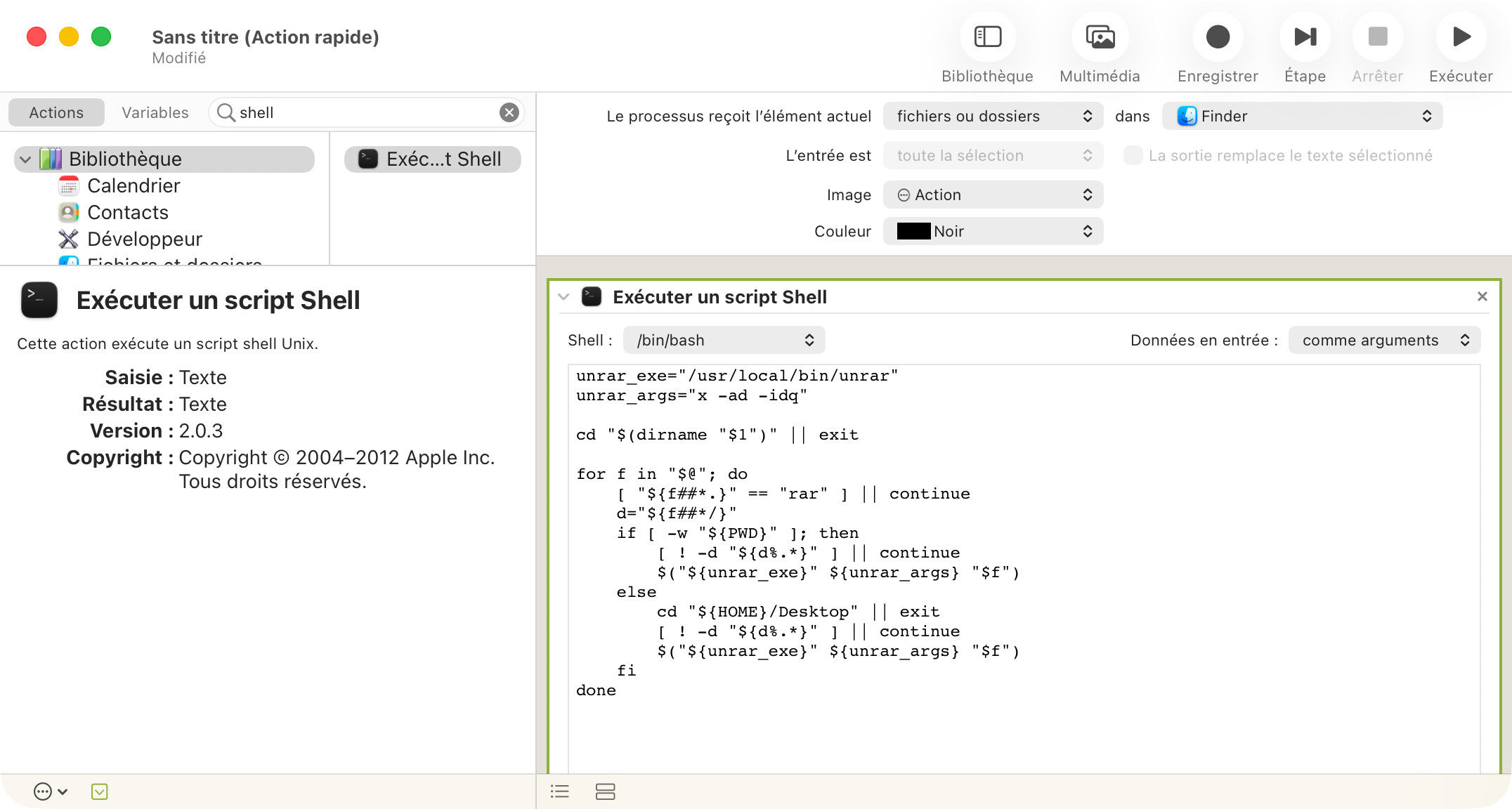
Besides being simple, this procedure produces results immediately. It's a shame that macOS (Tahoe) doesn't offer this functionality, unless you install new software...
I'm trying to recreate this procedure using KM. Unfortunately, something's blocking me... probably my lack of expertise. Can you help me?
unrar isn't part of the macOS default install and so is unlikely to be in a PATH that KM's "Execute a Shell Script" Action looks in by default.
The simple solution is to use the full path to the utility -- you can find that in Terminal by typing which unrar and hitting the Return key, the text shown will be the full path that you can then use in your shell script. So:
luggage:TOC_container nigel$ which unrar
/usr/local/bin/unrar
Would mean setting your shell script to:
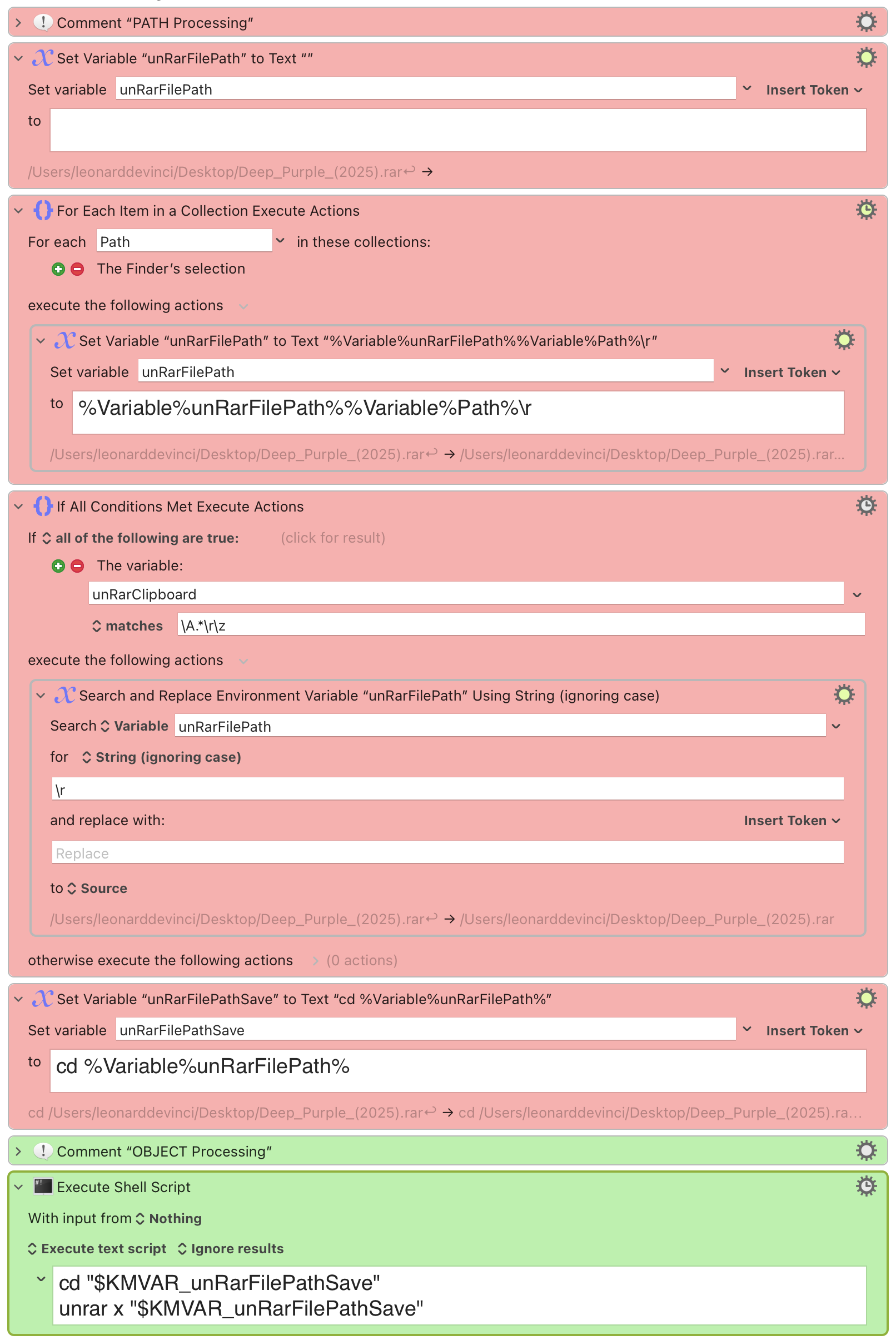
/usr/local/bin/unrar x "$KMVAR_unRarFilePathSave"
(If you are using a lot of utilities installed by homebrew or similar you could change your ENV_PATH KM variable to include homebrew's base install path. You can read more about paths and shell scripts on the Wiki.)
But your file path construction looks a bit odd. For each turn round the "For Each" Action the Path variable will hold the full path to a selected item in Finder, so you're building a one-rar file-per-line list to process. But the next "If" will never be true unless you're setting the Global variable unRarClipboard elsewhere -- it's otherwise unused in this macro.
The "Set Variable 'unRarFilePathSave'..." Action will break your shell script. You're prepending your file path with cd to get, for example, "cd /Users/nige/Desktop/my.rar" but then you're asking the shell script to treat that as a file path so you have
cd "cd /Users/nige/Desktop/my.rar"
unrar x "cd /Users/nige/Desktop/my.rar"
...and both commands will error because the paths (almost certainly) don't exist.
You'll need to explain what you want to do. Should this macro work only on a single selected item or do you want to unpack multiple rars in one go? If so, where should they unpack if they are in different directories? Note that the x flag unpacks the archive with full paths, so you may want to always unpack on your Desktop or in a temporary directory which your macro then opens so you can manually move stuff to its final destination.