Hi everyone,
I’m new here (and new to macros in general), so I’m hoping to pick your brain here! I’m pretty low-tech and don’t know how to use scripts, so this is my rudimentary way of doing things.
Short story - more context after the first 2 screenshots:
I’m trying to automate moving through the stories of Instagram accounts on a desktop browser.
- I’ve already created a macro using the “down” arrow that works 99% of the time.
- Moving to the next story normally causes a new image/video to appear on screen (and the URL also changes).
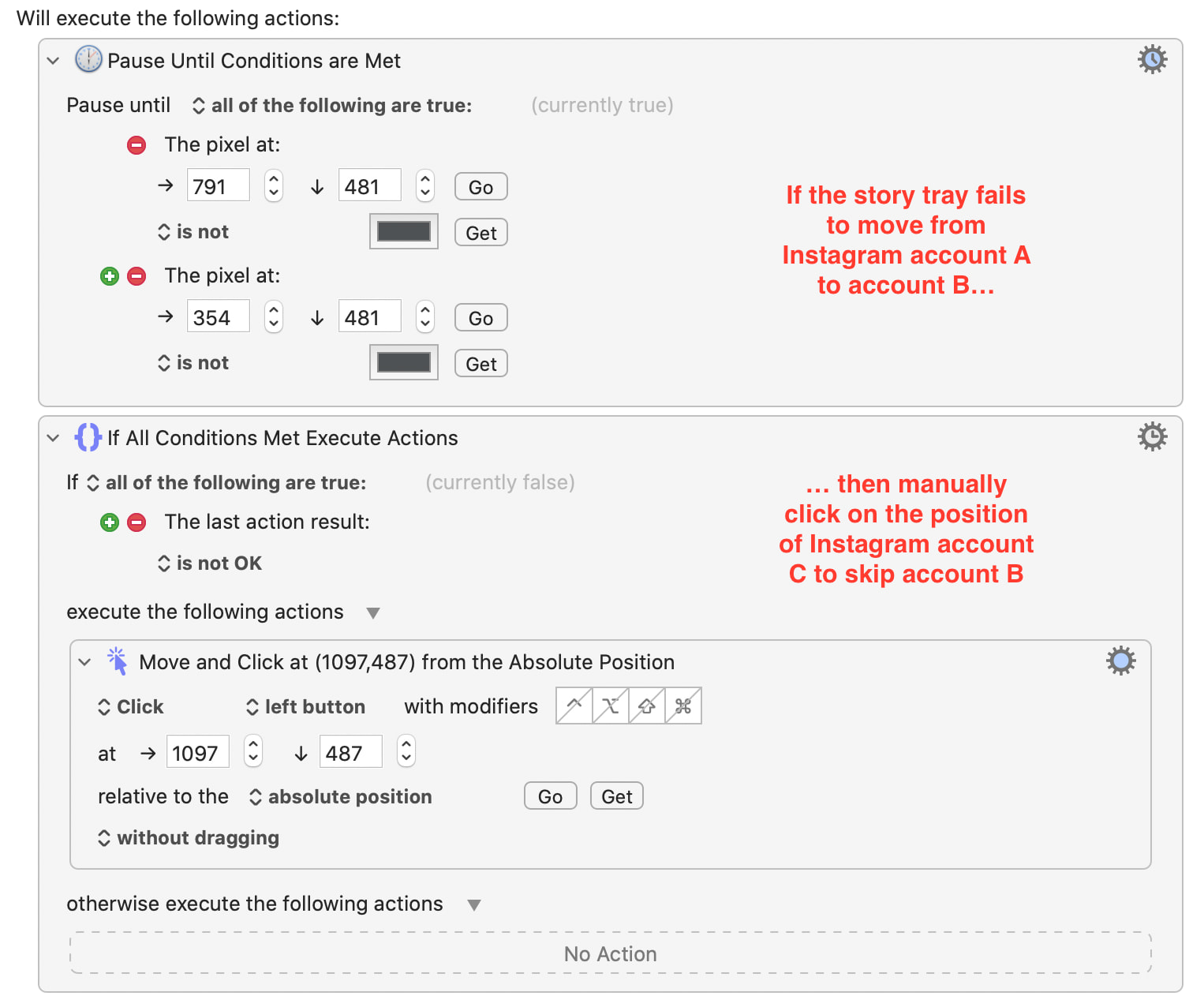
- Sometimes, there is a glitch on Instagram, and the next story cannot be opened even when it is clicked (the preview shows up as black). When this happens to me, I just skip the story by clicking on the story after it (e.g. if Story A - delish works, but Story B - tastyuk does not, then I move on by just manually click on Story C - buzzfeedtasty).
- I need Keyboard Maestro to know when typing the “down” key fails to move to the next story (either because the pixels do not change or the URL stays the same). The “pixels” being watched by Keyboard Maestro are the “left” and “right” arrows on either side of the story in focus, which temporarily change in size/position when moving between stories by different accounts.
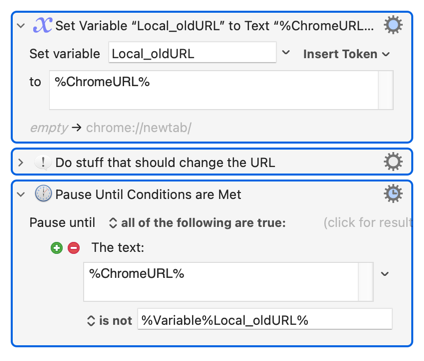
I already created a macro for this that works (see below). However, when I embed this macro into a “parent” macro, it causes the parent (further below) to work incorrectly. I’m wondering if this might be averted if I used different triggers (e.g. the URL changed or pixels did NOT change after a certain period of time) - however, I can’t seem to find these conditions.
Skip Story.kmmacros (6.7 KB)

Context:
I use a now-unavailable browser extension to download Instagram stories manually. I’ve started using Keyboard Maestro to automate the process.
Download Stories - Responsive.kmmacros (12.0 KB)
-
In the browser, I open the story tray on Instagram manually to reveal all the available unread stories (e.g. delish, tastyuk, buzzfeedtasty, tastyjapan above). I then run Keyboard Maestro.
-
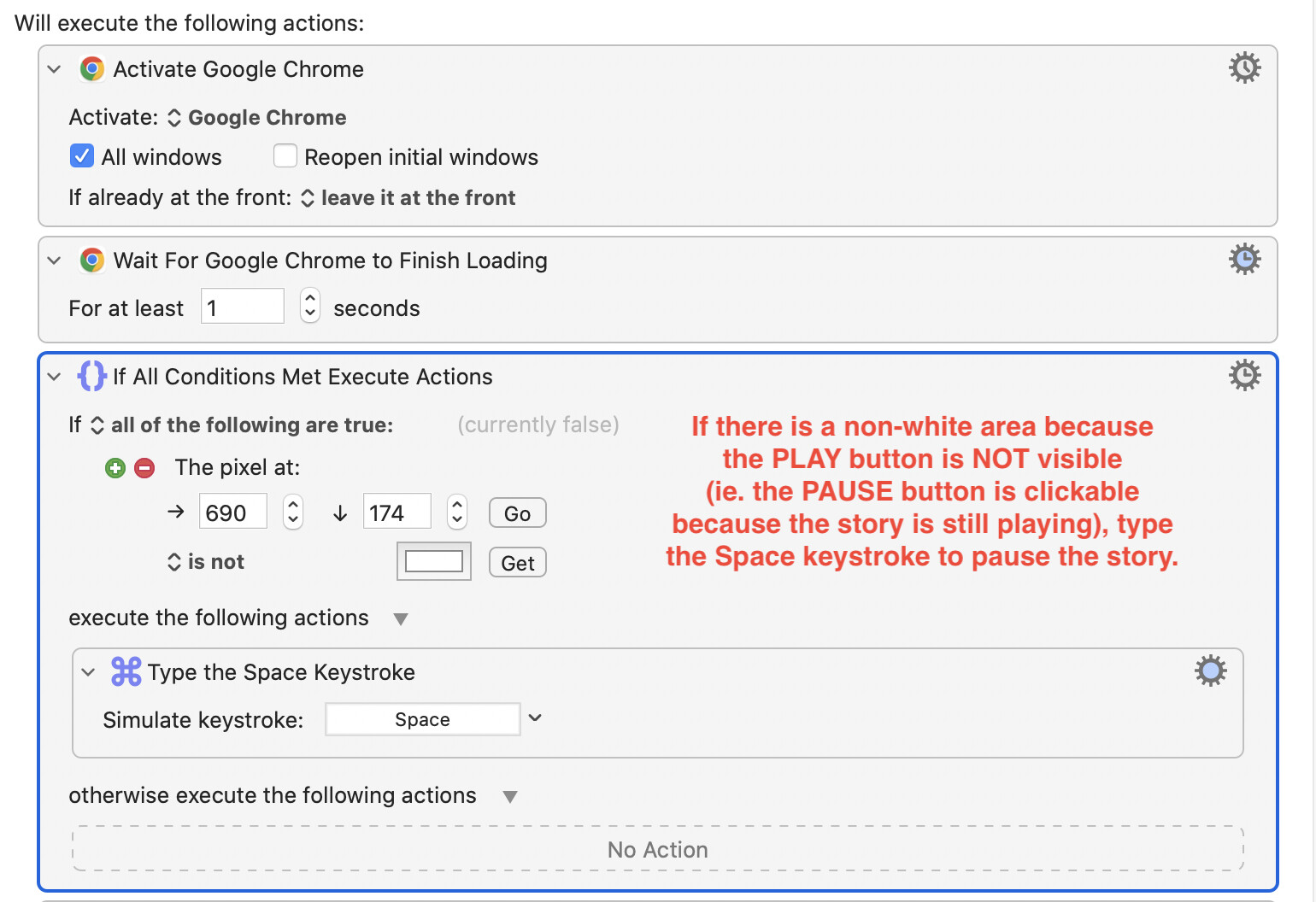
STEP 1 (no issues): Using the pixel color of the pause/play button on the upper right, Keyboard Maestro will determine whether a story is playing or paused. (I couldn’t figure out a way for “Find Image” to work, so pixels it is - when stories are playing, the Pause button is visible, and the gap between the 2 bars is not white. When stories are paused, the Play button is visible, and it is completely “filled in” with white). If stories are not already paused, Keyboard Maestro will pause a story so it doesn’t prematurely move to the next.
-
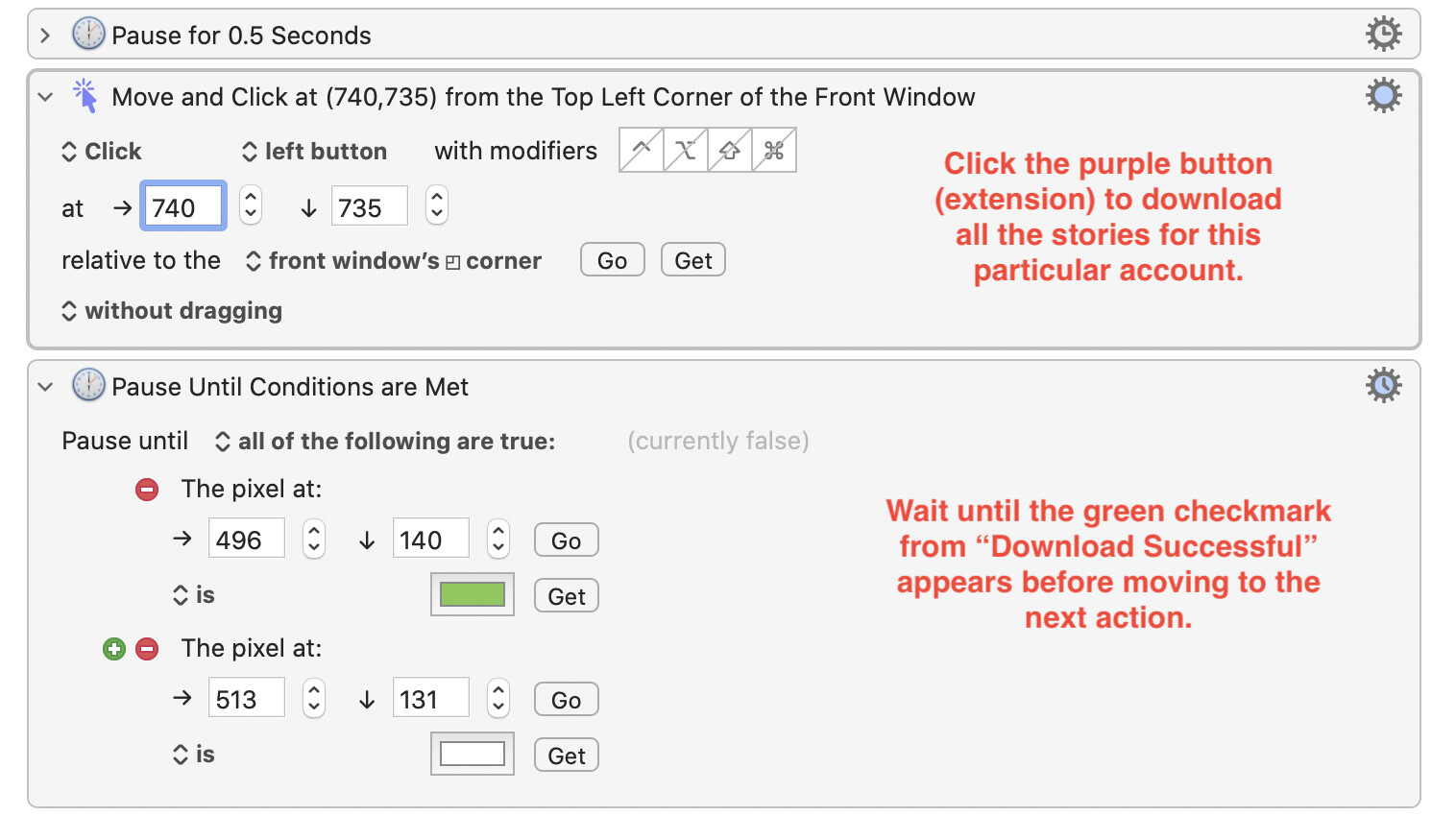
STEP 2 (no issues): Keyboard Maestro will click the purple button on the lower right to download the story (Again, I couldn’t figure out a way for “Find Image” to work, so I picked a very specific position on the screen). I then ask Keyboard Maestro to wait until all the stories have downloaded (“Download Successful” with a green checkmark appears on screen) before moving to the next account to download. I have set it to timeout after 30 seconds - and this is important because of Step 3.
-
STEP 3 (no issues): After numerous trial runs, I noticed that Keyboard Maestro sometimes fails to “click” properly if the browser just finished downloading a whole bunch of stories from the previous account (e.g. some recipes/cooking demonstrations are 50+ stories long). If the “click” fails, then no new stories are downloaded for the next account, and the green checkmark in “Download Successful” never appears within the 30 second timeout period… so Keyboard Maestro will reattempt the download. Otherwise, we move on.
-
STEP 4 (not always foolproof): We move to the next account in the story tray, and the cycle repeats itself until all the “accounts” have been watched and downloaded (ie. when the background of the webpage changes from black to white). However, if Instagram has a glitch and the next account is not “clickable”, then the story tray does not move to the next, and the macro keeps downloading the same account over and over and over again.
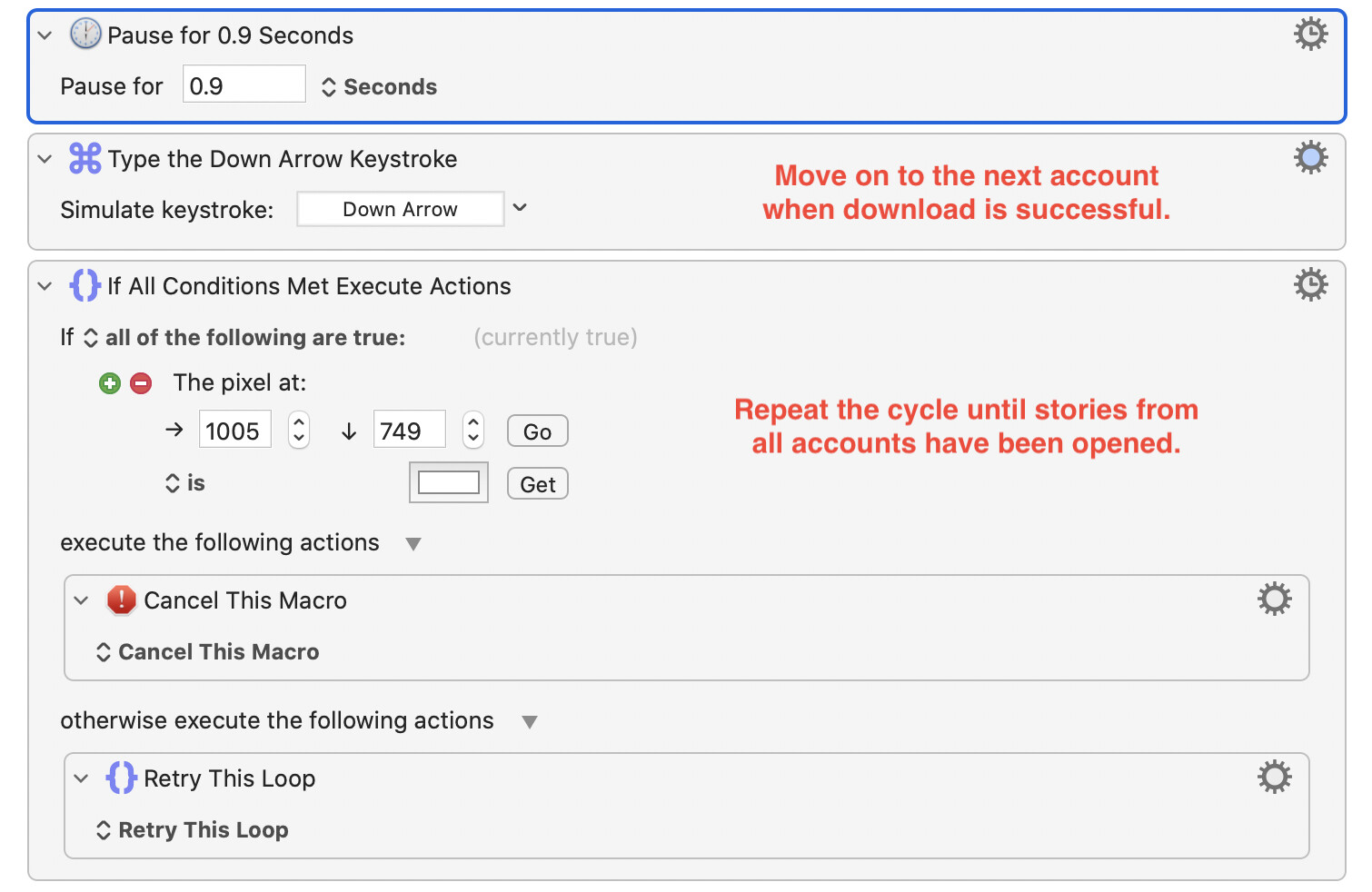
When I insert the “Skip Story” macro after the “Down Arrow Keystroke” action in Step 4 (either as “Execute this Macro” or just inserting 2 individual actions), the parent macro starts to malfunction - accounts start getting skipped incorrectly even if they are actually available to watch. I want the macro to always attempt to see (and download) the next possible account - and only skip it if it cannot be opened.
Hopefully I explained myself correctly? Please let me know if this is unclear, and thank you in advance for your help.