I have just written a macro that has had me laughing out loud (really) for about 24 hours! So I have to share it. It’s very short, but it requires the assistance of two macOS shortcuts, which I will include in screenshots below. Here is the short KM macro:
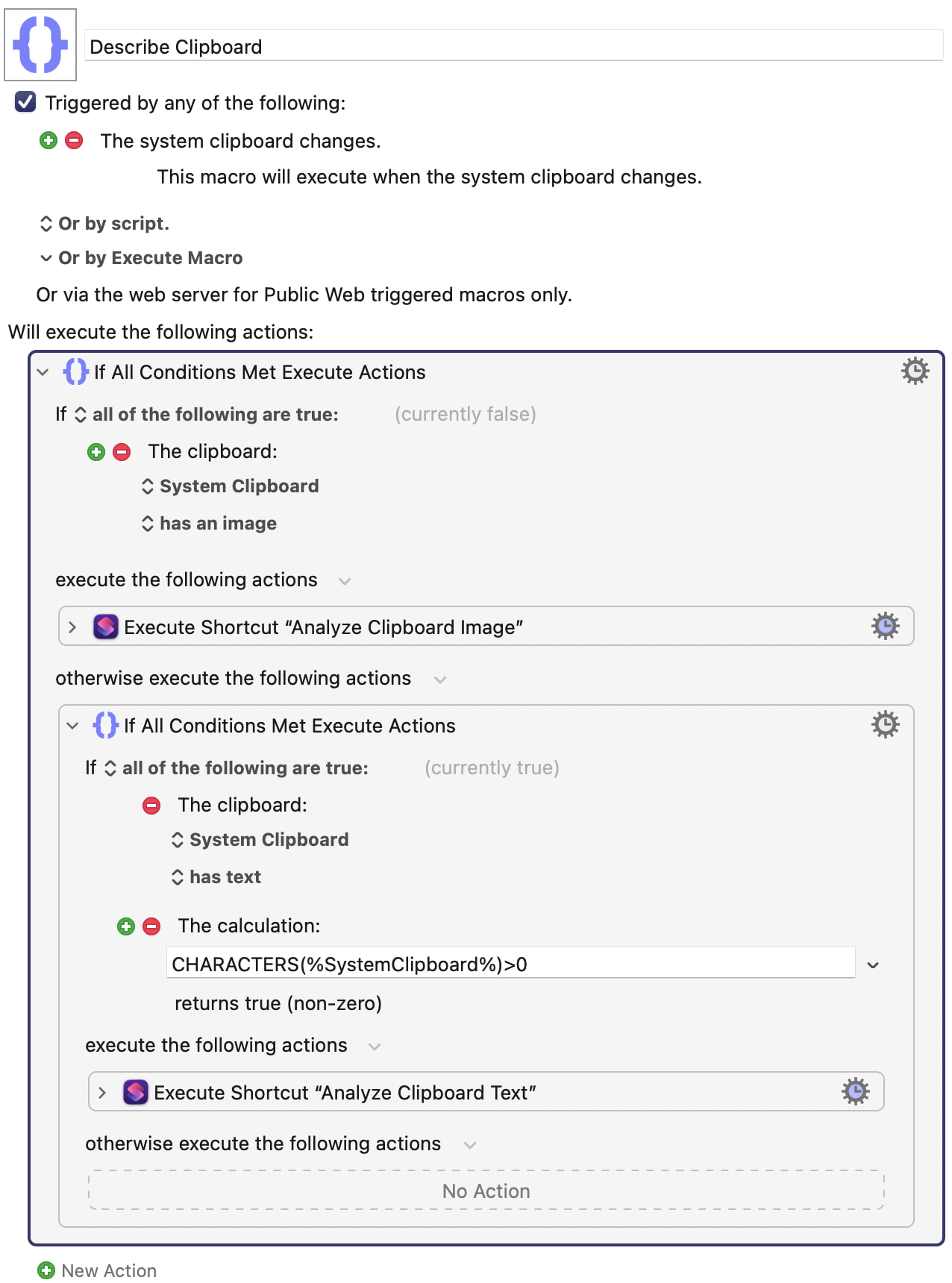
And here are the two macOS shortcuts that you have to create for this to work:
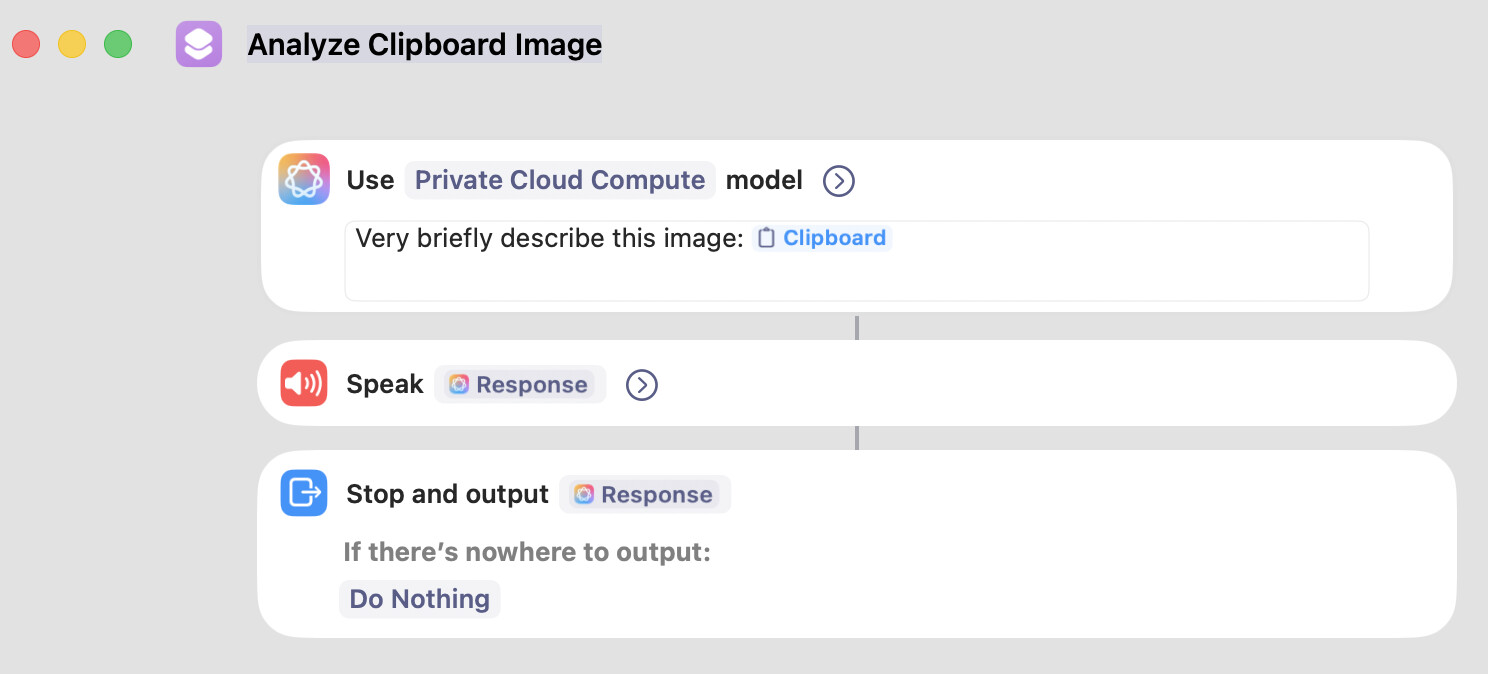
and…
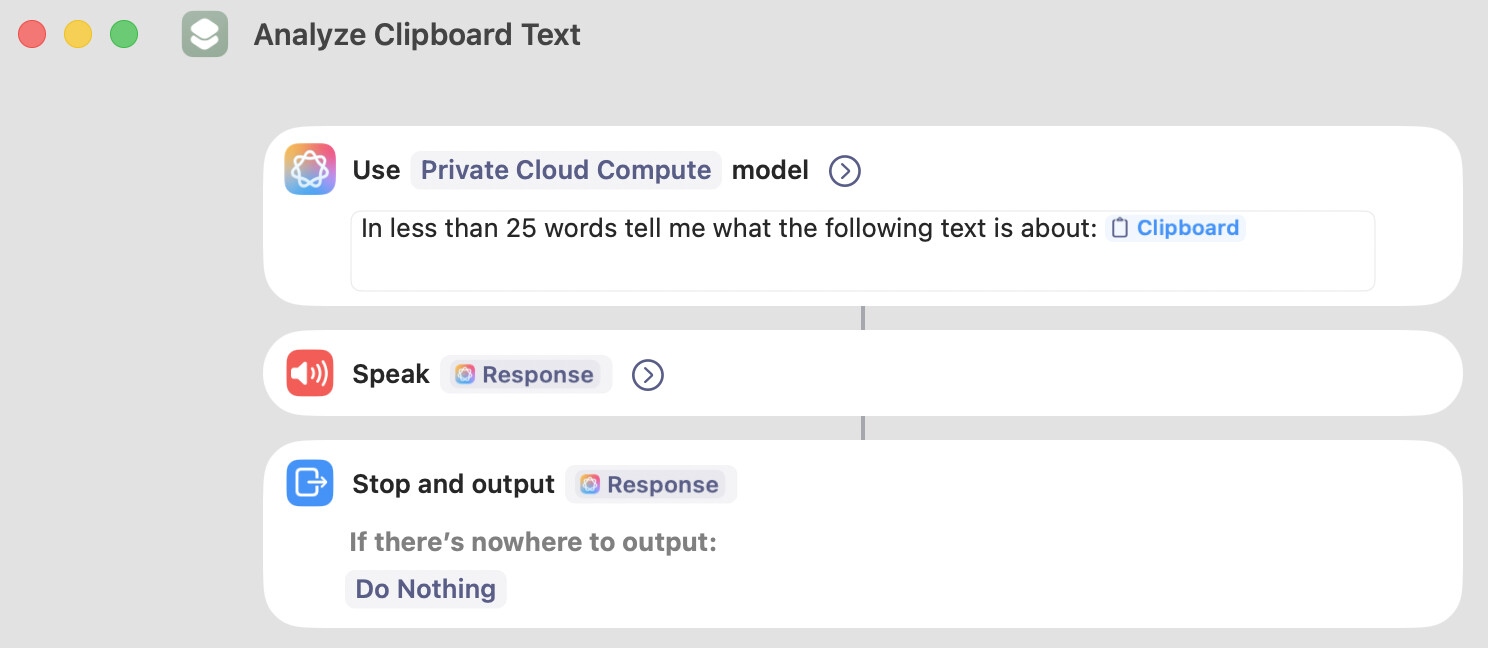
The reason these macros are making me laugh is because every time my clipboard changes, I hear an audio message describing the contents of the clipboard that I just created. Here are some examples of what I hear:
- “This is a screenshot of a macro that processes text”
- “An image of a frog eating a dragonfly”
- “A screenshot of shortcuts with colourful icons”
- “This command checks the Xcode license agreement on a macOS system”
It’s really hilarious and powerful. Sometimes it tells me what a fragment of code is actually doing, even if that code isn’t a piece of text, but an image.
Notice that one of my macros says “in less than 25 words”. I did that because I found some of the descriptions were too long for my taste. But you can change that value if you want. I just find that 25 words is good for my needs.
As for the “>0” calculation in my KM macro, that seemed to help me in cases where the clipboard was empty. You may not need it, but I suggest you keep it.
I will try to paste a copy of my KM macro below, but you will have to type the other shortcuts manually.
Describe Clipboard Macro (v11.0.4)
Describe Clipboard.kmmacros (4.0 KB)
P.S. Technically, you don’t need the “Stop and Output” actions, but I included them because I was thinking of adding additional features in the future.
