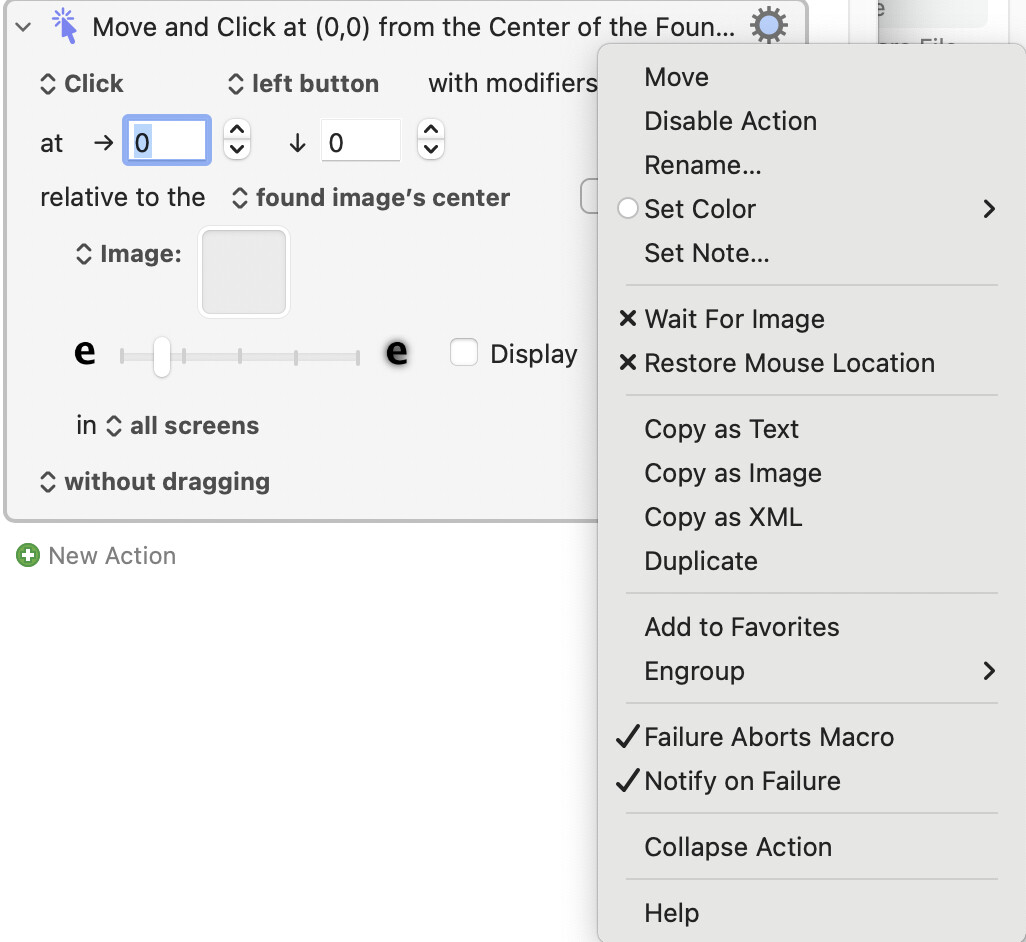
I have several move and click at (0,0) of found image.
I notice I can right click the thumbnail and choose Wait for image
Does this wait indefinitely , or can I set a timeout value ?
(Initially I did a repeat x times and check for image again, then pause, just wondering if theres a better way. I am waiting for an image on a chatgpt webpage so I’m putting a reload page keypress onto Safari, and rechecking the image for up to 10 minutes. Sometimes Chatgpt gets stuck.)
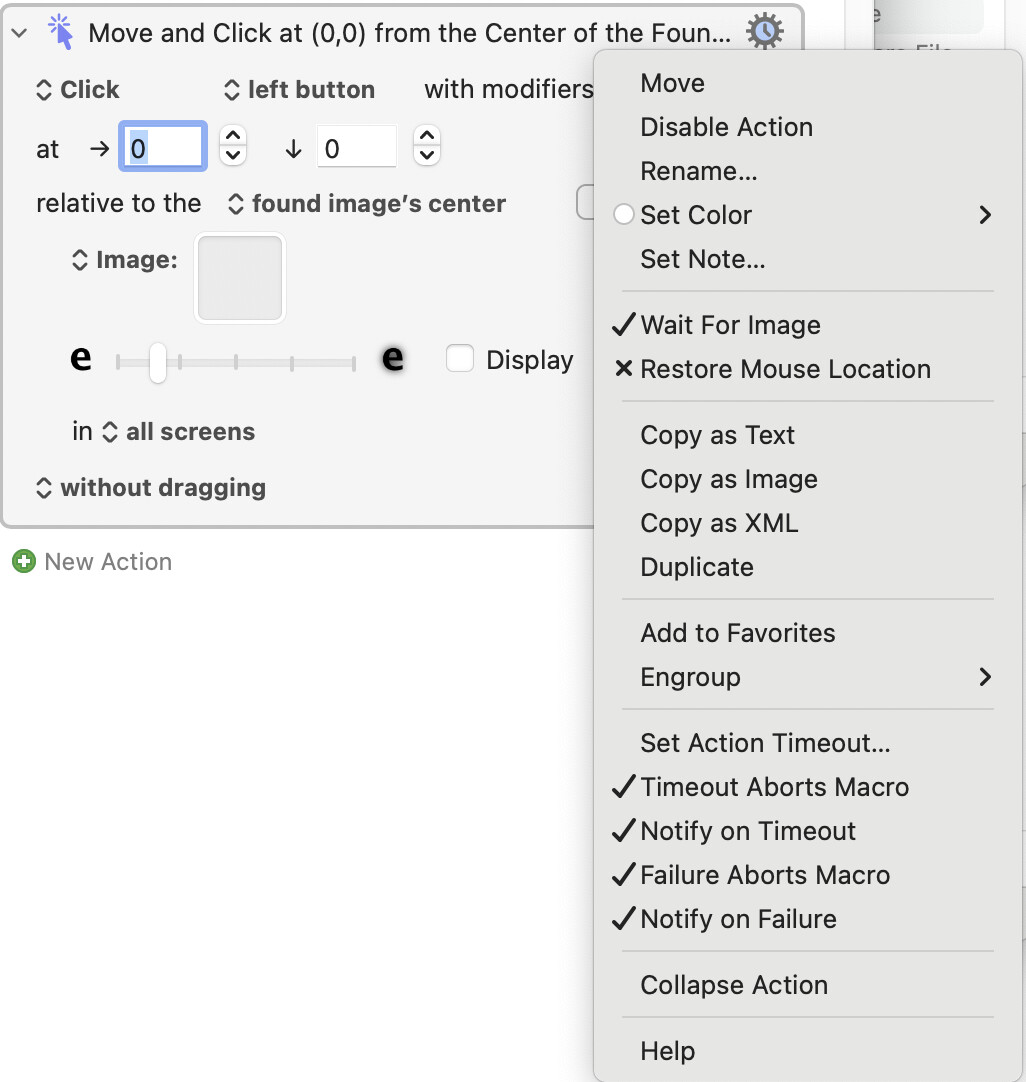
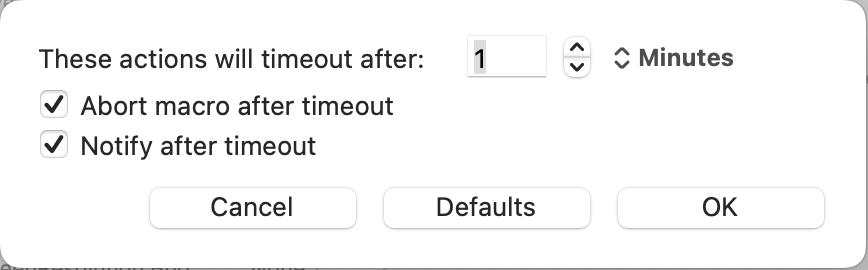
The default timeout is one minute, you can change that for the Action and set timeout behaviour by choosing "Set Action Timeout..." from the Settings menu:
What’s the approach you recommend for a potential stuck page where the image might not appear.
Here’s my scenario:
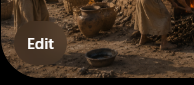
I am generating images in ChatGPT (Safari) and feeding a text prompt in. ChatGPT then starts to produce the image and normally takes about 3 minutes. Then I am checking for the “Edit” image to appear on the finished image (which signifies completion), and I click that to get to the download.
That works 98% of the time. Sometimes the Edit button image does not appear and it looks like its stuck generating, so my macro never sees it. I put a page reload in Safari, and that sometimes works.
So basically, is there a better approach for a scenario where a webpage or app is stuck and the button image you’re searching for does not appear?
I have some ideas but @Nige_S’s ideas are bound to be better so I await his reply with interest! I was just wondering, though, whether you had tried the Press a button when enabled action to handle the “Edit” button/image.
I have never generated an image before, but I just tried it. I see that the Edit button is translucent, so I’m not sure how you could use KM’s Find Image utilities to find it. For this reason, you should be trying a different feature of KM: its OCR action. All you have to do is perform an OCR on the Safari window, in a loop, until it contains the word “Edit.” This should work far more reliably than a Find Image action, and it will even work on different zoom levels of the browser. However this won’t solve the problem of your Edit button never appearing. There are a couple of solutions for that problem, one of which is outlined above.
The Edit button is a little tricky. Its 80% opaque, so whatever is underneath it (and its a random image in ChatGpt Image 2.0) then that affects the background under Edit.
I understand. I maintain that using Find Image is pretty risky and unreliable compared to the Press Button action, or Javascript, or OCR.
Don’t forget there’s also a KM “condition” called “Button condition” which you could put in an “Execute Until” action, and you could have a timeout on that action in case the button never appears. However my recommendation is to use the OCR test in a loop with a timeout.
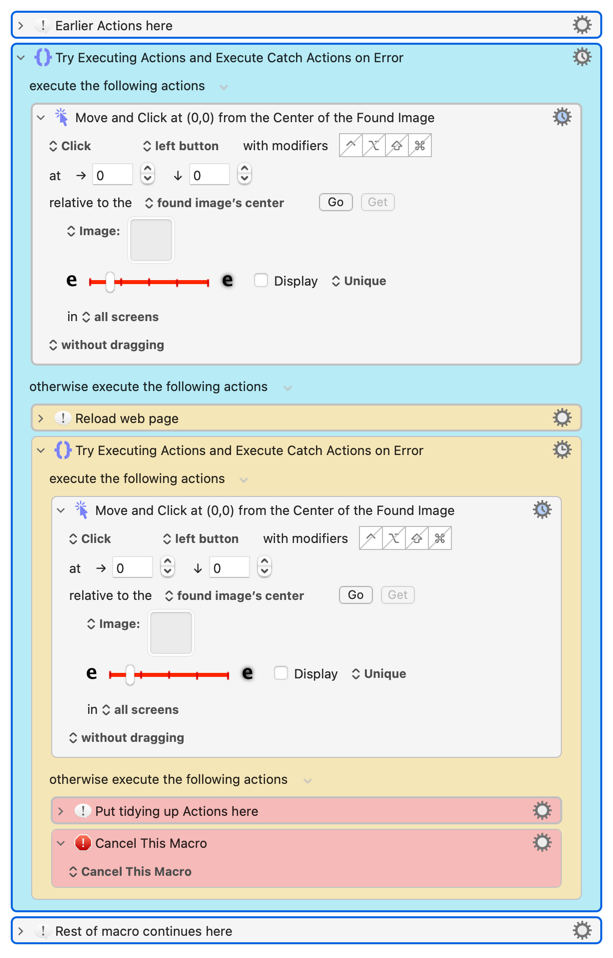
If the "Move and Click" finds an image the "otherwise" block is ignored and the macro finishes the outside "Try" block (no other Actions in this case), exits the block, and continues on to "Rest of macro..."
If the first "Move and Click" times out an error is thrown and caught, the "otherwise" is executed
Reload the web page, then we are now...
In the "inside "Try"
If the "Move and Click" finds an image the "otherwise" block is ignored, the macro finishes the inside "Try" and exits that, finishes the outside "Try" "otherwise" and exits that, and continues on to "Rest of macro..."
If the "Move and Click" times out and an error is thrown and caught, the inside "otherwise" is executed then some tidying up Actions happen and then the macro cancels itself
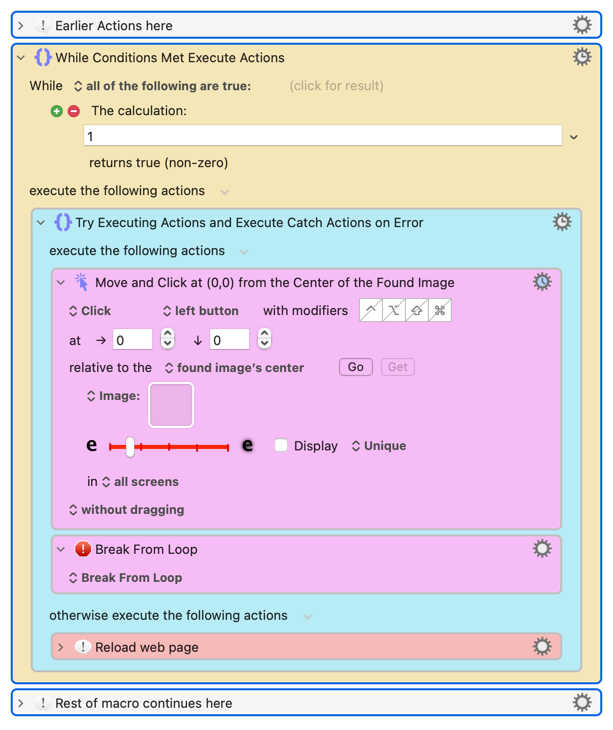
If you want just keep bashing away until the image is found (or you cancel the macro, Quit the Engine, restart your computer...) you can use an "infinite loop":
The result of Calculation: 1 is 1, which is non-zero, so the Condition is true and the "While" loops executes
In the "Try"...
If image detection succeeds
We break from the loop and continue with "Rest of macro..."
If image detection times out
We reload the web page
Go back to the top of the "While" loop (and the start of this list)
These "try until success" patterns are general -- learn the pattern, change the specifics to suit your situation. So if that UI element is registering as a button you can change the "Move and Click" to a "Press Button when Enabled" (still with a timeout and abort so the "Try" can catch the error).