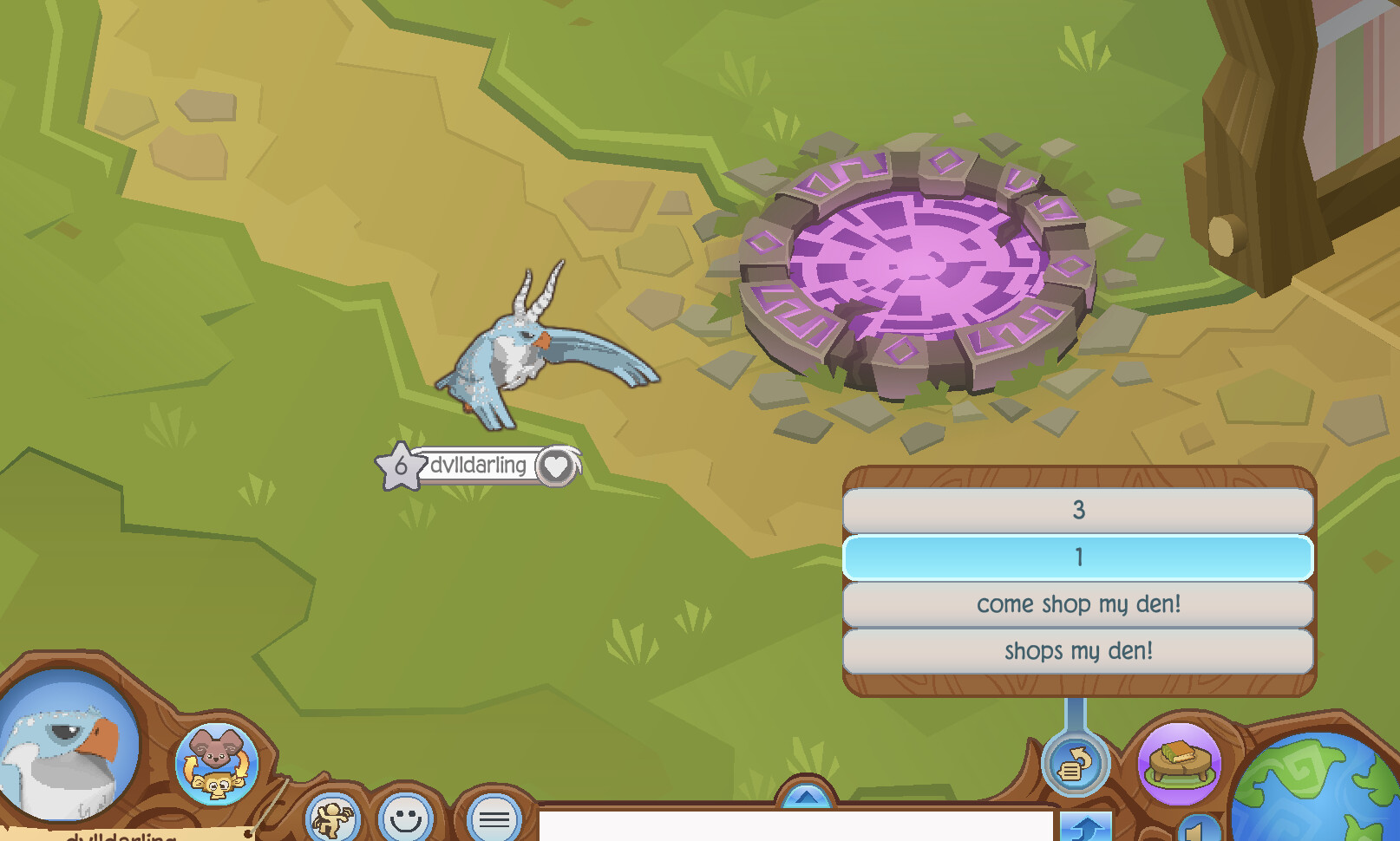
I’ve been trying to figure out how to repeat a message while AFK in a game, but I’m so new to this stuff that I don’t really know what I’m looking for or what tutorials to watch. I want to be able to have the game in one window cycling through a couple messages while doing something else in a different window.
the game has this repost message button that I can click on and click through messages. How can I set it up so I click one message, and then about 5 seconds later after the message disappears, click on another message? Sorry if this is a silly question. Again, this feels foreign and complicated to me lol.
From looking at your screen, I cannot tell what the exact sequence of keystrokes or mouse clicks you need to perform is. Nor can I tell what the exact conditions are for knowing when to perform those keys or clicks. I am a little concerned that you want to be working in another app while the game is running. Most of the time (not always) when you want to automate something you need to bring the app that you want to automate frontmost, which means you can't continue "doing something else in a different window" at the exact same time.
Thats alright, I don’t need to be doing something else at the same time, I just wanted to see if it was possible. The sequence should be the circular repost button > shops my den > come shop my den > 1 > 3, then I want it to repeat on a loop. Is that helpful?
Welcome to the forum. No, your question is not at all silly, and including the screenshot was a good idea. You might a little optimistic about what KM can do for you here, though.
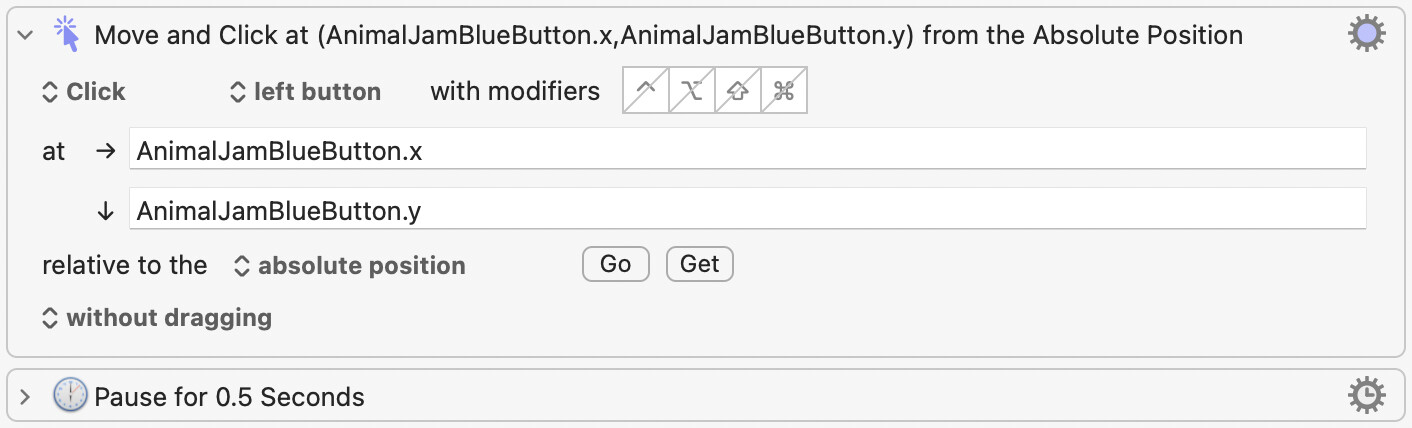
If the area in which the message appers is always the same part of the window, you can use a Move or Click Mouse action to click at the x/y co-ordinates that you specify.
If however the position varies, your macro will need to try to find a unique image to click on, or relative to. See the “Click at Found Image” section of the same page.
“After the message disappears”… Hmm… I suppose for that you would need to have your macro again check that area of the screen and then perform actions if the previously found image were no longer found.
In theory, it is not necessarily impossible, but you will find it fiddly to get right. Also, you must be willing to learn at least the basics of KM and gain practice writing simple macros. See Getting Started. To be quite frank, on the basis of posts by other people whose main interest in KM is for gaming, I do not think you will want to spend the time getting to know KM that well, and I would guess that, if you do invest the time, you might be disappointed, because there is only so much “magic” that Keyboard Maestro (or any other automation program) can perform using techniques such as the ones that I have mentioned. Games typically lack conventional Mac UI elements, scripting capability and other efficient “ways in” so that leaves mainly the graphical gaming interface that has been designed for that particular game and its players. That is not much to work with for an automation program so you might have a lot of work on your hands if you try to make a macro to perform gaming tasks.
That’s a simple and predictable sequence, so a combination of the mouse clicking action that I mentioned and Pause actions, placed inside (e.g.) a while action, might do what you need.
I am sure @Airy will be keen to help you with details to that or any superior approach that occurs to him. However, you will still need to be familiar with the basics of KM, e.g. how to create a macro, add actions to it and trigger it.
Besides the online documentation (which I must admit does look overwhelming at first), other resources include the YouTube Channel by @Macs_Productivity. Give that a try!
The macro itself shouldn't be too difficult. The problem will be if the game isn't scriptable (most aren't, for obvious reasons) -- for example, if you have to mouse-click to do things then the game must be the active app, which will interrupt whatever you're doing in that other window.
But before going any further you should check the game's Ts&Cs (and maybe online Forums) and decide whether the risk of being caught botting is worth what you'll gain from doing it.
If all you want to do is (a) click on a button, (b) click on a couple of screen text buttons, (c) click on the "1", (d) click on the "3", (e) wait for the message to disappear, then this is so easy it's trivial. But it sounds so easy I think I must be misunderstanding the problem. I feel 99% sure I misunderstand what you want to do. Are there any videos on YouTube showing the sequence that you are trying to accomplish? What is the name of this game? If it's on the Apple Store as a subscription game included in Apple One, I may be willing to test it.
P.S. I figured out that this game is called Animal Jam (Classic?) Right? I searched for a video on Youtube showing me how the interface works, but couldn't find one that looked exactly like your interface.
It is called animal jam classic (not to be confused with animal jam play wild)! I know its possible to do this, but I usually see people using TinyTask on windows and that didn’t work for me so I’ve been looking for an alternative for Mac. I don’t think you’re misunderstanding my problem, I just don’t know how to make a sequence like that. I’m sure it is simple I’m just a bit lost.
No problem. Let me try to put something together for you after I post this message. Mind you, you will probably have to customize my macro for your screen, because, for example, I don't know the screen coordinates of the buttons on your screen. If for some reason my macro won't work for you, then I would like to fix it, but you will have to tell me what it's doing wrong.
I'm going to make some assumptions, for example, that your app (Animal Jam Classic) is running in a window in a fixed position on the screen. If my assumptions are wrong, we can probably fix it.
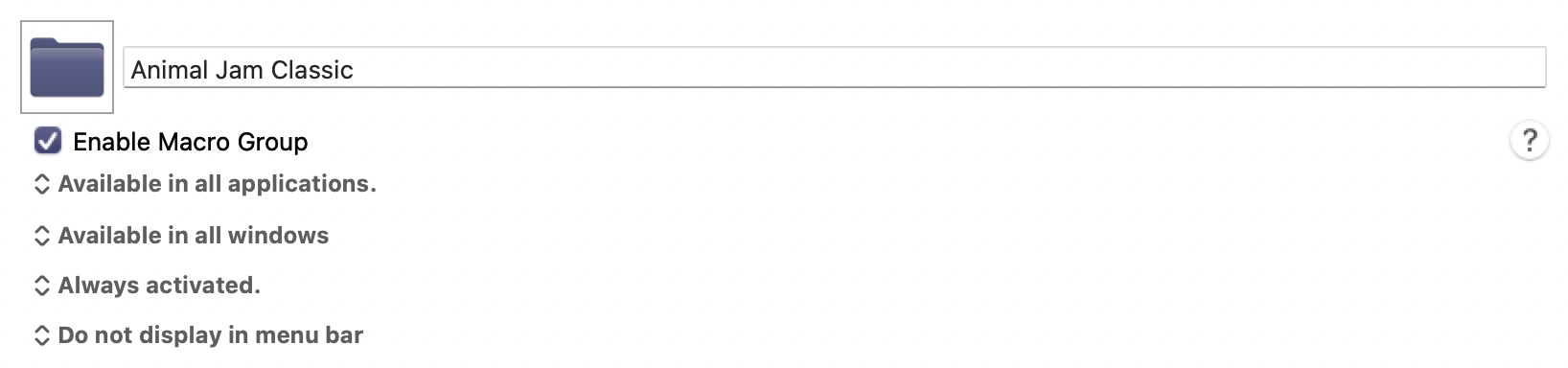
Okay, here's my first attempt at a macro to solve your problem. I named it "Loop and Click Macro" which wasn't a very good name, now that I think about it. Please read the instructions and modify it as indicated in its internal Comment action before you run it.
I would be very surprised if it met your needs, because I may have misunderstood your requirements, and since I don't have your game, it was impossible to test.
If it doesn't work, you can either contact me for modifications, or you can try your hand at editing it, and upload the edited version if it still doesn't work after you make your changes.
Whether it works or not, there are some techniques in here that you would probably benefit from examining. And I'm happy to answer any questions about my techniques. There are other ways to solve this problem, but I chose a method that I thought would be both reliable and easy to fix.
Hello!! I wasn’t expecting you to create a whole thing for me! That was so sweet, very much appreciated. I’m trying to test it out and I believe I’ve modified everything correctly, but it doesn’t appear to be doing anything. I’m not sure if I’m triggering it incorrectly. I tried running it while my game wasn’t open and while my game was already open and nothing appeared to happen.
Ok I will look at it now. I'm not sure how long it will take me to respond, but I'm glad you took a shot at changing it.
I took a quick look. It looks like you updated the right bits of code. But you said it "does nothing". The phrase "does nothing" can mean different things. For example, do you see it moving the mouse at all?
There is one good reason it may be "doing nothing". You see, in your original post, you said, "the message disappears". So my macro is relying<?> on that assertion to wait until the message disappears. Maybe it's not disappearing like you said it would. My macro is specifically designed to meet your stated assertion that "the message disappears." So, is that still true? Does the message on the screen disappear?
Another possible reason it does nothing is that perhaps you forgot to "enable it" after you installed it. Some people forget to do that.
You were right! I didn’t enable it lol, I feel silly. It does do something, but it doesn’t open the blue button up for it to click the messages. It’s hitting the right spots through. Heres a video of me testing it out
That's a lot of progress, considering I didn't have your app when I wrote the macro.
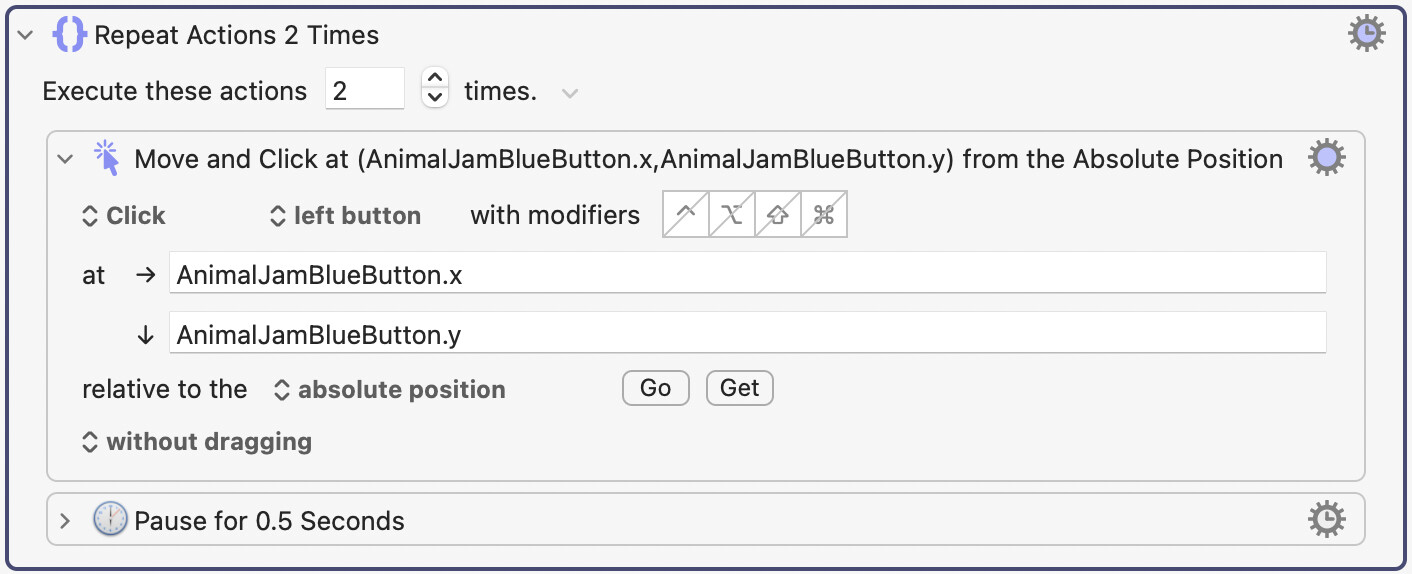
Some apps are troublesome with mouse input, but can usually be conquered nonetheless. Some apps use different methods for detecting mouse clicks. This could be one of those apps. Since I don't have your app, I can't test solutions, but I can guess that the solution is to click TWICE on the blue button.
So I recommend that you try the following test. Try duplicating the following action by putting a Repeat action around it. Here's what it looks like now:
This might fix it. It's hard for me to investigate since I don't have your app, but there's a fair chance this might fix it. If it fixes only the blue button, and not the remaining clicks, we can deal with that later.
Are you asking me to fix it? Or are you willing to try modifying the current code to fix it. You might have enough knowledge now to at least try to fix it.