I got desperate enough to setup an account here. I am trying to trigger some actions when a file is deposited in my Downloads folder. The file name is variable, so the file has to be matched by regex, and I can’t get the matching to work. I think this is because I misunderstand how the matching process works, and I would be grateful for any suggestions.
My whole pipeline is:
When a file that matches a pattern Stu_One-[date].zip is deposited in ~/Downloads/ (the [date] is different every time I download this file)
unzip file with The Unarchiver
delete the original zip file
move the unzipped file (that now has a format of Stu_One-[date].csv) to ~/Desktop.
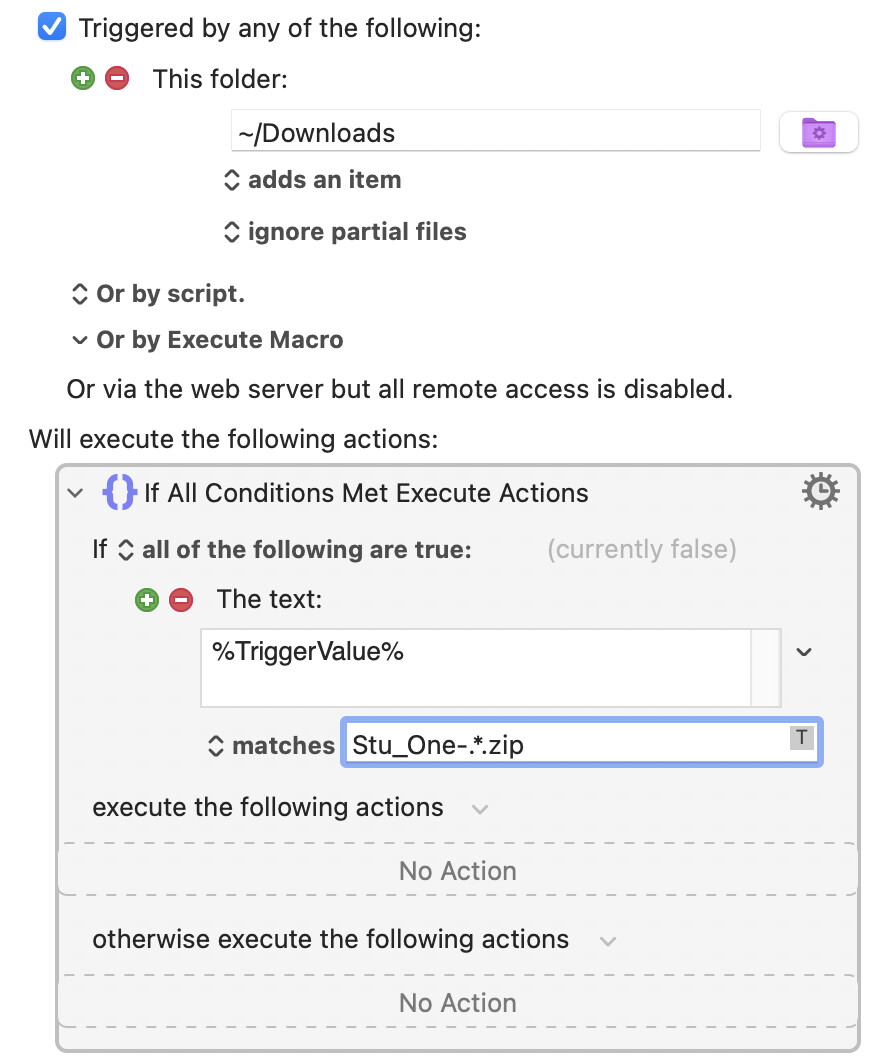
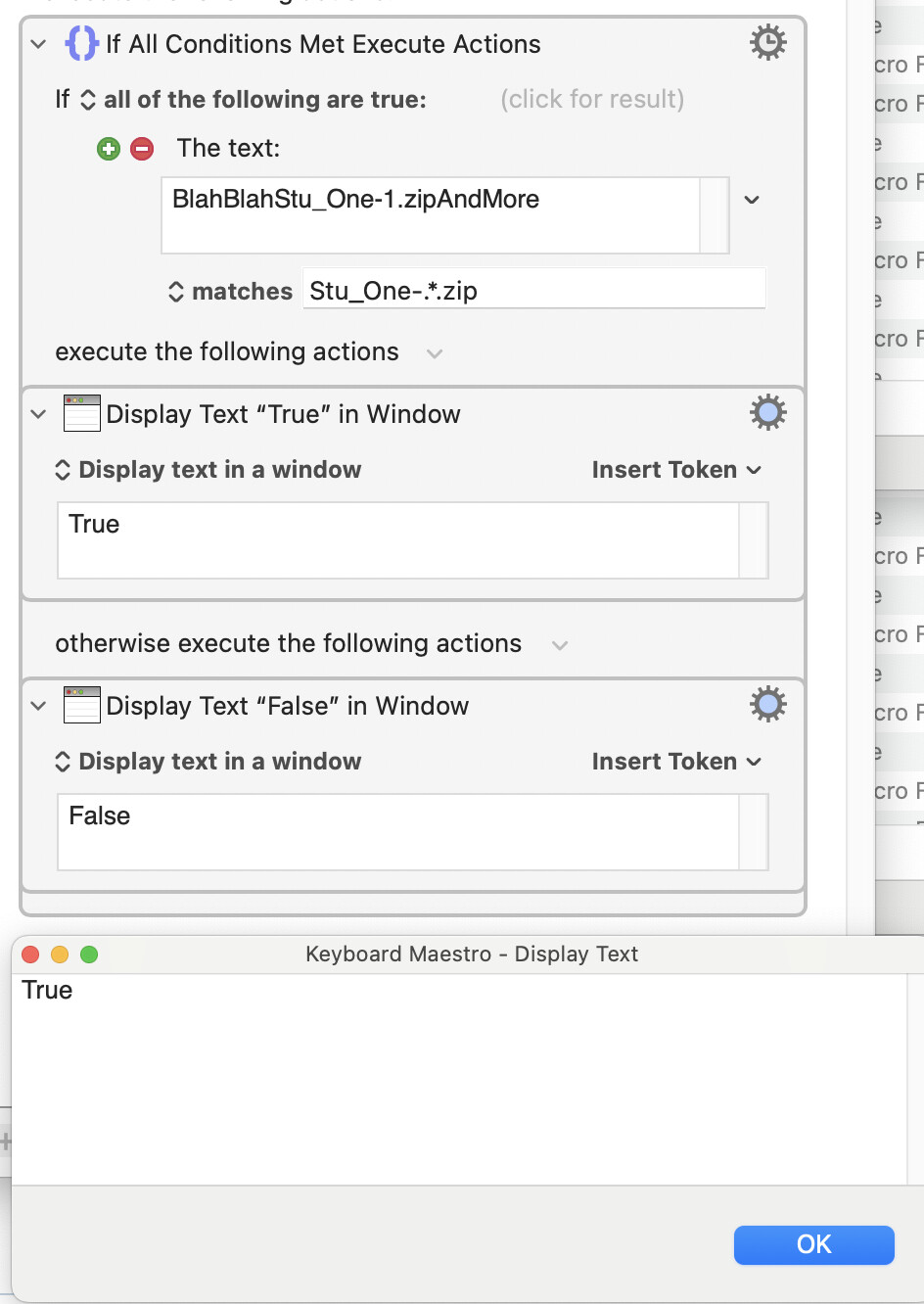
I have managed to get all the individual steps to work except my macro does not recognize the file. I am missing some KM-specific way of doing this… Below is the key step in my macro, and I have tried many permutations of regex, also when using “contains” and “is”. I am on macOS 15.7 and KM 11.0.4. Any suggestions?
Hi both, and thanks a lot for the tips. I did try various versions of the regex @kevinb (no joy), but the biggest clue is that @kcwhat ‘s macro doesn’t work on my machine either. However, when I change in kswhat’s macro the condition to “contains Stu_”, the macro works (this is also true in my macro). It is as if the condition “matches” did not recognize regex (when I put the full name of the file with “matches”, it is correctly recognized). Regex in my terminal works fine. I have checked all settings in KM and there is nothing that could be related. Any suggestions?
So there likely is something else in my system that must prevent this.
Have a look at the wiki entry for Folder Trigger and you'll see that the %TriggerValue% is the complete path of the file and not just the file name. That's why the use of contains works and matches doesn't.
Just replace the regex you're using with one that will match the complete path.
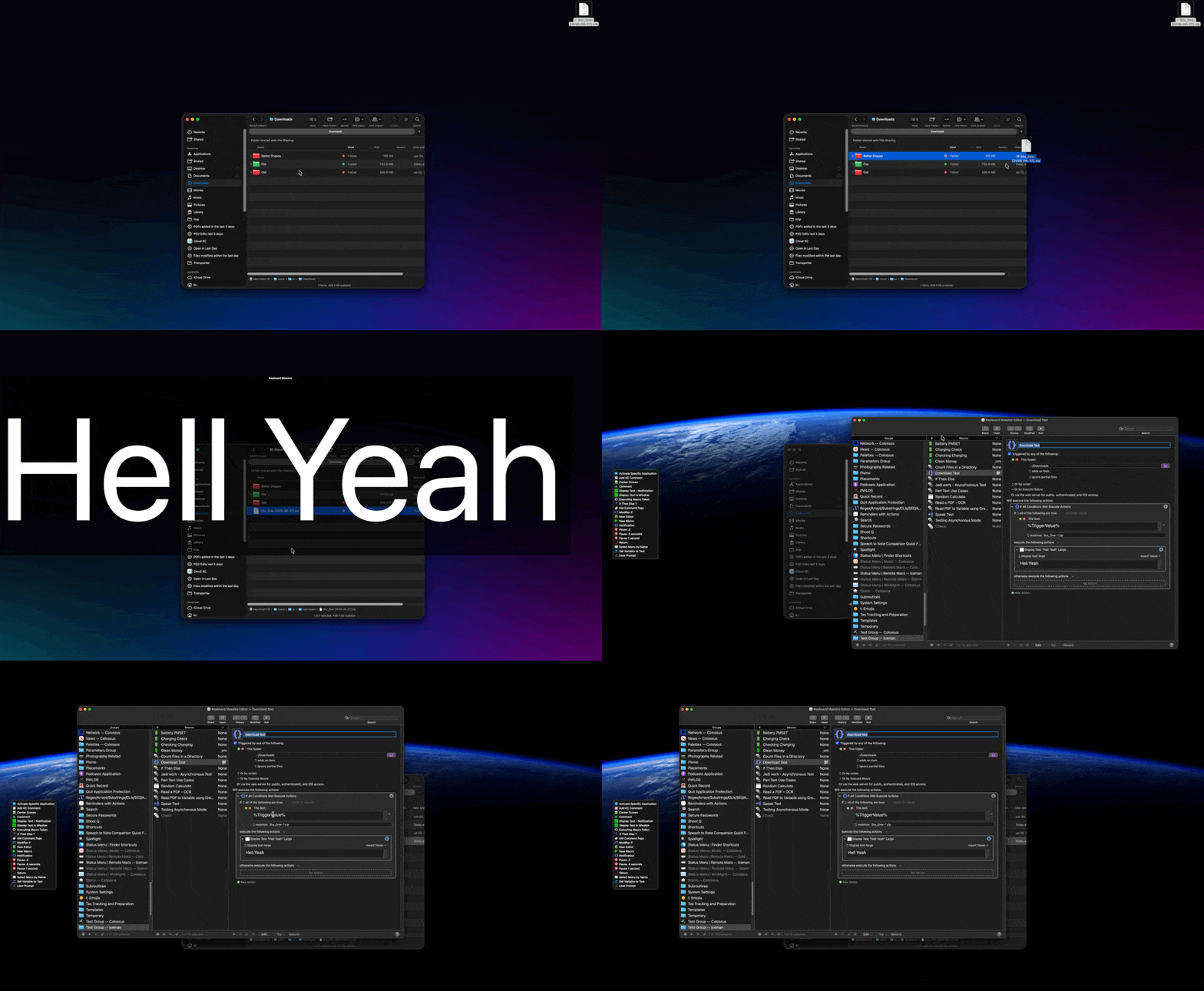
Can you post your macro so we can take a look? We don’t need a zip file or anything and any other data in the macro can be removed. Folks would simply test if it would trigger.
Ah, so you had seen my faulty reply before I deleted it! I didn’t want to confuse the issue, so I got rid of the reply seconds after posting it… too late! I shall just recap and explain where I went wrong.
It’s my habit (apparently my unthinking habit by now!) to escape a dot (/full stop/period) when trying to match the string that it is part of. For example, the regex pattern to uniquely match com.apple.finder.plist would be com\.apple\.finder\.plist. If the dot is not escaped with a backslash, the regex engine will interpret . as meaning “any character” (as you probably know, because you used the pattern .*).
What I had for a moment overlooked was that the .zip part of your regex pattern was fine in this instance, because although it did not uniquely match the string .zip (it would also match qzip, xzip and many more alternatives), it would still match .zip!
So I apologise for that oversight! Again, welcome to the forum… and take @tiffle and @kcwhat’s advice.
OK so the remark by @tiffle was important; after I included “everything before the Stu” in the regex, the file started to be recognised (also, it looks like slashes and dots before file extension do not have to be escaped). However, the fact that it works still confuses me, because I don’t understand how it could work for @kcwhat.
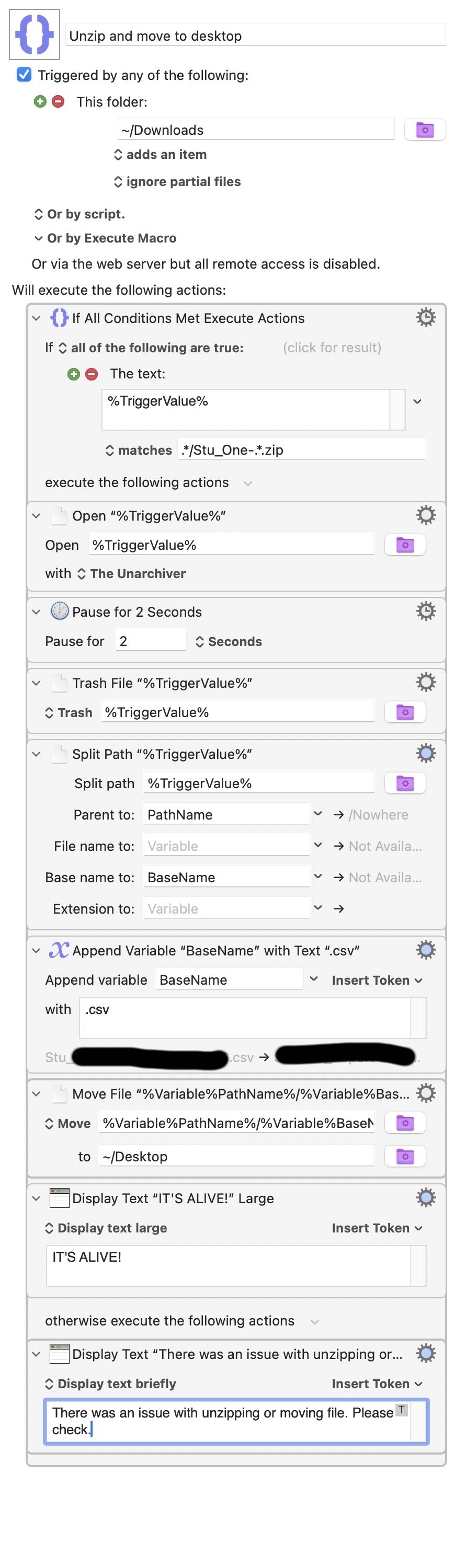
The subsequent steps turned out to be a bit more complicated than I expected and required manipulation of paths, but I figured it out. Below is the screenshot and a slightly sanitized macro file. Thank you all for your kind and constructive help.
Forward slashes don't have to be escaped. .s do have to be escaped if you want them to only match a period character -- your version works because it matches "any one character followed by zip" and that "any one character" includes a period. So your pattern will also match files with a .gzip extension as will as a folder called Stu_One-mustn'tzip.
I think you had something else going on there, since @kcwhat is right -- "matches" will be true if the pattern occurs anywhere in the string you are testing:
...but we'd need to see your original attempt and have sample file names to dig further.
Be careful with that "Pause", though -- there's a chance, however slim, that you'll rip the file out from under Unarchiver's nose. Is there any way you can check if Unarchiver has finished?
And I don't quite understand your "If" Action's purpose here -- you'll get the "There was an issue..." text for everything added to Downloads that isn't a zip (probably including the thing you've just unzipped!), so it isn't an indication of an error. If you are trying to ignore non-zips then leave the "otherwise" section blank or, better yet, put in a "Comment" Action that says you're deliberately doing nothing there (your future self will thank you for that ).
sorry for the delay, I only have a couple of comments to @Nige_S post (thank you!). Your example with “matches” was what I has expected to happen, but I will need some more tests to figure out what’s going on, it’s weird. What is also weird is that the last “if” output (“There was an issue”) does not activate for any non-zip file in my Downloads. It behaves as if it was only evaluated if something goes wrong with the Stu zip file, not with any other file. However, I haven’t confirmed this because so far I had no issues with the macro.
Lastly, the zip’s quite small (~15Mb file) so two seconds is plenty for the unzipping to happen; I also have no idea how to check if Unarchiver is done (actually, Unarchiver can delete the source zip itself, so I could set it up to do so and check if the file is gone; conversely, I can also check if the csv appeared before allowing the macro to proceed).
Upload your original, failing, macro and maybe someone here will spot the problem. But a common issue is when you Copy'n'Paste into a text field and accidentally include a trailing linefeed -- that isn't immediately obvious in the UI.
That is weird, because your fixed version does that every time for me. It's easy enough to check, simply Finder copy or move any file whose name doesn't match that pattern into your Downloads folder and see what happens...
I haven’t used The Unarchiver in quite a while but if any of the items in its menus change while it is unzipping, you could check for that.
However, you might find it more convenient to use the Unix unzip command inside an Execute a shell script action.
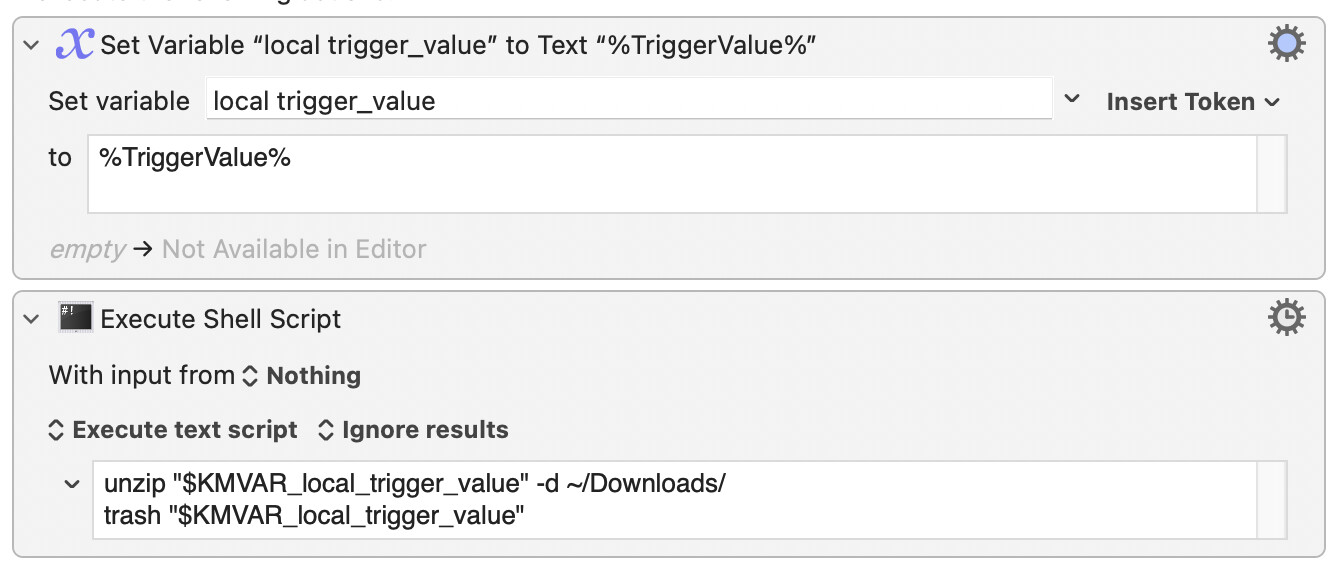
First we assign a variable to %TriggerValue% so that we can use the value in the shell script. The Execute a shell script action unzips the item at the path that is contained in the variable and then moves the original file to the Trash.
The advantage of doing things this way is that the file is unzipped without us having to worry about guiding an application that uses a GUI; we can just let the unzipping go ahead in the background, invisibly and with no fuss.
The macro could then wait till the action has completed successfully, using a Pause until action:
In practice, that can be the case but in theory, a slash should be escaped, so I think it’s a good habit to adopt.
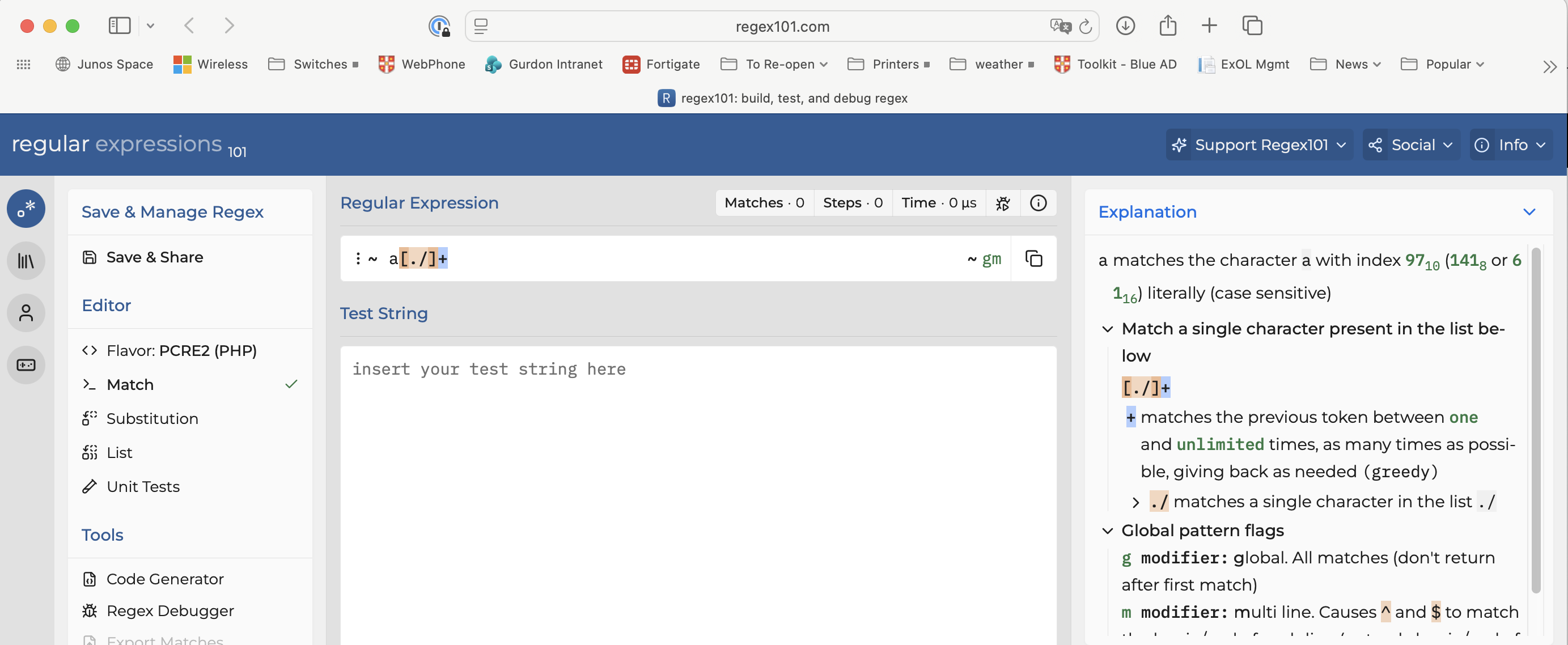
Yes, I also went into this in my reply above after I had initially overlooked that relevant factor in this case. Also, @iorek, one very useful resource about regular expressions is https://regex101.com. You can try out regex patterns there and see tips about what each element is doing.
\ -- Outside of sets -- Quotes the following character. Characters that must be quoted to be treated as literals are * ? + [ ( ) { } ^ $ | \ . \ -- Inside sets -- Quotes the following character. Characters that must be quoted to be treated as literals are [ ] \ Characters that may need to be quoted, depending on the context are - &
So no -- for us, when using KM's regex, a / does not need to be escaped. Although it doesn't hurt, and people may prefer to continue to do so for more compatibility with other regex engines.
And a good reminder that regex101, while very useful, has no option that completely matches KM's engine -- trust, but verify!
Thanks, @Nige_S, for sharing the rules laid down under ICU regex. That’s interesting.[1] I was wrong about what I had overconfidently assumed was “the theory”!
Regex101 remains correct because “the theory” that applies there is (by default) that of PCRE2 regex, under which one does have to escape the literal /.
Yes, that’s what I was trying to get at by “a good habit”. As far as I am aware[2], trying to match the literal / against the regular expression \/ will work in more circumstances than matching that character against the regex /. So my recommendation is that is the safe default if one doesn’t want to have to think about the matter ever again.
Yes, it is wise to test carefully anyway, but also the “U” in “ICU” is for Unicode, and it’s in the handling of Unicode characters that many of the differences lie. Nevertheless, I think it’s true to say that it’s helpful to recommend regex101 in the KM forum; as long as one always uses \/, differences in regex grammar are unlikely to be encountered, I think.[3]
Actually -- no. / does not have to be escaped in PCRE2 either (see pcre2pattern specification) unless you are using / as pattern delimiters. They have to be escaped on regex101 because the default delimiters are/! Change delimiters to ~ and...
I'll still recommend regex101 too, and escaping / is generally a good habit -- but I don't want it to be an unthinking one
Any other differences between ICU and PCRE2 flavours are well beyond me -- apparently ICU doesn't support PCRE2's conditional subpatterns, recursive patterns, or control verbs but does have complex character class set operations that PCRE2 lacks. And if I understood what any of that meant I'd be a lot better at regex!