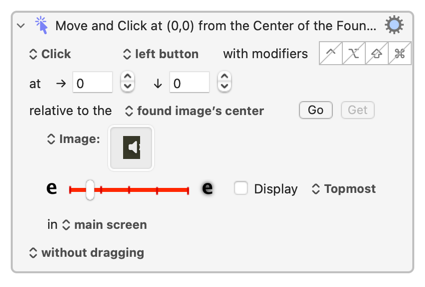
These are two different problems.
The first is that of capturing an image with the appropriate resolution to match against what's on screen. For most people (and this has cropped up many times), screen capture to Clipboard and Paste into the image well is the most reliable way of doing that.
The second is capturing an image that KM can detect amongst from all the other busyness you will have on your screen, with as few false negatives and positives as you can manage. This is where it becomes an art...
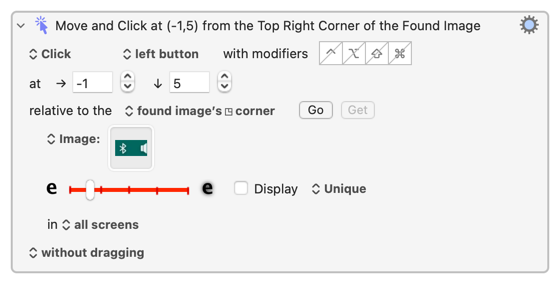
For the captured image you want lots of "differentiation". Yes, too much "non-meaningful" background can swamp the foreground when matching. But so can "non-meaningful" foreground -- to the algorithm, one collection of pixels that's 90% white looks just like any other. It can actually pay to expand the image past your actual target and then offset the click accordingly -- in your case you could also include the Bluetooth icon in your screen shot and click inside the right-edge of the matched area. Maybe:
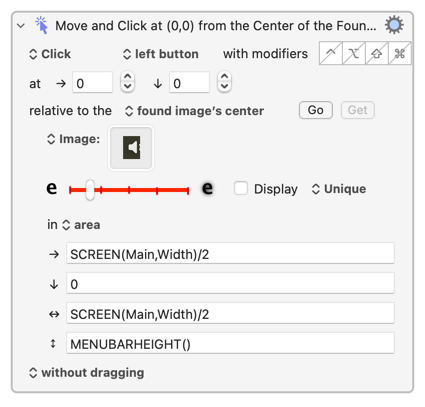
Limit the searched area if you can -- an defined area, as above, is good when you know roughly where something will be, "front window" or "window with title" is also useful, etc. Don't rely on "Unique" unless you want the action to fail when there's more than one potential match -- "Best" is usually better, "Topmost" is good choice for menu bar items (as you've found). Then start increasing the "fuzziness", testing as you go, to achieve the most reliable detection with the minimum of false positives.
Basically, play around until it does what you want! Not very scientific, I know, but every case is different so nothing beats finding out how it works for you.
But what image detection isn't is "so bad" -- loads of people here are executing macros that include image-detection many, many times a day, so it must work.
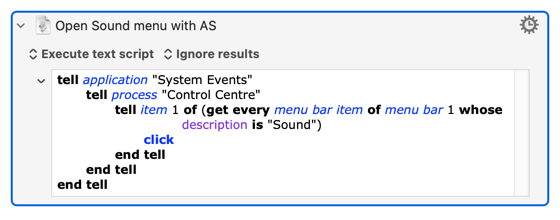
Hopefully the above will help you with general image detection. But, for the problem at hand, consider using AppleScript instead. Working with the "Sound" menu bar item has been covered many times on the Forum, and here's an action that will click open the "Sound" menu to get you started:
Open Sound menu with AS.kmactions (1013 Bytes)