This is a series of macros to Squish, Stretch, Move and Resize windows.
They replace my earlier window macros.They mostly operate on the front application window and so can be used on a number of screens, or possibly alongside other window applications.
A cribsheet can be created, if required
README incl implementation, VERSION LOG CRIBSHEET and TIPS&TECHNIQUES can be access via the top level palette.
———————————————————–
Win3 HotKey Combos
The hotkey combos used are as follows, but you can change these as required
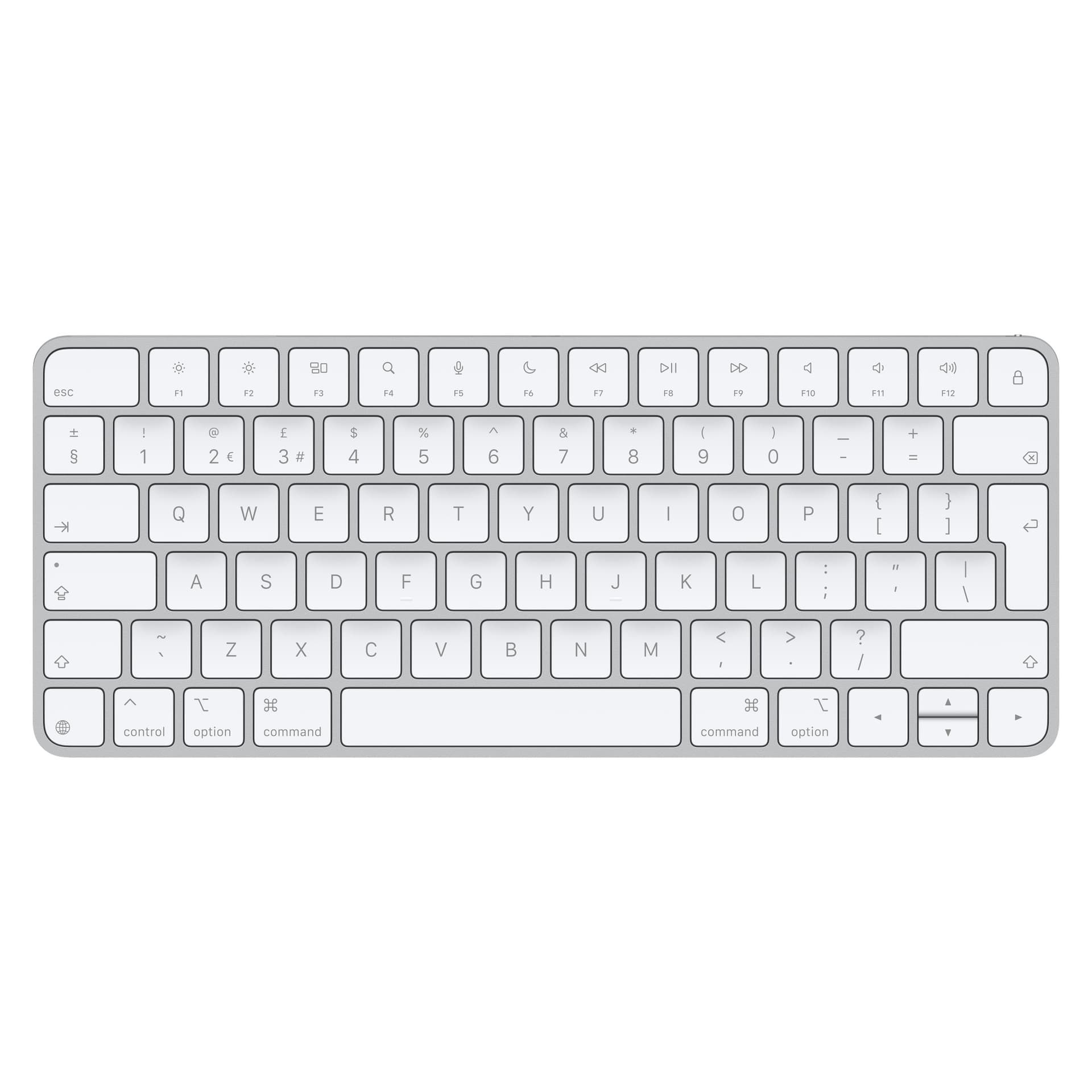
COC+char is CTL+OPT+CMD+char
SCO+char is SHIFT+CTL+OPT+char
SCOC+char is SHIFT+CTL+OPT+CMD+char
Status is the Keyboard Maestro Status menu (via KM icon in top menubar)
§ is the Section Char (Top left of keyboard)
This macro group provides the following functions COC+ § Display macro group palette
COC+ 1 Move front window to lNTERNAL screen
COC+ 2 Move front window to SECOND named screen
COC+ 3 Move front window to THIRD named screen
COC+ 4 Move front window to TOP LEFT quadrant
COC+ 5 Move front window to TOP RIGHT quadrant
COC+ 6 Move front window to BOTTOM LEFT quadrant
COC+ 7 Move front window to BOTTOM RIGHT quadrant
COC+ [ Move front window to LEFT HALF of screen
COC+ ] Move front window to RIGHT HALF of screen
COC+ ' Move front window to TOP HALF of screen. (COC+SINGLEQUOTE)
COC+ ; Move front window to BOTTOM HALF of screen. (COC+SEMICOLON)
COC+ T Move front window and TILE on SECOND screen (COC+T)
COC+LeftArrow Resize 10% narrower (COC+LEFT ARROW)
COC+RightArrow Resize 10% wider (COC+RIGHT ARROW)
COC+UpArrow Resize 10% taller (COC+UP ARROW)
COC+DownArrow Resize 10% shorter (COC+DOWN ARROW)
COC+BackSlash Squish window in steps (COC+BACK SLASH)
COC+ForwardSlash Stretch window in steps (COC+FWD SLASH)
COC+8 Resize at 70% from Top Left Corner
COC+9 Resize at 90% from Top Left Corner
COC+0 Resize at 100% from Top Left Corner
COC+ ( ` ) Debug: Display variables (COC+BACK TICK)
COC+ ( , or . ) Unused: COC+COMMA; COC+FULLSTOP
SCO+1/2/3/4.. Move front window to screen1/2/3/4.....
SCO+A Bring All Front Application windows to FRONT.
SCO+Z ZOOM front application window
SCO+C Console: Open KM Engine Log in NOW mode
SCO+E EngineLog: Open KM Engine Log using SHELL
———————————————————–
JGLp [Win3] 
 Window squish, move and resize Macros.kmmacros|attachment (328.9 KB)