Apologies to the extent this has been answered elsewhere as I could not find complete answers in the Wiki, other form posts or the internet (in general).
I am playing with the idea of using nested palettes as I have several use cases where they would be helpful but do have few questions. The first of which is to replace Logi Options action ring functionality have moved to BetterMouse.
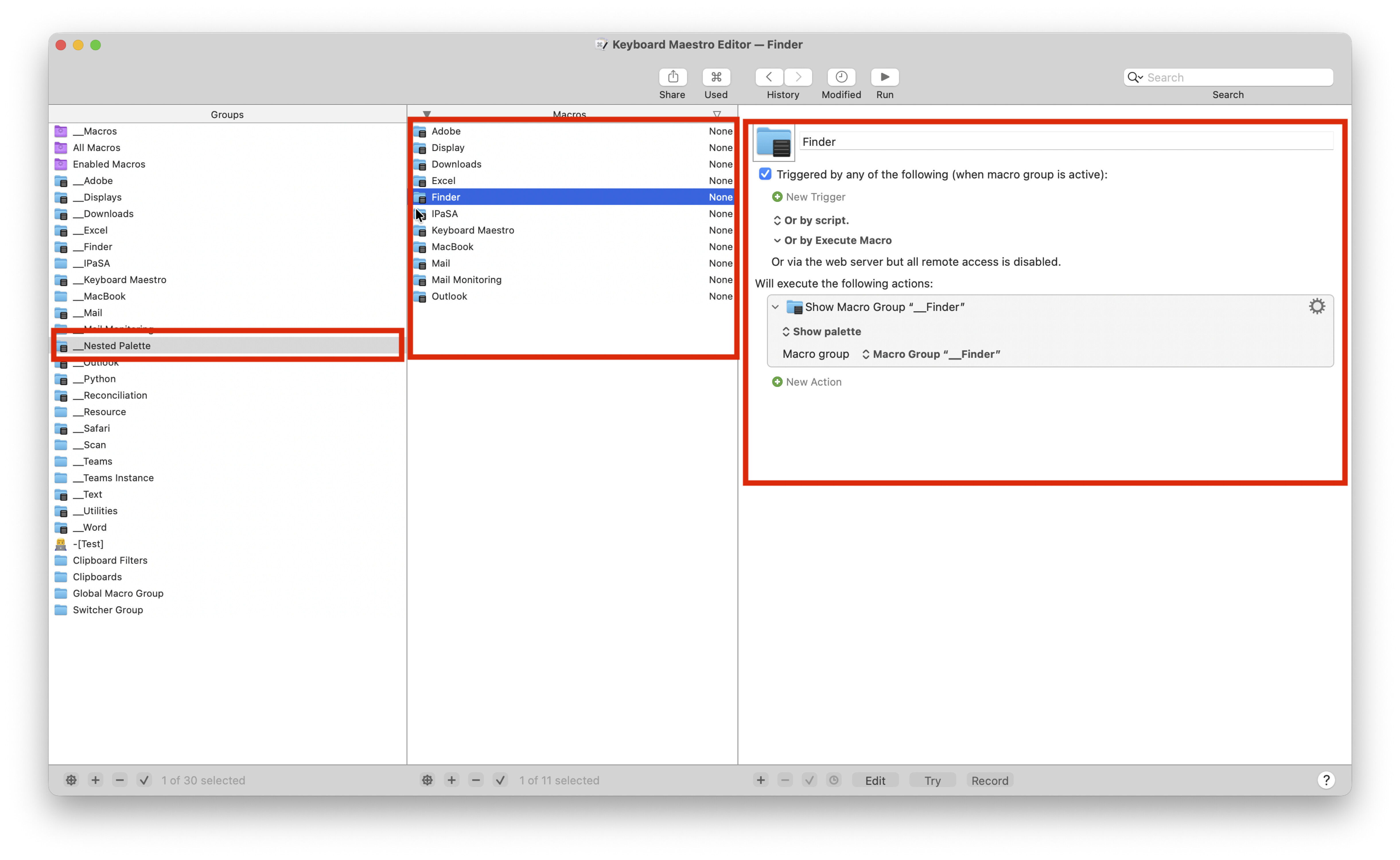
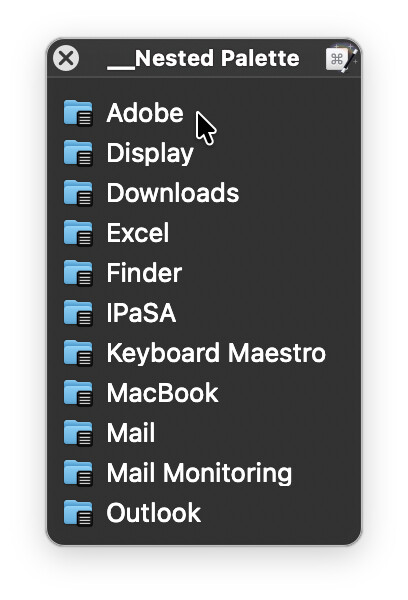
As to building nested palettes I believe the preferred approach is as detailed below as the sub palettes do not include the words [Macro Group] and appears as below:
a) Create a macro group that creates / spawns the nested palettes, let's call it Nested Palettes
b) Create macros therein, one for each desired nested palette
c) Each macro therein contains one Show Macro Group action.
Is there a better / preferred method of building nested palettes and, if yes, what is it and why is it better?
Is there a method of controlling the position and/or the size of the parent palette and the nested palettes so that the palettes do not appear where they last appeared. The idea would be to have the master palette appear under my mouse and the nested palettes appear to its side?
Is there a way to make the palettes work like a "decision tree" and expand / collapse as I move my mouse over them as opposed to have them either open / close as this would be far cleaner once the desired macro was selected.
Are there other attributes, best practices, or things I should know when building nested palettes.
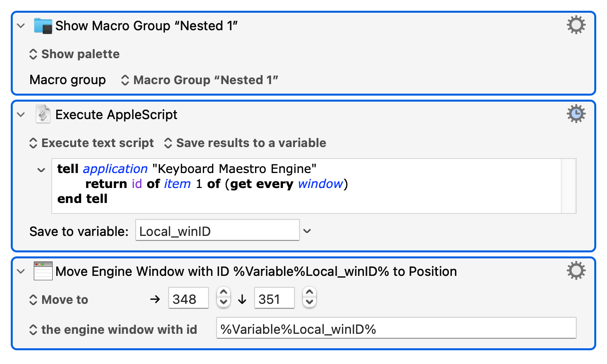
Palettes don't seem to either a) return an Engine window ID, or b) honour "Next Engine Window Position" (possibly bugs). You can reposition them after spawning:
...but that means a spawn-and-move which you might find annoying.
Perhaps the closest you'll get without that is to have all your sub-palettes set to "Place palette under mouse" too, so you always have the palette positioned over the parent and with the first item under your pointer.
They're palettes, not menus with sub-menus.
Perhaps a job for an AI-generated swift script? They seem to be all the rage these days... You'd be looking at something analogous to a contextual menu, your top-level listing all the Macro Groups and each item containing a list of macros within a Group.
Apologies, I should have stated that I tested that.
I do like your solution as it means I can get them where I would like to. I will give it try and see whether it is too jerky though I will likely move them in the AppleScript as it may be faster? What do you think?
Agreed as to teh solution but likely something I will stay away from. I did do one thing in Swift which worked but I think I can get this to work well enough within Keyboard Maestro .
I have created a lot of Python Script using AI but as I start t dig int them as I have gotten better at Python I am not liking what I am seeing, so will try to avoid this for now