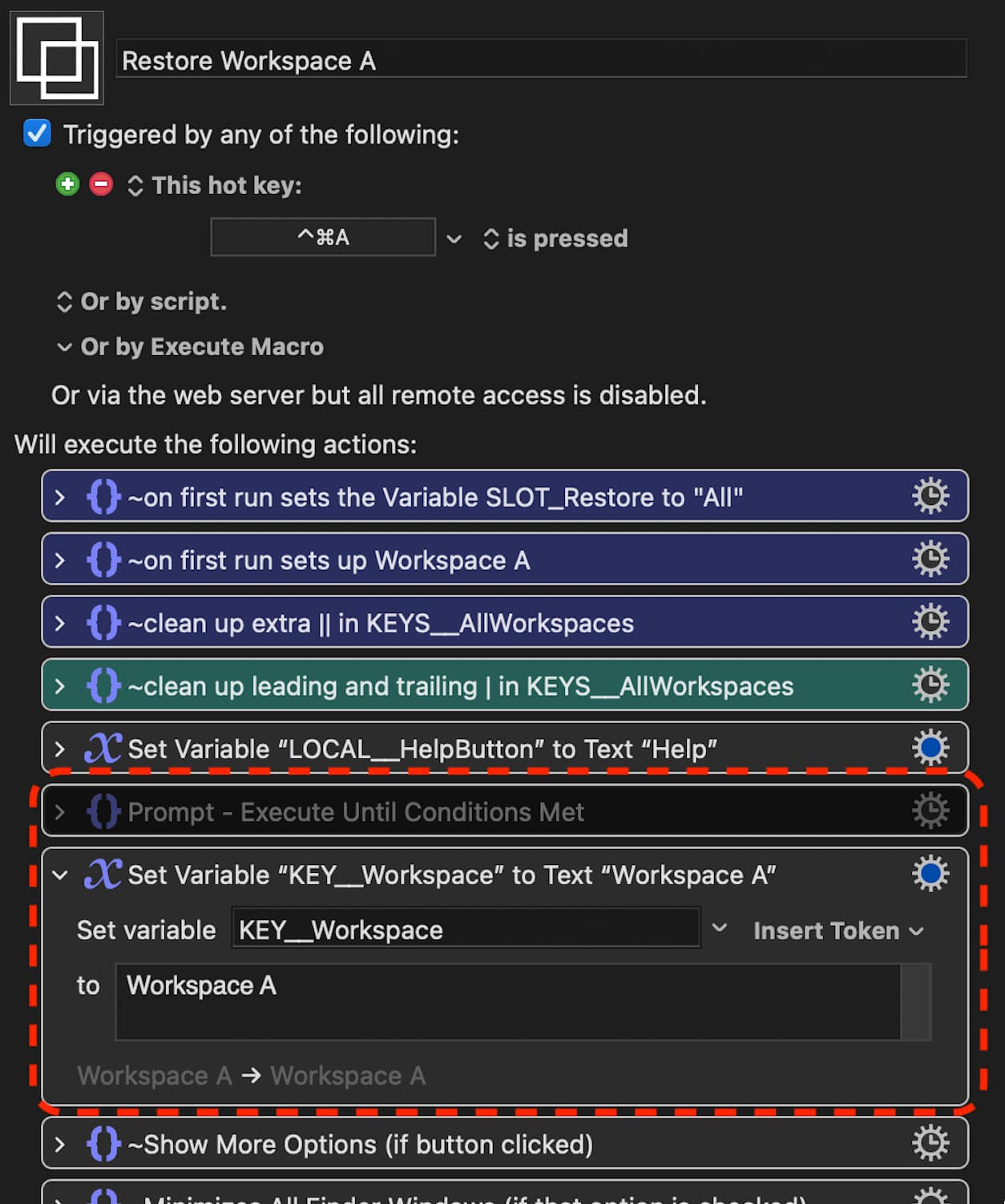
Version 3.08 adds a "Help" button with detailed instructions.
Trying to strike a balance between keeping the interface as simple as possible whilst still providing instructions on how to actually use these Macros.
This was a regional language issue, that meant the Macro didn't work correctly on Macs set to a System Language other than English. It was because I had used a Menu Item to pause the Macro until Apps were fully open. I'd used "About Safari" "About Google Chrome" etc as the menu item for Keyboard Maestro to look for. But for Macs set to a different language "About" is written as something else. Anyway, fixed in the latest version 3.09 and should run correctly even if the Mac is not set to English.
I'm new to KM, and running into a problem getting this dynamic workspace macro to work properly. KM 9.2, Big Sur. I've imported the ZDW macro, and I see it in the list of macros. And if I manually click on 'run', the macro will run. However, what is NOT working is launching it via hotkey. Nothing happens. I even assigned a new hotkey (i.e. command 1), and nothing.
I have successfully created another macro in KM and its hotkey works just fine. So I'm a bit baffled here as to why the default (and custom) hotkeys for ZDW don't run the macros.
Could be a stupid new user issue and probably is....but I can't figure it out. Any help would be greatly appreciated.
When you import a downloaded Macro or Group the Group will come in disabled (for safety reasons). You have to enable the Macro Group for any of its Macros to be triggered by hot keys.
Thanks for the v4.04. I like the new addition "Minimize Other Finder Windows". I'm getting Stream Deck today, would love to see your macros working with Stream Deck. Probably I'll be in touch for the next couple of days
I have just discovered this thread and this macro set. I'm excited to try it and unfortunately that may have to wait a couple of weeks or more.
Meanwhile, I'm free-associating on the ideas.
I'm wondering how this workspace concept can be integrated with Mission Control's multiple desktop/workspace concept. I'm an avid user of multiple desktops/workspaces, I currently have 21 in use.
The best way I've found to keep track of them is a tool called CurrentKey Stats, which keeps statistics on which apps you have active in which workspaces, so you can separate Xcode work between Client 1 and Client 2, for instance. CKS allows you to assign names to Mission Controls numbered spaces, and it preserves the names when you rearrange the order of the spaces, where MC renumbers everything. By combining CKS and KBM, my most frequently used hotkey, by far, is the hotkey that takes me back to the previous desktop/workspace. So many different things can pop me over to a different desktop, sometimes intentionally and sometimes not, and being able to return to where I was has been wonderful.
The basis of this Macro Group is fairly simple and uses a combination of Keyboard Maestro's inbuilt Actions to save window coordinates to Dictionaries and then restore those Windows and their coordinates later. In the latest version 5.02 (uploaded 22-04-14 replacing version in the first post) I've started using Keyboard Maestro Subroutines which makes it a lot simpler to work out what the Macros are actually doing (by just looking at the Subroutines).
I've no idea if you could adapt to work with multiple desktops/workspaces as I never use them. But with Keyboard Maestro anything is possible! Or check out @_jims solution which is directly related to what you are looking for I think.
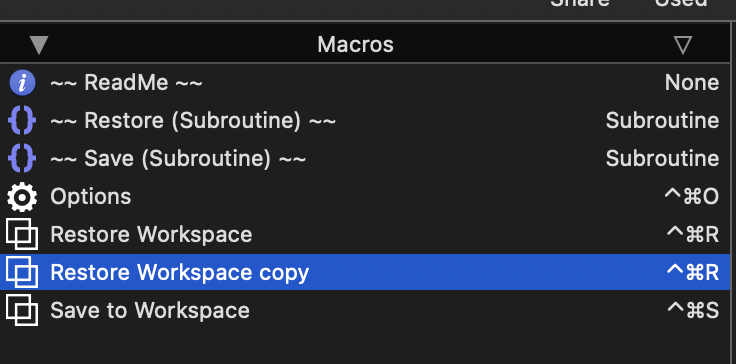
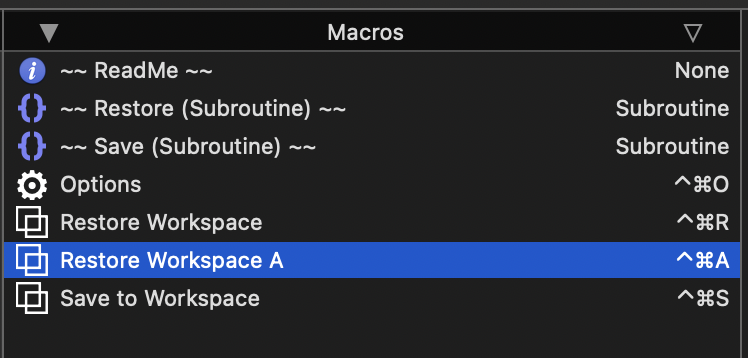
Rename that duplicate Macro to something like, "Restore Workspace A". Give it a new hotkey, or whatever other trigger you want to run it. In this example I have given it the hotkey ⌃⌘A
Thanks for your work on this, it's a great macro. Two questions:
Is there any chance for this macro to open up two windows of the same application? I use Omnifocus and normally open up two windows when working on it.
Is there any way for this macro to figure out if I have multiple windows of the same application open and move both? Example: When I am working on my laptop I have Omnifocus open with two windows in one space. When I connect to an external display, I have Omnifocus as the only application on my laptop screen. The workspace I have set up only sets up one window on the laptop screen, but leaves one Omnifocus window in the space on external display.
One additional thing. I don't know if it's a bug or if I'm using the macro wrong: When restoring workspaces, the macro doesn't move already open windows of Omnifocus and Vivaldi, but places them in the right space if they are closed. Any idea what could be happening there?
Edit: It seems to not move windows to the correct position if they are already open in other spaces. This applies to all application.
Edit: Omnifocus always goes to a different space than I save it in.
In its current form only Finder can have multiple windows saved in each workspace. I'm sure it would be possible to change this but I haven't worked on this collection of Macros for some time so, I can't give a simple answer to that. Each of the 8 "slots" are simply holding the data required to restore a particular App's window to where it was when the data was saved. It would take a bit of editing but I don't see any reason why a version couldn't be made to save multiple windows from the same App.
The Macros take no account of "Spaces" which could be the reason. I never use Spaces so, I have no idea really
For web browsers, I incorporated Safari and Chrome but no others. I have never used Vivaldi but I am sure you could adapt the Macro to work with it. If you take a look at the way the Safari and Chrome window data is saved it might be simple to adapt that to the Vivaldi app.
If I have the time I will take a look at the points you are asking and see how simple they would be to address.
It's been over a year and I don't see anyone else addressing your issue.
Are you still having this problem or did you find a solution or workaround?
I've been working with Spaces a lot -- I currently am using about 30 of the 45 I have created. I have tried many different approaches to the problem of getting applications to reopen in the space that I want them to. In most cases for me, this is after a reboot. In another case, to switch Spaces I activate an app that has a little window on each Space. Unfortunately, when I switch the Desktop focus to a new space, that is the frontmost app. And being unobtrusive, I don't notice and I often begin to type or paste in what I imagine is the frontmost app, so my typing or pasting gets captured by the little Desktop Space ID window. I'm working on ideas to fix that.
So I have some perspective on what might be going on that is annoying you, Gud, if you're still interested.
In brief, when Zabobon's system attempts to open an app that is part of a workspace, if it's already open, then the MacOS decides that it's not necessary to either open it again or move it. It will just take your focus to the Desktop that already has the app. That's the OS.
Zabobon would have to look for the app being already open and then use a different operation to open a new window in the app, if the app even supports that, or move the existing window to the desired Desktop. I move windows between Desktops a lot and a use a system similar to @_jims's "MACROS: Desktop Spaces • Macros to Improve Navigation and Window Management, v4.0".
I'm pretty sure you would need to write your own window-moving macros that mimic the basic window moving process: click and hold the mouse on the window title bar, then switch Desktops, then release the mouse. You would have to insert that with the necessary testing logic into Zabobon's system. Or write it as a cleanup process if you detect an error in the constructed Workspace.
That's for already open apps. For poorly behaved apps, it's a different story. Some apps are very good about spaces, some adequate, some annoying, and some seem downright malicious. For instance, whenever I reboot, I can count on my KBM editor always being right were I originally put it, in Desktop 13, which I call "[K] Keyboard Maestro ⌥⌘K". (I put both the menu choice and the hotkey for the Desktop into the name, it makes many things so much easier to do. I change Spaces by menu or hotkey, so if I add or remove Desktops to the left of "[K] Keyboard Maestro ⌥⌘K", the number 13 can change without my caring.)
In contrast Preview is very annoying. I can have a dozen Preview windows in Research, Books I'm Reading, Financial Admin, Editing, etc., and on reboot they all end up in whatever Desktop was activated by whichever was the most recent app to restart. And since on reboot apps do not necessarily open in the exact same order every time, all those dozen Preview windows are not consistently in the same wrong Desktop.
Any or all of these issues, and more, could be affecting how you get Omnifocus to behave well with Spaces.
If you could tell me a little more about your current symptoms, if any, I might have some ideas.