I have a number of paragraphs that each contain new lines within them.
I want to create a prompt with list that asks me to select one of these paragraphs. However, the "prompt with list" action breaks up multi-line text into new list items.
What's the best way around this? (I'd be fine with a list of labels instead of the paragraph contents themselves).
This is the old problem of trying to determine paragraph endings when each line in the paragraph ends in the same character as the end of the paragraph itself.
So perhaps the easiest solution is to ask you if each paragraph is separated by a blank line or something different from the simple newline character that ends each line in the paragraph. If so, the solution should be easy. In other words, how do you, as a smart human being, determine the starting point of a new paragraph? In the following example, how many paragraphs are there:
It was a very dark and a very stormy night.
The next day, however, was filled with sun.
A week later, it was dark and stormy again.
These lines are the same length, each one followed by a newline. Since there's no unique marker between paragraphs in this example, it's impossible to tell if there are actually 1, 2 or 3 paragraphs.
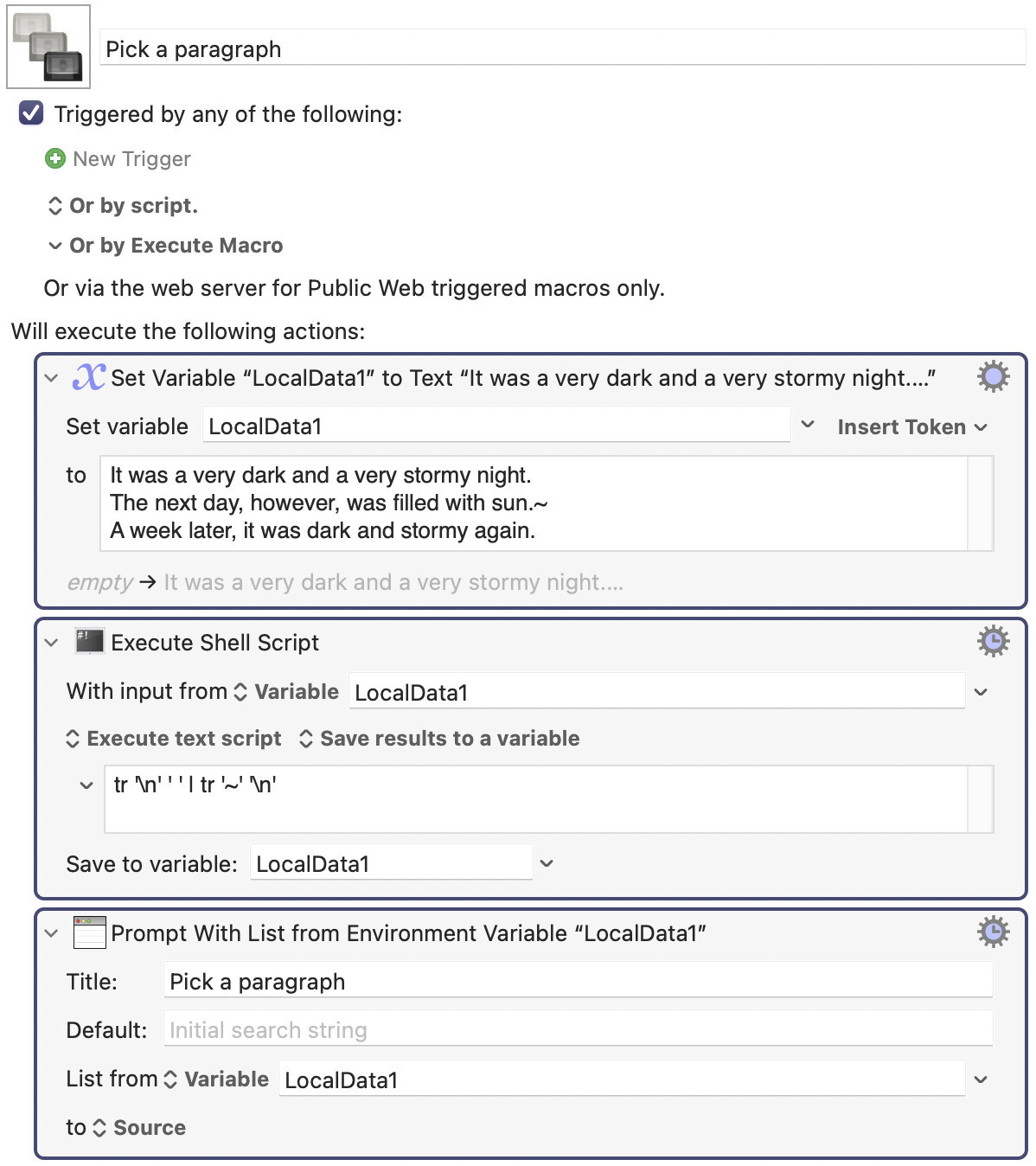
Ok, then it's possible to prepare a solution. Tilde is a great delimiter for this purpose. That's the character I use. Give me a couple of minutes to come up with a solution for your situation.
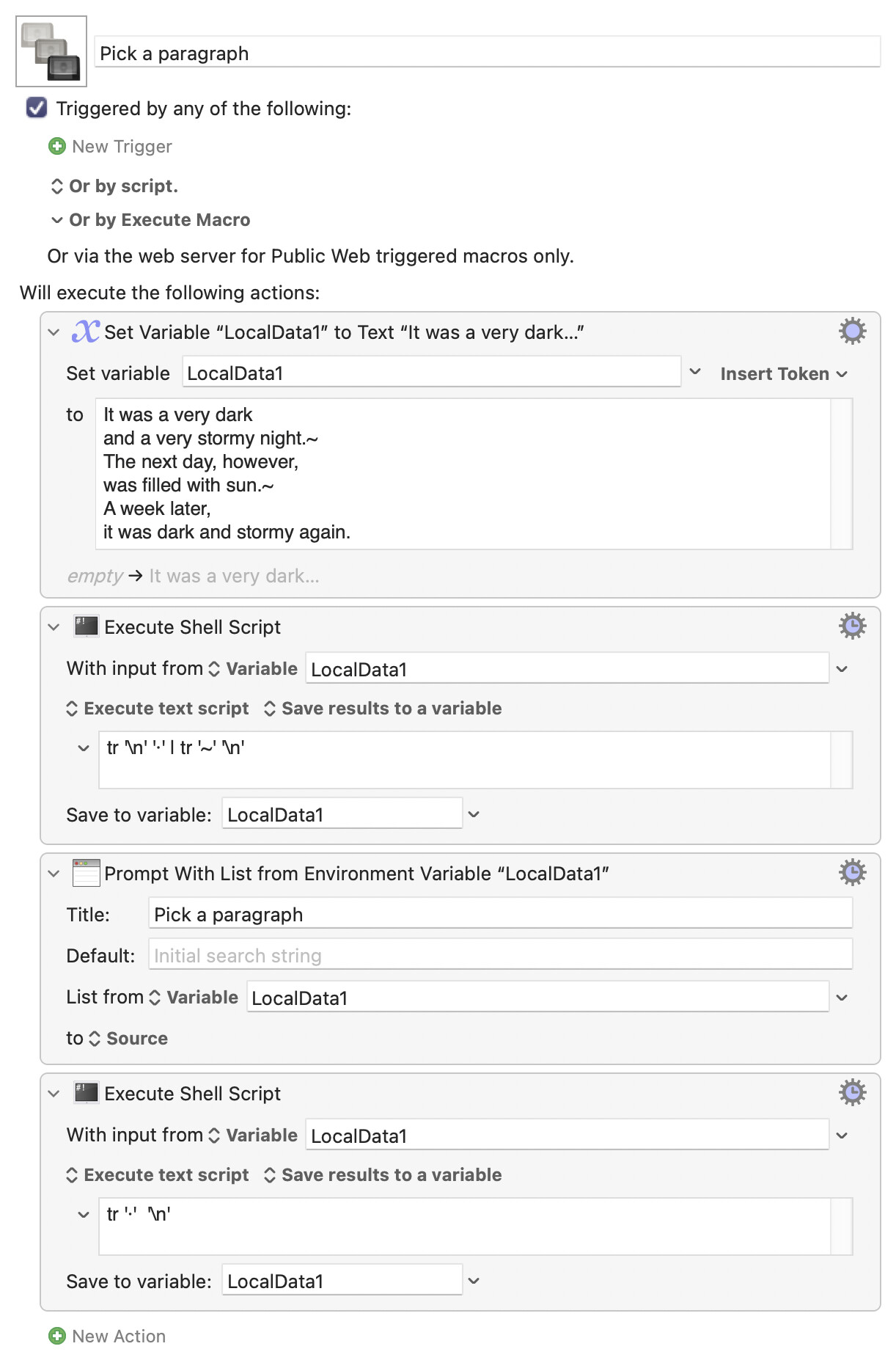
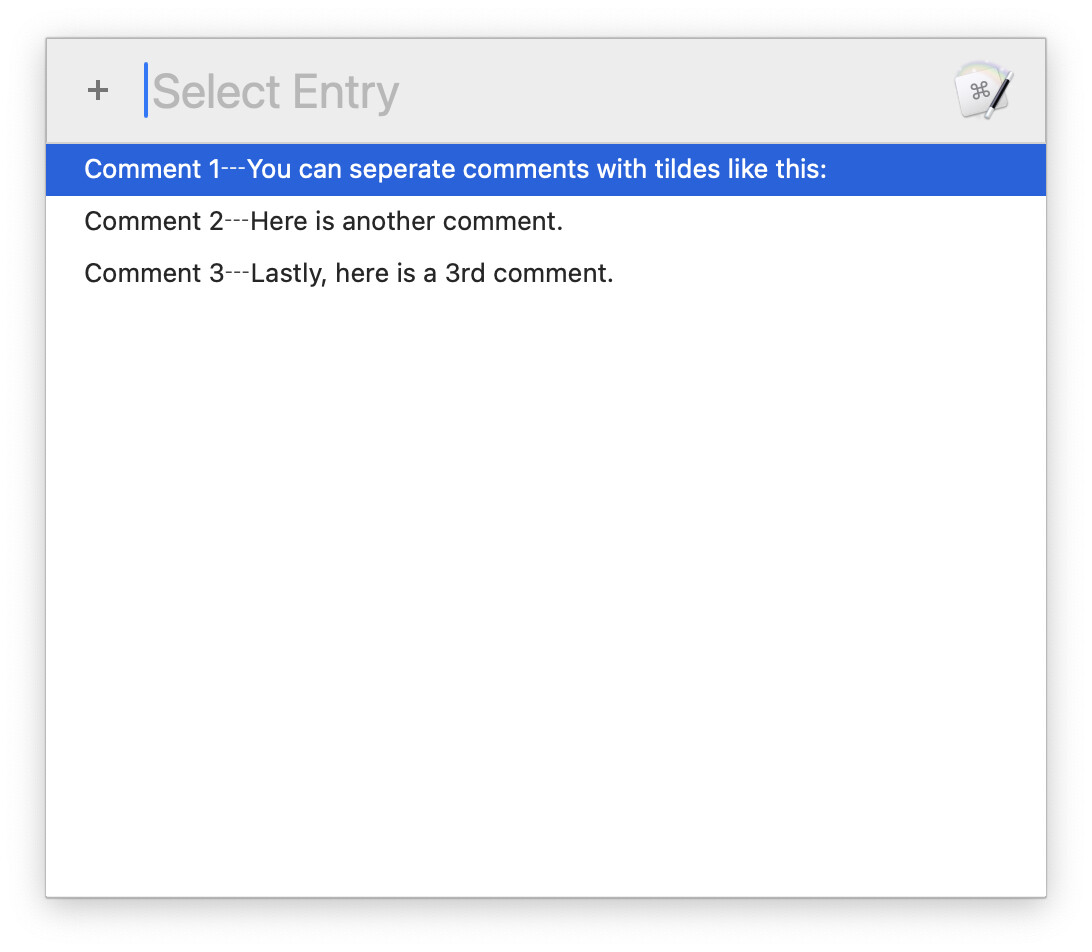
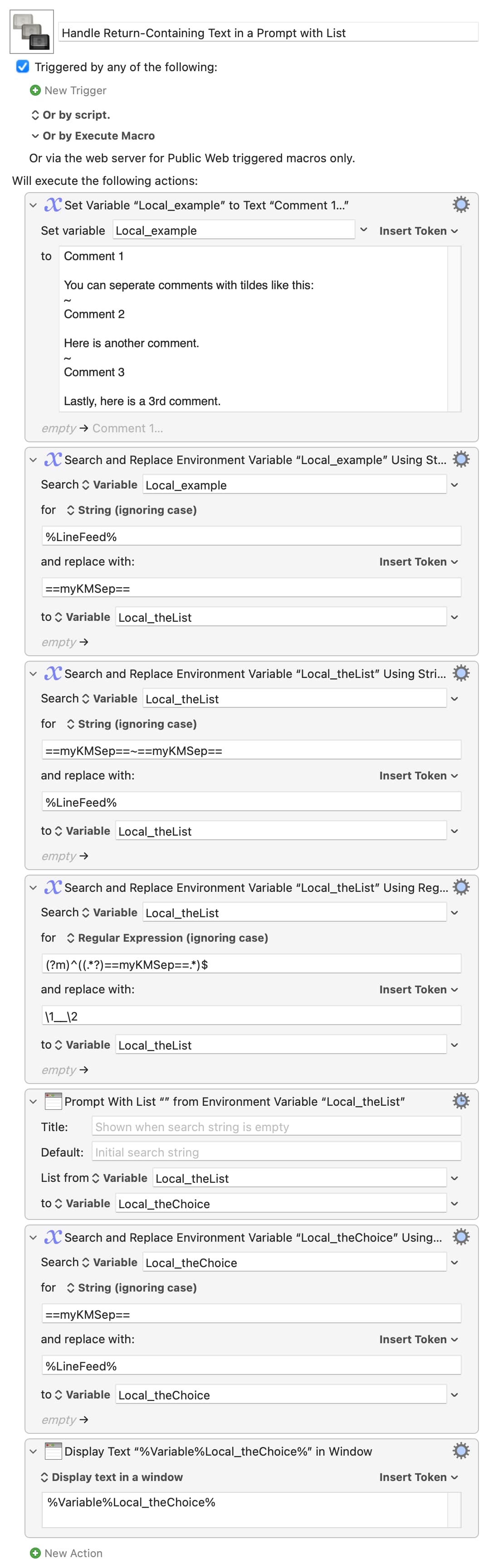
Here's the approach I usually take. Each tilde denotes a new paragraph.
Then what currently separates one "paragraph" from another? Do the newlines need to be retained when the list item is chosen? What's the final destination for the text (if it's Word or similar you'll want soft breaks within the paragraph anyway, so you can properly apply paragraph styles)?
You always try to get to the real question behind the visible question.
Indeed, I admire your approach to solving all problems on this website.
It often makes me wonder if I should bother being on this site anymore.
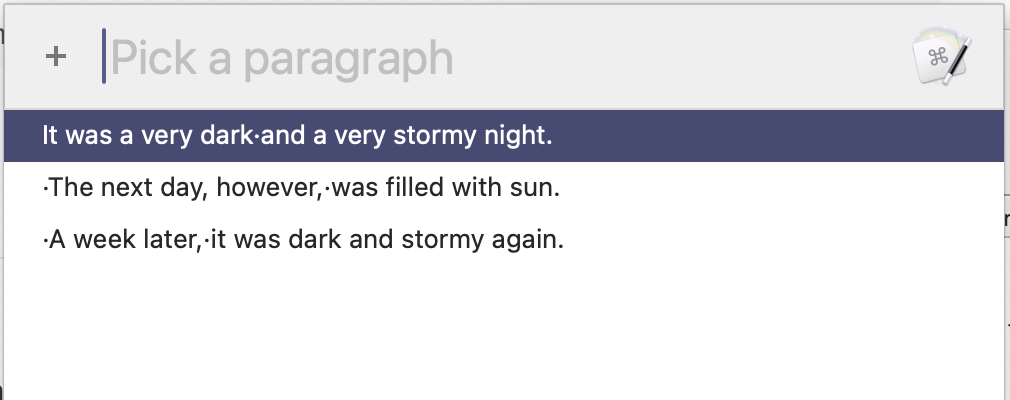
Those tiny dots represent where the "newlines" were. They will be replaced by newlines after the user selects a line. Don't worry about the leading newlines, because the Execute action trims that by default.
P.S. I forgot to mention, you probably want to uncheck the "sort entries" flag in the Prompt with List action.
I think your best options are either:
a) Use a custom HTML prompt.
b) Use two "async" Prompt for Input/Snippet actions placed side by side (by adjusting their window positions), and wait for one of them to return a result.
I'm not on my Mac at the moment, so I won't be able to work on this until later if no one else has provided a better solution by then.
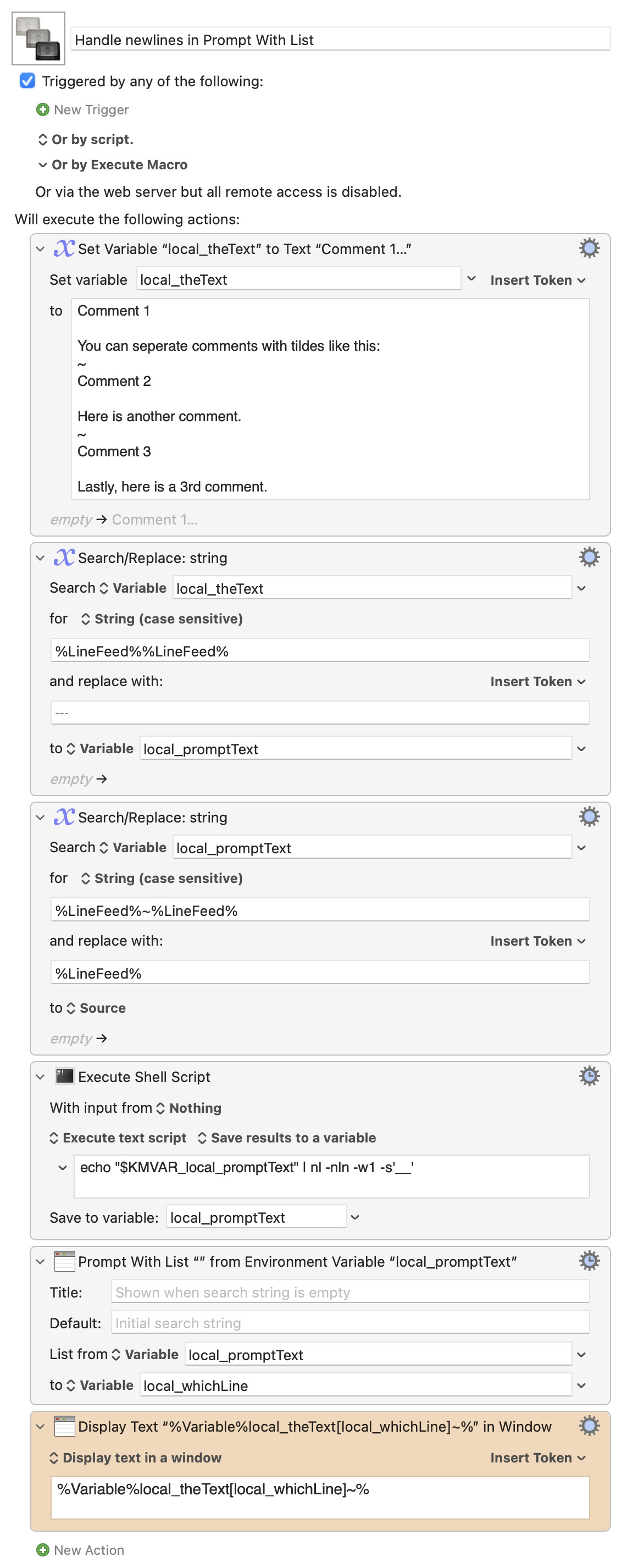
Here's a different approach: It leaves your input text alone, massages it into a usable prompt format, then uses array variables to look up the original unmodified string:
Handle newlines in Prompt With List Macro (v11.0.4)
The only really tricky bit is the shell command, which prefaces a line number and two underscores in front of the text—so that when you pick an item, it returns a number. That number represents the position of that text in the original array, which is what's then shown at the end.
I like this one because (other than the massaging based on how many line breaks are between entries in the source text) it will work for any layout of the source input, and the prompt text is clean:
Here's a simple "Search and Replace"-based method that uses "friendly values" to present a list of first lines to choose from, returning the entire chosen "paragraph":