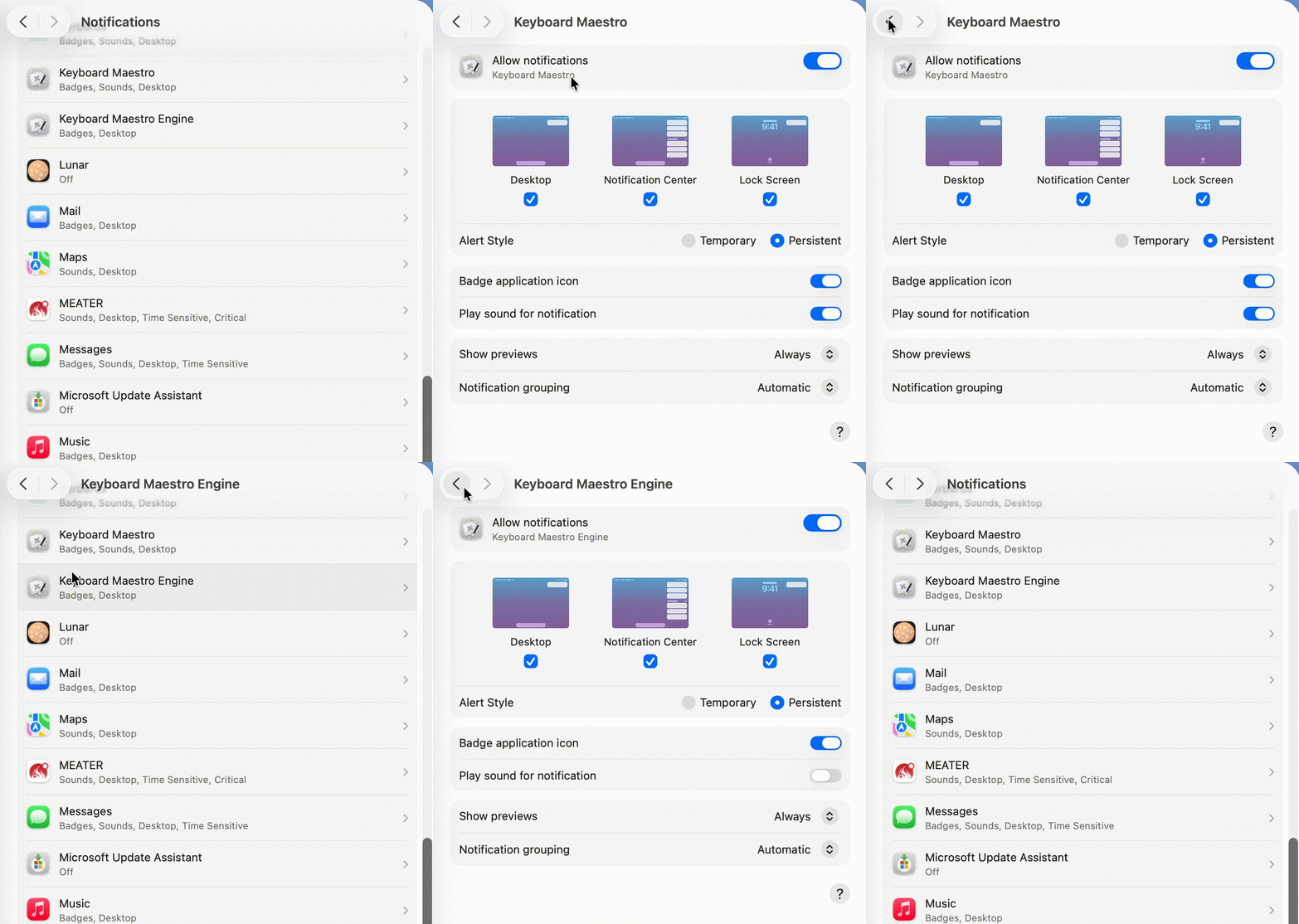
I've read the wiki yet still "Display Text Briefly" never works in my hands. I understand it uses standard notifications and so I'm showing a screen recording of those settings. How should I changed them to get it to work?
update: I just restarted my computer and saw all sorts of notifications in the upper right. I cleared them all and tried to run the macro. Unfortunately, it still showed no "Brief" notifications. I'm running 26.5.1 on a MacAir M3
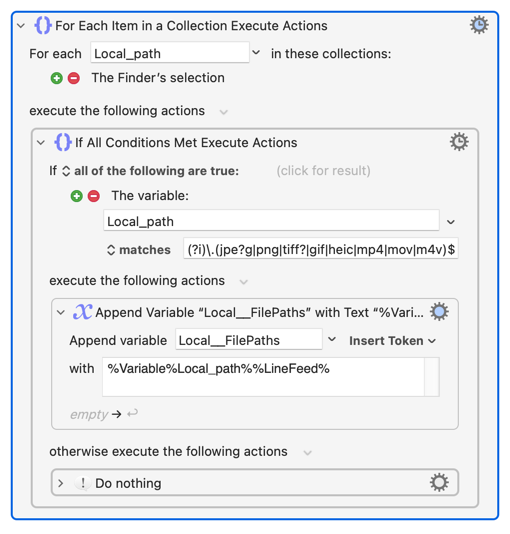
Here is a macro where it doesn't work. You have to first select image or video files and then it should display them before the prompt action. But All I see is the prompt action. I've tried placing the "Display Text Briefly" earlier and it doesn't work there either. I thought maybe it needed a pause, so I put the action to pause between all actions. I've tried many things like this but nothing works.
However, if I switch it to "Display Text in Window" it works fine.
...which, on my old iMac, is 60ms quicker -- basically the extra time it takes to instantiate the AS environment (you'd break even with a Finder selection of ~25 items, but someone better at regex than me could probably nuke the non-matching lines in one Search and Replace instead of collecting matching line by looping like I have).
@Nige_S Thanks for trying to help and for the complement.
You actually think I wrote that code? Ha!
No, I get chatGPT to do all that and I just put the pieces together. Still convinced AI is mostly branding and fad, but this thing of computers coding -- that's useful.
Nevertheless, I did try your action to list file paths and substituted it for the AppleScript. I prefer using KM actions, for debugging. But even there I spent a chat session to understand your use of (?i) which regexr.com doesn't accept and learned about why and how to do it their way.
Sigh. Computers coding is great, but requires managing rabbit hole trips.
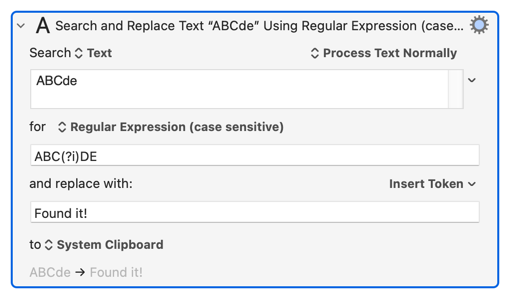
Yeah -- KM puts its regex options within (? ), which can be really handy because they don't have to be at the beginning of your pattern (despite what the Wiki says) and only take effect after they are used. So the pattern:
ABC(?i)DE
...is case sensitive to match ABC and case insensitive for DE, as you can see in the preview at the bottom of this Action:
It's always worth starting at the KM Wiki when you have a KM question -- if nothing else it will give you extra context you can use in your LLM chat, and more context means better answers. In this case you'll see from the Regular Expressions page that
Keyboard Maestro uses ICU Regular Expressions...
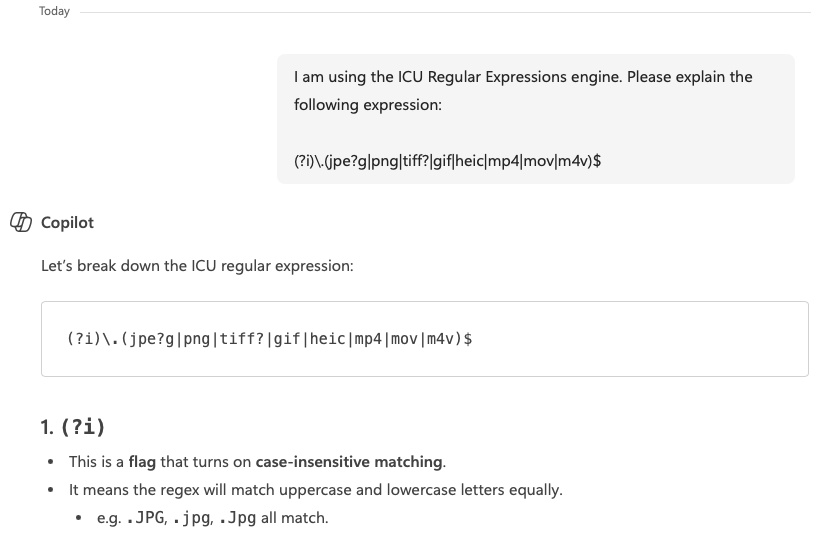
... so, if the rest of that page doesn't explain things enough, you should include that in your chat so the LLM knows which of the many flavours of regex you are using:
Most of the time that isn't needed for explaining regexs -- the LLM can infer the engine if you are using any special constructs. But it's good to include it when asking the LLM to write you a regex, to make sure it doesn't throw you under a bus by using some weird JavaScript-only construct