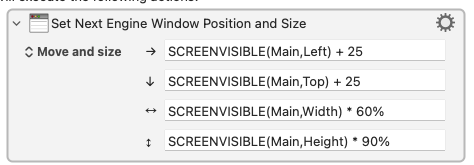
Quick question, is there a way to control the size of the window?
Manipulate a Window Action for existing windows (it changes/moves them if they are already present).
If you want to predefine the position of a KM Engine window (like Display Text in a Popup Window or Prompt for User Input), use the Set Next Engine Window Position Action
Appreciated and got it.
Already deep into Manipulate A Window Action.
Thank you.
A follow up.
When using Set Next Engine Window Position Action:
-
Is there a way to use a counter / variable so to make it easier to position successive widows?
-
Is there a way to automatically cascade successive windows.
I looked for both but could not find either.
Thank you.
Yes, you can. Whenever you click on a field, check the “TYPE of Text Field” indicator in the top right corner of the field:
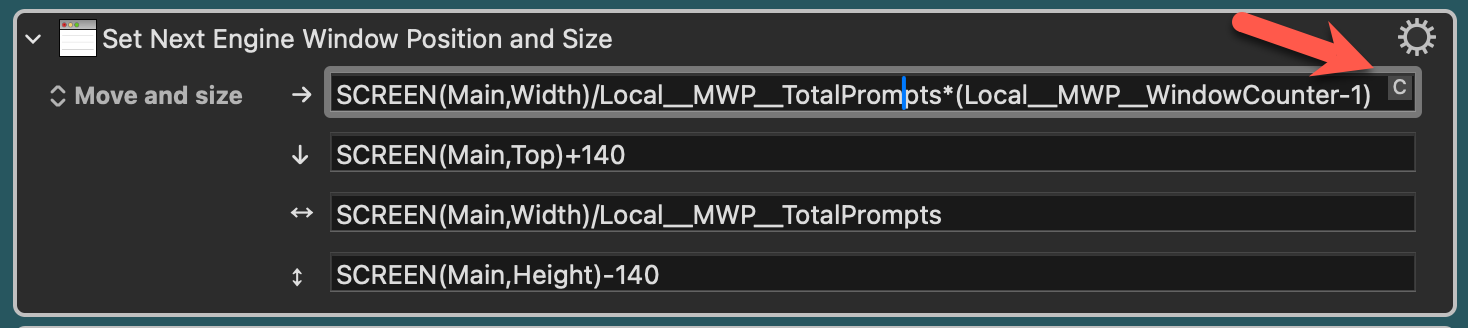
If it is a “C”, then it is a numeric field and you can directly use calculations.
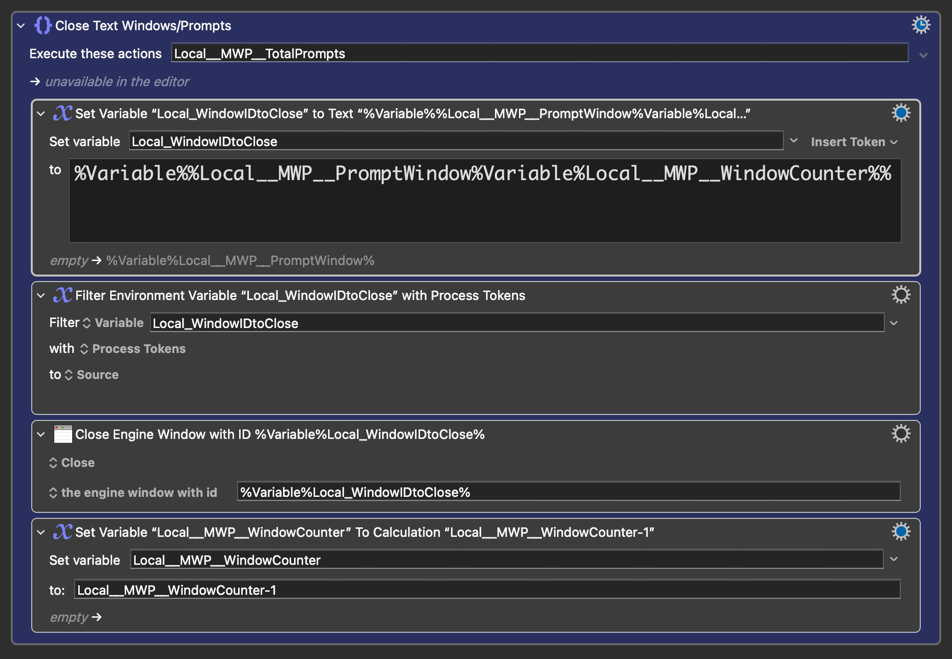
In my “[PMW] Prompt with Multiple Windows” macro, I cascade the windows based on the number of prompts desired. While I'm certain the calculations can be refined, if you examine the macro, you'll discover a few reusable methods that you can incorporate into your own macros. For instance, to close the opened KME windows, you can utilize Dynamic Variable Names or, probably more efficient, variable arrays or JSON/dictionaries:
Of course, that doesn't show in "spinner" fields so you don't see it until you type something other than a number. So easily missed.
Now you know these fields can take variables and calculations you should be well on your way. But do consider why you are doing this, especially since each new window will be above the last in the stacking order -- so to see the contents of the first you'll have to move all the others out of the way.
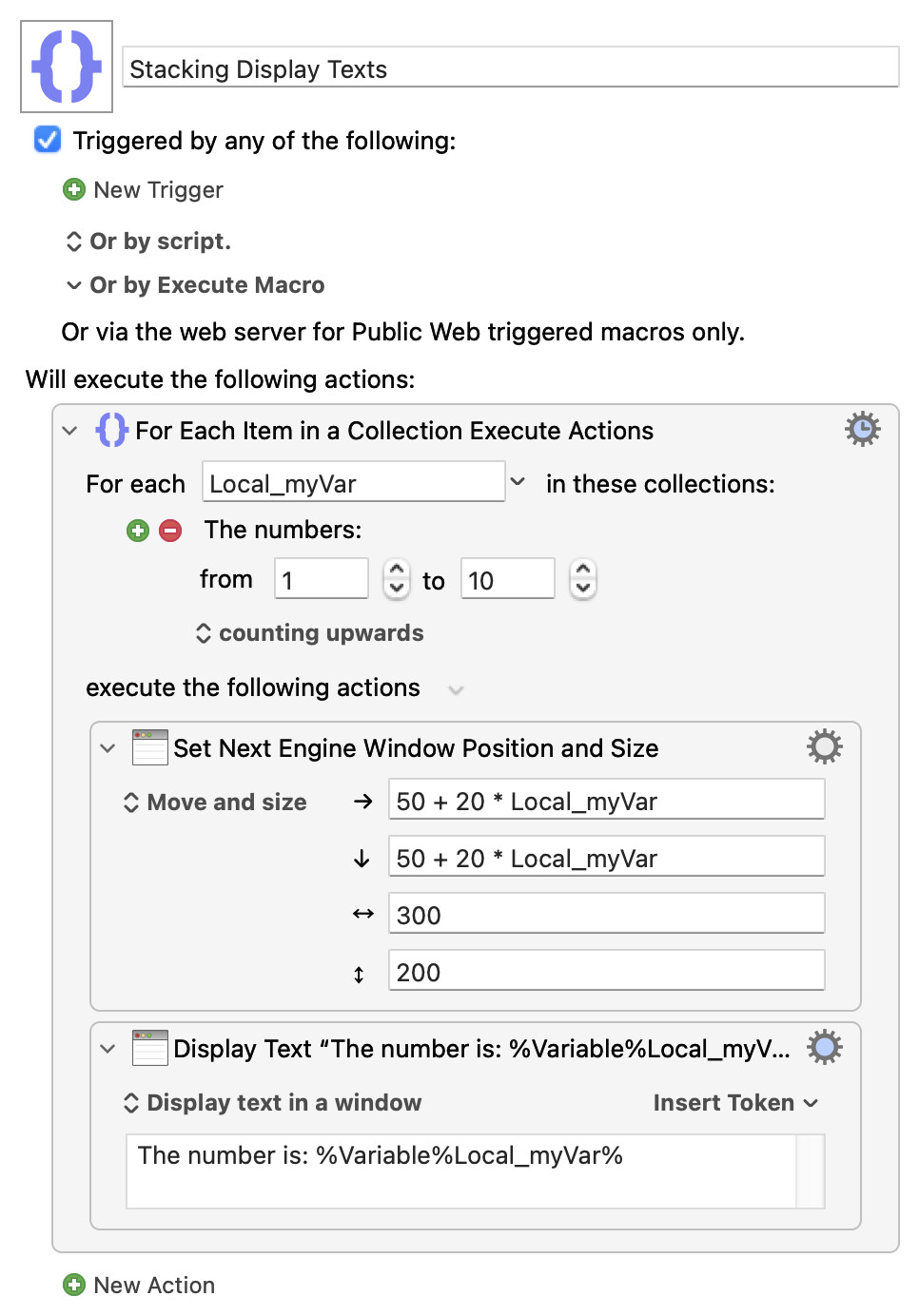
Simple demo:
Stacking Display Texts.kmmacros (3.8 KB)
Yeah, I forgot spinner fields didn't display the indicator. Thanks for pointing it out!
Yeah, your demo clearly stacks in a cascade and showcases the issue you pointed out. Perhaps, it may be useful to display them in a grid and not as he requested:
Display Texts in Grid.kmmacros (3.8 KB)
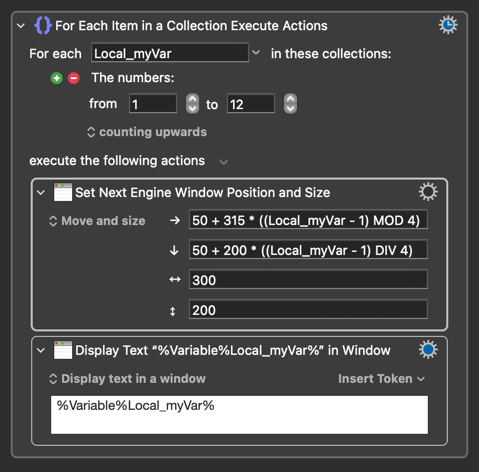
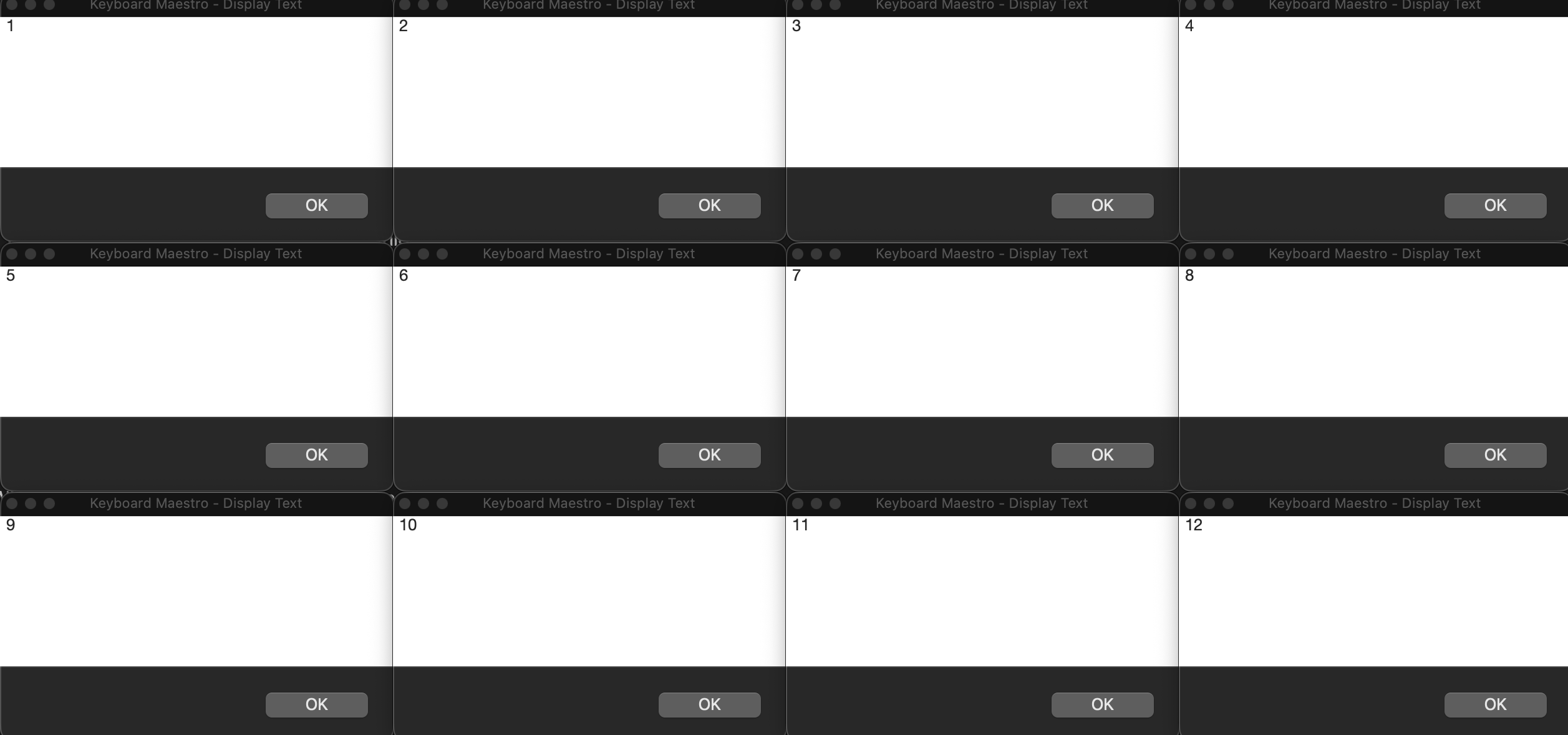
@Nige_S and @JuanWayri
Appreciate the assistance and examples of each.
As to the why, I find myself using Display Text windows as a debugging tool and having the windows display in a chronological and ordered fashion will make it s easier to determine the source of the problem.
Thanks again!
If you haven't already, I suggest you add DanThomas's awesome MACRO: Variable Inspector Prompt and Dictionary Editor v3.2a to your debugging toolbox!
I will thank you.