The easiest way is to use the menu command View > Go to Last Aborted Action.
I believe that In theory, you should also be able to find the relevant action by selecting all macro groups and then entering Action: , followed by the action’s number, in the Search field in the top right of the KM Editor’s window (⌘-F). I say “in theory” because I’ve yet to get that to work! Perhaps someone could kindly correct me if I’ve got the theory wrong. I’ve certainly got some aspect wrong…
A quick search of the forum reminds me that one can use Applescript to go to actions based on their ID and that this discussion includes links to a couple of potentially very helpful macros that I meant to try out!
Remember that only the selected Group is searched -- in the screenshot you can see that the "All Macro" Smart Group is selected so that all macros are considered.
Is there any logic to why the design is such that the space has to be omitted? I presume that there is (but it shouldn’t be necessary just to, say, separate search terms ).
Everything immediately after the : is the qualified search term, a space outside double-quotes means "and here comes the next term". So act:<space>1234 would be "search for the Action whose ID is <null> and any part contains the string "1234".
Notice how none of the example on the Search Strings page have a space after the :. You'll have the similar behaviour with them all, although it is often masked.
Right, so space characters of any kind or quantity could be searched for without being quoted… and indeed the same would apply to quote marks…
I have however just experimented by created two dummy macros, one with typed string trigger xyz and the other with typed string trigger xyz (there are four spaces at the start). When all macros are selected and the search term xyz is used, both macros appear in the search results.
I think typed string triggers will be an absolute bugger for this, because you can't use quotes to show it's a phrase since quotes could be in the trigger...
xyz will search for anything that contains "xyz" -- it isn't an exact and complete match, as you'll see by searching for yz. So xyz will search for:
Any macro that contains null AND
Any macro that contains null AND
Any macro that contains null AND
Any macro that contains null AND
Any macro that contains xyz
...and so finds both. You can't search for spaces outside of a phrase because space is the search term delimiter.
Try the same but setting the names of the macros to those values, then using the name: qualifier -- n:" xyz" will find only one macro.
I think we have to accept that not everything can be precisely targeted via the Editor's search box. But we mustn't be disheartened:
tell application "Keyboard Maestro" to select (every macro whose xml contains " xyz")
My point is that perhaps the parsing should be such that a space is a delimiter only when not preceded by a qualifier.
If, for any qualifier q:, the search terms q: and q: (or indeed for q: ) were made equivalent, would any functionality be lost in practical terms? The win would be that the likes of action: 1234—which looks intutively valid from a user perspective—would not silently fail.
Can you think of any practical examples in which q: is useful and unique?
And to me that's broken -- a space immediately after a qualifier : should be a literal space, as per your typed string trigger example. By extension, multiple spaces after a qualifier : should also be literal, turned off by non-space character -- which, obviously, would include another qualifier.
Which goes to show that there's no one simple, flexible, consistent way to do this that covers every possible case and user expectation
So I'll wuss out and, as usual, fall back to the documentation -- the examples don't have a space after the qualifier : so don't use one.
That still leaves the problem of how to precisely search for a typed string trigger that differs from other triggers only in included space(s). Which is why I'm wussing out ... But how many people have so many of those that they can't easily distinguish between them in an Editor's found set?
For myself, the only obviously significant practical aspect of how : is parsed is that the likes of action: 1234 fail unexpectedly—if the user’s expectation is that the parsing will be the same as in written English. I am not however criticising the design decision here, but I have been curious about the logic behind it.
I’m confident that there will have been carefully considered reasons for why the parsing is the way it is… even though I am slightly reminded of Web forms that make you guess whether spaces in numerical strings are or are not expected!
There is always logic. Sometimes misguided, but always a reason.
The search string is broken up into "words" and each word is searched for independently. So for example if you search for One Three it will find a macro One Two Three.
You can quote things to make phrases, so for example "One Three" will not match One Two Three.
This is why you cannot write action: 1234, that is searching for action: and 1234.
But note that spaces within quotes are still treated as special in that they will match any number of spaces of any kind. So indeed it would also match an action that had One and Three on consecutive lines (or even on separated lines as long as there was nothing but empty space between them).
Ahh, well, this is a separate more technical issue. Because spaces are significant in a typed string, The Typed String trigger displays spaces in a special way, either as One◇Three or as One«Space»Three. And this is the same way you would need to search for them. I'll add the raw string in to the search for the next version.
 Perhaps someone could kindly correct me if I’ve got the theory wrong. I’ve certainly got some aspect wrong…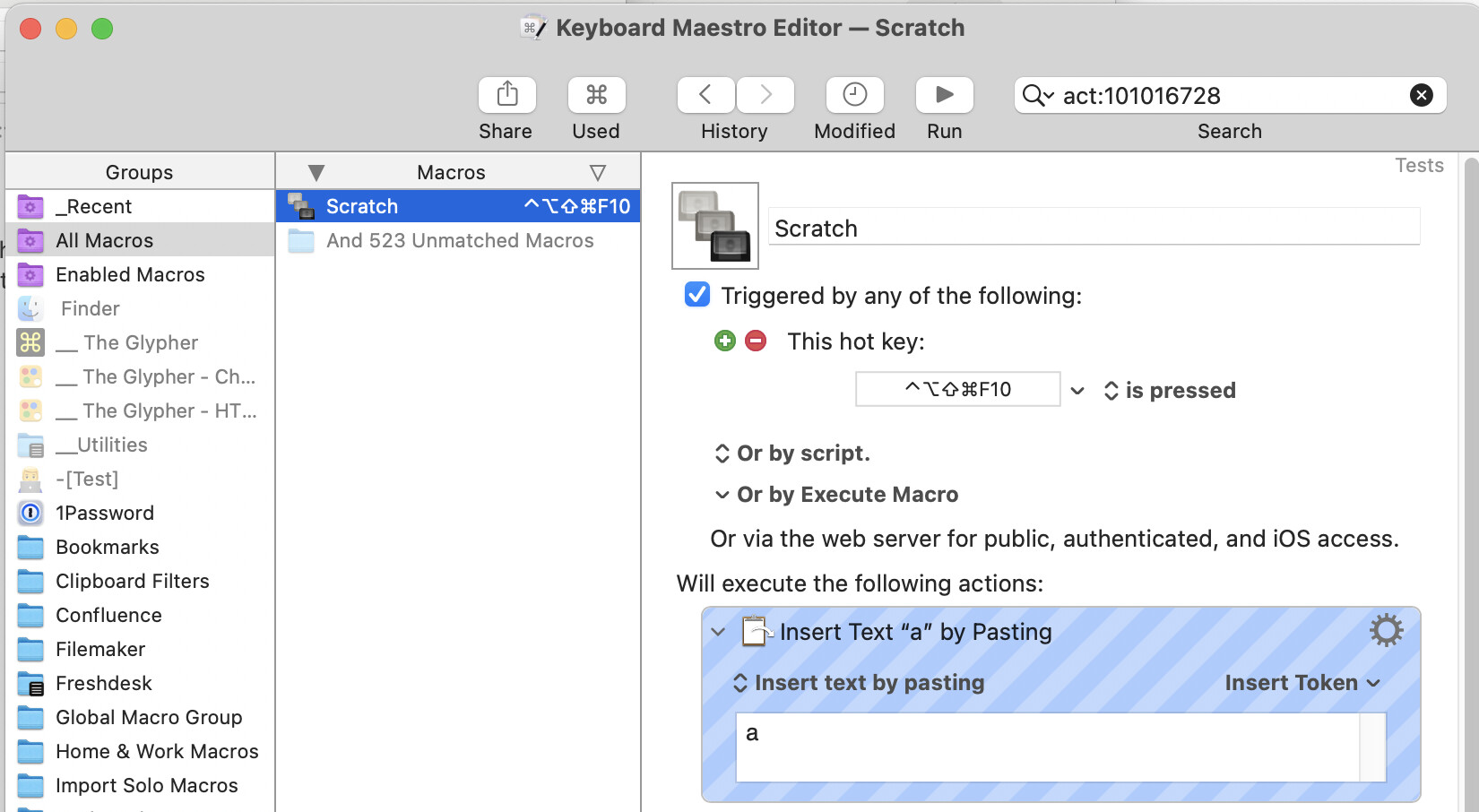
 ).
).
