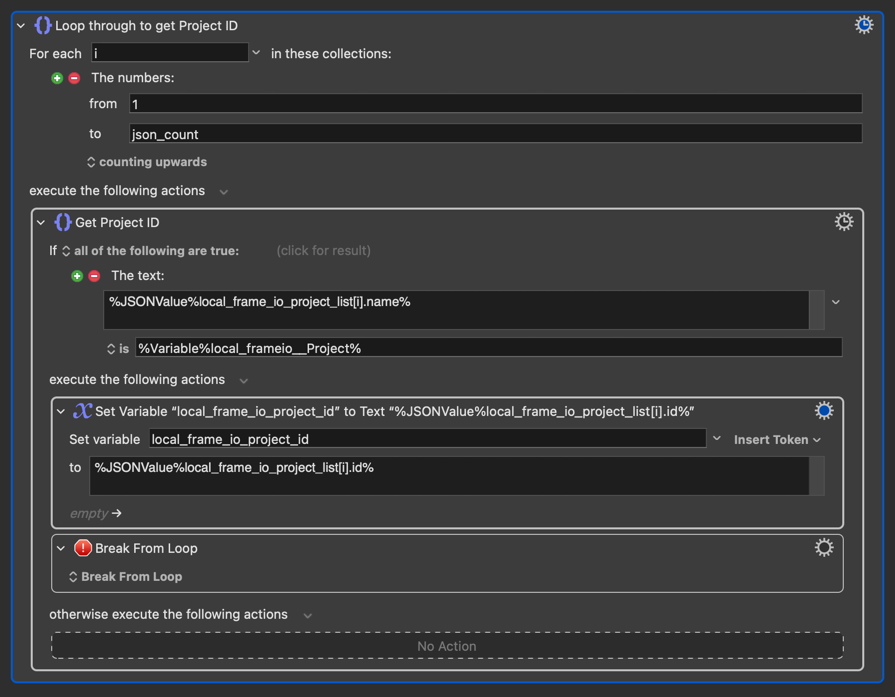
I’m trying to simply part of a macro that returns a potentially large array of JSON objects. Is there a way to find the index of a specific object based on the value of one of the key pairs, other than looping through all the indexes and checking the values?
Here’s how I’m doing it now, but is there a way to directly search for the value?
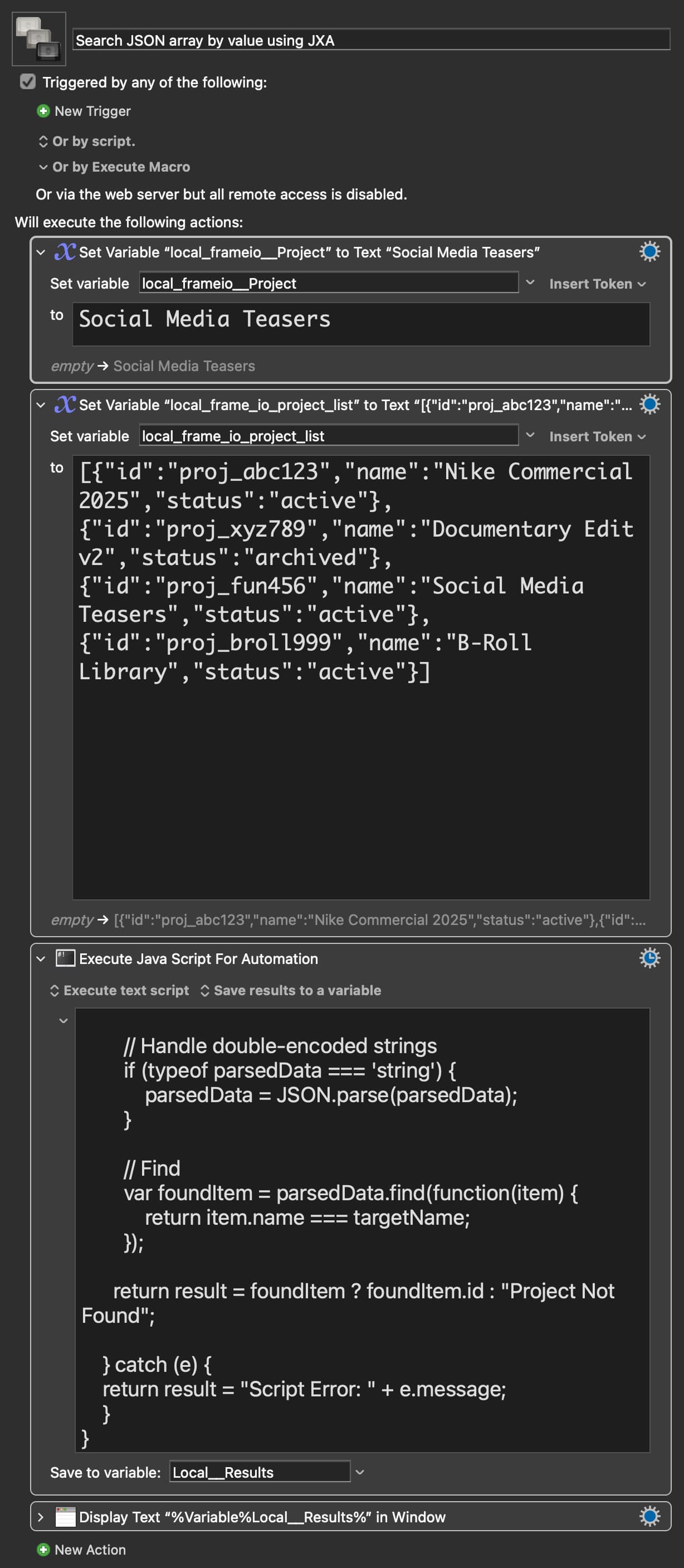
Hi @Evan_Mangiamele you can do this directly using a JavaScript for Automation (JXA) action. This allows you to use the native .find() method to grab the specific object immediately based on the key value.
// 1. Setup Standard Additions to get System Attributes
var app = Application.currentApplication();
app.includeStandardAdditions = true;

// 2. Get the specific Keyboard Maestro Instance ID
var kmInst = app.systemAttribute("KMINSTANCE");

// 3. Connect to the Engine
var kme = Application("Keyboard Maestro Engine");

// 4. Get Local Variables using the Instance ID
var rawList = kme.getvariable("local_frame_io_project_list", {instance: kmInst});
var targetName = kme.getvariable("local_frameio__Project", {instance: kmInst});

// 5. SEARCH "local_frameio__Project"

if (!rawList) {
result = "Error: Input variable is empty.";
} else {
try {
// Clean invisible spaces and escaped quotes
var cleanList = rawList.replace(/\\u00A0/g, ' ').replace(/\\"/g, '"');

    // Parse
    var parsedData = JSON.parse(cleanList);

    // Handle double-encoded strings
    if (typeof parsedData === 'string') {
        parsedData = JSON.parse(parsedData);
    }

    // Find
    var foundItem = parsedData.find(function(item) {
        return item.name === targetName;
    });

  return result = foundItem ? foundItem.id : "Project Not Found";

} catch (e) {
return result = "Script Error: " + e.message;
}

}
Although, if you are using the modern syntax option of the Execute action, and restricting variables, perhaps simpler to drop the getvariable apparatus (and delete steps 1, 2 and 3 completely), just referencing the Keyboard Maestro variable values directly, with a kmvar. prefix ?
Thanks @ComplexPoint for highlighting the most efficient method we have now.
The wiki snippet under "Using JXA to Access Variables" includes the comment // Assumes Modern Syntax, yet it still uses the .getvariable() method. While that method works, it would be helpful to showcase the actual Modern Syntax there or at least mention it as an alternative in the comments.
reading the values of Keyboard Maestro variable names
writing new values to those names
The Modern Syntax simplified reading of variable values with a kmvar. prefix is described (with a very brief snippet) at the top of this Wiki section:
The kmvar javascript object, with keynames corresponding to any Keyboard Maestro variable names which feature in the inclusion settings, is created just before script execution. It gives access to reading those values, but can’t be used to change them in Keyboard Maestro itself.
For that, you still net the .setvariable apparatus.
(Only .getvariable is redundant, though still in good health and working fine, if a little slower than kmvar.)