I’m having some issues with my macros failing sometimes (rarely, about 5% of the time).
This rare failure stops my automatic workflow and is frustrating.
It’s often a button which for some reason is not clicked. For what reason I am not sure, but a couple of times I noticed that the cursor hover over the button does not change to a finger cursor, and just stays a pointer, even though Safari window is active, and most of the time it works fine.
I think its possible to use javascript to look at the current Safari window and try and detect a button appearing or becoming active. Has anyone found this to be more reliable than an image search?
e.g.
(function() {
    // 1. Find the button (e.g., the send/submit button)
    const button = document.querySelector('button[aria-label="Send prompt"]');

    // 2. Check if it exists and is NOT disabled
    if (button && !button.disabled) {
        button.click();
        return "Clicked successfully";
    } else {
        return "Button is present but still locked/disabled";
    }
})();```
Have you tried the actual "Press a Button" Action? Have the page frontmost in Safari then use the Action's "Button" pop-up "Scan front window of: Safari".
You'll then have a list of detected buttons as a sub-menu to "Safari", at the top of the "Button" pop-up's list.
If JS can detect an element as a button, KM should be able to too.
A problem with web pages and "Click at Found Image" is that the page often does something when the pointer enters the clickable element, and KM is effectively clicking too quickly. So you could also try a "Move to Found Image", a "Pause: 0.1s", and finish with "Click at Current Mouse Location".
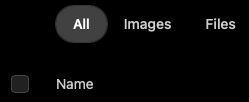
You'll have to inspect the page's code -- if only to find out if the element is there-but-hidden or not there at all until you mouse-over "Name". While in there, have a look to see if the checkbox is using static or dynamically-generated ID or classes -- if static, you might be able to use the "Set Safari Checkbox" Action instead of rolling your own JS.
This is amazing. I had never realised the standard Keyboard Maestro "Press a Button Action" could be used to identify a button on a webpage without having to use convoluted Javascript methods. Thanks @Nige_S I have just vastly simplified a Macro I have, to login to a particular webpage in Chrome.
That seemed to help - it did scan the Safari page and give me a button list.
My next challenge is to activate (put a cursor in) a Search box. I tried several activate field actions, but didn’t seem to work for me - the field action said “no fields found”. Whats your approach to activating a search field with a cursor in it. (There are two search fields in fact).
Can you Tab into it (will require a consistent "start point")? Otherwise, click at an offset to another UI element -- look for something, a window corner or image, a reliable distance from the search box.
Holy Smokes, Nige…what a complete and total game changer this Action is. Didn’t know it, and might now be completely addicted to it. Possibilities MIGHT just be endless for this. Thanks…and thanks again. (I’d make a macro to press the “LIKE” button on your Press A Button Suggestion if I knew what that was. )
It is a button, but it has a dynamically generated ID that corresponds to the UID of the post.
You'll be able to do something with @noisneil's macro but you'd still have to find a way to "get the UID of the post I'm looking at" -- and that's well beyond my limited JS skills!
 cursor, and just stays a pointer, even though Safari window is active, and most of the time it works fine.
 )
)